
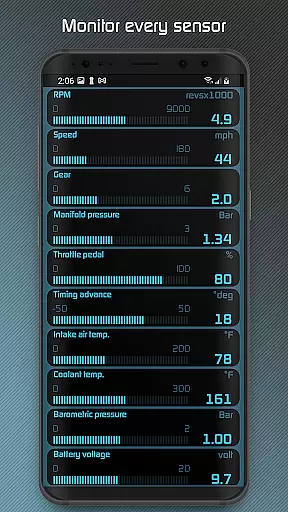
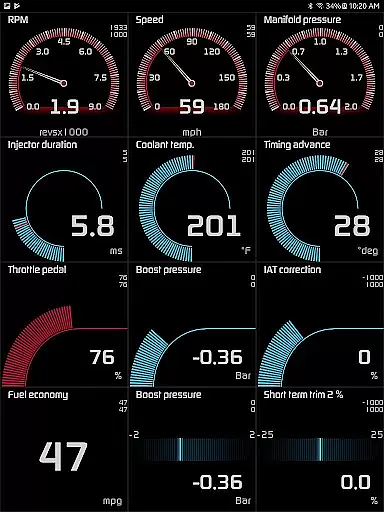
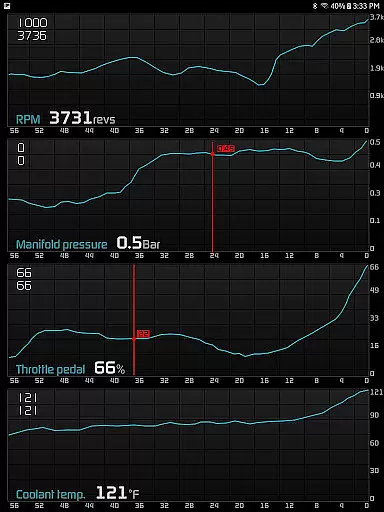
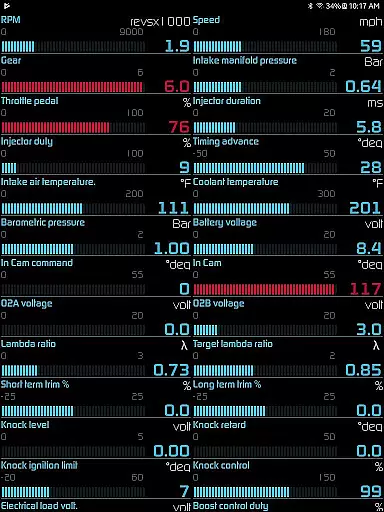
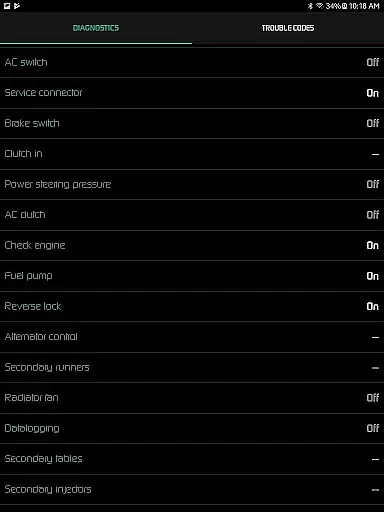
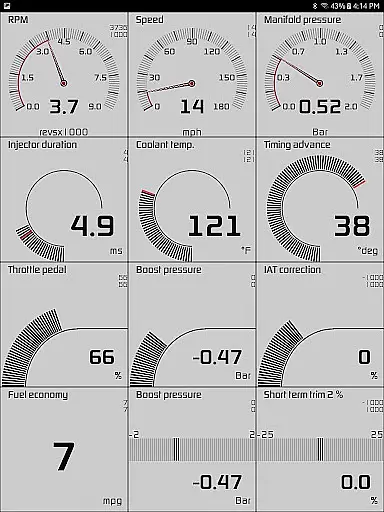
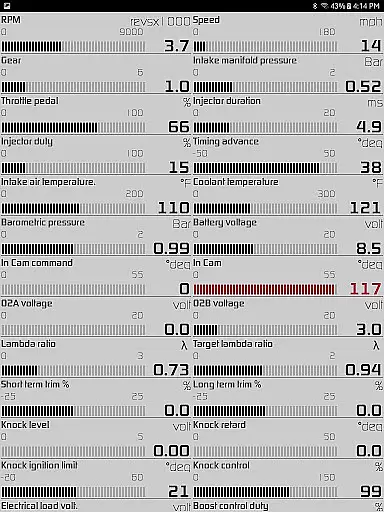
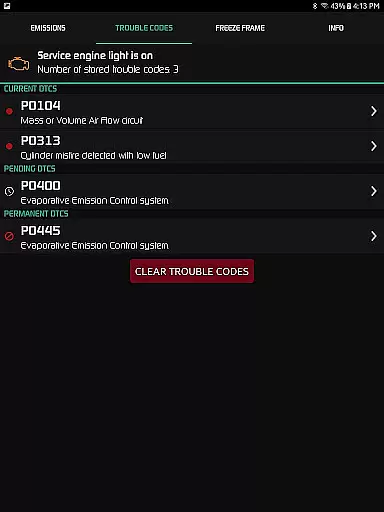
Hondata is a powerful automotive tool designed for Honda vehicle owners who want to monitor and optimize their car's performance. The app transforms your Android device into an all-in-one diagnostic and tracking system, providing real-time data on over 80 sensors. It allows users to troubleshoot issues by accessing the onboard ECU, track fuel economy, and even record performance metrics.
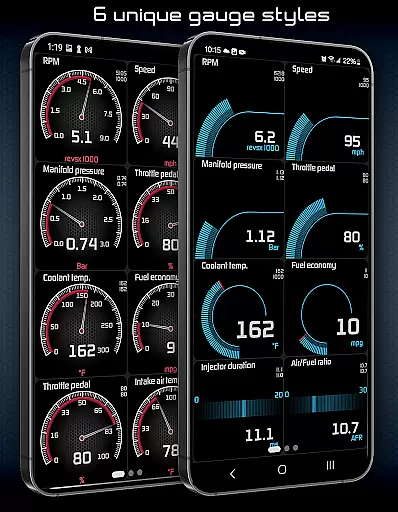
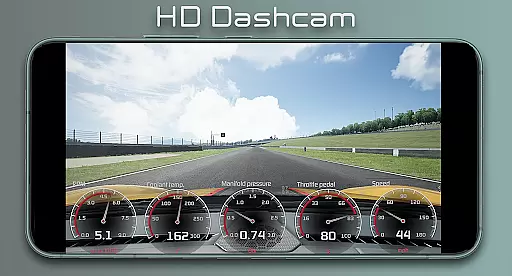
One of the standout features is its customizable gauge system, which provides detailed insights into parameters like boost pressure, battery voltage, and G-force. Additionally, Hondata offers advanced diagnostics, fuel economy tracking in multiple units, and even drag race timing for performance enthusiasts. Whether you're a daily commuter or a racing aficionado, Hondata delivers critical information to enhance your driving experience.
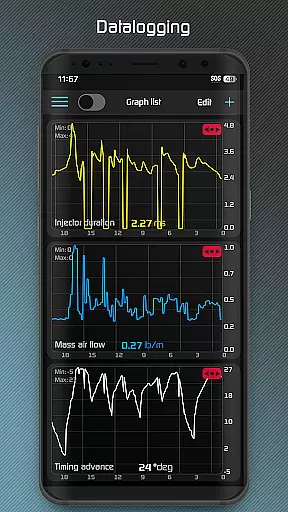
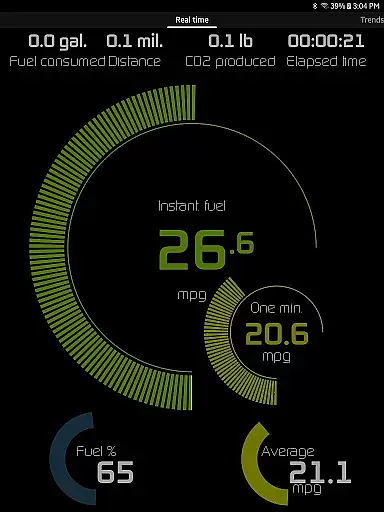
Hondata stands out with its extensive feature set tailored for both casual drivers and automotive enthusiasts. The app provides real-time monitoring of up to 80 sensors through customizable gauges, including turbo boost pressure, engine knock counts, and VTEC pressure. Users can plot this sensor data onto interactive graphs, recording and exporting it as CSV files for further analysis.
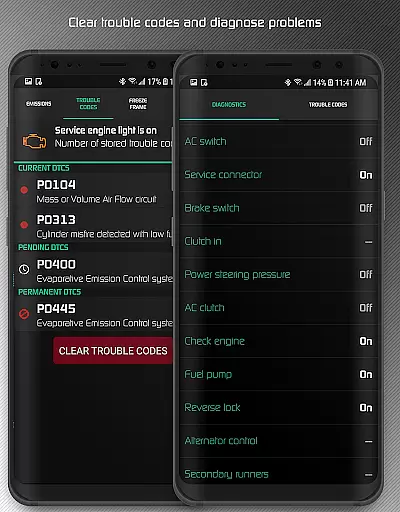
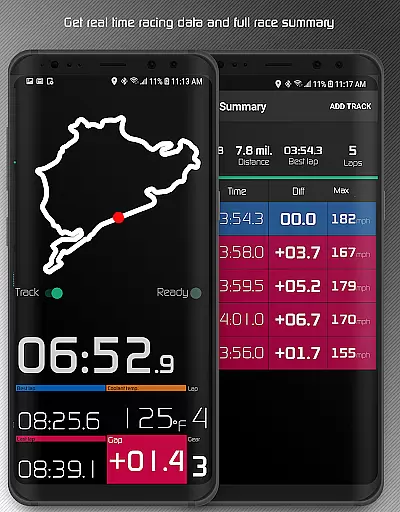
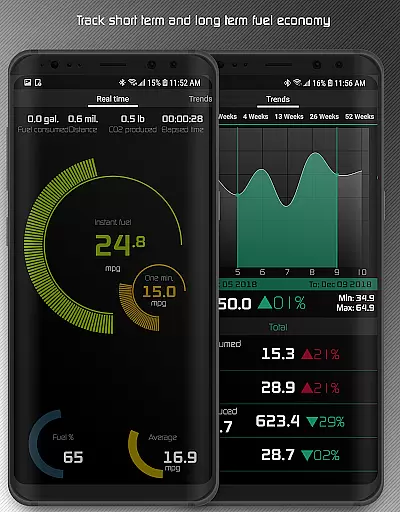
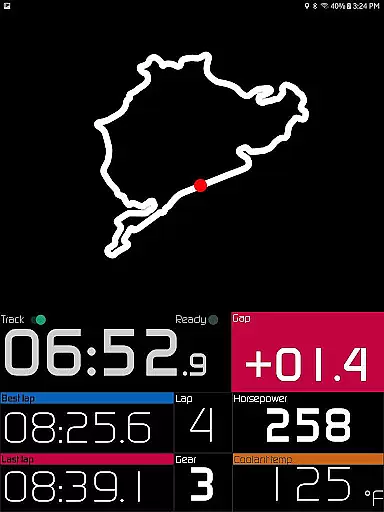
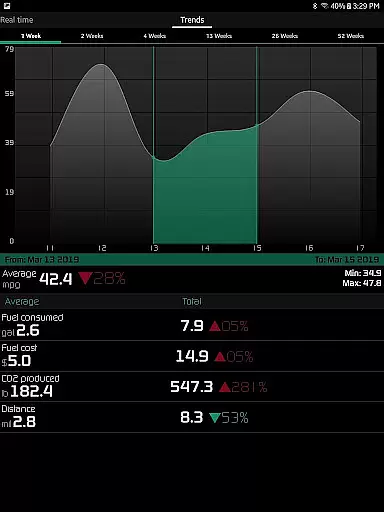
For performance tracking, Hondata includes a racetrack mode that measures drag race times, lap times, and uses GPS to provide real-time positioning on stored tracks. The app also supports five different methods of fuel economy calculation, long-term economy tracking, and notifications for user-defined limits on sensor readings. With added features like HUD night mode, speed limit warnings, and diagnostic trouble code reading, Hondata ensures both safety and performance optimization.
The Hondata app offers an extensive range of core functions that are both accurate and effective for car enthusiasts looking to monitor their Honda's performance. With real-time tracking of up to 80 sensors, the app provides precise data on various aspects such as fuel economy, boost pressure, and battery voltage. This level of detail ensures that users have access to reliable information about their vehicle's status at any given moment.
One of the key features is the ability to plot sensor data onto interactive graphs, allowing for a visual analysis of up to four sensors simultaneously. The recorded data can be saved in CSV format for further scrutiny, making it an invaluable tool for those who require detailed diagnostics. Whether you're assessing engine knock count or monitoring VTEC pressure, the Hondata app delivers the accuracy needed for effective vehicle maintenance and troubleshooting.
Additionally, the app supports both metric and imperial units, catering to a global audience and ensuring that all measurements are meaningful and precise to the user's preference. With functionalities like reading and clearing vehicle trouble codes, the Hondata app empowers users to take preemptive action against potential mechanical issues, thus saving time and money on unnecessary repairs.
Hondata stands out with its intuitive interface that simplifies complex automotive data into an accessible format. Users can customize gauges to track every available sensor, providing a comprehensive overview without overwhelming the senses. The straightforward gauge list feature allows simultaneous monitoring of multiple parameters, ensuring that even the most intricate details of your car's performance are just a glance away.
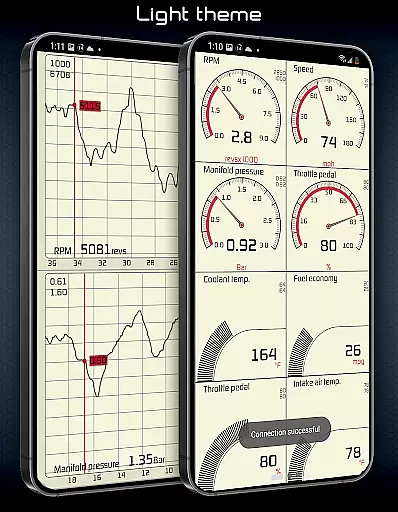
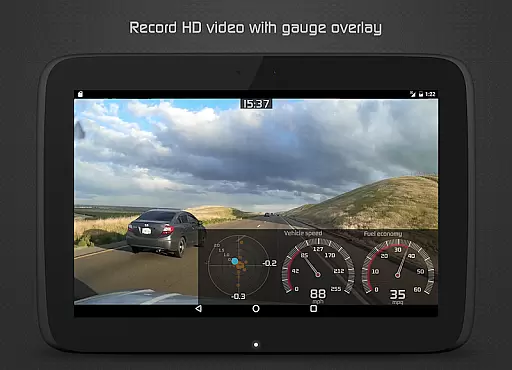
For ease of use, the app includes two themes and a landscape mode option for all views, accommodating different lighting conditions and user preferences. The HUD gauge is specifically designed for night driving, projecting essential information in a non-intrusive manner. These thoughtful design elements contribute to an interface that is not only simple but also enhances the overall user experience by being instinctual and easy to navigate.
Furthermore, practical alerts such as speed limit warnings and notifications for high coolant temperatures ensure drivers can maintain focus on the road while still being informed about critical aspects of their vehicle's health. By prioritizing clarity and ease of interaction, Hondata's interface effectively bridges the gap between advanced automotive technology and the everyday driver, making it a powerful yet user-friendly tool.
User-friendly interface
Real-time performance tracking
Comprehensive diagnostic tools
Customizable gauges and graphs
Advanced fuel economy analytics
No Android Auto support
Limited vehicle compatibility
Requires specific hardware
Potential sensor limitations
Complex for beginners

 4.50
4.50
Canon PRINT is a companion app for your Canon printer.
4.60
eXtended Permission Manager - a small app to manage permissions and AppOps
4.50
Unleash gamepad precision for ultimate mobile gaming dominance.
3.90
Signal Strength, Mobile, Wifi, Speed Test, Bad Signals, Cellular, 5G, LTE, 4G
4.20
The Ultimate Bluetooth Keyboard & Mouse. Securely control your PC, Mac, and more
4.50
NFC Tools can read and write NFC tags.
4.70
Fun lie-detection pranks for friends and parties.
3.80
Enhance your Beats
3.70
The one-and-only remote control for PC, Mac, and Linux
4.70
Protect your device with antivirus, storage cleanup, and system monitoring
4.70
Mirror your screen to Chromecast and Android TV - Super fast and simple
4.60
Play your X-Box games remotely in 1080p with any controller and zero latency
4.60
PC precision for mobile gaming: dominate with keyboard and mouse!
4.30
App that Recover your pictures, videos or files after you delete them.
4.20
Effortlessly run ADB commands directly on your device without a PC.
4.20
Create your own custom widget with endless possibilities
3.90
Undelete and recover your lost or deleted files with DiskDigger!
3.40
PDF Reader - Document Viewer: Read, Manage & Organize Your Documents
3.10


User Reviews