
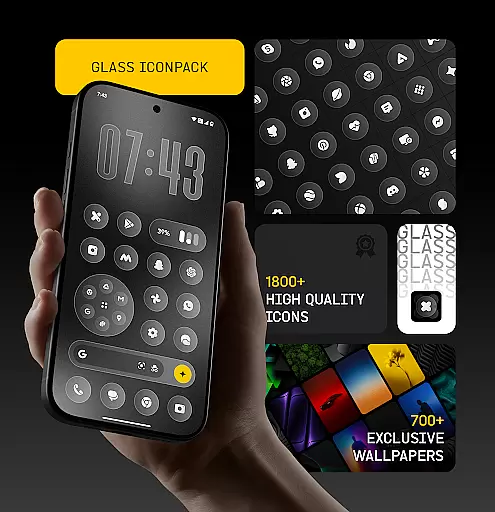
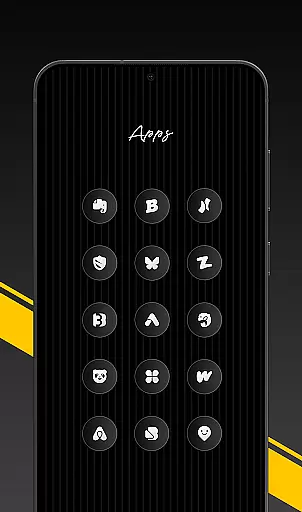
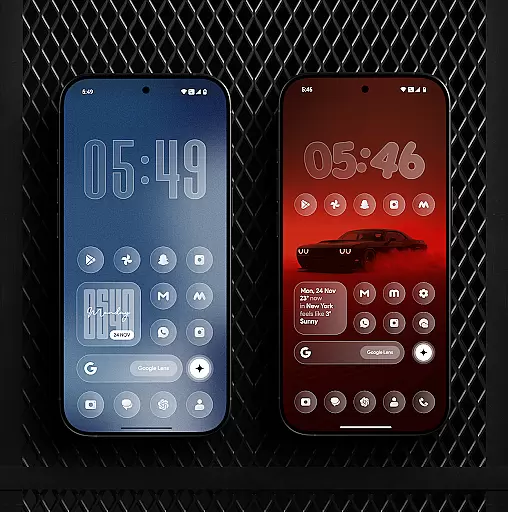
Glass Icon Pack is a premium collection of glossy, modern icons designed to enhance the aesthetic appeal of Android home screens. With over 1850 high-quality icons, each crafted with a smooth glass effect and subtle depth, this app brings elegance and timelessness to any device.
The pack includes HD resolution icons, dynamic calendar support, and smart masking for unthemed apps. It also offers 700+ matching wallpapers and regular updates, ensuring users have access to new content and continuous improvements. Compatible with various launchers, it provides an easy-to-use dashboard for seamless customization.
Glass Icon Pack stands out with its comprehensive feature set tailored for Android customization enthusiasts. The app includes 1850+ meticulously designed icons, each featuring a polished glass effect that blends seamlessly with any wallpaper or theme setup.
Beyond its core offering, the pack provides dynamic calendar icons, smart icon masking, and an intuitive dashboard with search functionality. Users can enjoy 700+ gradient-inspired wallpapers and benefit from regular updates that introduce new icons and refinements, ensuring their home screen remains fresh and up-to-date.
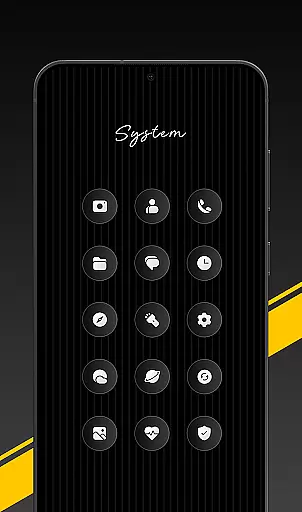
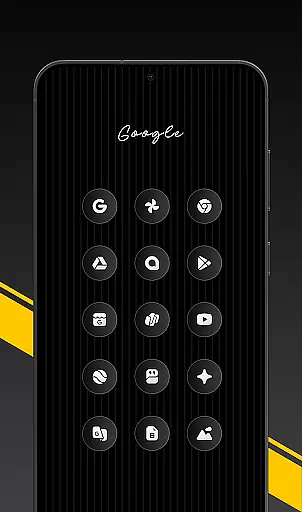
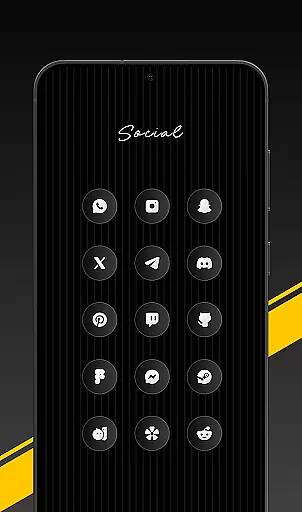
Glass Icon Pack offers an extensive range of customization options, ensuring users can personalize their Android home screens to match their unique style. With over 1850 high-quality glass icons, the pack covers a wide array of app categories including System Apps, Google Apps, Social Media Apps, and more.
The inclusion of 700+ matching wallpapers inspired by glass and gradient themes further enhances the customization experience, allowing for a cohesive look across the device. The dynamic calendar icons and smart icon masking for unthemed apps ensure that the user's home screen remains consistently themed, even as new apps are installed.
Regular updates with new icons and improvements keep the pack fresh and relevant, adapting to the ever-changing landscape of app designs. This commitment to ongoing enhancement provides users with continuous value and expanding choices for personalization.
For those seeking specific aesthetics, the easy-to-use dashboard with icon search and preview functionality simplifies the process of finding and applying desired icons. Free icon requests are also available, empowering users to directly influence the evolution of the pack.
Ensuring seamless integration with various launchers, Glass Icon Pack demonstrates exceptional theme compatibility. Users can apply the pack through any supported launcher or via their launcher settings, making it versatile and adaptable to different devices and preferences.
The pack is designed to work beautifully with any wallpaper or setup, bringing a modern, elegant, and timeless look to both minimal and fully customized home screens. Its smooth glass effect and subtle depth blend effortlessly, enhancing the visual appeal without overwhelming the overall design.
Notably, some devices like Nothing, OnePlus, and Poco support third-party icon packs without requiring an additional launcher, showcasing the pack's broad compatibility. This feature allows more users to enjoy the benefits of personalized theming without technical limitations.
In cases where certain icons are missing or unthemed, users can easily send icon requests from within the app. These requests are promptly addressed in upcoming updates, maintaining the integrity and completeness of the themed experience across all applications on the user's device.
Premium glossy design
Extensive icon library
HD resolution quality
Regular feature updates
Smart icon masking
Limited launcher support
No iOS compatibility
Some icons missing
Paid application
Refund policy constraints

Beautiful realistic hybrid watch face with numerous customization options.
 4.50
4.50
Prank your friends with realistic broken screen and cracked HD effects!
4.4
Transform your phone with Launcher iOS 26 - Smooth & elegant iOS experience
4.50
App Icon Changer & Shortcut Creator. Customize your icons without any watermarks
4.30
One 8 icons glass color version
4.80
Create unique, fun emojis with Funny Emoji Maker! Unlimited creativity!
4.00
Transform your phone with stunning video wallpapers and a unique, personal touch
3.80
Amazing letter fonts in your messages and social statuses
4.70
Cool custom fonts & keyboard themes! Symbols & font changer for Instagram
4.50
A minimalist productivity launcher. One-hand-friendly. Zero ads.
4.70
Glass style colourful icons with a One UI look and feel
4.60
Handcrafted pixel art icons, widgets & wallpapers
4.60
Customizable screen pets that play, climb, and keep you company.
4.50
Color phone with cool effects for call screen, flash alert & ringtones music
4.50
Romantic Kiss Stickers App. Start romantic messaging now!
4.30
Magic fluids wallpaper 4D: Relax with stunning fluid simulation wallpaper app
4.20
Adaptive Dot Style IconPack with Light & Dark Theme.
3.70
Customize glowing edges, wallpapers, and caller screen with EdgeAura.
3.50
⭐ OneUI inspired Fluffy Icon Pack – Soft. Stylish. Standout. ⭐
4.0


User Reviews