
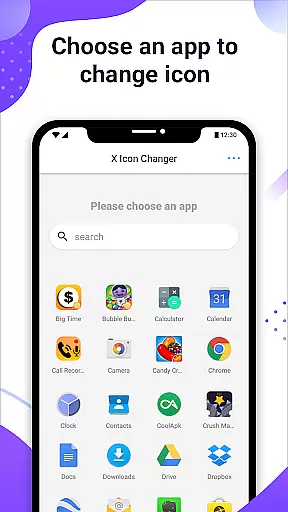
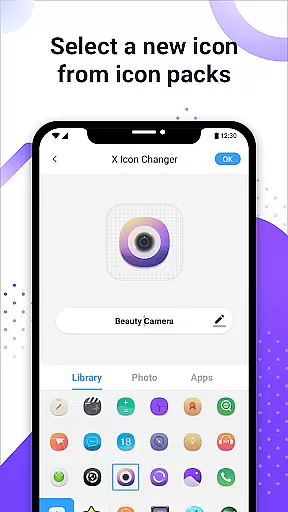
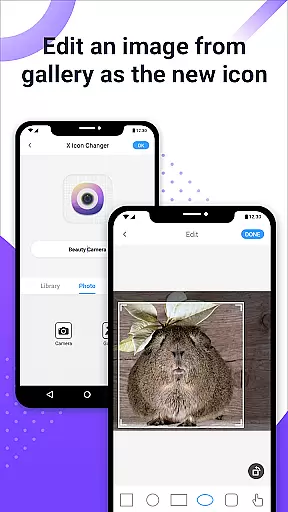
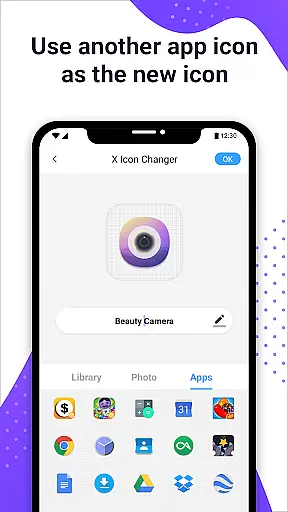
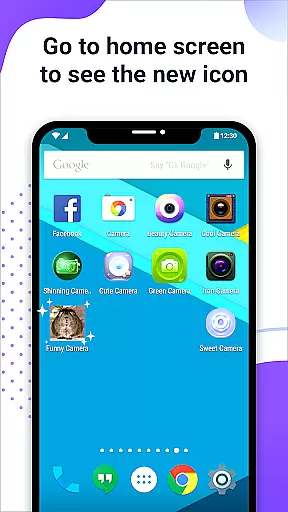
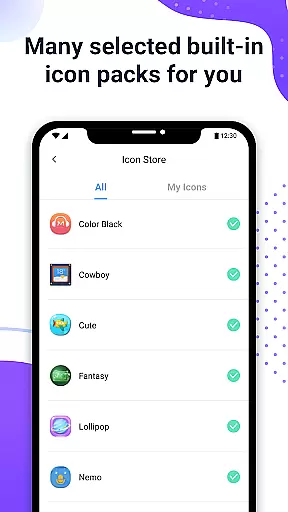
X Icon Changer is a versatile personalization app that allows users to customize and change icons for any application on their Android devices. With an extensive library of built-in icon packs, the ability to choose from other app icons, or even upload personalized images from the gallery, this app offers limitless creative possibilities.
The app simplifies the customization process by providing an intuitive interface where users can easily select an app, pick a new icon, edit the app name, and instantly see the changes reflected on their home screen. Additionally, X Icon Changer supports adding GIF animations to app icons, making your device truly unique.
For devices running Android 8.0 and above, the app provides a widget-based solution to bypass system watermarks on shortcut icons, ensuring a seamless and professional appearance. Whether you're looking to refresh your phone's aesthetics or express your personality through custom designs, X Icon Changer delivers both functionality and style.
X Icon Changer stands out with its comprehensive set of features designed to enhance personalization. The app includes multiple ways to customize app icons, such as selecting from pre-designed icon packs, importing images from the gallery, or choosing icons from other installed apps. This flexibility ensures that users can find the perfect look for their device.
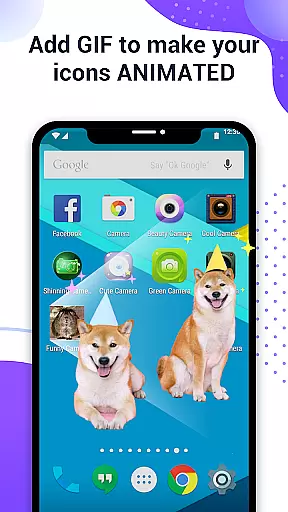
A notable feature is the ability to add GIF animations to app icons, allowing dynamic visuals when launching apps. Users can also rename apps during the customization process, offering further personalization options. The app creates shortcuts on the home screen, making it easy to access customized apps without affecting the original installations.
For Android 8.0 and above users, X Icon Changer addresses the common issue of watermark overlays on custom icons by utilizing widget technology. By dragging the app's widget to the desktop, users can create watermark-free icons, maintaining a clean and professional appearance while enjoying full functionality.
X Icon Changer offers an extensive range of customization options, allowing users to personalize their app icons effortlessly. With the ability to choose from built-in icon packs, gallery images, other app icons, or third-party icon packs, the possibilities are virtually limitless.
The app's intuitive interface makes it easy for users to navigate through different customization choices. Whether you prefer a sleek modern look or something more playful and colorful, X Icon Changer has got you covered with its diverse selection of styles and themes.
One of the standout features is the option to add GIF animations to your new app icons. This unique capability lets users infuse personality into their home screens by playing interesting animations whenever they launch an app. Such creative freedom not only enhances visual appeal but also adds a dynamic element to device personalization.
Ensuring seamless integration across various devices and operating systems, X Icon Changer excels in theme compatibility. The app supports Android 8.0 and above, addressing common issues like watermarks on shortcut icons that often plague similar applications.
For users seeking a watermark-free experience, X Icon Changer provides an innovative solution using widget technology. By simply adding the X Icon Changer widget to your desktop, you can change app icons without any unwanted overlays, ensuring a clean and professional appearance.
This commitment to compatibility extends beyond just avoiding watermarks; it encompasses a wide array of personalized icon packs designed to work harmoniously within the app. Users can enjoy consistent aesthetics throughout their device, knowing that each customized element will display correctly and maintain visual coherence.
User-friendly interface
Extensive icon library
Supports GIF animations
Customizable app names
Widget-based watermark removal
Limited iOS compatibility
Requires manual updates
Some features are Android-specific
Third-party icon dependency
Occasional performance issues

Stunningly Different look with Line Icons and Neon Colors
 4.60
4.60
Only for Wear OS devices!
4.90
Over 28,000 high quality icons to bring color & homogeneity to your phone.
4.60
The definitive Icon pack maker and editor
4.30 4.50
4.50
⭐ OneUI inspired Fluffy Icon Pack – Soft. Stylish. Standout. ⭐
4.2
Create unique, fun emojis with Funny Emoji Maker! Unlimited creativity!
4.00
Install amazing sticker packs: endless styles, always cool.
4.70
Transform your phone with stylish zipper lock themes and 4D live wallpaper
4.10
Enjoy a variety of amazing live wallpapers and colorful EDGE lighting borders!
4.80
Vertically oriented rectangular icons
4.70
Ultra realistic high quality analog watch face for Wear OS.
4.60
Make your phone look simple & luxury, like iDevice
4.60 4.50
4.50 4.50
4.50
Launcher OS™ Pro without ads help make your phone simple and pretty
4.30
Run multiple accounts of the same app on a single device
4.10
Crystal-clear, square icon provides a sleek and sophisticated visual upgrade
4.00
Emoji Maker app - Design custom emojis and effortlessly blend them with Mixer
3.80


User Reviews