
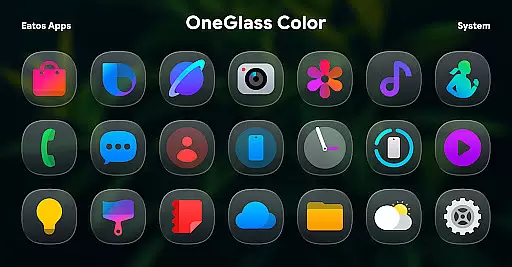
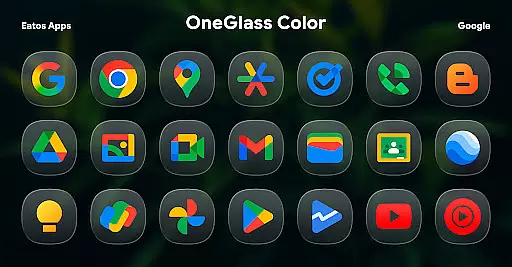
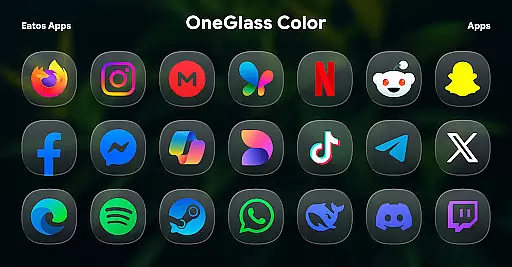
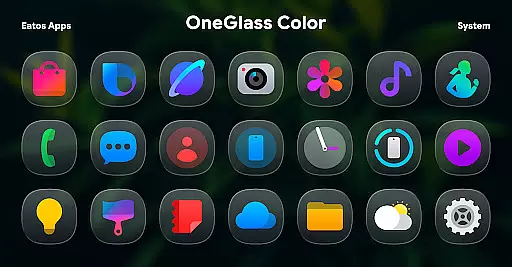
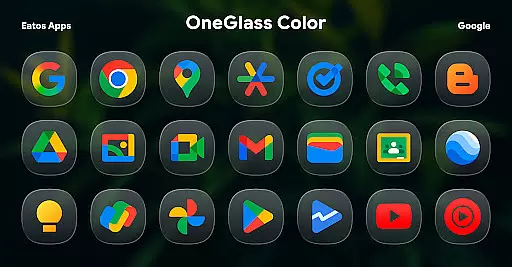
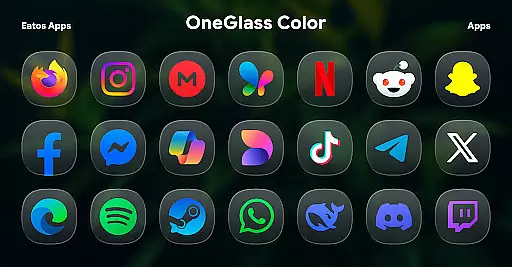
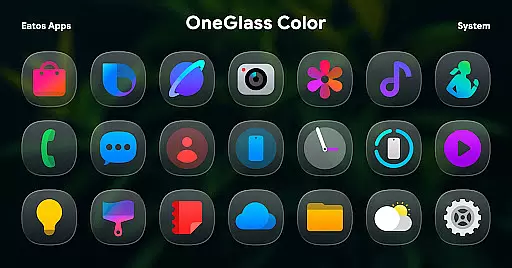
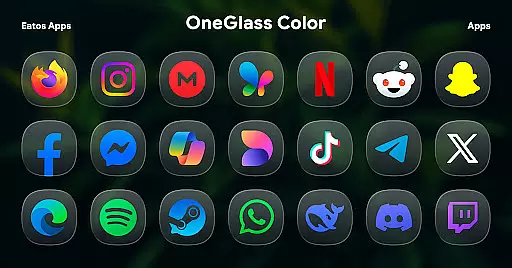
OneGlass 8 (Color) is a premium icon pack featuring over 4,600 beautifully crafted glass-style icons inspired by One 8 design language. This pack also includes more than 430 wallpapers, offering users a complete customization experience for their devices. Designed specifically for dark mode, these icons and wallpapers create a stunning visual effect when paired with darker themes.
The icon pack supports various popular launchers such as Nova Launcher, Smart Launcher, and Hyperion Launcher. For Samsung One UI users, it integrates seamlessly through the Good Lock and Theme Park apps. Whether you're looking to refresh your home screen or seeking the perfect aesthetic for your device, OneGlass 8 (Color) delivers both style and functionality.
OneGlass 8 (Color) stands out with its meticulously designed iconography that combines vibrant colors with sleek glass effects. Each icon is crafted to maintain consistency while offering a modern look that enhances any device's interface. The pack includes over 4,600 icons covering a wide range of applications, ensuring comprehensive coverage for all your installed apps.
In addition to the extensive icon collection, users can choose from more than 430 high-quality wallpapers. These wallpapers are specifically optimized for dark mode, creating a cohesive and visually appealing experience. The pack also provides clear instructions for installation across different launchers and offers dedicated support through email and social media channels, making it easy to get help when needed.
OneGlass 8 (Color) offers a vast array of customization options, ensuring users can tailor their device's appearance to their personal style. With over 4,600 Glass color icons and more than 430 wallpapers, this icon pack provides an extensive selection for those who prefer a cohesive dark mode aesthetic.
The customization extends beyond mere quantity; the design is inspired by One 8, offering a modern and sleek look that enhances the user interface. Users can choose from various icon styles and wallpapers, allowing them to create a unique home screen that stands out.
To facilitate these changes, users need a compatible launcher such as Hyperion Launcher or Nova Launcher. This ensures that the rich customization options are fully utilized, providing a seamless experience when applying themes and adjusting settings according to individual preferences.
By supporting multiple launchers and offering detailed instructions for OneUI launcher through Good Lock and Theme Park apps, OneGlass 8 (Color) empowers users with unprecedented control over their device's visual presentation, making it not just functional but also expressive.
Theme compatibility is a crucial aspect of OneGlass 8 (Color), designed to work harmoniously with dark mode settings and dark wallpapers. This ensures that users enjoy a visually consistent experience across their devices, enhancing readability and reducing eye strain in low-light environments.
The icon pack supports various launchers like Hyperion Launcher, Nova Launcher, and Smart Launcher, which are known for their robust theme application capabilities. By integrating with these platforms, OneGlass 8 (Color) guarantees that its themes will display correctly, maintaining the intended design integrity and user experience.
For users of OneUI launcher, additional guidance is provided via the Good Lock and Theme Park apps. These tools help apply the theme effectively, following specific steps outlined at https://bit.ly/OneUIThemePark. Such support underscores the commitment to ensuring broad compatibility and ease of use.
Ultimately, OneGlass 8 (Color) delivers on its promise of high theme compatibility, allowing users to switch between different launchers without compromising on aesthetics or functionality. This flexibility makes it an ideal choice for those seeking a versatile and adaptive icon pack.
Stylish glass design
Extensive icon coverage
Vibrant color options
Optimized for dark mode
Comprehensive wallpaper selection
Requires compatible launcher
No automatic theme switching
Limited light mode support
Additional setup steps for One UI
Some icons may need manual application

Only for Wear OS devices!
 4.90
4.90
Customizable flower power digital watch face for Wear OS watches.
4.00
Realistic animated snow on your wrist, with 10 images landscapes to choose from
4.00
100+ Stylish Fonts, Emojis, Symbols keyboard for Instagram & TikTok!
4.80
Aesthetic Widgets, HD Wallpapers, Themes in Mico Widget for Home and Lock Screen
4.50
Zip lock screen with magic wallpaper to decorate your phone with fun zipper lock
4.60
Icons made of colorful linear lines
4.60
Enjoy a variety of amazing live wallpapers and colorful EDGE lighting borders!
4.80
Your home screen, just the way you like it.
3.80
Wallpaper HD 4K Live - Thousands of high-quality Anime backgrounds for you.
4.80
Vertically oriented rectangular icons
4.70
Personalize your phone with stunning HD and 4K wallpapers!
4.70
Glass style colourful icons with a One UI look and feel
4.60
Transform your phone with Launcher iOS 26 - Smooth & elegant iOS experience
4.50
Try creating your own keyboard with "Keyboard theme for android" app now!
4.50
Transform your device in a game console
4.40
A light in the dark, a unique style and an andless cutomization!
4.30
Unique Fonts, typefaces and stylish text. Fonts for Instagram, Whatsapp & others
4.20
Modern Glass Icon Pack with glossy icons, clean minimal theme & aesthetic style
4.0


User Reviews