
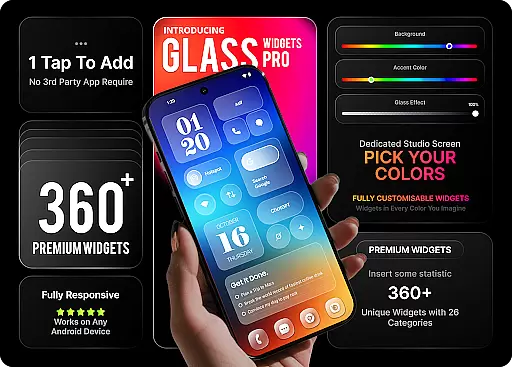
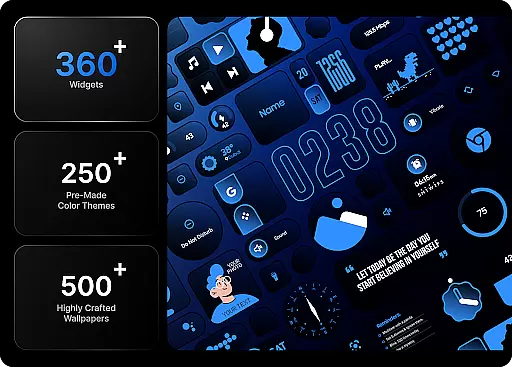
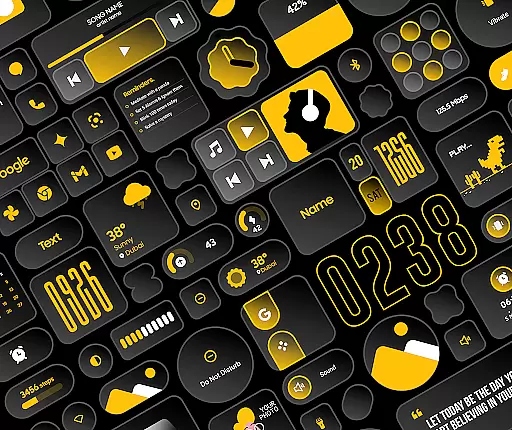
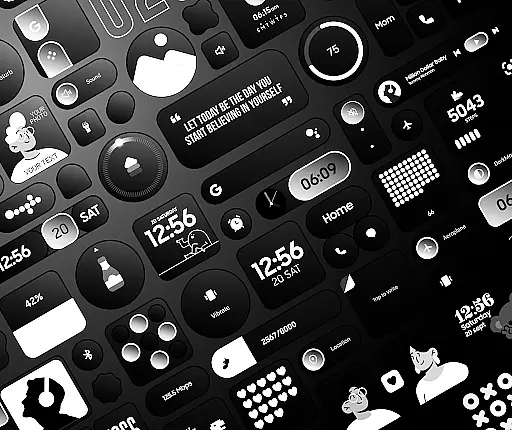
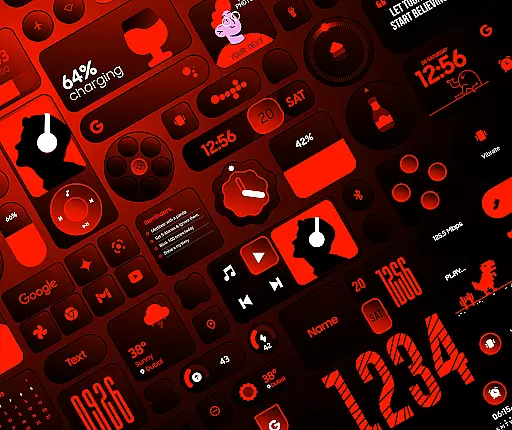
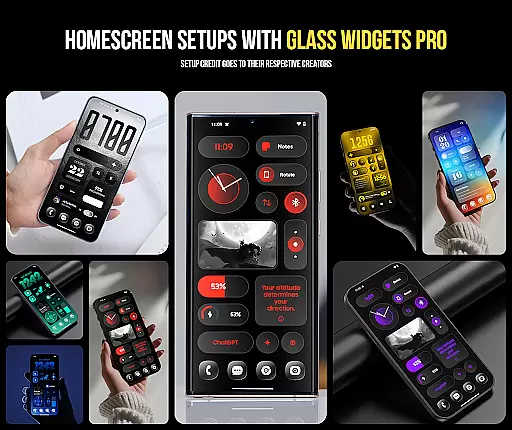
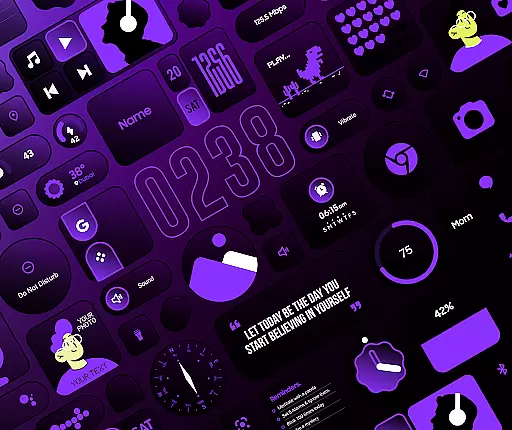
Glass Widgets Pro is a premium personalization app that transforms your smartphone's home screen with fully customizable widgets featuring stunning glass effects. This app offers over 360 premium widgets, 500 curated wallpapers, and 250 theme templates, ensuring a unique and modern aesthetic for your device.
Designed to work natively without requiring additional apps like KWGT, Glass Widgets Pro provides an intuitive experience where users can instantly tap, add, and customize their home screens. With features ranging from clock and weather widgets to productivity tools and utility widgets, this app catifies both form and function, making it an essential tool for those looking to enhance their device’s visual appeal and usability.
Glass Widgets Pro stands out with its extensive customization options. Users can apply a beautiful glass effect on all widgets, adjust background and accent colors, and control the background glass opacity to create a personalized look. The app includes over 250 color templates, allowing users to quickly transform their widgets with professionally designed aesthetics.
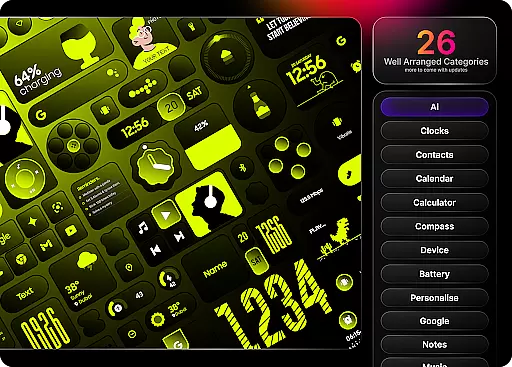
The app covers a wide range of categories including clock, weather, battery, quick settings, productivity tools, utility widgets, photo and camera widgets, folder widgets, specialty widgets, and contact widgets. Each category is crafted to provide both functionality and style, ensuring that users have everything they need at their fingertips while maintaining a cohesive and attractive home screen design.
Customization is at the heart of Glass Widgets Pro, offering users an extensive range of options to tailor their home screens. With over 360 premium widgets, this application allows for personal adjustments in background colors, accent colors, and even the opacity of the glass effect.
The app provides more than 250 color templates designed by professionals, ensuring that users can achieve a personalized aesthetic without starting from scratch. These templates cover various categories including clock, weather, battery indicators, and productivity tools, allowing seamless integration into any home screen layout.
Users benefit from the ability to adjust every widget's appearance, making their devices not only functional but also a true reflection of their personal style. This level of customization empowers users to craft a home screen that is uniquely theirs, enhancing both usability and visual appeal.
Glass Widgets Pro excels in theme compatibility, ensuring that its widgets harmonize with a wide array of Android themes. The application includes over 500 curated wallpapers explicitly chosen to complement the glass effect widgets, providing a cohesive look across the user's device.
In addition to the vast selection of wallpapers, the app offers 250+ theme templates that guarantee consistency in design language throughout the home screen. Whether itu2019s clocks, weather updates, or battery indicators, each widget aligns perfectly with the selected theme, creating a unified visual experience.
This compatibility extends beyond mere aesthetics; it ensures that all functional aspects of the widgets are preserved while maintaining the elegance of the overall theme. Users enjoy an intuitive interface where form meets function, resulting in a personalized yet professional appearance.
Extensive Customization
Stunning Glass Effects
Variety of Widget Categories
Native Functionality
Curated Wallpapers
Premium Price Tag
Complex for Beginners
High Storage Requirements
Limited Free Options
Frequent Updates Needed

3D, live, and moving wallpapers & themes in 4K and HD for your device.
 4.50
4.50
Sparkle your screen with Glitter Wallpapers For Girls and Cute Backgrounds!
4.80
⭐ OneUI inspired Fluffy Icon Pack – Soft. Stylish. Standout. ⭐
4.0
Launcher OS™ Pro without ads help make your phone simple and pretty
4.30
Stylish Pink Cute Hippo keyboard with 10000+ customized keyboard themes!
4.60
300+ Stunning and well-designed widgets inspired by NOTHING.
4.70
300+ Beautifully crafted widgets inspired by OneUI.
4.60
300+ widgets inspired by Material You and Material 3 expressive design.
4.60
set a new experience for the Android mobile phone
4.20
Gun Chase - Let the chase begin.
4.80
Vertically oriented rectangular icons
4.70
350+ widgets with a premium glass-style finish, perfect for home & lock screens.
4.70
Transform your phone with Launcher iOS 26 - Smooth & elegant iOS experience
4.50 4.50
4.50
Art & Emoji Keyboard with Cool Fonts, Cute Themes and Custom Designs.
4.40
A light in the dark, a unique style and an andless cutomization!
4.30
Realistic animated snow on your wrist, with 10 images landscapes to choose from
4.00
Your go to Weather App & Home Screen. Get your weather at a swipe of a finger!
3.80
Capture moments that pass like a storm, second by second.
4.1


User Reviews