
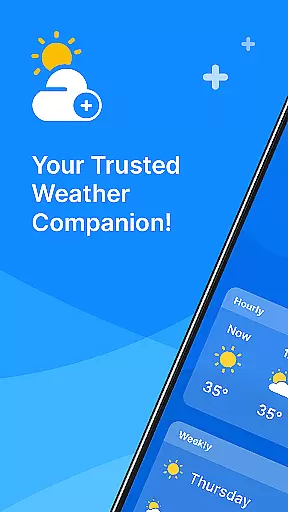
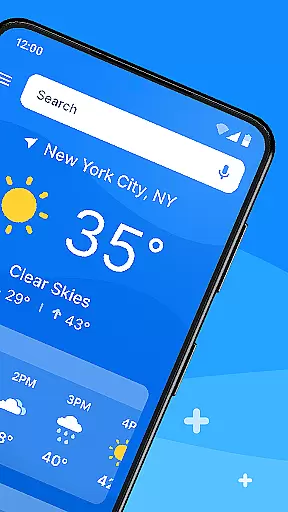
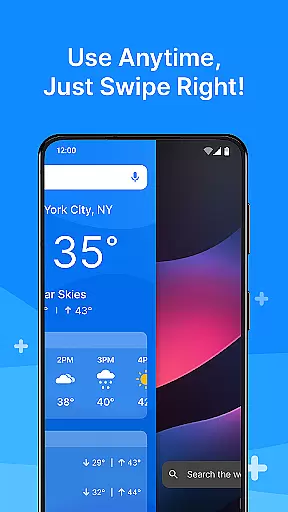
All Weather Mode is a comprehensive weather application designed to keep users informed about current and forecasted weather conditions. The app provides real-time updates, detailed forecasts, and location-based reporting, ensuring you are prepared for any weather scenario.
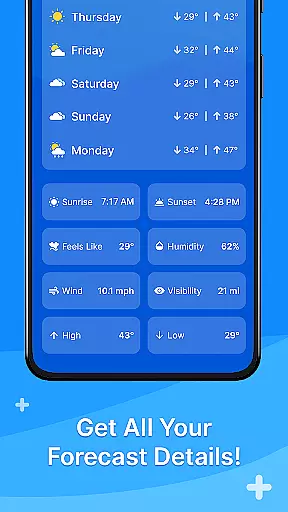
With an intuitive home screen layout, the app offers quick access to essential weather information. Users can swipe through shortcuts to view forecasts, sunrise and sunset times, feels-like temperatures, humidity levels, wind speed, visibility, and more. Whether planning daily activities or outdoor excursions, All Weather Mode equips you with the necessary data to make informed decisions.
This app is particularly useful for individuals who need reliable weather information at their fingertips, whether for travel, work, or leisure activities. By delivering accurate and timely weather updates, All Weather Mode ensures safety and preparedness in various weather conditions.
All Weather Mode stands out with its array of robust features tailored to meet diverse user needs. One of its key highlights is the intuitive home screen layout, which simplifies navigation and allows users to access weather reports effortlessly. This feature transforms the home screen into a personalized weather dashboard, providing easy access to vital weather information.
The app delivers real-time weather reporting for current and saved locations, offering precise details such as temperature, sunrise and sunset times, feels-like temperatures, humidity, wind speed, and visibility. These comprehensive insights enable users to plan their day with confidence, knowing they have the latest weather data available.
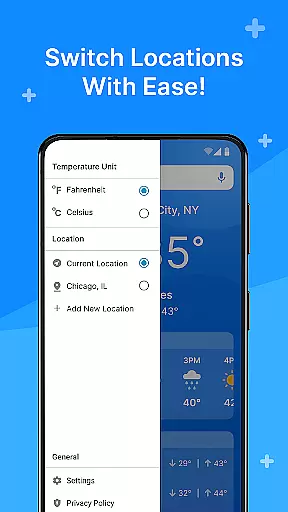
Additionally, All Weather Mode includes detailed 7-day forecasts and robust hourly predictions. These forecasts provide users with precipitation percentages and hour-by-hour updates, empowering them to make timely decisions. With location-based weather reporting and the ability to add multiple locations, users can stay informed about different areas, making it ideal for travelers and those concerned about loved ones in various regions.
Weather Mode: Weather Launcher offers a rich array of customization options that allow users to tailor their weather experience according to their preferences. The app features an intuitive home screen layout, providing easy access shortcuts for quick weather updates.
Users can customize their home screen with quick-swipe shortcuts, ensuring that vital weather information is just a swipe away. This level of personalization ensures that whether you are at home or on the go, getting the weather report you need is effortless and fast.
The app's robust search functionality, powered by Yahoo, adds another layer of customization by allowing users to quickly find weather details for any location worldwide. This feature is particularly useful for those who travel frequently or wish to stay informed about the weather in different areas.
With its user-friendly interface and customizable features, Weather Mode: Weather Launcher stands out as a top choice for individuals seeking a personalized weather application that caters to their unique needs and lifestyle.
Theme compatibility is a crucial aspect of Weather Mode: Weather Launcher, ensuring that users enjoy a visually cohesive experience across their devices. The app boasts a clean and modern design that aligns well with various themes, enhancing the overall aesthetic appeal.
Whether you prefer a light or dark theme, Weather Mode: Weather Launcher adapts seamlessly, offering a comfortable viewing experience regardless of your chosen settings. This flexibility allows users to maintain consistency in their device's appearance while accessing critical weather information.
In addition to supporting popular themes, the app also provides detailed forecasts and real-time weather reporting, all presented within a harmonious visual framework. Users can trust that the app's design will remain visually appealing without compromising functionality or data clarity.
By prioritizing theme compatibility, Weather Mode: Weather Launcher delivers an engaging and adaptable user experience that meets the diverse needs of its audience, making it a reliable choice for weather updates.
User-friendly interface
Real-time weather updates
Detailed 7-day forecasts
Location-based reporting
Customizable home screen
Limited advanced analytics
No extreme weather alerts
Occasional data inaccuracies
Ads in free version
Basic UI design

Fingerprint Lock Screen & Live Animations with 4K Wallpapers as Live Wallpaper
 4.40
4.40
Shimeji adds cute animated characters to your screen, lively and fun.
4.70
Ultimate widget creator. Design custom widgets for a truly unique home screen!
3.90
100+ Stylish Fonts, Emojis, Symbols keyboard for Instagram & TikTok!
4.80
Romantic Kiss Stickers App. Start romantic messaging now!
4.30 4.10
4.10
Customize phone with anime themes, 3D icons, aesthetic widgets & wallpapers
4.80
Your home screen, just the way you like it.
3.80
Fast SMS & group chat - use GIFs and emojis from your home screen launcher.
4.50
A Colorful and Minimal icon pack in an Outline Style - Over 13,600 icons!
4.70
Personalize your phone with stunning HD and 4K wallpapers!
4.70
Ultra realistic high quality analog watch face for Wear OS.
4.60
Make your phone look simple & luxury, like iDevice
4.60
Want to make your phone more special than ever?
4.60
300+ Beautifully crafted widgets inspired by OneUI.
4.60
Aesthetic Widgets, HD Wallpapers, Themes in Mico Widget for Home and Lock Screen
4.50
Prank your friends with realistic broken screen and cracked HD effects!
4.5
Custom edge gestures for volume control, brightness, apps, and shortcuts.
4.4
Modern Glass Icon Pack with glossy icons, clean minimal theme & aesthetic style
4.3


User Reviews