
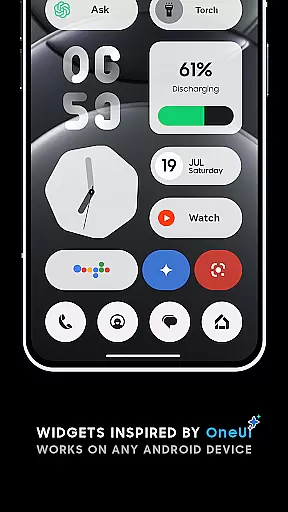
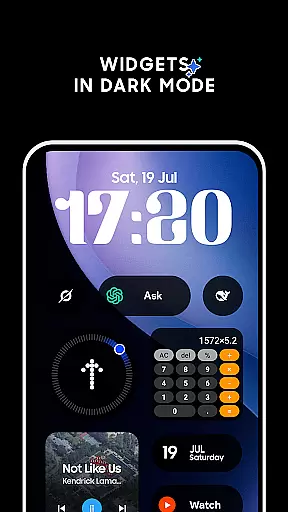
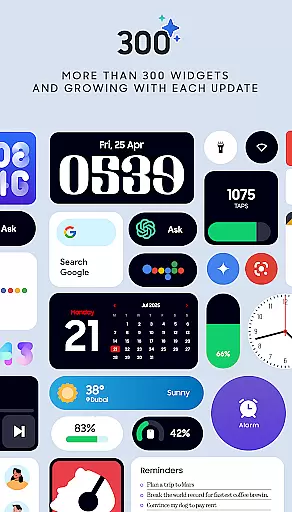
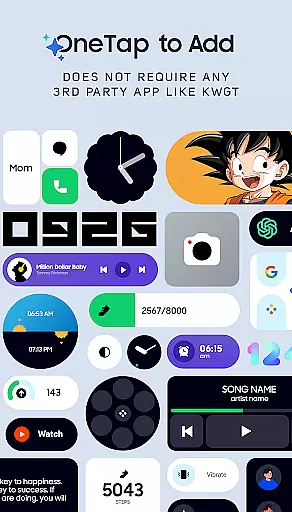
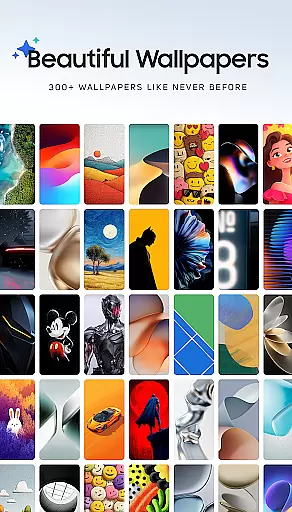
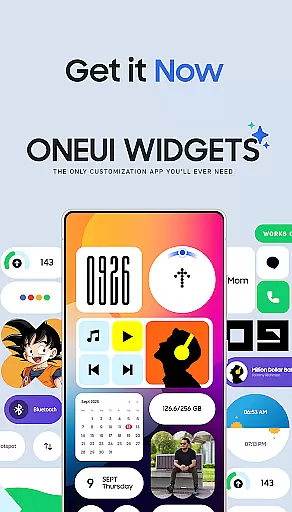
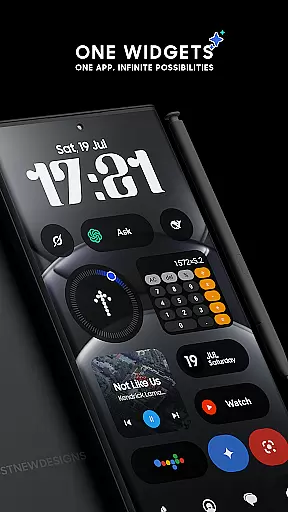
OneUI Widgets is a feature-rich personalization app that transforms your Android home screen with over 300 beautifully designed widgets inspired by Samsung's One UI OS aesthetic. The app offers a diverse range of widget categories, including Clock & Calendar, Battery, Weather, Quick Settings, and more, all fully resizable for optimal customization.
What sets OneUI Widgets apart is its native functionality—no third-party apps like KWGT are required. Users can simply tap to add widgets and enjoy seamless integration with their devices. The app also includes matching wallpapers, providing a complete home screen customization experience.
Ideal for users seeking both form and function, OneUI Widgets enhances productivity while elevating device aesthetics. Whether you need practical tools like battery monitors or creative elements like photo widgets, this app delivers a personalized and visually appealing home screen setup.
OneUI Widgets stands out with its extensive library of over 300 fully resizable and responsive widgets, ensuring compatibility across all Android devices without requiring additional apps. Each widget category serves a unique purpose, from elegant Clock & Calendar widgets to practical Utility widgets like compasses and calculators.
The app supports real-time functionality, such as weather updates, quick settings toggles, and even a pedometer widget utilizing the phone's motion sensors. With exclusive designs inspired by Samsung’s One UI, these widgets combine minimalist aesthetics with high usability.
Additionally, users gain access to 300+ matching wallpapers, enhancing the visual cohesion of their home screens. Regular updates promise new widgets and features, making OneUI Widgets a continuously evolving tool for personalization enthusiasts.
OneUI Widgets Pack offers an extensive range of customization options that allow users to transform their home screens into personalized, functional spaces. With over 300 beautifully designed widgets inspired by the One UI OS aesthetic, this app caters to a variety of user preferences and needs.
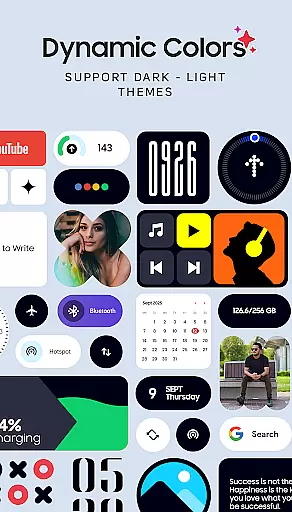
The app includes widgets for clocks, calendars, battery indicators, weather forecasts, quick settings toggles, contact shortcuts, photo displays, Google app integrations, utility tools, productivity enhancers, pedometers, inspirational quotes, and even games. This diverse selection ensures that users can tailor their home screens to reflect their unique style while enhancing usability.
Each widget is crafted with attention to detail, offering features such as full resizeability and responsiveness. Users can adjust the size of most widgets from small to large, ensuring a perfect fit for any home screen layout. The ability to customize without needing third-party apps like KWGT simplifies the process, making it accessible for all users.
By providing a wide array of customization options, OneUI Widgets Pack empowers users to create a home screen that is not only visually appealing but also highly functional, meeting both aesthetic and practical needs.
Theme compatibility is a crucial aspect of the OneUI Widgets Pack, ensuring that users can seamlessly integrate these widgets into their existing home screen themes. Whether you are using a Samsung device or another Android smartphone, the widgets are designed to blend harmoniously with various themes and aesthetics.
The app provides matching wallpapers alongside its widget collection, enhancing theme consistency across the home screen. With over 300 exclusive wallpaper designs included, users can complete their customization experience by pairing widgets with complementary backgrounds. This holistic approach ensures that every element on the screen works together cohesively.
OneUI Widgets Pack supports native functionality, meaning no additional apps are required to implement these widgets. This native support guarantees smooth performance and visual coherence, maintaining the integrity of your chosen theme without introducing conflicting design elements.
Ultimately, the theme compatibility offered by OneUI Widgets Pack allows users to maintain a unified look and feel on their devices, enhancing both the visual appeal and overall user experience. By focusing on seamless integration, the app ensures that customization does not come at the cost of thematic disruption.
User-friendly interface
Wide widget variety
No extra apps needed
Fully resizable widgets
Regular updates
Limited iOS support
Designs niche appeal
Advanced options lacking
Occasional bugs
Premium feel but free

Customizable flower power digital watch face for Wear OS watches.
 4.00
4.00
Bring adorable pets to life on your screen. Playful, interactive and full of fun
4.60
Gun Chase - Let the chase begin.
4.80
Shimeji adds cute animated characters to your screen, lively and fun.
4.70
Run multiple accounts of the same app on a single device
4.10
Turn text & photos into stunning AI videos, art, and creative visual stories.
4.50
Handcrafted pixel art icons, widgets & wallpapers
4.60
Struggling to find apps? Use this app to locate and open any app on your phone!
2.20
Fast SMS & group chat - use GIFs and emojis from your home screen launcher.
4.50
One 8 icons glass color version
4.80
Customize your home screen with stunning themes, blur, widgets & icons.
4.60
Choose your keyboard with RGB colors effect, themes, fonts, emojis.
4.60
Transform your phone with Launcher iOS 26 - Smooth & elegant iOS experience
4.50
Customizable screen pets that play, climb, and keep you company.
4.50 4.50
4.50 4.50
4.50
Transform your device in a game console
4.40
Organize and manage your photos and videos effortlessly with Photo Gallery
4.20
Custom edge gestures for volume control, brightness, apps, and shortcuts.
4.0


User Reviews