
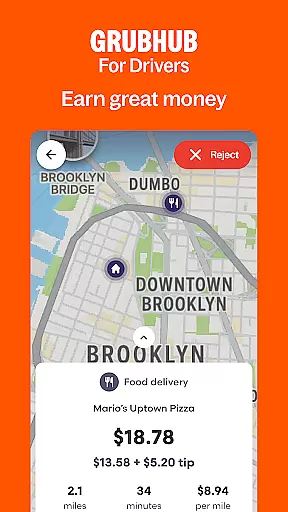
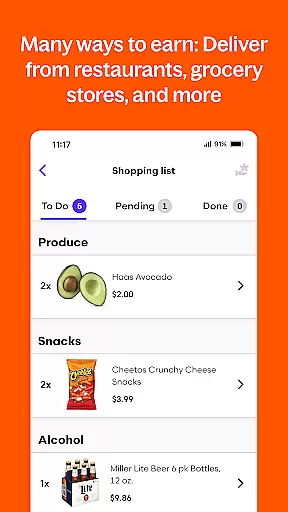
Grubhub for Drivers is a business app designed to help individuals earn income by delivering food from local restaurants to customers. The app provides flexible work opportunities, allowing drivers to set their own schedules and retain 100% of their tips. With the largest restaurant and diner network in the United States, Grubhub offers more earning potential compared to other delivery platforms.
The app supports various modes of transportation, including cars, bikes, and mopeds, making it accessible to a wide range of potential drivers. Whether you're looking for full-time work or a way to make extra money on the side, Grubhub for Drivers provides the tools needed to manage your delivery business efficiently. From tracking hours to monitoring earnings, this app empowers users to be their own boss while benefiting from Grubhub's extensive delivery network.
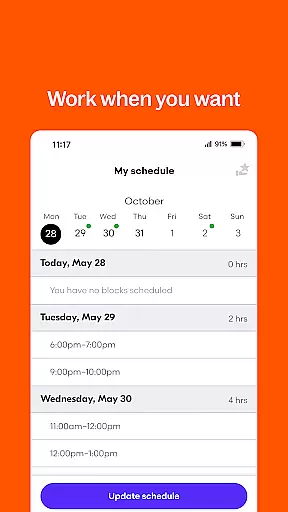
Grubhub for Drivers stands out with its comprehensive suite of features tailored for delivery professionals. One key feature is the ability to schedule work hours in advance or take advantage of short-notice delivery requests, offering maximum flexibility. The app also includes detailed earnings tracking, allowing drivers to monitor their income in real time.
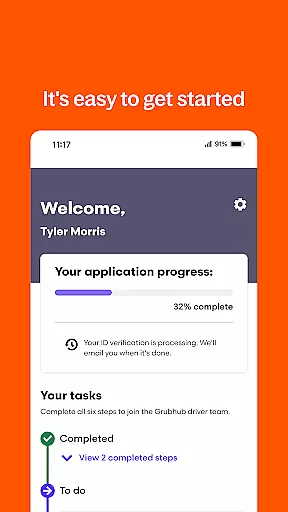
Another notable feature is the easy sign-up process. New drivers can quickly register and begin working after downloading the app and completing the online application at driver.grubhub.com. Additionally, the platform's vast restaurant network ensures a steady stream of orders, providing consistent earning opportunities across numerous cities in the US.
The app is optimized for different types of transportation, ensuring that whether you're driving a car or riding a bike, you'll have access to delivery routes suitable for your mode of transport. This inclusivity expands the earning potential for a diverse group of drivers, making it an ideal choice for anyone seeking flexible work in the gig economy.
Collaborative work features are essential for modern business applications, enabling seamless interaction among team members. Grubhub for Drivers incorporates these features by allowing drivers to coordinate with restaurants and customers efficiently. The app provides real-time updates on order statuses, ensuring that all parties are informed throughout the delivery process.
The application facilitates smooth communication between drivers and the central system, which is crucial for managing schedules and orders. This ensures that drivers can operate independently yet remain synchronized with the larger network, optimizing their routes and delivery times. Such coordination leads to increased productivity and customer satisfaction.
For drivers, this means less time spent on administrative tasks and more time on making deliveries. They benefit from an intuitive interface that presents necessary information clearly, such as delivery addresses and customer preferences. This collaborative environment not only enhances operational efficiency but also empowers drivers to manage their workflow effectively.
Ultimately, the collaborative features within Grubhub for Drivers create a cohesive ecosystem where every participant can contribute to a successful delivery experience. By leveraging technology to streamline interactions, the app supports drivers in maximizing their earning potential while maintaining flexibility and control over their work schedules.
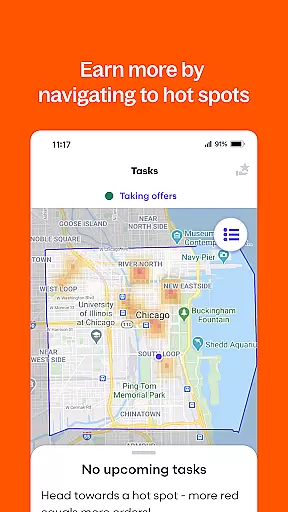
Task management is a critical component of any business tool, providing users with the ability to organize, prioritize, and track their activities. In Grubhub for Drivers, task management is centered around optimizing the delivery process for drivers. The app allows them to view upcoming deliveries, manage their availability, and receive notifications about new opportunities, all of which contribute to a streamlined workflow.
This focus on task management helps drivers maintain an efficient schedule by offering tools that support time management and planning. For instance, drivers can set preferences for when they want to work and receive alerts for high-demand periods, allowing them to capitalize on peak earning times. These capabilities ensure that drivers can make the most of their working hours while still accommodating personal commitments.
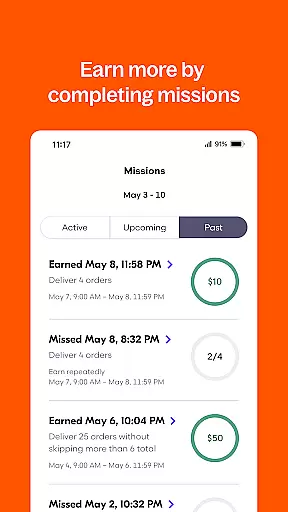
Moreover, the app's task management features empower drivers by giving them control over their earnings. With access to detailed reports on completed tasks and earnings, drivers can monitor their performance and adjust their strategies accordingly. This level of insight is invaluable for those looking to maximize their income through strategic scheduling and route optimization.
In summary, Grubhub for Drivers offers robust task management functionalities that enhance the driver's ability to work smarter, not harder. By equipping drivers with the right tools to manage their tasks effectively, the app fosters a productive environment where drivers can thrive professionally while enjoying the flexibility that suits their lifestyle.
User-friendly interface
Flexible scheduling options
Competitive earning potential
Comprehensive earnings tracker
Wide restaurant network
Limited to US cities
Dependent on local demand
No guaranteed minimum wage
Potential vehicle maintenance costs
Weather-dependent work conditions

 4.70
4.70
AI-powered document scanner with auto enhance for perfect PDFs.
4.60
Scan Business Cards & Conference Badges - Capture Leads at Events & Tradeshows
4.20
Earn free swag, G-Cards & food • Enter sweepstakes • Find stores • So much more.
4.70
Your employer must have UKG Ready software configured for Mobile.
4.60
Delivery Track App - Tracking with Fedex, USPS, UPS, DHL. Monitor your Orders.
3.20
Master crypto trading with real-time simulations and exciting challenges!
4.50
Ship, Track, Find a Location or Get a Quote with UPS. Anytime. Anywhere.
4.60
Roadie connects people with stuff to send with drivers already going that way.
3.50
Employee Management Made Easy
4.80
Find the right fit, faster.
4.70
USPS Mobile®Access USPS.com’s most popular tools on-the-go.
4.70
Grow your business and connect with more people with Meta Business Suite.
4.60
ADP Mobile Solutions is an employee self service app
4.50
FX Plus adds media, networking, and cloud capabilities to FX File Explorer.
4.10
The All-in-One File Manager for Phone, TV, Watch, Cars, XR / VR, Chromebook
4.10
Zoom built for Chrome OS
3.90
We are a dynamic team of creatives people of design, marketing, web & apps
3.00
Convert Your Lovable.dev Website into a Mobile App Instantly!
4.2


User Reviews