
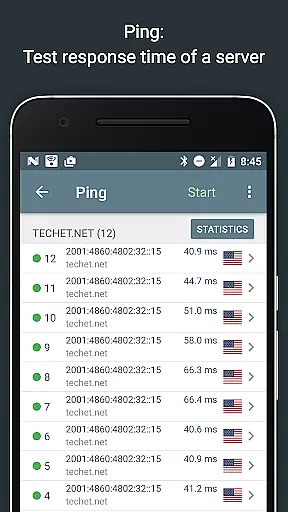
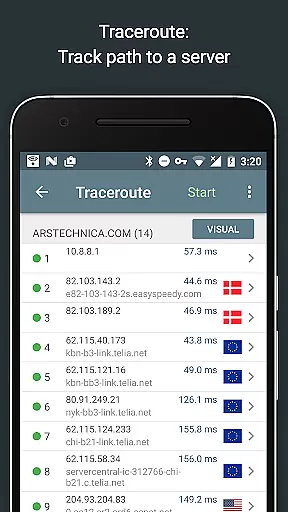
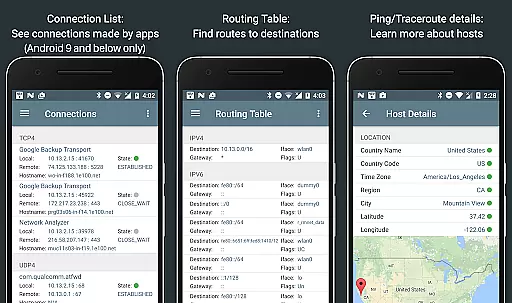
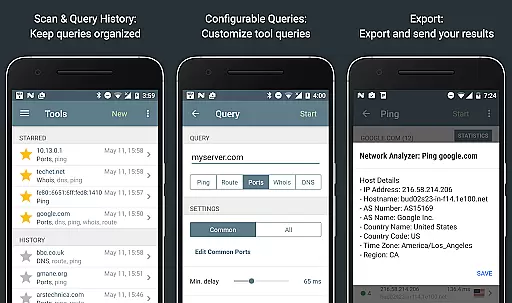
Network Analyzer Pro is a comprehensive network diagnostic tool designed to help users troubleshoot various issues related to their Wi-Fi networks and Internet connectivity. The app provides an extensive suite of tools for network analysis, including a fast Wi-Fi device discovery feature that identifies all LAN devices and the services they offer. It also includes standard diagnostic utilities such as ping, traceroute, port scanner, DNS lookup, whois, and network speed test functionalities.
In addition to diagnosing local network problems, Network Analyzer Pro can detect issues on remote servers, making it an indispensable tool for both home and professional use. The app supports both IPv4 and IPv6 protocols, ensuring compatibility with modern networking environments. With its detailed Wi-Fi signal meter, routing table information, and local service discovery features, this application empowers users to optimize their network setup and resolve connectivity issues efficiently.
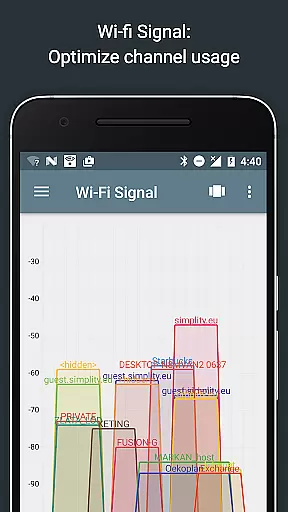
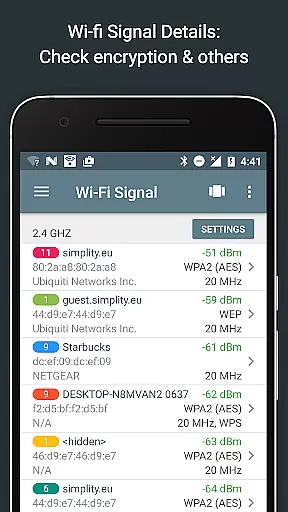
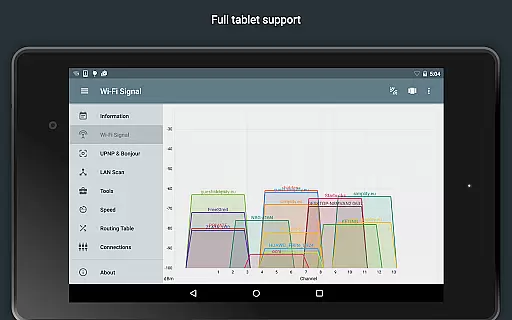
Network Analyzer Pro stands out due to its wide array of advanced features tailored for network diagnostics. One notable feature is the Wi-Fi signal meter, which offers both graphical and textual representations of network channels and signal strengths. This allows users to visualize channel usage and determine the best channel for their wireless router based on encryption type, signal strength, and router manufacturer details.
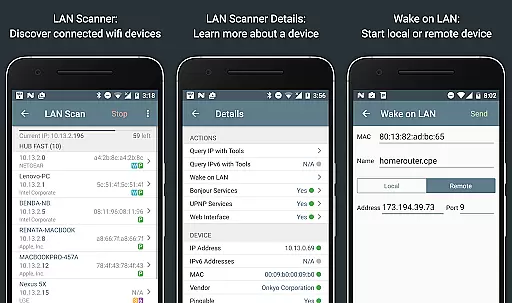
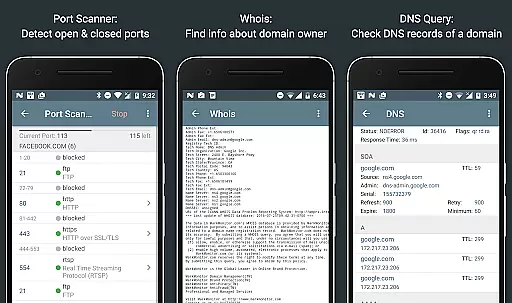
The app's LAN scanner quickly identifies all network devices, providing IP addresses, NetBIOS, mDNS (Bonjour), LLMNR, and DNS names where available. Users can perform pingability tests, check IPv6 availability, and even execute Wake on LAN (WOL) commands. Additionally, the port scanner uses a fast, adaptive algorithm to detect open, closed, or firewalled ports, offering descriptions of known services running on those ports. These robust features ensure that Network Analyzer Pro delivers precise insights into network performance and security.
Network Analyzer Pro stands out for its comprehensive suite of diagnostic tools that ensure both accuracy and effectiveness in network analysis. The application provides a wide array of features including ping, traceroute, port scanning, and DNS lookup, all indispensable for diagnosing network issues.
The app's ability to perform fast and reliable detection of all network devices showcases its commitment to precision. With functionalities like Wake on LAN and the scanning of custom IP ranges, users can be confident in the tool's capacity to deliver accurate results tailored to specific network environments.
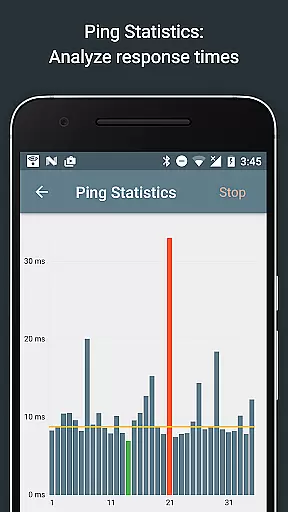
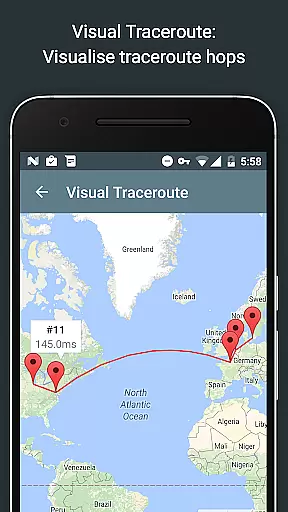
For users who require detailed insights into their network setup, Network Analyzer Pro offers real-time updates and visualizations. This includes round trip delays, geolocation data, and complete trace route visualization on maps, ensuring that network administrators and tech-savvy users can effectively pinpoint and resolve connectivity issues.
Ultimately, the true value of Network Analyzer Pro lies in its dual support for IPv4 and IPv6, making it an essential tool for modern network diagnostics. Its robust feature set not only aids in troubleshooting but also enhances the overall understanding of complex network infrastructures.
Despite its powerful capabilities, Network Analyzer Pro maintains an interface that is both simple and intuitive. The design philosophy centers around providing users with straightforward access to advanced network diagnostic tools without overwhelming them with complexity.
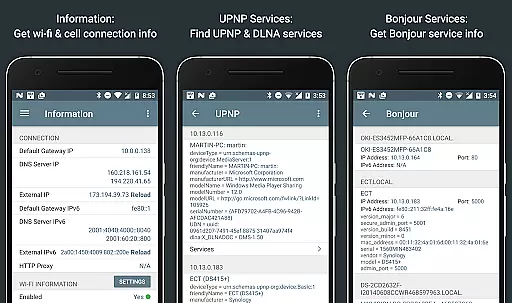
Each tool within the application is organized in a manner that allows for easy navigation. Whether performing a Wifi signal meter analysis or inspecting local service discoveries through Bonjour or UPNP/DLNA browsers, users will find the necessary functions readily accessible.
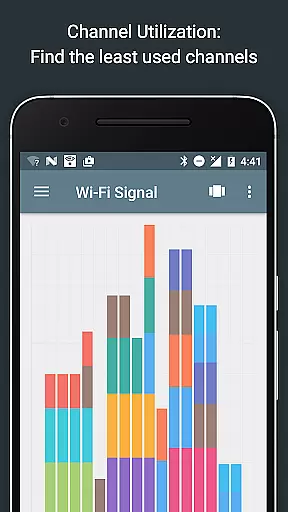
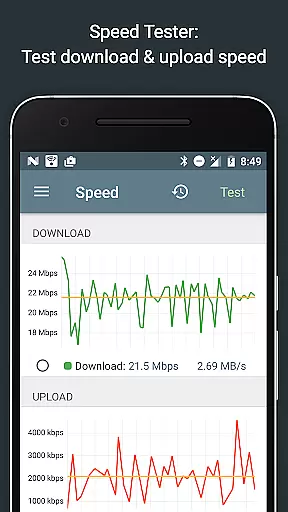
Moreover, the inclusion of graphical representations such as channel usage graphs and real-time speed test views ensures that even those new to network diagnostics can interpret data with ease. These visual aids contribute significantly to the intuitiveness of the user experience.
By focusing on clarity and ease-of-use, Network Analyzer Pro empowers users to harness the full potential of its sophisticated toolset without necessitating extensive technical knowledge, thus broadening its appeal across different levels of expertise.
Comprehensive network tools
Supports IPv4 and IPv6
Fast device discovery
Detailed Wi-Fi analysis
User-friendly interface
Paid version only
Complex for beginners
Limited customer support
No offline functionality
Requires technical knowledge

 4.50
4.50
Just one-tap to easy translate in any language after calls within seconds.
4.20
Family Locator, Share location, StayConnect with your family in real time
3.90
Safely recover deleted photos, videos, and files with a single easy tap.
3.70
App that Recover your pictures, videos or files after you delete them.
4.20
Smart and comfortable browsing experience.
3.80
Monitor car performance in real time and troubleshoot malfunctions.
4.80
Quickly check the frequency of the Earth
4.30
Button mapper, mouse toggle, sleep timer and a lot of another features
4.50
Remote Play with FSR upscaling, low latency & full controller support
4.80
WiFi Signal Strength Meter help you detect WiFi Signal Strength in real time.
4.80
NFC Tools can read and write NFC tags.
4.70
Planner and Tracker for Stardew Valley
4.60
Just swipe the edge to do something!
4.40
Complete kernel toolbox with features to manage and tweak your rooted device
4.30
Signal Strength, Mobile, Wifi, Speed Test, Bad Signals, Cellular, 5G, LTE, 4G
4.20 4.10
4.10
Automate everything from settings to photos, SMS to speech. ADC2 prize winner.
4.10
Transfer Files, APK from Phone to Watch & Install.
4.5


User Reviews