
Network Cell Info & Wifi is a comprehensive mobile network and Wi-Fi monitoring tool designed for users seeking to optimize their connectivity experience. The app provides almost real-time monitoring of cellular carrier signals and WiFi strength, supporting technologies like 5G, LTE+, LTE, CDMA, WCDMA, and GSM.
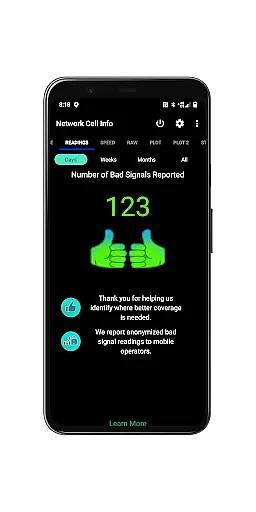
One of its standout features is the Bad Signal Reporter, which automatically collects data on poor signal areas from users who opt-in, helping mobile network operators improve coverage. Additionally, it offers advanced diagnostic tools such as dual-SIM support, one-tap speed tests, and detailed signal plots, making it an invaluable resource for troubleshooting reception issues.
Whether you're a tech enthusiast or someone struggling with network stability, Network Cell Info & Wifi equips you with the necessary insights to maximize your device's performance while keeping track of historical signal data.
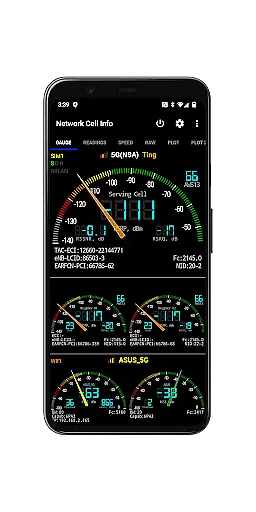
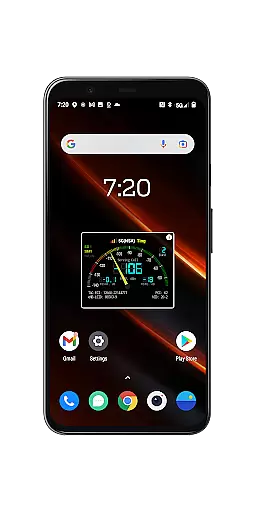
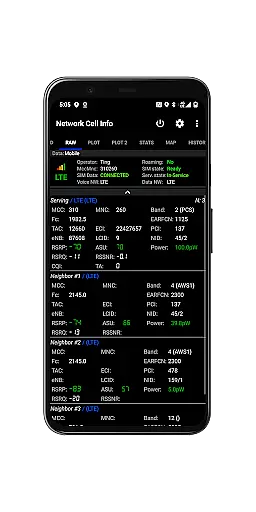
Network Cell Info & Wifi stands out with its extensive range of features tailored for network diagnostics and optimization. The app provides almost real-time (1-second intervals) monitoring of both cellular and WiFi signals through its Gauge and Raw Tabs, ensuring users have instant access to critical network information.
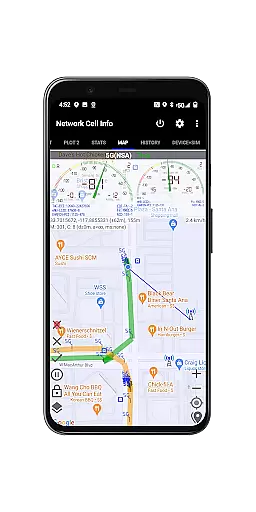
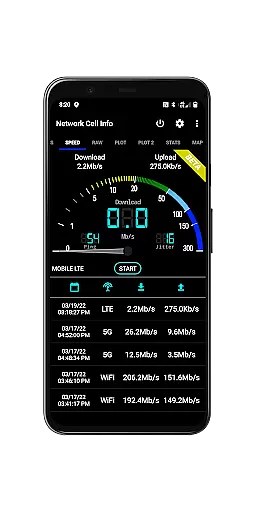
Key functionalities include support for multiple network types such as 5G, LTE+, and CDMA, along with advanced tools like one-tap internet speed tests that measure download, upload, ping, and jitter. Dual-SIM users benefit from dedicated signal-meter gauges for both SIMs, while the Map feature visualizes network info and cell locations using Mozilla Location Service data (excluding CDMA).
Additional highlights include the Personal Best Signal Finder, which maps signal strength history by location, and crowdsourced data showing the nearest best signals. With database export options, connection statistics, and detailed SIM/device info, this app delivers professional-grade network analysis in a user-friendly package.
Network Cell Info provides an extensive suite of tools for monitoring and diagnosing mobile network and Wi-Fi signals, ensuring users receive accurate and real-time data. The app supports a wide range of network types including 5G, LTE+, LTE, CDMA, WCDMA, and GSM, delivering almost real-time (1 sec.) updates on signal strength and network information.
One of the standout features is the one-tap performance speed test, which measures download, upload, ping, and jitter, giving users comprehensive insights into their internet connectivity. This functionality is crucial for identifying and troubleshooting reception and connectivity issues effectively.
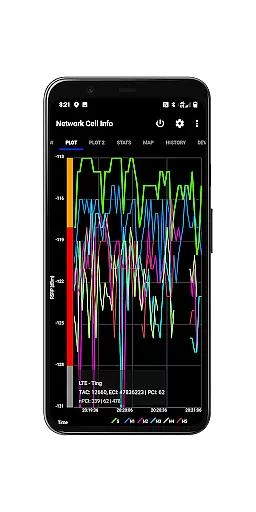
For users looking to optimize their mobile experience, Network Cell Info offers dual-SIM support, multiple signal-meter gauges, and detailed signal plots for up to six cells. These tools collectively ensure that users can achieve the strongest possible signal strength, enhancing both their cellular and Wi-Fi connections.
Ultimately, the precision and breadth of these features empower users to make informed decisions about their network usage, providing them with the necessary data to troubleshoot and improve their connectivity. This positions Network Cell Info as an essential tool for anyone seeking reliable and high-performing mobile network diagnostics.
Despite its technical depth, Network Cell Info maintains an intuitive and user-friendly interface, making it accessible even to those who may not be tech-savvy. The app's design includes clear tabs such as Gauge and Raw views, allowing users to easily navigate through complex network data without feeling overwhelmed.
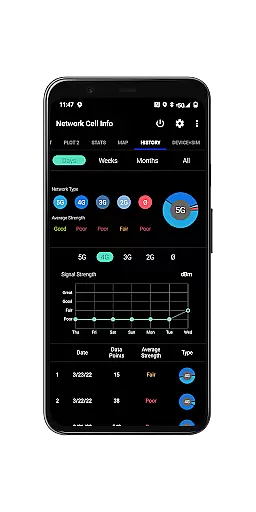
The inclusion of visual aids like signal-meter gauges and maps enhances the user experience by presenting data in an easily digestible format. Users can quickly understand their current signal strength and historical trends thanks to features like the Personal Best Signal Finder and Crowdsourced Best Signal Finder.
Additionally, Network Cell Info offers customizable settings, enabling users to tailor the app to their specific needs. Options such as SIM# preference and measurement settings (minimum distance, accuracy, motion sensor) ensure that the app remains flexible and adaptable to various use cases.
By combining powerful diagnostic tools with a straightforward and intuitive interface, Network Cell Info ensures that users can efficiently manage and optimize their network connections without a steep learning curve, thus enhancing overall usability and satisfaction.
Comprehensive network monitoring
Real-time signal tracking
Dual-SIM support
Advanced diagnostic tools
Free Bad Signal Reporter
Complex for beginners
Requires technical knowledge
Limited CDMA support
Some features need opt-in
Interface may feel cluttered

 4.50
4.50
Save any video in HD - paste the link, download fast and watch offline.
4.0
Family Locator, Share location, StayConnect with your family in real time
3.90
MS-DOS in your pocket. Play old DOS games anywhere you are ;)
4.10
View detailed information about your Nissan Leaf the dealer never shows you.
4.10
Bedrock Together: Join any bedrock server on Xbox/PS
4.80
A simple app to back up and restore SMS & MMS messages and call logs.
4.10
Remote Play with FSR upscaling, low latency & full controller support
4.80
Enhance your Beats
3.70
Support Fossify apps with a warm thank you!
5.00
Powerful collection of electronics tools and reference.A must for any enthusiast
4.90
Unit and currency converter with easy and simple UI.
4.80
Excellent scientific calculator with symbolic algebra, integrals, derivatives
4.80
Creation, Learning, Entertainment & More — The All-in-One AI Search Engine
4.70
The Ultimate Bluetooth Keyboard & Mouse. Securely control your PC, Mac, and more
4.50
Forza Tuning Calculator App for Forza Horizon 5, Motorsport and Earlier Titles
4.40
Just one-tap to easy translate in any language after calls within seconds.
4.20
A non-root local ADB shell client. READ BELOW!
3.40
PDF Reader - Document Viewer: Read, Manage & Organize Your Documents
3.10


User Reviews