
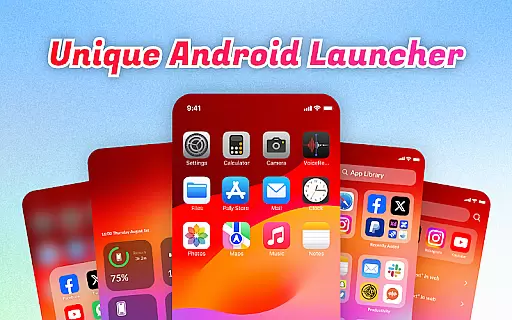
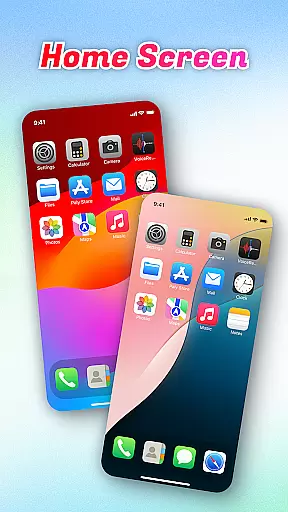
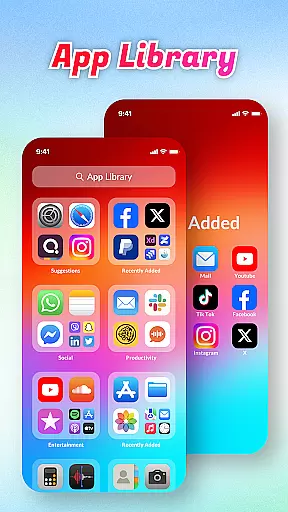
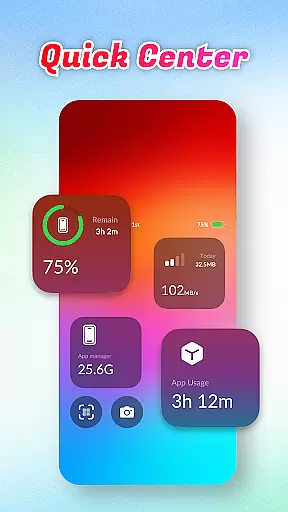
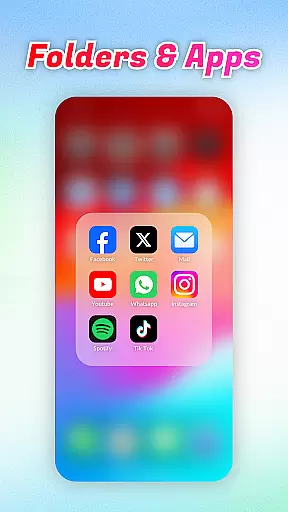
OS Launcher Theme is a personalization app designed to enhance your smartphone experience through an organized and feature-rich interface. The app offers a unique App Library that automatically sorts your apps into categories, eliminating clutter and making navigation seamless. With Quick Center, users can access essential functions like flashlight and settings with a single swipe, streamlining daily tasks.
In addition to its organizational tools, the app includes practical utilities such as a built-in QR scanner for quick code scanning without switching apps, and a battery info dashboard to monitor charging status and battery health. Data usage tracking helps prevent overages, while the App Manager identifies storage-heavy apps. These features make OS Launcher Theme ideal for users seeking both aesthetics and functionality in their device's layout.
OS Launcher Theme stands out with its comprehensive set of features tailored for convenience and efficiency. The App Library categorizes installed apps automatically, saving users time when searching for specific programs. Quick Center provides instant access to frequently used functions, all accessible through a simple upward swipe gesture. This ensures that essential controls are always within reach.
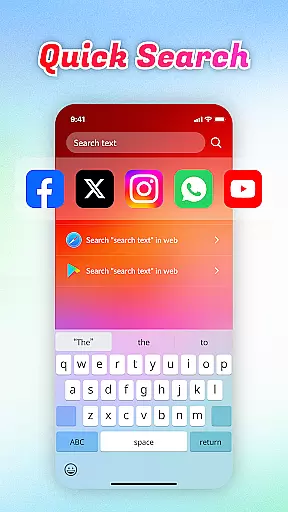
The app also integrates a Quick Search function, enabling users to find both local apps and web content using keyword searches. Its built-in QR Scanner eliminates the need for third-party scanning apps, offering a faster way to interact with codes. Battery Info and Data Usage monitors provide valuable insights into device performance, helping users maintain optimal operation. Together, these features create a personalized yet highly functional mobile experience.
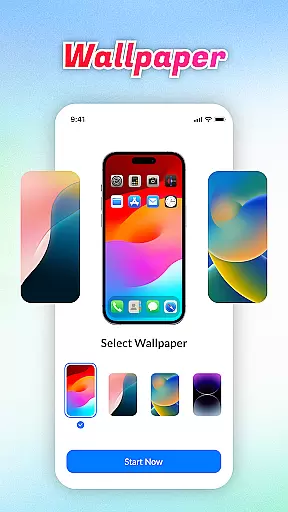
OS Launcher Theme offers a wide array of customization options that allow users to tailor their device's appearance and functionality according to their preferences.
The App Library feature automatically sorts apps into categories, reducing clutter and personalizing the way you access your applications. With Quick Center, users can customize shortcuts for convenience, putting frequently used settings and tools just a swipe away.
Quick Search enhances personalization by allowing users to swiftly locate apps or web content using keyword search, adapting to individual usage patterns. The inclusion of a built-in QR Scanner, Battery Info, and Data Usage tracking provides additional layers of functional customization.
These varied options ensure that each user can create an interface that is both visually appealing and functionally suited to their lifestyle, enhancing overall user experience through tailored interactions.
Theme compatibility in OS Launcher Theme ensures that visual customizations are not only diverse but also seamlessly integrated across different devices and screen sizes.
This app supports a range of themes which adapt fluidly to various display resolutions and widget formats without losing aesthetic appeal or functionality. Users can switch between themes knowing that elements like battery info and data usage indicators will remain consistent and operational.
Moreover, the App Manager feature works harmoniously with theme settings, ensuring that storage management does not disrupt customized appearances. This cohesion allows users to enjoy personalized visuals while maintaining optimal device performance.
By prioritizing compatibility, OS Launcher Theme guarantees a smooth and reliable customization experience, making it easy for users to apply and enjoy new themes without technical hindrances.
User-friendly interface
Efficient app organization
Practical utility tools
Quick access shortcuts
Comprehensive device monitoring
Limited customization options
Potential compatibility issues
May drain battery life
Requires frequent updates
Some features may feel redundant

Customizable Glass widgets. Over 360+ stunning widgets and more!
 4.70
4.70
Transform your phone with Launcher iOS 26 - Smooth & elegant iOS experience
4.50
Sparkle your screen with Glitter Wallpapers For Girls and Cute Backgrounds!
4.80
Turn your lock screen into fun with smile live wallpapers & animated wallpapers!
2.50
Dark icon pack based on One 8
4.80
Customize your home screen with stunning themes, blur, widgets & icons.
4.60
300+ Stunning and well-designed widgets inspired by NOTHING.
4.70
Struggling to find apps? Use this app to locate and open any app on your phone!
2.20
Create stunning widgets with Widget 2026: Aesthetic Widgets for Android!
4.60
Personalize your phone with stunning HD and 4K wallpapers!
4.70
400+ Beautifully crafted widgets inspired by NOTHING.
4.70
Glass style colourful icons with a One UI look and feel
4.60
A retro cartoon style watch face and a punch right in the face of the copyright
4.60
Ninja Turtles Cowabunga SE watch face for Wear OS
4.50
Yandex Browser — stylish and secure, with voice search and data compression
4.40
Unleash Your Creativity and Connect with Loved Ones with Lockscreen Drawing!
4.20
Run multiple accounts of the same app on a single device
4.10 3.50
3.50
Custom edge gestures for volume control, brightness, apps, and shortcuts.
4.5


User Reviews