
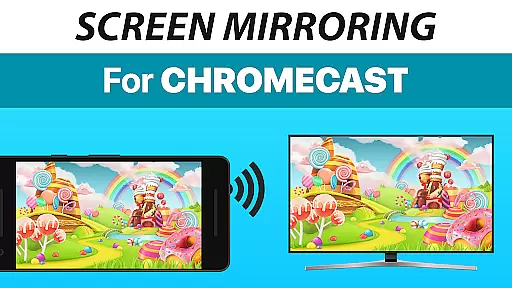
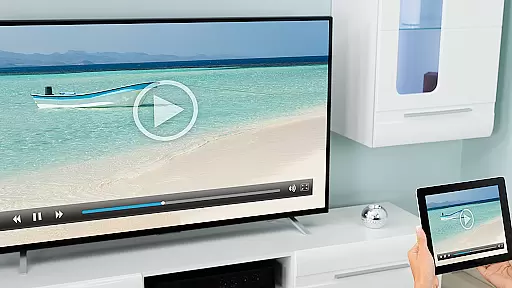
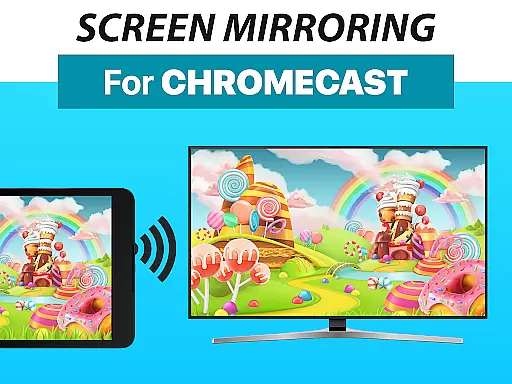
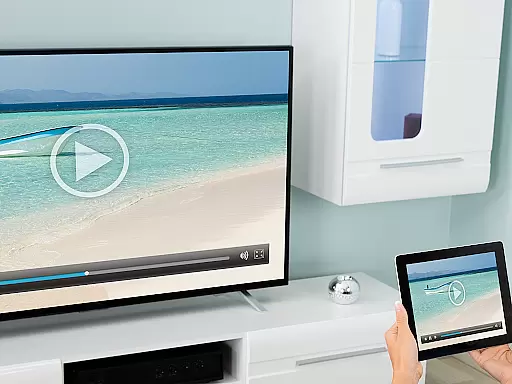
Screen Mirroring + Chromecast is a powerful tool designed to mirror your screen in real-time with HD quality to Chromecast and Android TV. This app allows users to share their screen on any Chromecast-enabled device, including Smart TVs from brands like Xiaomi, Sony Bravia, TCL, Vizio, Hisense, Philips, Sharp, or NVidia Shield Gaming Console.
The core functionality of this app revolves around its ability to seamlessly share photos, videos, games, websites, apps, presentations, and documents with friends and family. It supports all Android devices running Android 5.0 and above, ensuring broad compatibility across various devices.
One notable use case for Screen Mirroring + Chromecast is during family gatherings or business presentations where you can effortlessly cast your mobile screen onto a larger TV screen, enhancing the viewing experience for everyone involved.
Screen Mirroring + Chromecast stands out due to its rich feature set tailored for effortless screen sharing. The app boasts super easy and unified setup procedures across all Android devices, eliminating the need to tweak Android settings or Wi-Fi options, thus simplifying the user experience significantly.
Performance-wise, the app shines brightest under good Wi-Fi network conditions, with a recommendation for 5GHz Wi-Fi to ensure optimal streaming quality. Additionally, sound support is available for devices running Android 10 and above, further enriching the shared content's audio-visual impact.
Developed by the creators of VIDEO & TV CAST, a globally recognized video casting app with over 100 million downloads, Screen Mirroring + Chromecast inherits a legacy of excellence in casting technology, promising users a reliable and high-quality screen mirroring solution.
Screen Mirroring + Chromecast is designed to provide users with an accurate and effective way to mirror their screens in real-time. This app supports HD quality streaming, ensuring that every detail of your screen is replicated on larger displays like Chromecast-enabled TVs and Android TVs.
The application's compatibility with a wide range of devices, including Xiaomi Mi TV, Sony Bravia TV, TCL TV, Vizio TV, Hisense TV, Philips TV, Sharp TV, or NVidia Shield Gaming Console, demonstrates its broad functional support. It allows you to share photos, videos, games, websites, apps, presentations, and documents seamlessly.
For optimal performance, Screen Mirroring recommends using a 5GHz Wi-Fi network, which ensures minimal latency and high-quality transmission. The ease of setup across all Android devices with Android 5.0+ means that users can start sharing content without the hassle of changing device settings or Wi-Fi options.
By supporting sound on Android 10+, this tool enhances the user experience by providing not just visual but also auditory fidelity, making it ideal for presentations, entertainment, and collaborative work environments.
The interface of Screen Mirroring + Chromecast is crafted to offer simplicity and intuitiveness, ensuring that users can easily navigate and utilize its features. With a unified setup process across all Android devices, the app eliminates the need for complex configurations or adjustments to Android settings and Wi-Fi options.
Users are greeted with a straightforward design that facilitates quick access to screen mirroring functionalities. Whether you're sharing media or conducting a presentation, the app's layout is designed to minimize learning curves and maximize efficiency.
Performance optimization tips, such as recommending a 5GHz Wi-Fi network, are integrated into the user experience, enhancing connectivity and stream stability. This thoughtful design aspect helps maintain a smooth and uninterrupted streaming session.
Additionally, the app provides easy access to customer support via email, ensuring that any interface-related queries or issues can be swiftly addressed, thus maintaining a seamless and intuitive user experience throughout.
User-friendly interface
Wide device compatibility
Seamless screen sharing
Optimized for 5GHz Wi-Fi
Sound support on Android 10+
Requires good Wi-Fi
No iOS support
Limited to Chromecast
Sound only on Android 10+
Not affiliated with Google

 4.50
4.50
Change your GPS location instantly. Simulate routes anywhere in the world.
4.90
Learn the vast amount of system information about device and monitor it's state
4.70
Keep track of your Palia friendships, tasks, and inventory with Palia Notebook
4.60
card-reader app
2.20
MS-DOS in your pocket. Play old DOS games anywhere you are ;)
4.10
Signal Strength, Mobile, Wifi, Speed Test, Bad Signals, Cellular, 5G, LTE, 4G
4.20
Monitor car performance in real time and troubleshoot malfunctions.
4.80
Connect wirelessly to your computer to watch movies, browse the web, play games
5.00
Navigate with Ease and Style
4.90
Optimize your WiFi network, turn your phone into Wifi Analyzer
4.70
Connect instantly to a fast, encrypted VPN with one tap
4.60
Head tracking for PC sim games such as MSFS 2024 or Elite:Dangerous. No headset!
4.50
eXtended Permission Manager - a small app to manage permissions and AppOps
4.50
Button mapper, mouse toggle, sleep timer and a lot of another features
4.50 4.10
4.10
View detailed information about your Nissan Leaf the dealer never shows you.
4.10
Safely recover deleted photos, videos, and files with a single easy tap.
3.70
A recovery soft,it features photo recovery, video recovery, file recovery.
3.40


User Reviews