
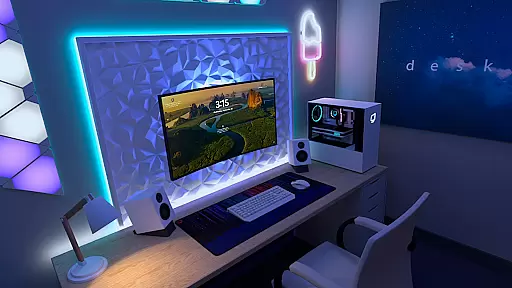
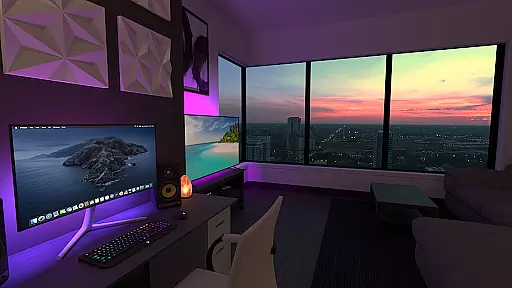
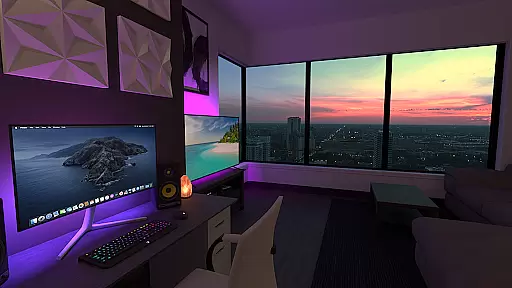
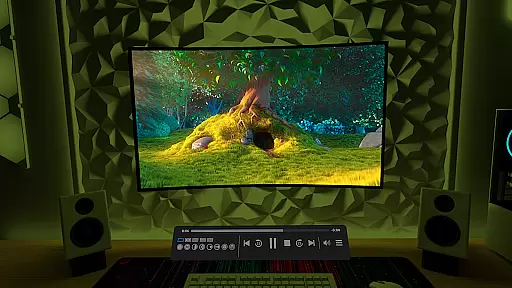
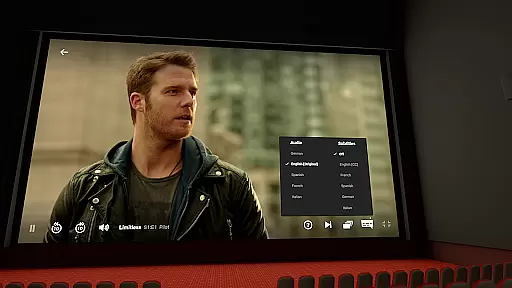
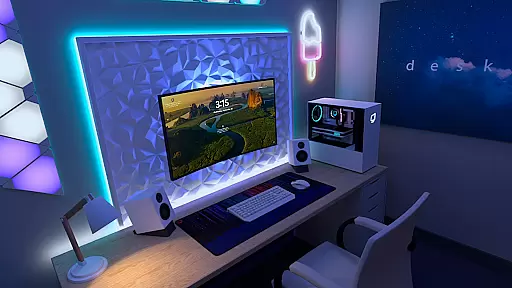
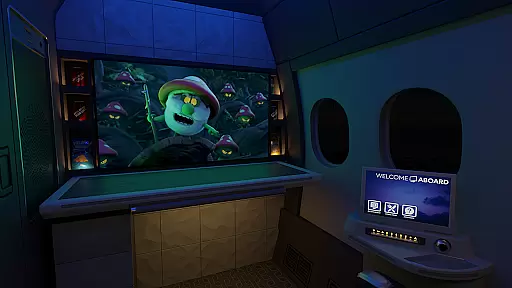
Virtual Desktop is a powerful tool that allows users to connect wirelessly to their computers for an immersive experience. With the ability to watch movies, browse the web, and play games on a giant virtual screen, it offers a versatile platform for multimedia consumption. The app supports streaming PCVR games, making it ideal for gamers looking to enjoy a high-quality, low-latency experience.
Designed for compatibility with most PCs and laptops running Windows 10 or 11, as well as macOS Catalina or later, Virtual Desktop ensures broad accessibility. Its optimization for 5 or 6 GHz routers and support for Gigabit Ethernet connections guarantee fast and reliable performance. Whether you're working, gaming, or simply relaxing, Virtual Desktop provides a seamless extension of your digital life.
Virtual Desktop boasts a range of features designed to enhance user experience. It supports Bluetooth mice, keyboards, and gamepads, providing flexibility in how you interact with your virtual environment. The app also supports 3D Side-by-Side and Over-Under content, catering to enthusiasts of 3D media.
One of the standout features is its multi-monitor support, which includes both physical and virtual monitors, allowing users to create a personalized workspace. Additionally, the Microphone passthrough option enables clear communication during virtual meetings or gaming sessions. Remote connections over the internet are supported, provided UPnP is enabled on your router, ensuring you can access your desktop from anywhere.
Virtual Desktop is designed to provide users with a seamless and high-quality streaming experience. The core functionality revolves around low-latency, high-quality streaming, allowing users to connect wirelessly to their computers for various activities such as watching movies, browsing the web, and even playing games on a giant virtual screen.
The app supports both local and remote connections, ensuring that users can access their desktops from anywhere. By requiring a Gigabit Ethernet connection and supporting advanced features like PCVR game streaming, Virtual Desktop guarantees an optimized experience with minimal delays. This attention to connectivity details ensures that users enjoy a smooth and responsive interaction with their computer systems.
Additionally, the support for multi-monitors, 3D content, and peripherals like Bluetooth mice and keyboards enhances its versatility. These features collectively ensure that Virtual Desktop meets the needs of users who require both performance and flexibility in their virtual computing environments.
Achieving simplicity and intuitiveness in its interface, Virtual Desktop offers users an accessible way to interact with their computers remotely. The layout is designed to be user-friendly, providing easy navigation through different tabs and options without overwhelming the user.
One notable feature is the Videos tab, which allows users to download or stream various video formats directly from their computers. This straightforward approach eliminates unnecessary complexity, making it easy for users to manage their media files. Furthermore, the inclusion of intuitive settings like microphone passthrough and support for multiple monitors ensures that users can customize their experience according to their preferences.
By focusing on clarity and ease of use, Virtual Desktop ensures that users of all technical backgrounds can efficiently utilize its powerful features without a steep learning curve. This emphasis on an intuitive interface significantly enhances overall user satisfaction and productivity.
Low latency streaming
Multi-monitor support
PCVR game streaming
Bluetooth device compatibility
Remote connection capability
Requires wired Ethernet
Windows/macOS only
Internet remote needs UPnP
High system requirements
Limited mobile OS support

Unit and currency converter with easy and simple UI.
 4.80
4.80
Universal TV remote control all TVs, Roku, LG, Samsung, Fire, Vizio, Sony, TCL.
4.40
Canon PRINT is a companion app for your Canon printer.
4.60
Amateur Radio app for APRS: Track friends, exchange messages, get tactical info.
3.90
Monitor car performance in real time and troubleshoot malfunctions.
4.80
Quickly check the frequency of the Earth
4.30
Pro Emulator is an easy to use game console emulator for a range of consoles.
4.40
Screen recorder with audio to record high-quality videos and take screenshots.
4.40
Your personal health butler
3.60
WiFi Signal Strength Meter help you detect WiFi Signal Strength in real time.
4.80
Easily install aab(Android App Bundle) files on your Android device with our app
4.80
The one-and-only remote control for PC, Mac, and Linux
4.70
Screen Mirroring for Roku Sticks, Roku TCL TV and Roku Hisense TV
4.50
Mirror your screen to Fire TV - Super fast and simple
4.40
Remote for Roku, Fire TV, Samsung TV, LG TV, Android TV, Chromecast and VIZIO TV
4.20
VESC Tool can monitor and configure VESC-compatible devices over BLE and Wifi
4.20
Automate everything from settings to photos, SMS to speech. ADC2 prize winner.
4.10
1-Click close all background apps on Android TV
3.90
This app unlocks the Pro features of the Central for DayZ app
3.60


User Reviews