







Shazam is a powerful music identification tool designed specifically for Android Wear users. The app allows you to instantly recognize songs playing around you, even with headphones on. With over 2 billion installs and 300 million users worldwide, Shazam has become an essential companion for music lovers. It not only identifies tracks but also provides additional features like time-synced lyrics, artist information, and concert discovery.
One of the standout capabilities of Shazam is its ability to work offline, ensuring you can identify songs anytime, anywhere. Whether you're commuting, at a café, or attending an event, simply activate the app to capture the music around you. Additionally, Shazam integrates seamlessly with popular streaming services such as Apple Music, Spotify, and YouTube Music, making it easy to save and listen to your discoveries later.
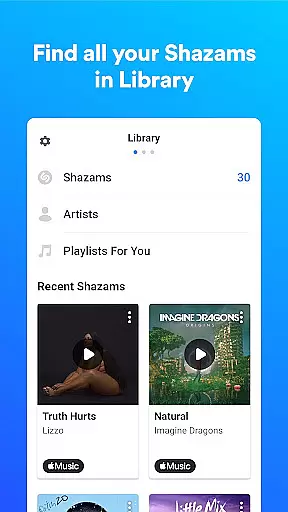
Shazam offers a comprehensive set of features that enhance the music discovery experience. First and foremost, the app's core functionality lies in its ability to quickly and accurately identify songs in seconds. This feature is powered by advanced audio recognition technology that works across various environments and devices. Users can access their song history, which stores all identified tracks in one convenient location for future reference.
Beyond music identification, Shazam provides several value-added features. You can enjoy time-synced lyrics, watch music videos directly through the app, and explore upcoming concerts based on your location. The Auto Shazam function allows continuous background listening, identifying multiple songs without requiring constant user interaction. Furthermore, the app supports Wear OS, enabling seamless music recognition directly from your smartwatch.
Shazam offers seamless companion app integration, allowing users to identify songs across various platforms and apps. Whether you're on Instagram, YouTube, or TikTok, Shazam can recognize music playing within those applications through the notification bar.
The app's Auto Shazam feature continues to identify songs even when you exit the app, ensuring you never miss a track. This functionality extends to offline use as well, making it versatile for different scenarios where connectivity might be limited.
Users benefit from this integration by having a centralized location for their song history, which can then be accessed across multiple devices. The synchronization between the main app and its Wear OS version ensures that your music discoveries are always up-to-date, regardless of the device you're using.
Shazam's compatibility with Wear OS enhances the user experience by providing a dedicated app for wearable devices. This allows users to identify songs directly from their smartwatches without needing to take out their phones.
The Wear OS version maintains core functionalities such as quick song identification and access to previously discovered tracks. It is designed to work efficiently on smaller screens while retaining essential features like offline mode and Auto Shazam.
This compatibility ensures that whether you're commuting, exercising, or in any situation where convenience is key, Shazam remains accessible. By supporting a range of devices, Shazam caters to diverse user preferences and lifestyles, reinforcing its position as an indispensable tool for music discovery.
Instant song recognition
Offline functionality
Seamless streaming integration
Time-synced lyrics
Concert discovery
Limited offline features
Ads in free version
Occasional recognition errors
Location required for full features
Microphone access needed

Walking app for weight loss: walk & step tracker, pedometer, indoor treadmill
 4.60
4.60
Wear Os Watch Face - Animated Snow Effect & Christmas Lights
4.1
A watch face that fuses motorsport precision with contemporary smartwatch design
4.5
Watch face designed for Thanksgiving Day. 7 Background Styles included.
3.20
Sleek, highly customizable watch face inspired by Galaxy Watch Circle Dashboard.
4.5
Fitness interactive virtual pet super fighter boy watch face
4.5
Kia Access makes getting your vehicle information easier than ever
4.60
Monitor health with the stress test and pulse checker in the heart rate app.
4.60
Reliable phone calls with spam protection, caller ID and more helpful features
4.40
Beautiful, colorful and practical watch face. For Wear OS devices.
5.00
Digital, flexibly customizable watch face. For Wear OS 5.0, API 34+ and later.
5.00
The most customizable minimal watch face. For Wear OS 5.0, API 34+ and later
4.70
Ideal for surviving in the wasteland left after nuclear fallout
4.50
Connect to your Bluelink equipped Hyundai vehicle from your smartphone.
4.50
sleep, alarm, snoring, stress, healing, focus, sound therapy, circadian rhythm
4.10
Authentic military-tactical design with ZULU time! Realistic and functional!
3.80
A Wintery Snow Globe on Your Wrist; now celebrating Christmas!
4.2
Simple Analog-Digital Watchface For Wear OS 3.0 and Up Smartwatches
4.0
Funny animated watch face for Thanksgiving
4.0


User Reviews