
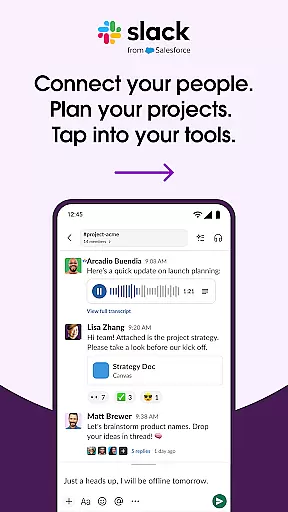
Slack is a comprehensive business communication platform designed to streamline collaboration and enhance productivity. It serves as a centralized hub where teams can seamlessly interact through channels, direct messages, and integrated tools.
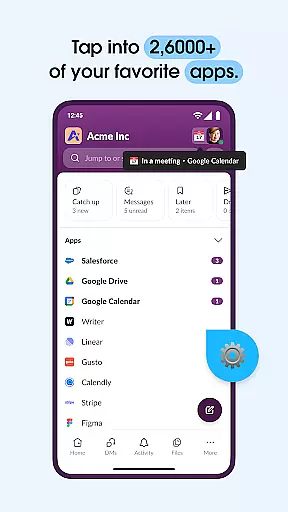
The app's core functionality revolves around organized communication - from dedicated project channels to video conferencing and file sharing capabilities. Its integration with over 2,600 third-party applications creates a unified workspace that connects various business tools in one interface.
Particularly valuable for remote and hybrid teams, Slack enables seamless collaboration across different locations and time zones. The platform's AI-powered features help maintain organization and efficiency, making it an essential tool for modern businesses looking to optimize their workflow.
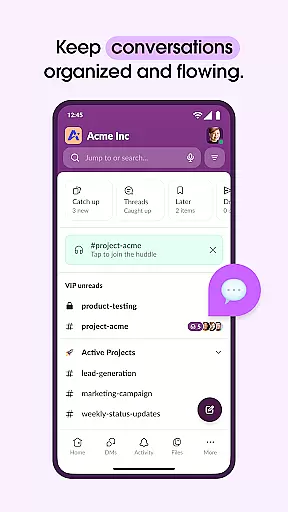
Slack distinguishes itself through its robust feature set tailored for professional environments. The platform offers sophisticated channel management, allowing teams to create organized spaces for different projects, departments, or topics.
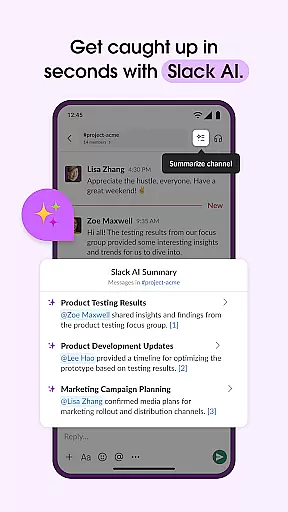
A key innovation is its seamless integration capability with enterprise tools like Google Drive, Salesforce, and Dropbox. This creates a connected ecosystem where users can access and manage multiple services without leaving the Slack interface. The addition of AI-powered search and automated meeting notes significantly enhances information retrieval and documentation efficiency.
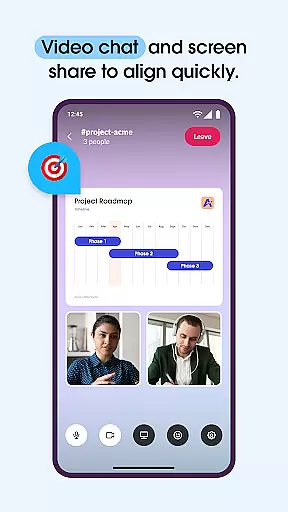
The platform also supports multimedia communication methods including voice and video calls, screen sharing, and recorded message clips. These features, combined with project management tools and customizable templates, provide teams with flexible options for collaboration and task management.
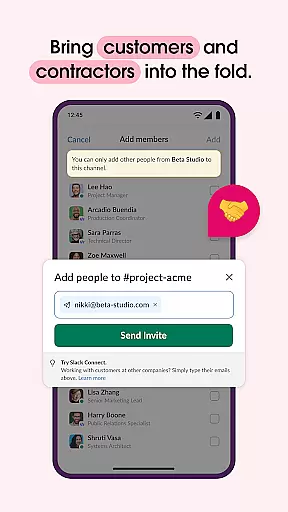
Slack revolutionizes collaborative work by providing a unified platform where teams can seamlessly interact and cooperate. The app offers dedicated channels for every project, ensuring that discussions, documents, and files are organized and accessible to all relevant members.
Real-time communication is made possible through integrated video chat and screen sharing, allowing teams to conduct meetings and discuss projects without the need for external tools. This feature enhances productivity by keeping all collaborative efforts within a single ecosystem.
For more complex ideas, Slack enables users to record and send audio or video clips, ensuring clear and effective communication. This flexibility in communication methods caters to various preferences and needs, making collaboration more inclusive and efficient.
By centralizing communication and offering versatile tools for interaction, Slack ensures that teams can work alongside each other effortlessly, regardless of their physical location. This fosters a cohesive work environment where chaos is transformed into structured collaboration.
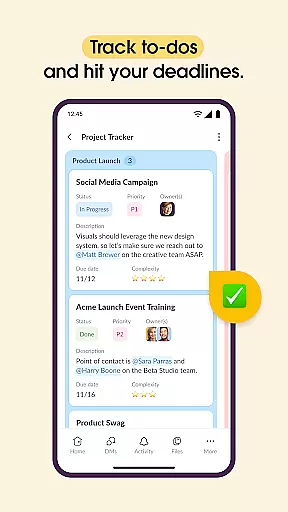
Effective task management is crucial for maintaining project timelines and ensuring team accountability. Slack addresses this need by integrating project management tools that allow users to set up projects for success using pre-made and customizable templates.
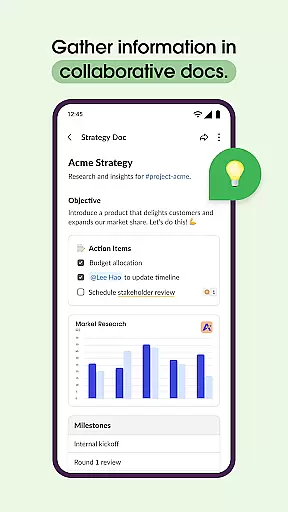
Within Slack, teams can collaborate on shared documents such as marketing plans and product specs directly alongside their conversations. This proximity of information streamlines workflows and keeps everyone aligned with the project's goals and progress.
The app further supports task tracking by enabling users to assign tasks, track to-dos, and map out milestones. These features ensure that every team member is aware of their responsibilities and deadlines, promoting transparency and efficiency in task completion.
For teams requiring advanced functionalities, upgrading to Slack Pro or Business+ unlocks enhanced project management capabilities, empowering businesses to manage their projects with precision and ease.
User-friendly interface
Extensive app integrations
Robust security features
Reliable performance
Excellent customer support
Steep learning curve
Higher pricing tiers
Limited free features
Occasional bugs
Heavy resource usage

 4.70
4.70
Ask Accio anything about business. Alibaba-backed, built by experts, not just AI
4.60
Quickly open and manage PDF files on your device.
3.80
Earn free swag, G-Cards & food • Enter sweepstakes • Find stores • So much more.
4.70
Paychex Flex - Save Time and Stay Connected
4.60
Delivery Track App - Tracking with Fedex, USPS, UPS, DHL. Monitor your Orders.
3.20
Access All PDF Files
3.40
Make invoices, bills, receipts & estimates on the go with Invoice Generator.
4.70
Ship, Track, Find a Location or Get a Quote with UPS. Anytime. Anywhere.
4.60
Permission Guard is a security app that helps you manage app permissions.
4.80
Find the right fit, faster.
4.70
Get instant construction estimates: accurate home repair & material calculator.
4.70
Find jobs near you and temp work in minutes, from your phone.
4.50
All Your Gig Work. One App.
4.30
Formerly Facebook Ads Manager. Manage and create ads on the go.
4.20
Windows App allows you to connect to remote PCs and virtual apps.
3.70
Roadie connects people with stuff to send with drivers already going that way.
3.50
We are a dynamic team of creatives people of design, marketing, web & apps
3.00
Convert Your Lovable.dev Website into a Mobile App Instantly!
4.2


User Reviews