
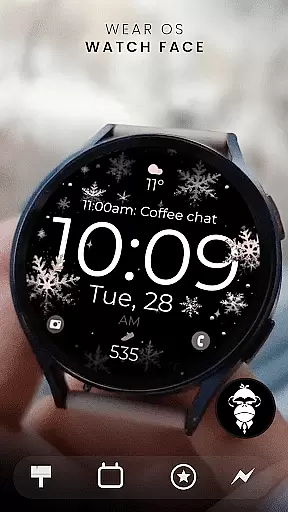
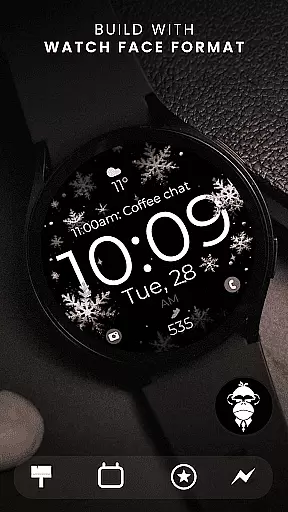
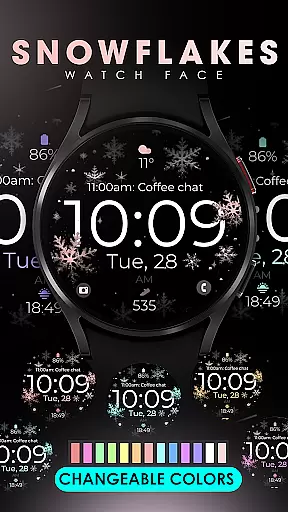
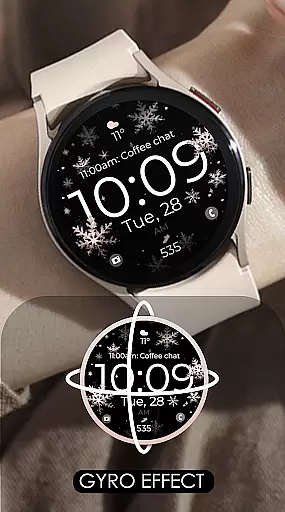
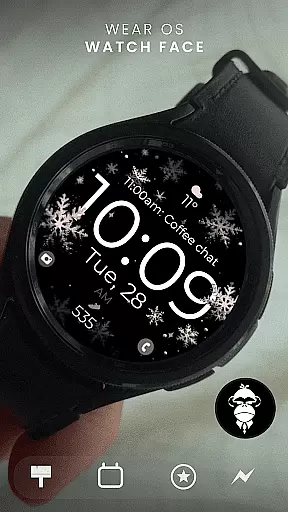
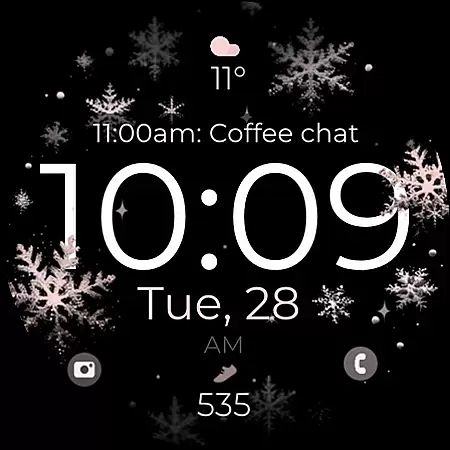
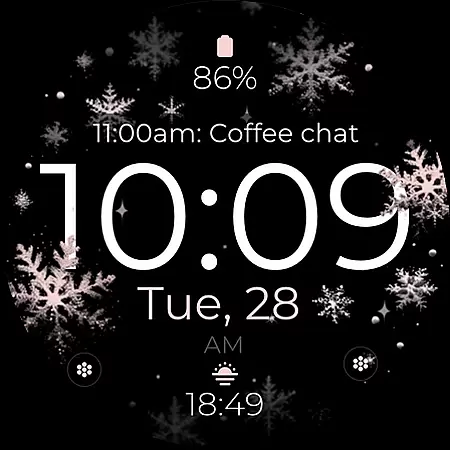
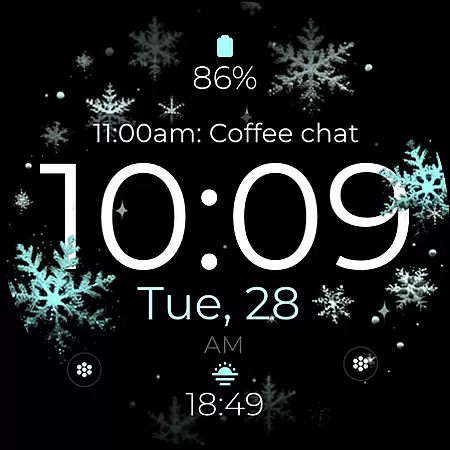
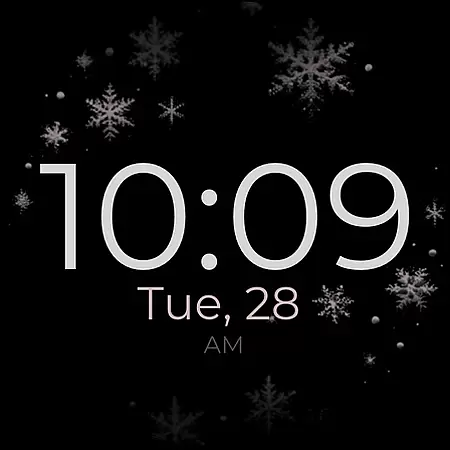
Snowflake Rose Gold is a modern Wear OS watch face that combines digital functionality with an elegant design. Featuring a mesmerizing GYRO effect, the snowflakes on the display move as you rotate your wrist, creating a dynamic and stylish appearance. The sleek interface includes customizable elements such as changeable colors, allowing users to personalize their watch face to match their preferences.
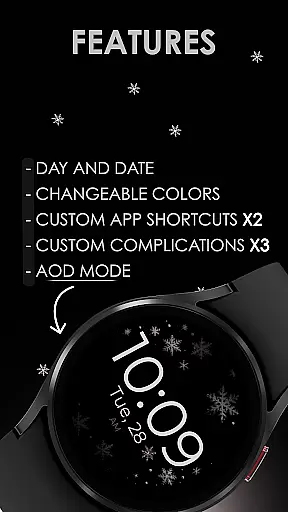
This watch face supports essential features like day and date display, two custom app shortcuts, and three complications for enhanced usability. Compatible with all Wear OS devices running API 33+, including popular models like Google Pixel Watch and Samsung Galaxy Watches, it offers a premium experience tailored for round watches. With Always-On Display (AOD) support, users can enjoy both functionality and aesthetics at a glance.
The Snowflake Rose Gold watch face stands out with its unique GYRO effect, where silver and rose gold snowflakes gracefully move across the screen as you adjust your wrist angle. This feature creates a visually captivating experience while maintaining practicality. Users can further customize their watch face by changing the color of the snowflakes to suit their personal style, ensuring a truly individualized look.
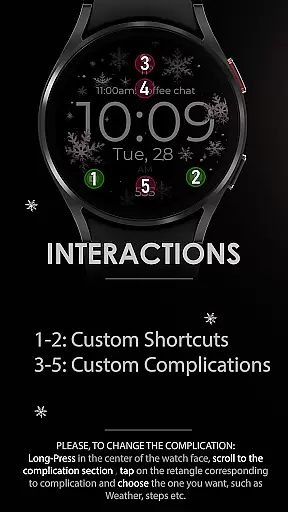
In addition to its aesthetic appeal, this watch face provides robust functionality. It includes day and date indicators, two customizable app shortcuts, and three complications that allow integration with other apps or data sources. The intuitive customization process makes it easy to tailor the layout via simple touch controls. Designed exclusively for round Wear OS smartwatches, this application ensures compatibility with devices like Google Pixel Watch and Samsung Galaxy series, offering a seamless blend of innovation and utility.
Companion app integration is essential for a seamless smartwatch experience. Snowflake Rose Gold watch face offers robust companion app features that enhance usability and customization.
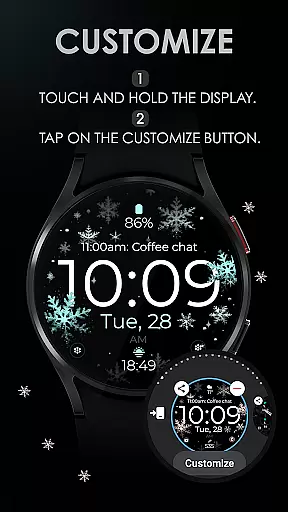
This application allows users to personalize their watch face through a dedicated companion app. By simply touching and holding the display, users can access the 'Customize' button to modify various elements such as snowflake colors, complications, and app shortcuts.
The integration extends to ensuring compatibility with all Wear OS devices API 33+, including popular models like Google Pixel Watch and Samsung Galaxy Watch series. This broad compatibility ensures that users can enjoy a consistent experience across different devices.
With these capabilities, users benefit from a highly personalized and versatile watch face that adapts to their unique preferences and device specifications, making daily interactions more engaging and visually appealing.
Ensuring wide-ranging compatibility is crucial for any Wear OS application. The Snowflake Rose Gold watch face stands out by supporting all Wear OS devices API 33+.
This includes popular models such as the Google Pixel Watch and Samsung Galaxy Watch series, providing users with a reliable and consistent experience regardless of their specific device.
However, it's important to note that this watch face is not suitable for rectangular watches, focusing instead on round and square designs which best showcase its digital, modern aesthetic and gyro effect.
By prioritizing compatibility with leading smartwatch brands and models, Snowflake Rose Gold guarantees an optimal display and functionality, allowing users to fully enjoy features like day and date, customizable complications, and the mesmerizing gyro snowflake effect.
Stylish design
Customizable colors
GYRO effect
Easy to personalize
Wide device support
No rectangular support
Limited complications
Battery intensive
Premium feel costs
Not for all Wear OS

"PER27 Galaxy Digital" is a digital Wear OS watch face designed by PERSONA
 4.10
4.10
A customizable Christmas watch face for Wear OS with a countdown.
4.20
Christmas watch face. For Wear OS devices.
4.30
Rose gold watch face with festive lights & customizable features.
4.60
Watch face for Wear OS.
4.20
3 Complications. All shadow on/off. 30 Themes color palette...
4.2
Kia Access makes getting your vehicle information easier than ever
4.60
Real-time weather radar with temperatures, warnings, hurricanes, and widgets
4.80
Retro digital watch face with customizable colors and a unique lighting effect
4.60
Diet tracker for weight loss - track calories, food and macros. Simple and easy!
4.70
A modern premium sporty hybrid watch face for Wear OS by Ballozi
4.70
Be an elegant and classy secret agent, with this carefully detailed watch face
4.70
Highly customizable hybrid watch face for Wear OS, perfect for everyday use.
4.60
Ideal for surviving in the wasteland left after nuclear fallout
4.50
Fast and smart typing with Emojis, GIFs, and more
4.50
A white realistic classic analog watch face with many customization options.
4.40
The ultimate destination for kids ages 3-8 to explore the Marvel Universe!
4.30
Wear Os Watch Face - Animated Snow Effect & Christmas Lights
4.1
Artistic Digital Watchface
4.5


User Reviews