
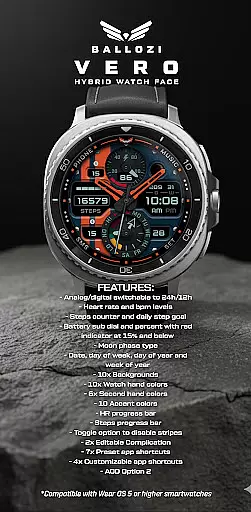
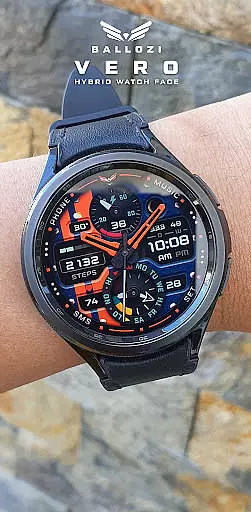
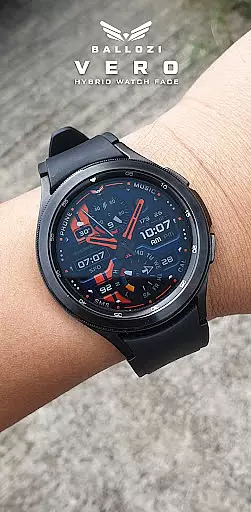
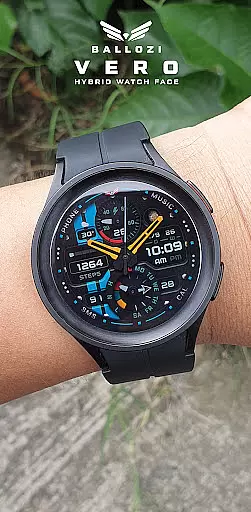
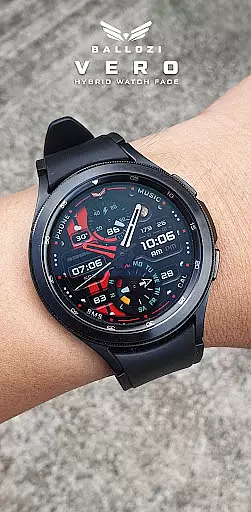
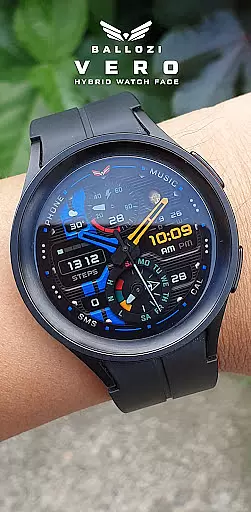
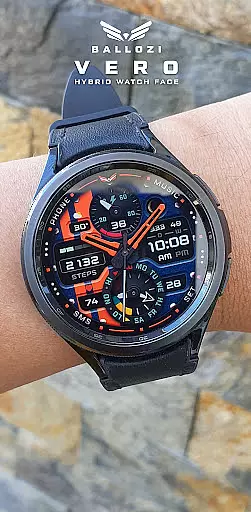
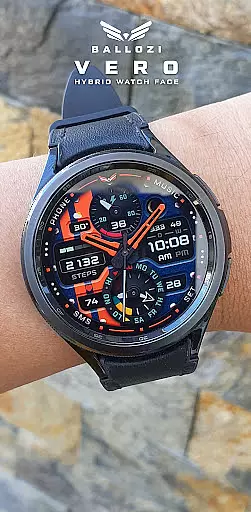
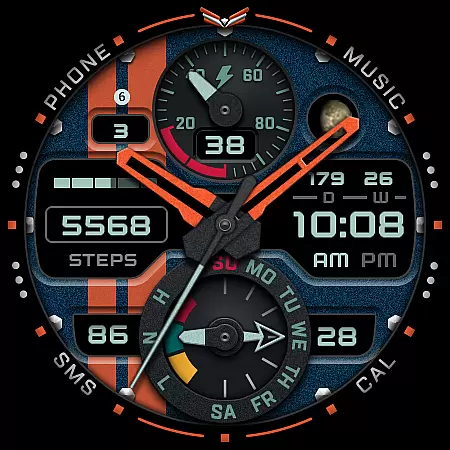
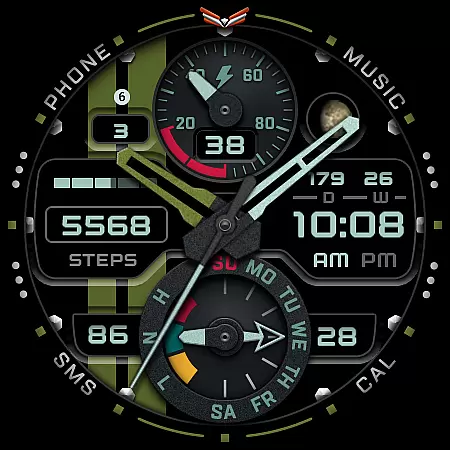
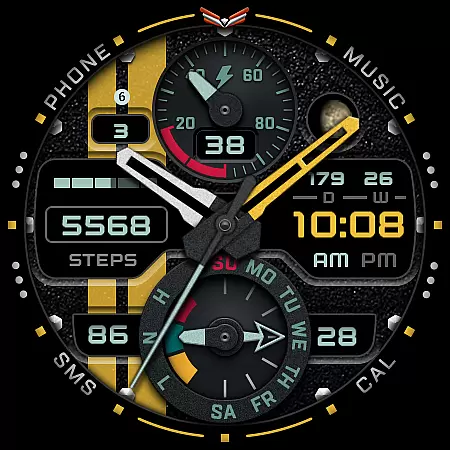
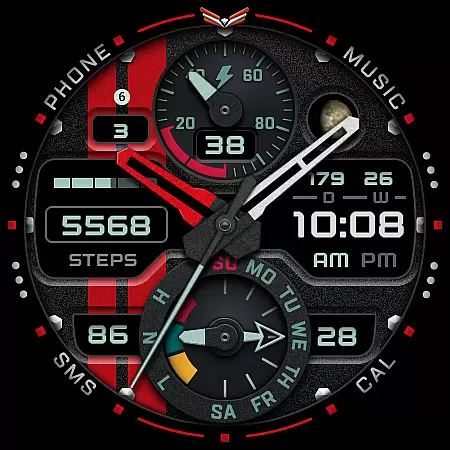
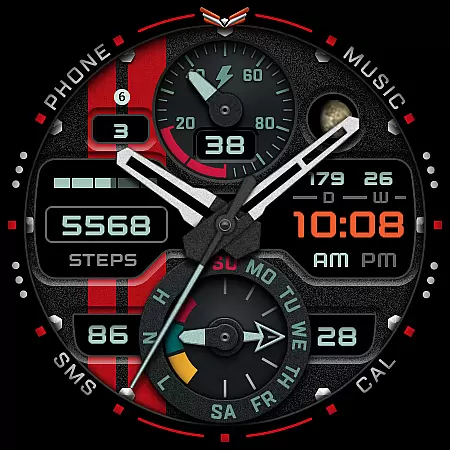
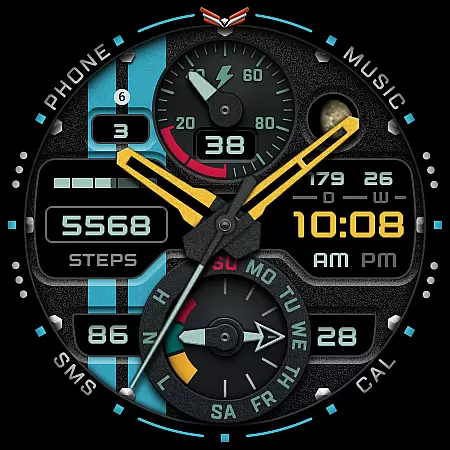
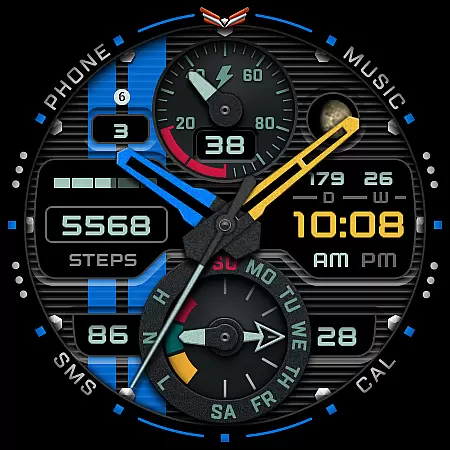
Ballozi VERO is a versatile hybrid watch face designed for Wear OS devices, offering both analog and digital display options. This military-style watch face is optimized for round watches and provides users with essential fitness and timekeeping features. With compatibility for Galaxy Watch 4 and Galaxy Watch 5 Pro, it delivers a customizable experience that enhances your smartwatch usage.
The watch face includes practical functionalities such as heart rate monitoring, step counting, battery indicators, and date displays. Its design supports various customizations including backgrounds, hand colors, and accent colors, allowing users to personalize their watch faces according to their preferences. Whether you're tracking daily fitness goals or simply managing your schedule, Ballozi VERO offers a comprehensive solution for smartwatch users.
Ballozi VERO stands out with its extensive customization options and practical features tailored for fitness enthusiasts and tech-savvy users. The watch face allows switching between analog and digital displays in both 12-hour and 24-hour formats, catering to different user preferences. It also provides essential health metrics like heart rate and steps counter, along with progress bars for visual tracking of your fitness goals.
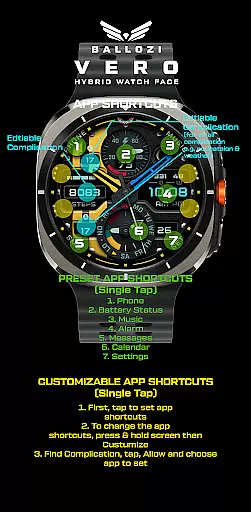
In addition to health features, Ballozi VERO offers ten background options, ten watch hand colors, six second-hand colors, and ten accent colors, ensuring a personalized look. Users can also customize app shortcuts and complications, providing quick access to frequently used apps such as Phone, Music, and Calendar. The inclusion of moon phase tracking and multiple date formats further enhances the utility of this watch face, making it a valuable tool for everyday use.
Companion app integration is a crucial feature for Android Wear applications like Ballozi VERO. This functionality ensures seamless synchronization between the smartphone and the smartwatch, allowing users to access and manage their watch face settings directly from their phone.
Ballozi VERO offers an intuitive companion app experience through its compatibility with both Samsung's Galaxy Wearable app and other Wear OS device-specific apps. After installing the watch face on a phone, users can easily locate it within the Watch faces section of their respective companion apps. This streamlined process simplifies applying and customizing the newly installed watch face on a connected smartwatch.
The value of proper companion app integration lies in its ability to enhance user convenience. With Ballozi VERO, users can customize various aspects of the watch face, including background, hand colors, and accent colors, all from their phone. This cohesive ecosystem ensures that users have full control over their smartwatch's appearance and functionality without needing to interact directly with the watch for every adjustment.
By prioritizing robust companion app integration, Ballozi VERO demonstrates its commitment to providing a comprehensive and user-friendly experience across both mobile and wearable devices, making it an excellent choice for those seeking versatile customization options in their Wear OS watch faces.
Device compatibility is a fundamental aspect of any Wear OS application, determining which smartwatches can effectively run the software. For Ballozi VERO, this compatibility extends to devices running Wear OS 5.0 or higher (API level 34+), ensuring that users with up-to-date smartwatches can enjoy its features.
This compatibility range is significant because it guarantees that Ballozi VERO can leverage the latest advancements in Wear OS technology. Users with compatible devices such as Galaxy Watch 4 and Galaxy Watch 5 Pro can take full advantage of the hybrid analog design, customizable complications, and health tracking features without worrying about performance issues.
The importance of clear compatibility information cannot be overstated. By specifying that Ballozi VERO is not suitable for rectangular or square watches, potential users can make informed decisions about whether this watch face will meet their needs. This transparency helps prevent installation attempts on incompatible devices, saving users time and frustration.
Ultimately, Ballozi VERO's focus on Wear OS/device compatibility ensures that customers can enjoy a reliable and optimized experience on supported devices, while its detailed installation instructions provide additional assurance that users can successfully set up and utilize their new watch face.
Highly customizable
Fitness tracking features
Versatile display options
Wide range of color choices
User-friendly interface
Not suitable for square watches
Limited to Wear OS
Requires compatible device
No built-in social features
Premium feel but not free

Highly customizable hybrid watch face for Wear OS, perfect for everyday use.
 4.60
4.60
Christmas watch face. For Wear OS devices.
4.30
Christmas Theme Watch Face for Wear Os
5.00
MyNISSAN® lets you remotely control your car from your phone.*
4.50
Watch face designed for Thanksgiving Day. 7 Background Styles included.
3.20
Gym & home workout plans with strength training, exercise tracking, HIIT & more.
4.60
The #1 source of faces for your smartwatch!
4.00
Hyper-Realistic Airplane Dashboard Watch Face With 10 Skins and Custom AOD
4.00
Hybrid Vibrant Health Watch Face for Wear OS
4.1
Digital, flexibly customizable watch face. For Wear OS 5.0, API 34+ and later.
5.00
Hyperlocal rain alerts by MyRadar using patent-pending technology, radar & more
4.80
Be an elegant and classy secret agent, with this carefully detailed watch face
4.70
To-Do List: daily schedule planner, task organizer, to do reminder app, calendar
4.60
Retro digital watch face with customizable colors and a unique lighting effect
4.60
Embrace the holiday spirit with this magical animated watch face!
4.40
Digital watch face with big numbers and many customization for Wear OS devices
4.40
Premium hybrid watch face with many customizations for Wear OS devices.
4.40
Want to take charge of your health? Let Google Fit help you reach your goals.
3.50
Your local weather forecast, storm tracker, radar maps & live weather news
3.40


User Reviews