
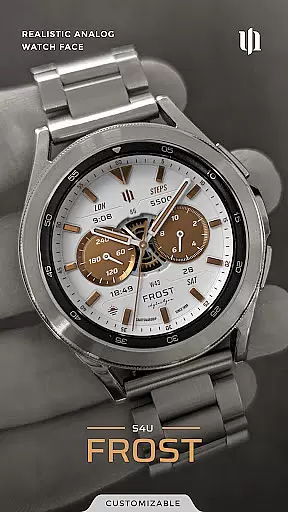
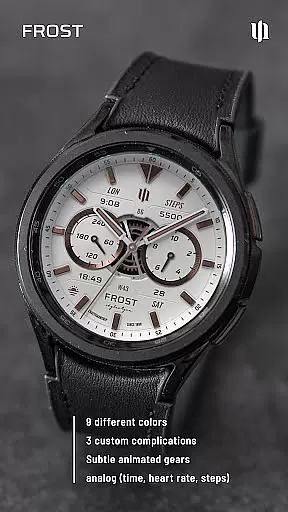
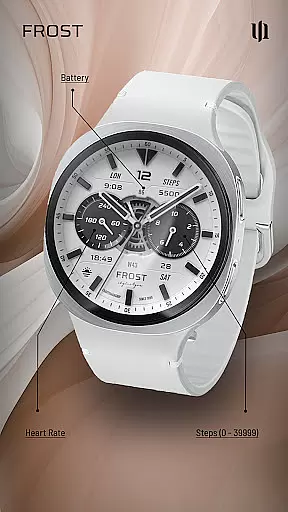
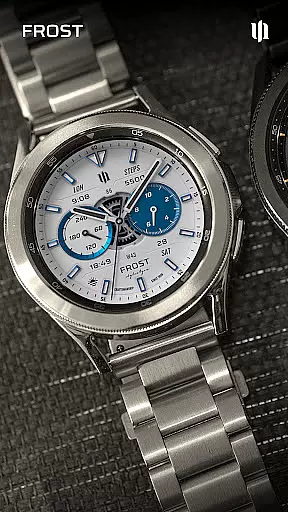
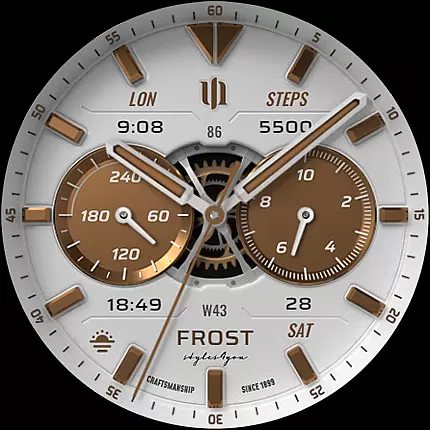
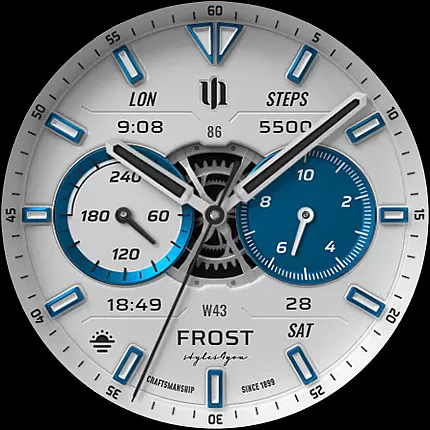
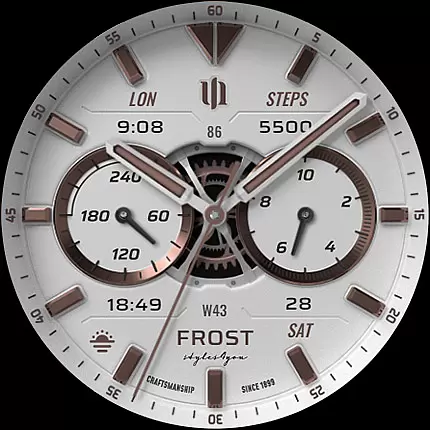
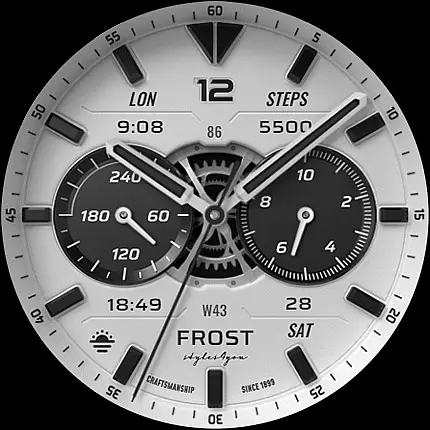
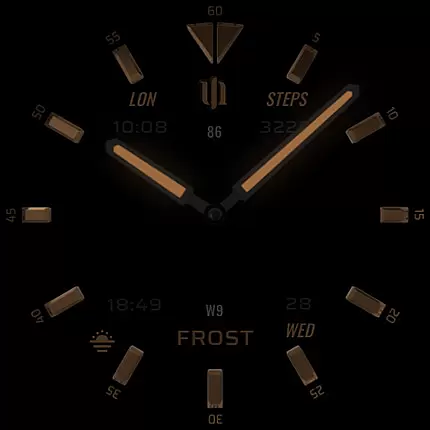
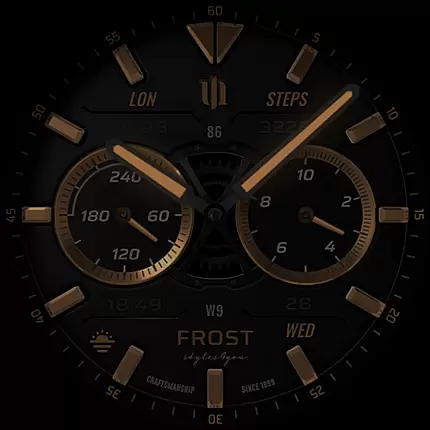
S4U Frost is a premium Wear OS watch face that combines classic analog aesthetics with modern smartwatch functionality. Designed for users seeking both style and utility, this app offers a realistic analog dial complemented by advanced customization options.
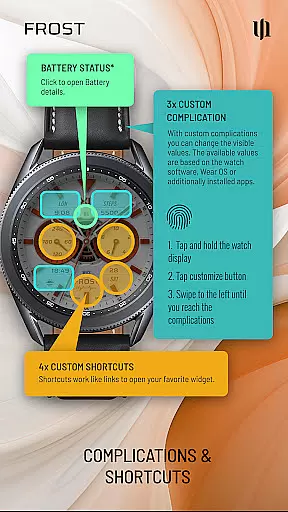
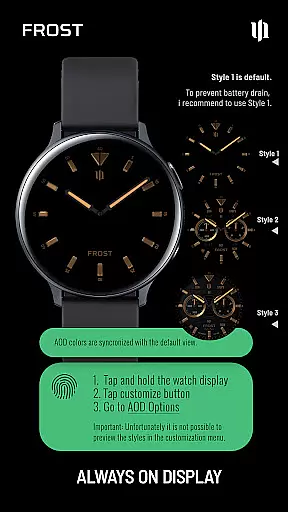
With support for 3 custom complications and multiple color schemes, S4U Frost allows users to personalize their watch face while accessing essential data like time, steps, heart rate, and battery status. The always-on display (AOD) feature provides three unique layouts, ensuring visibility even in low-power mode. Compatible with Wear OS 4 and above, it works seamlessly on devices such as Samsung Galaxy Watches and Google Pixel Watches.
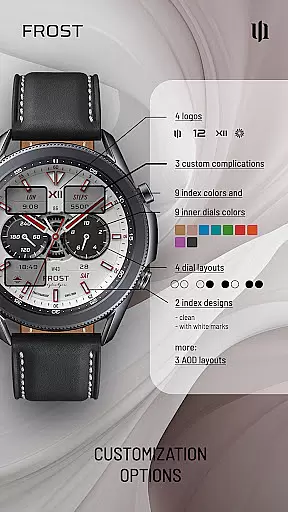
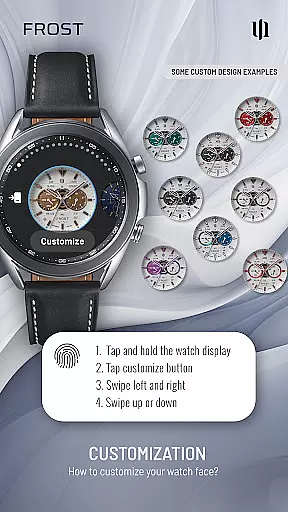
S4U Frost stands out with its extensive customization capabilities. Users can choose from 9 color options for the main hands and secondary complications, along with 10 color variations each for index marks, inner dial backgrounds, and other design elements. The app includes 4 customizable shortcuts to favorite widgets, enhancing accessibility.
The app supports 3 custom complications, enabling users to display personalized data directly on their watch face. Additionally, the always-on display (AOD) offers three distinct layout choices, allowing users to optimize battery usage without sacrificing visibility. These features make S4U Frost not only visually appealing but also highly functional for everyday use.
Companion app integration is a crucial feature for Wear OS applications like S4U Frost. This functionality ensures seamless synchronization between the watch face and its companion app, which is essential for setup, customization, and troubleshooting.
S4U Frost provides users with a dedicated companion app that simplifies the installation process and resolves potential issues. Through this app, users can access detailed instructions in the Install/Issues section, ensuring they can fully utilize all features of the watch face.
The value of this integration lies in its ability to enhance user experience. By offering a centralized location for adjustments and support, users can effortlessly customize their watch face while having immediate access to customer support when needed.
This level of integration not only improves usability but also builds trust with users, knowing they have reliable support and comprehensive control over their smartwatch experience.
Device compatibility is a fundamental aspect of any Wear OS application. For S4U Frost, compatibility ensures the watch face functions optimally across a range of devices running Wear OS 4 or higher (Wear OS API 33+).
This watch face supports popular models such as Samsung Galaxy Watch series (4, 5, 6, 7, 7 Ultra, 8) and Google Pixel Watch series (1-3), along with other Wear OS 4+ smartwatches. Such broad compatibility guarantees that users with different devices can enjoy the realistic analog design and customization options without limitations.
By supporting multiple devices, S4U Frost maximizes its reach and utility, providing consistent performance and visual appeal regardless of the specific smartwatch model.
Ultimately, this compatibility reassures users that their investment in the S4U Frost watch face will be met with reliable performance and an enhanced Wear OS experience tailored to their individual devices.
Highly customizable
Realistic analog design
Supports Wear OS 4+
Multiple AOD layouts
User-friendly interface
Short battery life with AOD
Limited to Wear OS
No white background in AOD
Dim display in bright light
Complex setup process

A customizable Christmas watch face for Wear OS with a countdown.
 4.20
4.20
Wear Os Watch Face - Animated Snow - Sesonal for Christmas & Winter
4.3
Easy Voice Recorder is your everyday companion to record important moments.
4.70
Beautiful, colorful and practical watch face. For Wear OS devices.
5.00
Stylish digital watch face for Wear OS devices with customizable features
4.5
Funny animated watch face for Thanksgiving
4.3
Retro digital watch face with customizable colors and a unique lighting effect
4.60
A digital watch face that celebrates Christmas.
4.00
Spam call blocker and caller ID for automatic call protection!
4.40
Hyperlocal rain alerts by MyRadar using patent-pending technology, radar & more
4.80
A modern hybrid informative watch face for Wear OS designed by BALLOZI
4.80
WTW M17 is a premium and luxurious hybrid watch face
4.70
Hybrid watch face for Wear OS with customizable complications by Matteo Dini MD
4.70
Monitor health with the stress test and pulse checker in the heart rate app.
4.60
A realistic hybrid watch face with many customization options.
4.60
Find EV charging stations
4.30
Your music, your playlists, and more—offline and unlimited.
4.20
Connect, create, and collaborate with Gmail, part of Google Workspace.
4.10
Wear Os Watch Face - Animated Snow Effect & Christmas Lights
4.4


User Reviews