
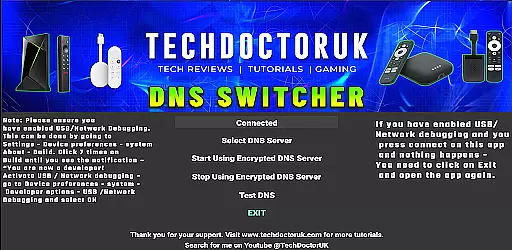
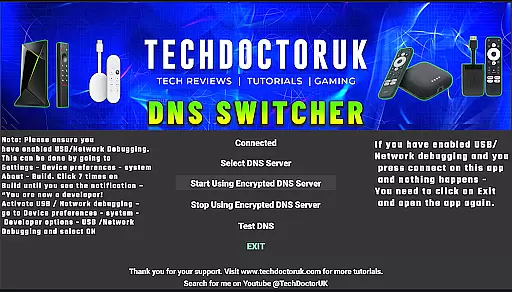
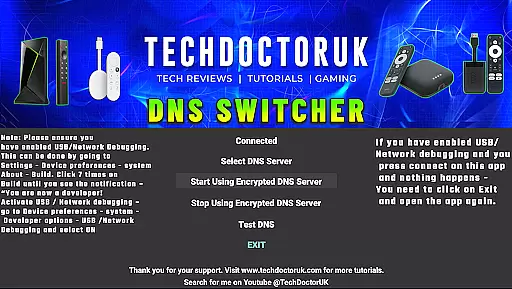
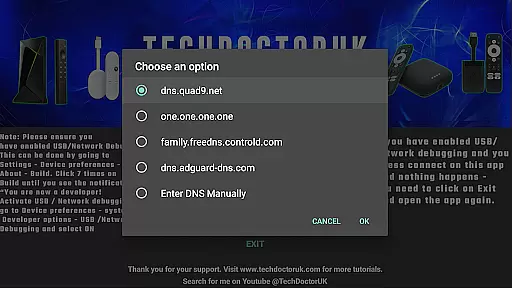
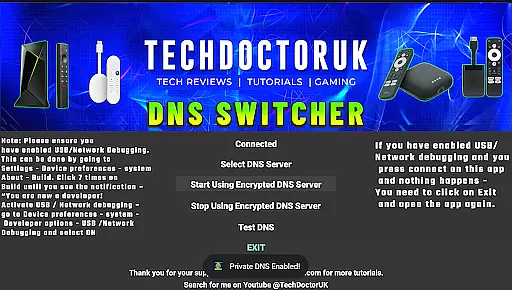
TDUK DNS Switcher is a specialized tool designed to enhance privacy and security on Android TV devices. The app allows users to configure their devices to use encrypted DNS servers, protecting their DNS requests from potential threats. With a straightforward interface, it provides the ability to select from popular encrypted DNS options or input custom server details.
This application is particularly useful for users who want to safeguard their online activities while using Android TV. By enabling USB or Network Debugging before launching the app, users can seamlessly switch their DNS settings and enjoy a more secure browsing experience.
The primary feature of TDUK DNS Switcher is its ability to set encrypted DNS servers on Android TV. This ensures that all DNS requests are protected from unauthorized access and potential data breaches. Users can choose from a list of well-known encrypted DNS providers, offering convenience and reliability.
For advanced users, the app supports adding custom DNS server information, providing flexibility in managing network settings. The requirement to enable USB or Network Debugging before use ensures that only authorized users can modify these critical settings, adding an extra layer of security.
TDUK DNS Switcher focuses on providing accurate and effective core functionality by enabling users to set their Android TV to use an encrypted DNS server. This ensures that all DNS requests are directed through secure channels, protecting user privacy.
The app allows users to choose from well-known encrypted DNS servers or add their own custom DNS options. This flexibility in managing DNS settings enhances the overall security of internet browsing activities on Android TV devices.
By ensuring that USB or Network Debugging is enabled before opening the app, users can seamlessly integrate TDUK DNS Switcher into their existing setup. This step is crucial for maintaining the integrity and reliability of the DNS-switching process.
TDUK DNS Switcher offers a simple and intuitive interface that makes it easy for users to manage their DNS settings without any technical complications. The straightforward design ensures that even novice users can navigate through the app effortlessly.
Upon opening the app, users are greeted with clear instructions and options to select preferred encrypted DNS servers. This ease of use eliminates confusion and helps users make informed decisions about their DNS configurations.
Additionally, the app provides guidance on enabling USB or Network Debugging, which simplifies the initial setup process. By prioritizing user experience, TDUK DNS Switcher ensures that managing DNS settings remains accessible and stress-free.
User-friendly interface
Supports multiple DNS options
Enhances privacy protection
Custom DNS configuration
Secure setup process
Requires technical knowledge
Limited to Android TV
No automatic updates
Debugging must be enabled
Manual configuration needed

Just one-tap to easy translate in any language after calls within seconds.
 4.20
4.20
Learn the vast amount of system information about device and monitor it's state
4.70
An easy-to-use calculator designed to save time calculating and bending conduit
4.30
Quickly check the frequency of the Earth
4.30
Mirror your screen to Fire TV - Super fast and simple
4.40
Create your own custom widget with endless possibilities
3.90
A simple app to back up and restore SMS & MMS messages and call logs.
4.10
Fun lie-detection pranks for friends and parties.
3.80
fast and easy mp3 music downloader
4.80
Enjoy smooth gameplay with Game Booster
4.90
Navigate with Ease and Style
4.90
ADB support Android 4.X-Android 13(Support wireless pair mode).No root required!
4.70
Signal Strength, Mobile, Wifi, Speed Test, Bad Signals, Cellular, 5G, LTE, 4G
4.20
Screen Mirroring with sound for Samsung TV, LG TV, Sony TV, Smart TV and Browser
4.20
MS-DOS in your pocket. Play old DOS games anywhere you are ;)
4.10
Detect hidden spy camera with advanced scanning {{ Premium version }}
4.00
Family Locator, Share location, StayConnect with your family in real time
3.90
Safely recover deleted photos, videos, and files with a single easy tap.
3.70
Unlock your Essential Key. Create custom shortcuts to your favorite apps!
4.4


User Reviews