
SMS Backup & Restore Pro is a premium Android application designed for secure backup and restoration of SMS, MMS messages, and call logs. This tool ensures that your communication data remains safe by creating encrypted local backups on your device. It also offers seamless integration with cloud services like Google Drive, Dropbox, and OneDrive, providing users with flexible storage options.
One of the standout features of this app is its ability to compress and encrypt backups, ensuring both security and efficiency. Users can schedule automatic backups, select specific conversations for backup or restoration, and even transfer data between devices over WiFi Direct. The app's XML backup format allows easy viewing on computers through an online viewer, making it versatile for various use cases.
This application is particularly useful for individuals who frequently upgrade their devices or need to safeguard important communications. By maintaining a reliable copy of all text messages and call logs, users can rest assured that their data is protected against accidental loss or device malfunction.
The app boasts an array of advanced features that set it apart from basic backup solutions. Notably, SMS Backup & Restore Pro allows users to create compressed and encrypted backups, adding an extra layer of security to sensitive information. The inclusion of WebDAV as a backup location provides additional flexibility for those who prefer alternative cloud storage options.
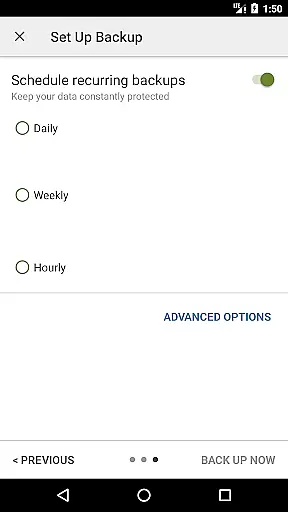
Another significant feature is the ability to schedule recurring backups at user-defined intervals. This automation ensures that users never miss an important update, while the option to selectively backup or restore specific conversations adds precision to data management. Furthermore, the app supports fast data transfer between two phones over WiFi Direct, streamlining the process of switching devices.
For enhanced usability, the app includes a comprehensive search function within backups and the capability to view detailed logs. These features empower users to efficiently manage their backed-up data, whether they're looking to restore individual messages or entire conversation threads. With support for Android 5.0 and higher, this tool delivers robust performance across a wide range of devices.
SMS Backup & Restore Pro excels in providing accurate and effective core functions that are essential for managing your SMS, MMS, and call logs. The app allows users to create precise backups of their messages and call logs in XML format, ensuring that all information is captured faithfully.
One of the standout features is its ability to compress and encrypt backups, adding an extra layer of security and efficiency. This ensures that your data remains not only intact but also protected from unauthorized access. Additionally, the option to use WebDAV as a backup location showcases the app's versatility in handling different user preferences and needs.
Users benefit greatly from the scheduled automatic backups, which eliminate the need for manual intervention and ensure that data is consistently backed up without fail. The app also offers the flexibility to select specific conversations for backup or restoration, allowing for a more personalized and efficient data management experience.
Overall, the precision and reliability of SMS Backup & Restore Pro's core functions make it an indispensable tool for anyone looking to safeguard their communication data effectively.
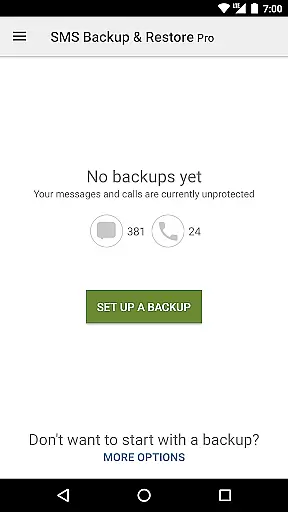
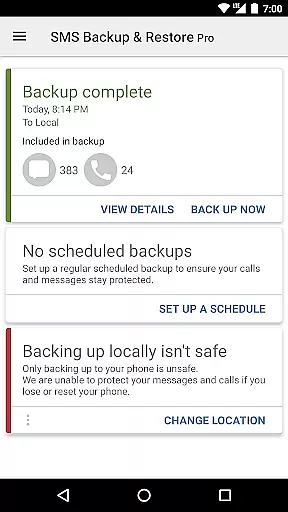
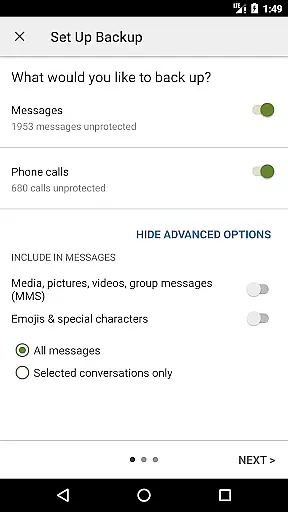
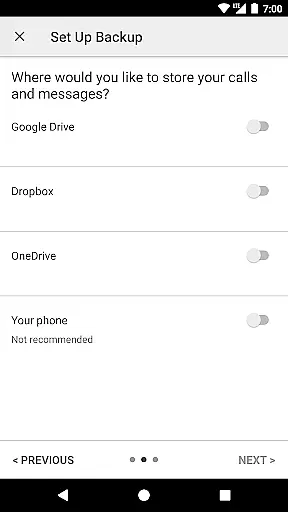
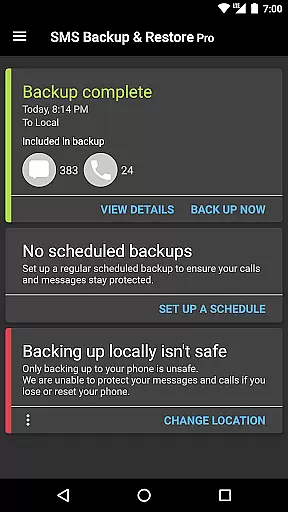
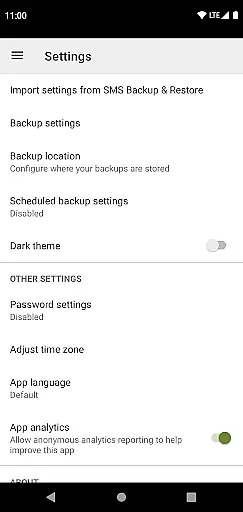
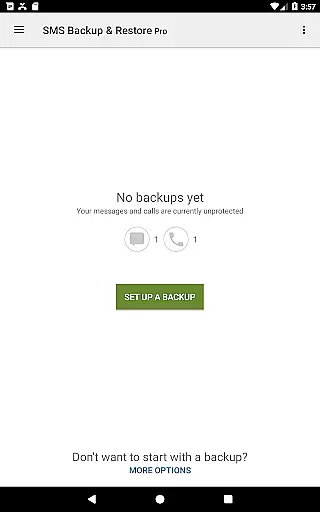
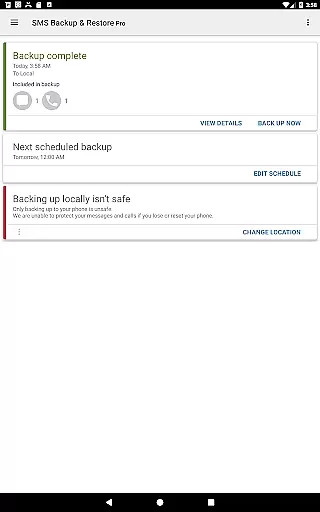
The interface of SMS Backup & Restore Pro is designed with simplicity and intuitiveness in mind, making it accessible even to those who may not be tech-savvy. Upon opening the app, users are greeted with a straightforward layout that clearly presents all available options without overwhelming them.
Key functionalities such as backing up, restoring, and transferring data are easily accessible through well-labeled buttons and menus. This logical arrangement ensures that users can quickly find and utilize the features they need without unnecessary complexity or confusion.
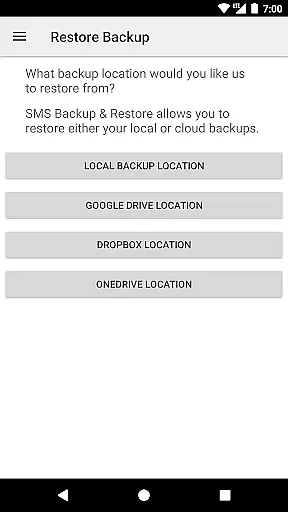
In addition to its clean design, the app provides helpful prompts and guidance throughout the backup and restore processes. These cues help users understand each step, reducing the likelihood of errors and enhancing their overall experience. Furthermore, the ability to view and drill into local and cloud backups directly within the app adds another layer of convenience.
By prioritizing ease of use and clarity, SMS Backup & Restore Pro delivers an intuitive user experience that simplifies the often complex task of managing message and call log backups.
Secure encryption
Cloud integration
Scheduled backups
Selective restoration
WiFi direct transfer
Paid version only
No iOS support
Complex settings
Limited free features
Requires existing backups

 4.50
4.50
HD Camera captures every special moment.
4.60
Extremely fast, secure, and protects your privacy
4.80
1-Click close all background apps on Android TV
3.90
MS-DOS in your pocket. Play old DOS games anywhere you are ;)
4.10
Detect hidden spy camera with advanced scanning {{ Premium version }}
4.00
Unleash gamepad precision for ultimate mobile gaming dominance.
3.90
Game Booster, GFX Tool is now compatible with newer game update
4.50
Screen recorder with audio to record high-quality videos and take screenshots.
4.40
Excellent scientific calculator with symbolic algebra, integrals, derivatives
4.80
Remote Play with FSR upscaling, low latency & full controller support
4.80
PC precision for mobile gaming: dominate with keyboard and mouse!
4.30
Remote for Roku, Fire TV, Samsung TV, LG TV, Android TV, Chromecast and VIZIO TV
4.20
Signal Strength, Mobile, Wifi, Speed Test, Bad Signals, Cellular, 5G, LTE, 4G
4.20 4.10
4.10
Smart and comfortable browsing experience.
3.80
Safely recover deleted photos, videos, and files with a single easy tap.
3.70
A recovery soft,it features photo recovery, video recovery, file recovery.
3.40
PDF Reader - Document Viewer: Read, Manage & Organize Your Documents
3.10


User Reviews