
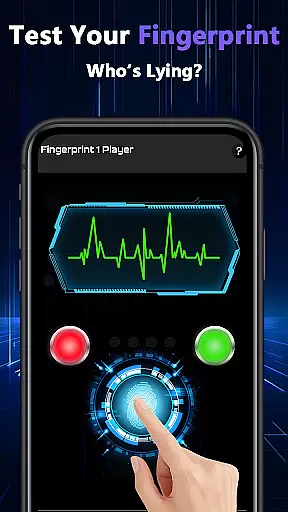
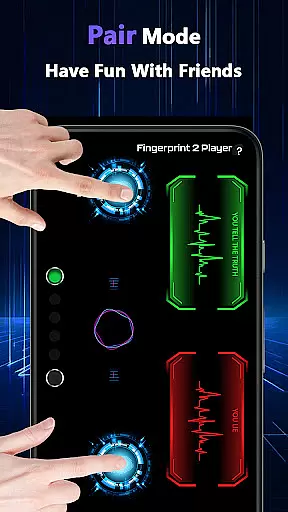
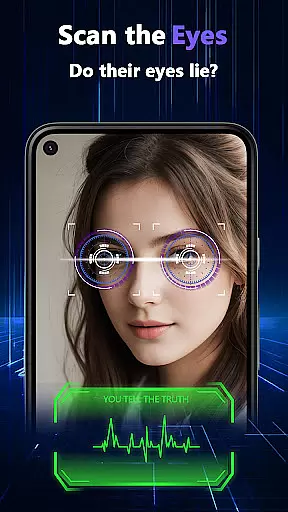
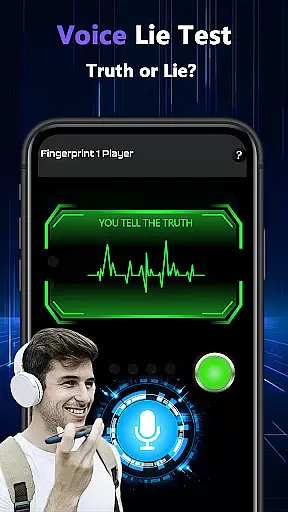
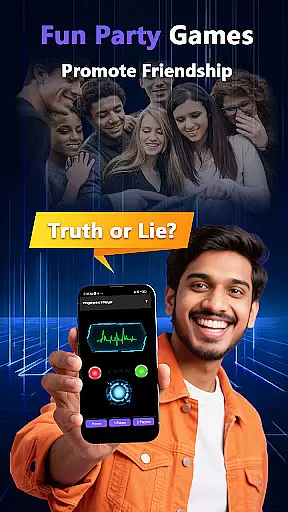
Lie Catcher Pro is a playful app designed to bring fun and laughter to social gatherings through simulated lie-detection experiences. With interactive features such as fingerprint tests, eye scans, voice analysis, and a pair mode for comparing results between friends, it creates an engaging atmosphere perfect for parties or casual meetups.
While the app does not provide scientifically accurate lie-detection results, its whimsical approach encourages friendly banter and light-hearted interactions. Whether you're hosting a game night or simply looking to spark conversations, Lie Catcher Pro adds a touch of humor and excitement to any group setting.
Lie Catcher Pro offers a variety of entertaining features that make it stand out in the realm of party apps. The fingerprint test and eye scan simulate high-tech lie detection, while the voice analysis feature lets users speak their answers, adding another layer of interaction. Pair Mode allows two players to compare their "truthfulness" side by side, making it ideal for duos or competitive groups.
All these features are crafted with one goal in mind: creating memorable moments at social events. Though the outcomes are purely fictional and meant only for amusement, they inspire lively discussions and plenty of laughs among participants. Dive into this tool for playful guessing games that enhance your gatherings!
Lie Catcher Pro offers a playful approach to lie detection, focusing on creating fun and engaging experiences rather than serious truth-finding. The app includes features like fingerprint tests, eye scans, voice lie checks, and pair mode for interactive friend challenges.
Each feature is designed with entertainment in mind. For instance, the fingerprint test and eye scan simulate high-tech lie-detection processes, providing users with a whimsical experience that sparks friendly banter. While these features don't offer real lie-detecting accuracy, they excel in delivering light-hearted moments during gatherings.
The effectiveness of Lie Catcher Pro lies in its ability to enhance social interactions. Whether you're hosting a party or enjoying a casual get-together, the app's various modes ensure there's never a dull moment. It encourages playful guessing and interaction, making it an ideal tool for breaking the ice and fostering camaraderie among friends.
The interface of Lie Catcher Pro is crafted to be simple and intuitive, ensuring users can easily navigate through its features without any learning curve. Upon launching the app, users are greeted with a clean layout where all the lie-detection tools are just a tap away.
Each feature, whether itu2019s the fingerprint test, eye scan, or voice lie check, follows a straightforward process. Users can initiate tests with minimal taps, allowing them to focus more on the fun aspect rather than figuring out complex steps. This ease of use makes the app accessible even to those who may not be tech-savvy.
Moreover, the appu2019s design emphasizes user engagement by incorporating visually appealing graphics and animations. These elements not only enhance the overall experience but also contribute to the playful nature of the app. With Lie Catcher Pro, simplicity meets creativity, resulting in an intuitive tool that guarantees entertainment at your fingertips.
User-friendly interface
Fun party enhancement
Interactive pair mode
Variety of playful tests
Great conversation starter
No scientific accuracy
Limited practical use
Requires participant consent
Short entertainment duration
Fingerprint sensor compatibility issues

Quickly switch to an encrypted DNS server on Android TV
 4.50
4.50
Complete kernel toolbox with features to manage and tweak your rooted device
4.30
Enjoy smooth gameplay with Game Booster
4.90
Detect hidden spy camera with advanced scanning {{ Premium version }}
4.00
PC precision for mobile gaming: dominate with keyboard and mouse!
4.30
NFC Tools can read and write NFC tags.
4.70
Introducing Smart Printer, your ultimate destination for printing solutions!
4.00
A clean app.
4.50
Fast VPN USA for any country. Super secure VPN for calls, streaming, games, TV.
4.40
ADB support Android 4.X-Android 13(Support wireless pair mode).No root required!
4.70
Small and simple app to Verify Root Access and BusyBox Install!
4.70
HD Video player and downloader for all formats, fast & smooth 4K video playback.
4.60
Planner and Tracker for Stardew Valley
4.60
Remote for Roku, Fire TV, Samsung TV, LG TV, Android TV, Chromecast and VIZIO TV
4.20
Carry a FTP server in your pocket and avoid USB cables for file transfer
4.20
Quickly & easily calculate the spacing of handrail balusters
4.20
Screen Mirroring with sound for Samsung TV, LG TV, Sony TV, Smart TV and Browser
4.20
A convenient photo, video, and file recovery tool.
4.00
1-Click close all background apps on Android TV
3.90


User Reviews