
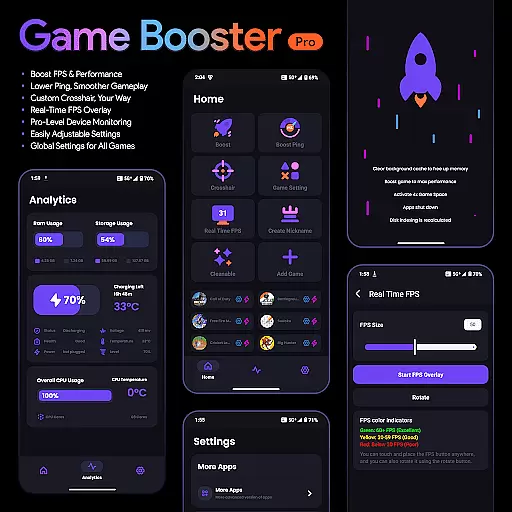
Game Booster Pro is a powerful tool designed to enhance your gaming experience on mobile devices. The app focuses on optimizing game performance by boosting FPS, reducing lag, and providing real-time monitoring of device stats. With its advanced features, gamers can enjoy smoother gameplay and improved responsiveness during intense gaming sessions.
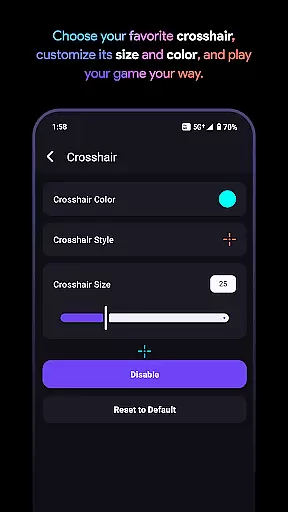
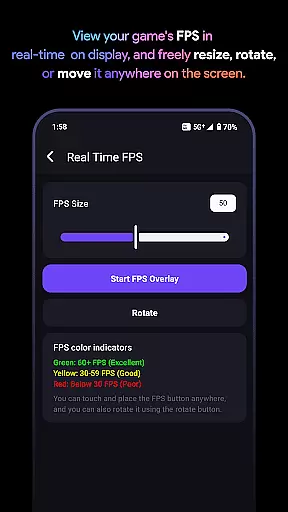
One of the standout capabilities is the customizable crosshair feature, which allows users to create the perfect aiming point for any game. Additionally, the real-time FPS overlay ensures you can monitor your device's performance without interrupting gameplay. Whether you're a casual or competitive gamer, Game Booster Pro offers tools that cater to all levels of play.
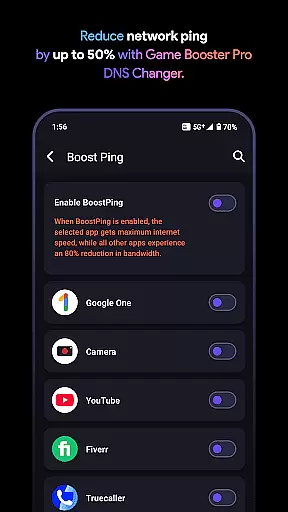
The app also utilizes VpnService to optimize network traffic specifically for gaming. This ensures lower ping and reduced network lag by prioritizing bandwidth for selected games while limiting background app activity. All these features are wrapped in a user-friendly interface that makes performance tuning accessible even to non-technical users.
Game Booster Pro stands out with its comprehensive suite of gaming optimization tools. The app's ability to boost FPS and lower lag is achieved through intelligent device tuning, ensuring maximum frame rates and minimal delays during online matches. This feature alone makes it an essential tool for competitive gamers who demand peak performance.
Beyond performance enhancements, the app includes a customizable crosshair feature. Gamers can adjust the style, size, and color of their crosshair to suit different games and personal preferences. Another notable feature is the real-time FPS overlay, which displays critical performance metrics directly on your screen without interfering with gameplay.
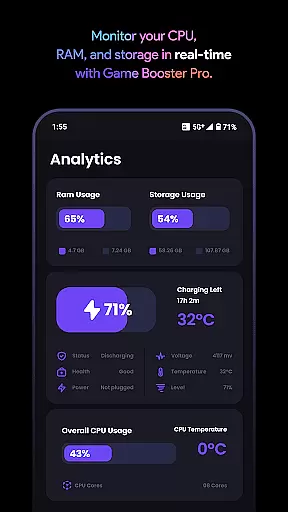
Device monitoring is equally robust, offering insights into CPU, GPU, and memory usage. The global settings functionality allows users to apply their preferred configurations across all games, streamlining the setup process. By combining these features with a secure, local-only VPN connection for network optimization, Game Booster Pro delivers a complete package for gamers seeking superior performance.
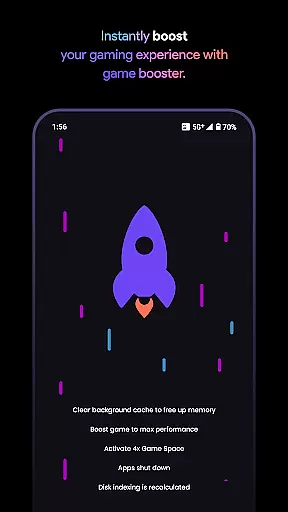
Game Booster Pro is designed to enhance your gaming experience by focusing on core functionalities that truly matter. The app's primary feature is its ability to boost FPS and optimize performance settings, ensuring a smoother gameplay experience. This is achieved through advanced algorithms that adjust device settings in real-time, prioritizing gaming performance above all else.
The effectiveness of Game Booster Pro is evident in its ability to lower lag during online gaming sessions. By utilizing VpnService, the app optimizes network traffic specifically for gaming, reducing ping and creating a seamless connection. This local-only VPN prioritizes bandwidth for selected games, minimizing disruptions from background apps and ensuring uninterrupted gameplay.
Users benefit significantly from these features as they experience enhanced gaming performance without any complicated setup. The app offers easily adjustable settings and global preferences that work across all games, making it simple for gamers to maintain optimal performance regardless of the game they are playing. This combination of accuracy in boosting FPS and effectiveness in network optimization makes Game Booster Pro an essential tool for mobile gamers.
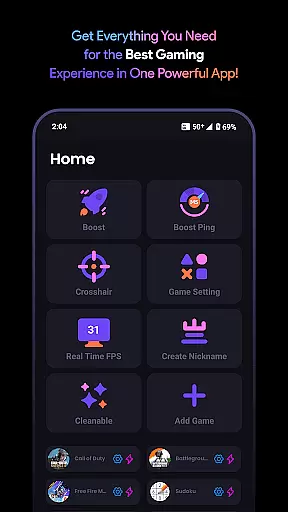
A user-friendly interface is crucial for any application, and Game Booster Pro excels in providing an intuitive and straightforward design. The app focuses on simplicity, allowing users to customize their gaming settings with just a few taps. This ease of use ensures that even those who may not be tech-savvy can take full advantage of the app's capabilities without feeling overwhelmed.
The interface provides quick access to key features such as FPS boosting, lag reduction, and crosshair customization. Each setting is clearly labeled and easy to understand, enabling users to make adjustments efficiently. Additionally, the real-time FPS overlay and device monitoring tools are seamlessly integrated into the interface, offering instant feedback on performance metrics without cluttering the screen.
This focus on intuitive design extends to the app's network optimization features. Users can activate the local-only VPN connection with minimal effort, ensuring that their gaming sessions remain lag-free without needing to navigate complex menus. Overall, Game Booster Pro's commitment to interface simplicity enhances user engagement and satisfaction, making it a top choice for gamers seeking performance improvements without sacrificing ease of use.
Boosts FPS effectively
Reduces network lag
User-friendly interface
Customizable crosshair
Real-time performance monitoring
Premium features locked
Requires constant updates
Limited free version
VPN dependency for network
High system resource usage

FV File Manager Pro, Fast and powerful file manager for Android
 4.60
4.60
Use your phone as a webcam on your computer over WiFi or USB.
4.40
Navigate with Ease and Style
4.90
Making emulation easy for everyone!
4.30
The Ultimate Bluetooth Keyboard & Mouse. Securely control your PC, Mac, and more
4.50
Planner and Tracker for Stardew Valley
4.60
Game Booster, GFX Tool is now compatible with newer game update
4.50
Pro Emulator is an easy to use game console emulator for a range of consoles.
4.40
Enjoy a smooth mobile reading experience!
3.60
Powerful collection of electronics tools and reference.A must for any enthusiast
4.90
Small and simple app to Verify Root Access and BusyBox Install!
4.70
Canon PRINT is a companion app for your Canon printer.
4.60
Head tracking for PC sim games such as MSFS 2024 or Elite:Dangerous. No headset!
4.50
Quickly & easily calculate the spacing of handrail balusters
4.20
Effortlessly run ADB commands directly on your device without a PC.
4.20 4.10
4.10
Safely recover deleted photos, videos, and files with a single easy tap.
3.70
card-reader app
2.20
Save any video in HD - paste the link, download fast and watch offline.
4.2


User Reviews