
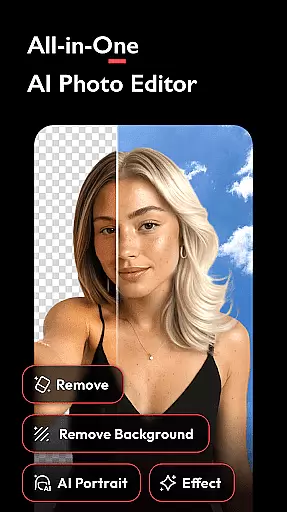


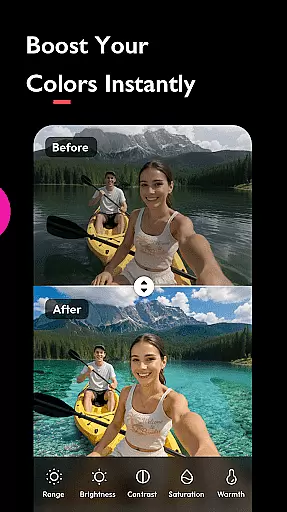
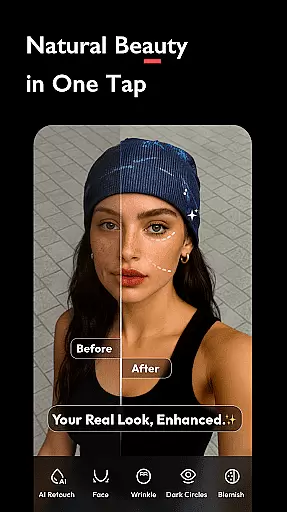
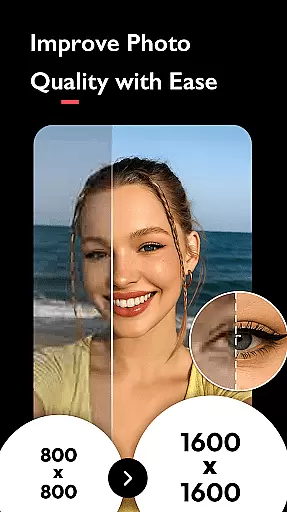
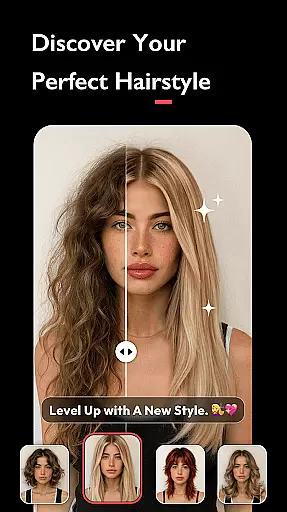
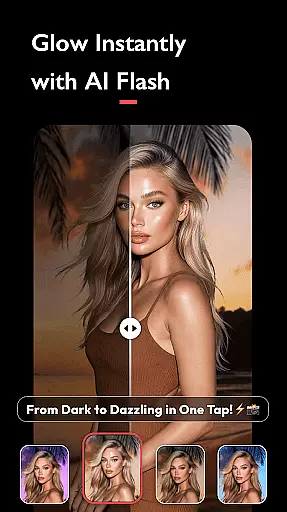
AI Photo Editor - Polish is a powerful photography app designed to transform your photos into stunning works of art. Leveraging advanced AI technology, the app provides users with an extensive suite of editing tools that cater to both amateur and professional photographers. With over 500 AI filters, effects, templates, stickers, backgrounds, and fonts, this app allows you to retouch selfies, enhance photo quality, fix blurry images, and even create AI-generated portraits.
The app's standout feature is its easy-to-use interface that requires no prior skills, making it accessible for every creator. Whether you're refining your personal brand as an influencer or boosting marketing efforts as a business owner, AI Photo Editor - Polish offers specialized tools such as AI Photo Enhancer, AI Cartoon Generator, and AI Beautify to meet diverse needs. From LinkedIn profile pictures to Instagram posts, this app ensures your images stand out.
With additional features like Auto Background Remover, Body and Face Tune, and Collage Maker, users can explore limitless creative possibilities. The app also supports direct sharing to social media platforms without watermarks, while saving high-resolution images for printing. AI Photo Editor - Polish is the ultimate all-in-one solution for anyone looking to elevate their photography game.
AI Photo Editor - Polish boasts an impressive array of features tailored to enhance your photo editing experience. One of its core strengths lies in the AI-powered tools that simplify complex editing tasks. For instance, the AI Photo Enhancer allows users to convert low-quality or blurry images into sharp, high-definition photos with just one tap. Similarly, the AI Remove tool lets you effortlessly erase unwanted objects or people from your photos, ensuring cleaner compositions.
In addition to these innovative features, the app includes creative options like AI Cartoon, which helps you design personalized avatars, and AI Portrait, which generates professional-grade headshots suitable for LinkedIn or passport photos. The AI Expand functionality enables resizing images to fit various platforms seamlessly. Advanced editing features such as HSL color enhancement, light effects like Bokeh and Lens Flare, and DSLR-style background blur further empower users to produce visually striking content.
For those focused on aesthetic improvements, the Body and Face Tune tools provide options to slim down body proportions, smooth skin, brighten complexion, and elongate legs for balanced visuals. With over 100 trendy filters including Y2K, VHS, and Glitch, along with customizable text and sticker overlays, this app ensures your photos are not only polished but also uniquely expressive. These robust features make AI Photo Editor - Polish indispensable for modern creators.
Real-time capture and preview functionality is essential for ensuring that users can see the results of applying various AI filters and effects instantly. This feature allows users to visualize changes before finalizing their edits, thus enhancing user experience by providing immediate feedback.
AI Photo Editor - Polish offers real-time previews through its diverse range of AI filters, beautification tools, and photo adjustments. Users can experiment with different styles such as CCD, Flash, Y2K, VHS, and Glitch filters, seeing the impact on their photos instantly. This instant visualization helps in making informed decisions about which filter or effect best suits their creative vision.
The benefit of real-time capture and preview is significant for users who want to perfect their images without guesswork. By being able to preview edits immediately, users can save time and effort, ensuring that their final image meets their expectations. This feature also encourages creativity, allowing users to try out multiple options quickly and efficiently.
In summary, the real-time capture and preview feature in AI Photo Editor - Polish not only enhances the editing process but also empowers users to achieve professional-quality results effortlessly. The ability to see changes instantly makes the app accessible and user-friendly, catering to both novice and experienced editors.
AI beauty and enhancement features focus on improving the natural appearance of photos without making them look overly processed. This balance between enhancement and maintaining authenticity is crucial for creating visually appealing yet realistic images.
AI Photo Editor - Polish incorporates advanced AI algorithms to enhance photo quality while preserving natural elements. Tools like AI Beautify, Auto Adjust, and Body and Face Tune allow users to smooth skin, adjust brightness, contrast, and saturation, and even slim down body and face proportions. These features ensure that enhancements are subtle and lifelike, avoiding the artificial look often associated with heavy editing.
Users benefit from these AI-driven enhancements by achieving polished yet genuine-looking results. Whether preparing images for social media platforms like Instagram and Facebook or professional uses such as LinkedIn profiles, the natural enhancement ensures that photos remain credible and engaging.
Ultimately, the AI beauty and enhancement capabilities of AI Photo Editor - Polish provide users with powerful tools to refine their images while retaining their original essence. This approach not only boosts user confidence in their edited photos but also maintains the integrity and authenticity of their visual content.
User-friendly interface
Extensive filter library
Advanced AI tools
High-quality results
Social media integration
Premium features locked
Occasional ads
Large file size
Learning curve for beginners
Limited offline functionality

Find time and duration of different sunlight phases at any location
 4.90
4.90
1M influencer's special filter
4.60
Photobooth mini FULL app will allow you to add more fun to your parties
4.00
Viewfinder, Light meter, Reciprocity failure time, DOF & Bellows Extension
4.60
Create Business Headshots, Polaroid Filter, Retake Photos,Profile Pics,AI Photos
4.50
Turn your phone into a professional camera - full DSLR manual photography
4.30
Raw Image Viewer. Gallery with support of raw images (.cr3, .cr2, .nef, .raf).
2.00
Easily create custom gifts, cards, photo books & more on the Shutterfly app!
4.60
AI-powered video creator by MiniMax - Where ideas meet cinema
4.20
Create funny photos and videos with the popular Time Warp Scan filter.
4.90
Cartoon and artistic effects for your photos and videos
4.70
The original Rarevision VHS look seen everywhere!
4.70
Safe & smart flight with Go Fly drone controller for 40+ drone camera, zone map
4.50
[3DSteroid Pro] is a stereoscopic application for Android.
4.30
Smart, light, and fast photo and video gallery
4.30
Luminar: Photo Editor - easy picture editing with AI
4.20
All-in-One Editor & AI Photo Enhancer, Collage, Cartoonify, Funny Stickers & BGS
4.10
Professional quality photo edits with the new Snapseed.
4.00
Remote control the phone camera shutter from your smartwatch and take a picture
1.60


User Reviews