
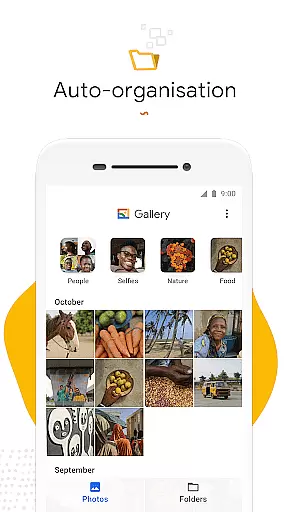
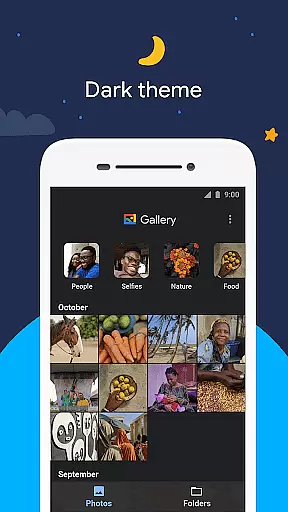
Gallery is a smart and efficient photo management app developed by Google, designed to help users organize, edit, and store their photos and videos seamlessly. The app offers automatic organization features that categorize media into intuitive groups such as People, Selfies, Nature, Animals, Documents, Videos, and Movies, making it easier for users to find specific images without endless scrolling.
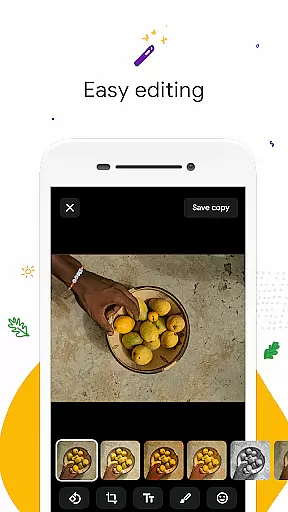
In addition to its organizational capabilities, Gallery provides powerful editing tools like auto-enhance, which allows users to improve their photos with just one tap. The app also supports offline functionality, ensuring users can manage their media even without an internet connection. With support for folders and SD cards, Gallery gives users flexibility in how they store and transfer their files while maintaining high performance with its lightweight design.
Gallery stands out with its advanced automatic organization feature, which intelligently groups photos and videos by categories such as People, Nature, and Documents, streamlining the process of locating specific content. This feature saves users significant time when searching through large collections of media. Additionally, the app includes an auto-enhance tool that simplifies photo editing, allowing users to achieve professional-quality results effortlessly.
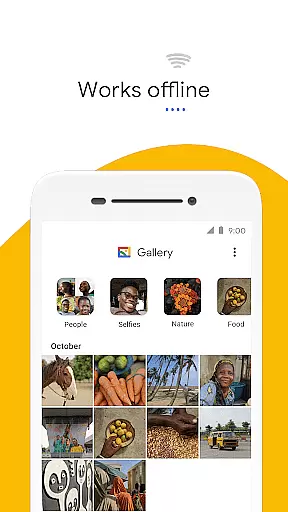
The app's support for both folders and SD cards adds another layer of convenience, enabling users to customize their storage preferences while still being able to access and transfer files easily. Its lightweight build ensures that Gallery consumes minimal device memory, providing smooth performance without slowing down the phone. Furthermore, the app’s offline functionality makes it ideal for users who want to manage their photos and videos without relying on constant internet access.
Real-time capture and preview functionality is essential for ensuring that users can take high-quality photos without any lag or delay. Gallery, developed by Google, offers a seamless experience in this aspect.
The app ensures that what you see on the screen while taking a photo is exactly what you get. This feature is particularly useful when trying to capture moments quickly and accurately, as it minimizes the chances of missing out on important details.
With real-time preview, users can adjust settings such as exposure and focus instantly, allowing them to take better photos under various lighting conditions. This immediate feedback loop enhances the overall photography experience.
By prioritizing performance and efficiency, Gallery ensures that even with its small file size and offline capabilities, the real-time capture and preview remain smooth and responsive. This makes it an ideal choice for users who value speed and reliability in their photography apps.
AI beauty and enhancement features are becoming increasingly popular in photography apps, offering users the ability to enhance their photos with just a single tap. Gallery incorporates these features to provide users with natural-looking enhancements.
The auto-enhance tool in Gallery uses advanced algorithms to analyze and improve the quality of photos. It adjusts elements like brightness, contrast, and color balance to make images look their best while maintaining a natural appearance.
This approach ensures that edited photos do not appear overly processed or artificial, preserving the authenticity of the original image. Users can enjoy enhanced photos that still retain their genuine essence.
Gallery's commitment to providing intuitive and effective editing tools means that users can achieve professional-quality results without needing extensive knowledge of photo editing. This makes it accessible to both amateur and experienced photographers alike.
User-friendly interface
Powerful editing tools
Automatic organization
Offline functionality
Lightweight performance
Limited face grouping
Fewer filters than competitors
No cloud backup
Basic video editing
Ads in free version

A collection of tools and reference tables for DPs, ACs, DITs and Operators.
 4.70
4.70
Photo editor: face & body editor, beauty cam, filters and quality enhancer.
4.00
Natural Beauty, Selfie Retouch
4.30
Photo prints, cards, & gifts at Walgreens. Easy ordering & fast local pickup !
4.80
AI photo editor with hair editor, retouch tools, hair color changer & filters!
4.50
Transform photos into videos! Create realistic or anime-style images easily!
4.50
Over 800 film simulation recipes for Fujifilm. Black Friday Offer!
4.1
GCamera allows all GCam features on all phone models! Better photos with GCamera
3.30
Photo & Video Gallery app to manage albums and save WA Status easily.
4.70
Find time and duration of different sunlight phases at any location
4.90
Add Watermark - Sign your pictures with a text or logo. Effective, quick, easy!
4.50
Effortlessly organize, view and share your photos & videos with Gallery app!
4.40
Professional camera app that brings DSLR manual photography controls to Android.
4.20
What celebrity do you look like? Celebs will find your celebrity match!
4.10
The #1 app for B&W film developing featuring an advanced darkroom timer.
4.10
Catch sunlight, sunrise sunset times and sun phases with the AR sun tracker.
4.10
Remote control of the phone camera from your Wear OS smartwatch
3.70
Create amazing frames with up to five photos. Rounded corners, effects and more!
3.60
Remote control the phone camera shutter from your smartwatch and take a picture
1.60


User Reviews