
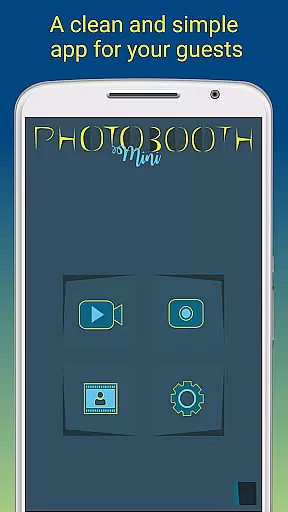
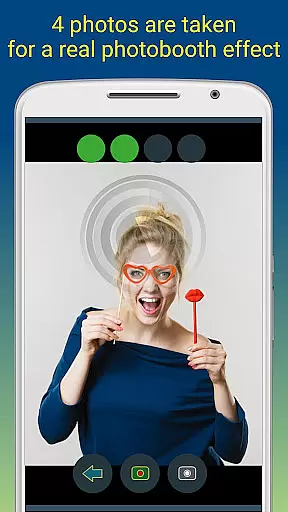
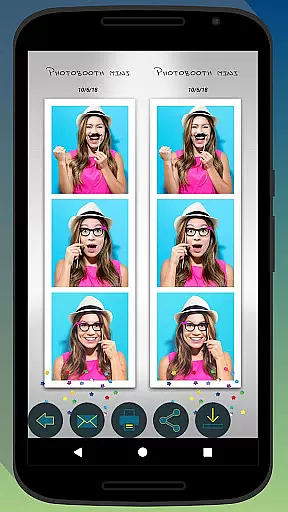
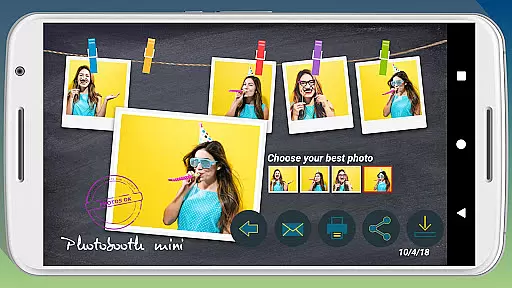
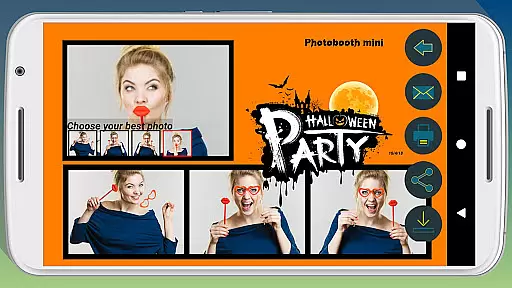
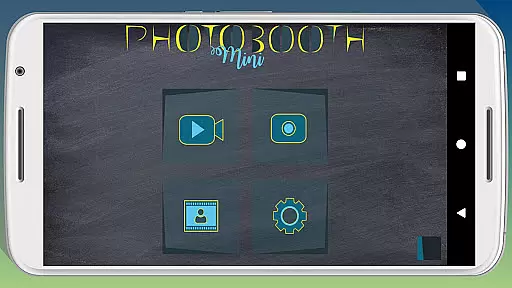
Photobooth mini FULL is a feature-rich photography app designed to capture fun moments at parties and events. The application offers full-screen preview functionality that adapts to the user's distance, mimicking a real photo booth experience. With options like timer-based photo capturing, video messaging, and customizable background images, it ensures an engaging experience for users.
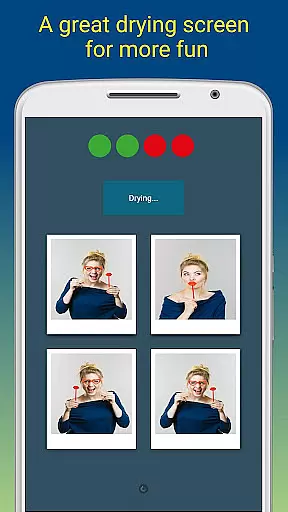
The app allows taking multiple pictures in quick succession, drying photos with sound effects, and adding personalized text or dates to each photo. It is optimized for extended use during social gatherings, ensuring reliable performance over days of continuous operation. Additionally, its compatibility with external photo booths makes it versatile for various event setups.
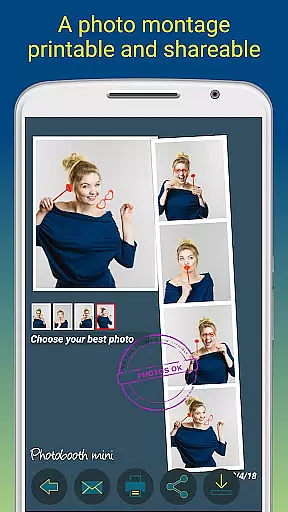
Photobooth mini FULL stands out by offering seamless sharing capabilities. Guests can print, email, and share photos directly from the app, even handling offline email requests efficiently. Its extensive configurability and user-friendly interface make it ideal for creating memorable experiences at any party or event.
Photobooth mini FULL boasts an array of innovative features tailored for event photography. One standout capability is its full-screen preview mode, which intelligently adjusts based on the user's distance using volume button zoom controls. This creates an authentic photo booth experience that's both intuitive and enjoyable.
The app includes practical tools such as a timer function, support for capturing 4-5 images per session, and a unique photo drying animation accompanied by realistic sound effects. Users can also record video messages, adding another dimension to their captured memories. Advanced customization options allow modifying background images and configuring various settings to match specific event themes.
What sets Photobooth mini FULL apart is its robust event-ready design. The application maintains constant availability, supports unlimited photo storage, and handles high-volume usage without performance degradation. Its intelligent email queuing system ensures all guest photo requests are processed once network connectivity is restored, making it perfect for venues with limited internet access.
Real-time capture and preview functionality is essential for ensuring that users can take high-quality photos with precision. Photobooth mini FULL offers a full-screen preview that adapts to the distance of the face, mimicking the experience of a real photo booth cabin. This feature ensures that users can frame their shots perfectly, even from a distance.
The app maintains the chosen zoom level when using the volume buttons, providing consistency in photo composition. With an integrated timer, users have the flexibility to prepare for the perfect shot. The app captures multiple images in quick succession, sometimes even five, adding an element of surprise and fun to the photo-taking process.
This application is designed for social gatherings, remaining active for extended periods without interruption. It allows users to take as many photos as they desire over days of use, making it ideal for parties and events. The real-time preview ensures that every photo meets the user's expectations before it is taken, enhancing overall satisfaction.
AI beauty and enhancement features are becoming increasingly popular in photography apps, allowing users to refine their images while maintaining a natural look. Photobooth mini FULL incorporates AI technology to enhance photos with realistic effects, avoiding the over-processed appearance common in some applications. This ensures that every picture retains its authenticity while benefiting from subtle improvements.
Users can add personalized touches such as text lines and dates, which are seamlessly integrated into the images. The app also supports extensive customization options, including background image replacement and timer settings, allowing users to tailor the experience to their specific needs. These enhancements ensure that each photo reflects the unique style and preferences of its creator.
Additionally, the app facilitates easy sharing and printing directly from the interface, streamlining the process of distributing photos among friends. If internet access is unavailable at an event, the app stores email requests and sends them once connectivity is restored. This thoughtful design prioritizes user convenience and satisfaction, making Photobooth mini FULL a versatile tool for capturing memories naturally and beautifully.
User-friendly interface
Customizable settings
Offline email support
Unlimited photo storage
Event optimized
Premium version only
Complex setup required
Limited free features
High resource usage
Steep learning curve

All-in-One Editor & AI Photo Enhancer, Beautify & Retouch, Collage, Cartoonify
 4.20
4.20
Photo editor: AI filters, photo enhancer, pic collage maker, AI art generator.
4.80
Be your best in every shot! Fix, edit and retouch your face in selfies & photos.
3.70
Take videos and pictures with the popular TikTok TIME WARP SCAN filter.
4.60
Professional photography on your mobile phone
4.20
Fit multiple photos on one post. Create carousels & scroll layouts for Instagram
4.50
Snap photos remotely using your Garmin watch as the camera trigger
4.0
Effortlessly make high-quality GIFs from images & videos without any watermarks.
4.70
A unique animation app. Powerful, easy to use, and lots of fun.
4.30
Gallery show photo, video, slideshow, is perfect 3D effect private photo albums.
4.80
Perfect body tune & face app - photo retouch, makeup, slim body & beautify face.
4.80
AI Photo Editor with 100+ Filters, Effects! Remove BG, Retouch & Photo Enhancer.
4.80
The original Rarevision VHS look seen everywhere!
4.70
Enhance, retouch & create your story - Share the moment with Photoshop Express.
4.60
Trendy TikTok time warp scan funny filter app brings you unique photos & videos.
4.40
Luminar: Photo Editor - easy picture editing with AI
4.20
What celebrity do you look like? Celebs will find your celebrity match!
4.10
Turn photos into cartoons & avatars! - Photo Editor, Cartoon Face!
3.90
Add a dreamy vibe to your selfies and videos with soft style filters
4.1


User Reviews