
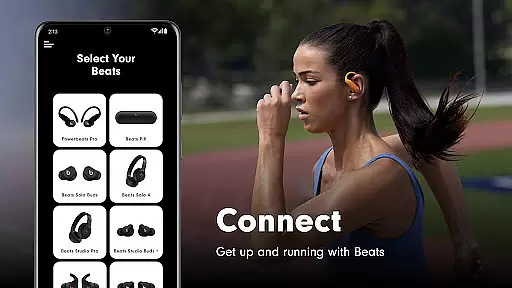
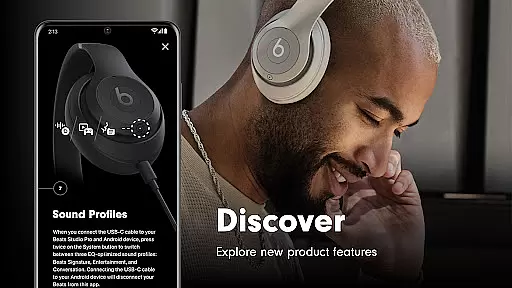
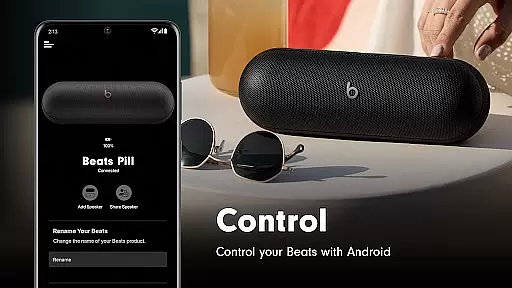
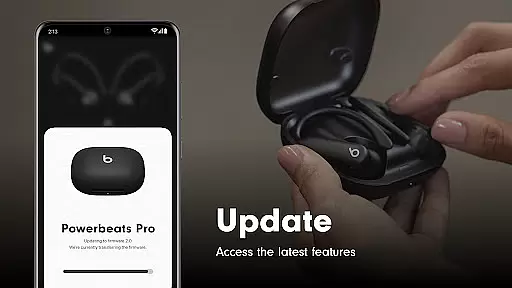
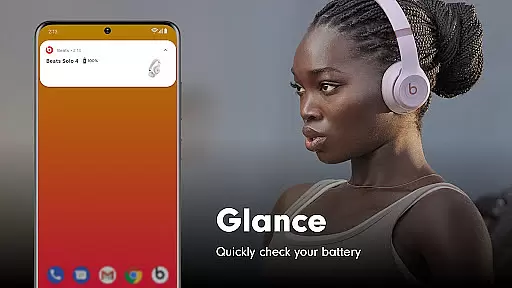
Beats is a comprehensive management tool designed to enhance your experience with Beats audio products. The app offers quick one-touch pairing for easy connectivity and provides instant access to battery status, device settings, and firmware updates. With support for a wide range of Beats products including headphones and speakers, it ensures you always have the latest features and optimal performance.
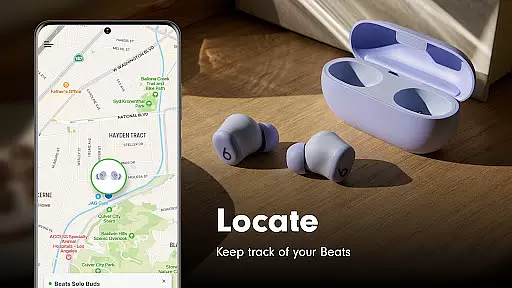
A key highlight is the ability to create custom Android widgets for your Beats devices, offering personalized control at your fingertips. Additionally, the built-in map functionality helps you locate misplaced devices, provided location access is enabled. Whether you're managing Powerbeats Fit or Studio Buds, Beats app delivers essential tools for seamless audio management.
The Beats app stands out with its robust feature set tailored for audio device management. One of the standout capabilities is the simple one-touch pairing that streamlines the connection process with your Beats products. You can monitor battery levels, adjust settings, and ensure your devices are running the latest firmware, guaranteeing peak performance.
For added convenience, the app allows users to craft unique Android widgets, providing quick access to frequently used controls. Another innovative feature is the map integration that aids in locating lost devices by showing their last known location. These functionalities collectively ensure that whether you're using Beats Solo Buds or Powerbeats Pro, you have comprehensive control and support.
The Beats app excels in providing accurate and effective core functionalities that enhance the user experience with Beats products. The app facilitates seamless one-touch pairing, ensuring users can quickly connect their devices without hassle. This feature is crucial for maintaining a smooth and efficient connection process.
Beyond connectivity, the app offers precise battery status updates and customizable settings, empowering users to manage their devices effectively. These capabilities are designed to give users real-time information and control, which is essential for optimizing device performance and longevity.
Additionally, the Beats app supports firmware updates, guaranteeing that users always have access to the latest features and improvements. This ensures that Beats headphones and speakers operate at their best, delivering top-notch audio quality and functionality. Such dedication to keeping devices up-to-date reflects the app's commitment to accuracy and effectiveness.
Overall, the Beats app's focus on these core functions significantly enhances the user experience by providing reliable and efficient tools for managing Beats products.
A simple and intuitive interface is vital for any application, and the Beats app delivers this through its user-friendly design. Upon opening the app, users are greeted with a clean layout that makes navigation straightforward and stress-free. This simplicity helps users quickly find the features they need without feeling overwhelmed.
The app provides easy access to essential functions such as battery status, settings, and firmware updates. By prioritizing these key features, the Beats app ensures that users can manage their devices efficiently. This approach not only simplifies the user experience but also enhances overall satisfaction by reducing complexity.
Moreover, the Beats app includes optional widgets for Android users, allowing further customization and quick access to frequently used features. These widgets exemplify the app's dedication to providing an intuitive experience tailored to individual preferences. Users can personalize their interface to suit their needs, making daily interactions more enjoyable.
In summary, the Beats app's emphasis on a simple and intuitive interface ensures that users can effortlessly manage their Beats products, enhancing both usability and satisfaction.
User-friendly interface
Comprehensive device support
Efficient firmware updates
Customizable widgets
Device locator feature
Location access required for some features
Limited functionality without optional permissions
Analytics opt-in may concern privacy-focused users
No advanced EQ settings
Android-specific features only

 4.50
4.50
Quickly switch to an encrypted DNS server on Android TV
4.50
Family Locator, Share location, StayConnect with your family in real time
3.90
Safely recover deleted photos, videos, and files with a single easy tap.
3.70
Signal Strength, Mobile, Wifi, Speed Test, Bad Signals, Cellular, 5G, LTE, 4G
4.20
View detailed information about your Nissan Leaf the dealer never shows you.
4.10
Connect wirelessly to your computer to watch movies, browse the web, play games
5.00
Automate everything from settings to photos, SMS to speech. ADC2 prize winner.
4.10
The ideal app to be the digital eye of your family
3.40
Support Fossify apps with a warm thank you!
5.00
Bedrock Together: Join any bedrock server on Xbox/PS
4.80
Fast Video Downloader, Movie Downloader, Torrent Downloader & Adblock Browser
4.70
Connect instantly to a fast, encrypted VPN with one tap
4.60
Button mapper, mouse toggle, sleep timer and a lot of another features
4.50
Complete kernel toolbox with features to manage and tweak your rooted device
4.30
Making emulation easy for everyone!
4.30
Screen Mirroring with sound for Samsung TV, LG TV, Sony TV, Smart TV and Browser
4.20
Introducing Smart Printer, your ultimate destination for printing solutions!
4.00
PDF Reader - Document Viewer: Read, Manage & Organize Your Documents
3.10


User Reviews