
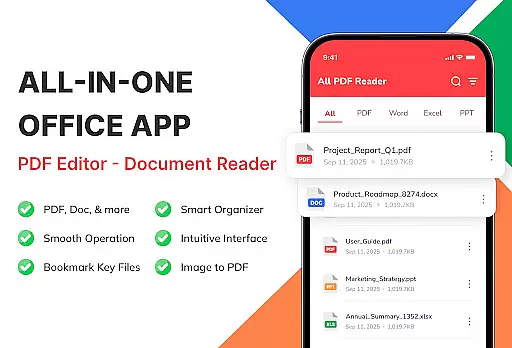
PDF Reader - Document Viewer is a versatile tool designed to streamline document management on Android devices. This application allows users to read, manage, and organize various document formats including PDFs, Word files, Excel sheets, and PowerPoint presentations in one unified platform.
The app's core functionality lies in its ability to instantly open and display documents with smooth navigation and perfect formatting retention. Whether you're a student reviewing lecture notes or a professional accessing work reports, this tool ensures all your essential files are readily available and well-organized.
With features like automatic file detection, sorting options, and offline access, PDF Reader - Document Viewer proves especially useful for those needing reliable and efficient document access on-the-go. Its user-friendly interface and secure local storage make it an ideal choice for anyone looking to simplify their digital document workflow.
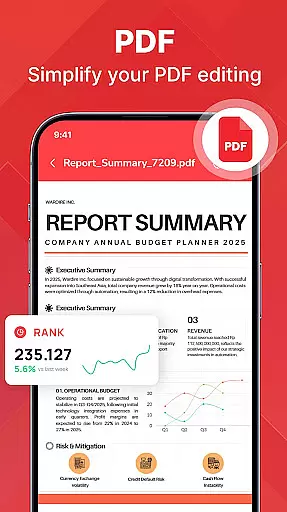
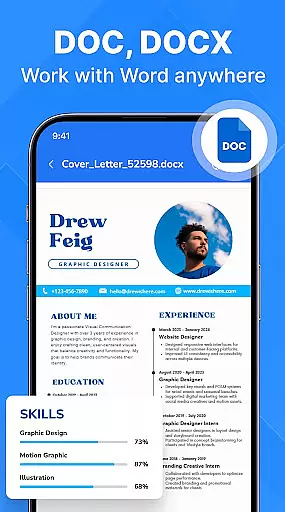
One of the standout features of PDF Reader - Document Viewer is its multi-format support. The application handles PDF files with ease, providing smooth scrolling for eBooks and manuals while maintaining perfect formatting for Word documents (.doc, .docx), making it suitable for reviewing essays or reports.
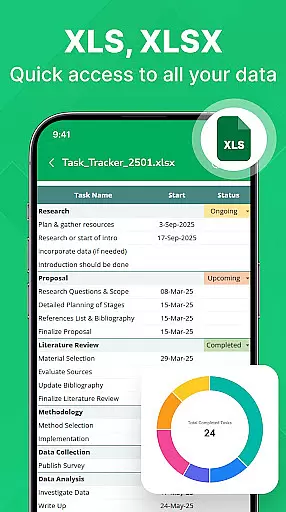
For spreadsheet enthusiasts, the app offers clear viewing of Excel sheets (.xls, .xlsx) complete with tables and charts, ensuring that data analysis remains accurate even on mobile devices. Similarly, PowerPoint presentations (.ppt, .pptx) retain every visual detail, allowing users to swipe through slides effortlessly.
Beyond format compatibility, the app excels in file management. It automatically detects documents stored on your device, supports sorting by various criteria, and provides quick access to recent or favorite files. These smart organizational tools, combined with fast loading times and stability across different Android devices, make document handling both efficient and enjoyable.
PDF Reader - Document Viewer is designed to provide users with a reliable and efficient tool for managing various document formats. The core functionality lies in its ability to accurately open and display PDF, Word, Excel, and PowerPoint files without compromising the original formatting. This ensures that whether you're reading an eBook, reviewing a report, or analyzing a spreadsheet, every detail appears exactly as intended.
The app's effectiveness is further enhanced by its fast loading times and smooth navigation. Users can instantly access their documents and scroll through pages with minimal lag, making it ideal for both quick references and extended reading sessions. Its lightweight design ensures stable performance across different Android devices, eliminating common frustrations associated with heavier apps.
For students, professionals, and everyday users alike, this level of accuracy and efficiency translates into significant time savings and improved productivity. By consolidating essential file management features into one intuitive platform, PDF Reader - Document Viewer eliminates the need to switch between multiple apps, streamlining workflows and enhancing user satisfaction.
A clean and user-friendly interface is at the heart of PDF Reader - Document Viewer's design philosophy. Upon launching the app, users are greeted with a straightforward layout that prioritizes ease of use. Key functions such as opening, sorting, and searching for documents are readily accessible, ensuring even first-time users can navigate the app with confidence.
The app automatically detects document files stored on your device and organizes them into categories based on type, date, or size. This smart file management system allows users to locate specific files quickly, reducing the time spent searching for important documents. Additionally, features like 'Recent' and 'Favorites' make it easy to access frequently used files, further simplifying daily tasks.
By combining a minimalist aesthetic with practical functionality, PDF Reader - Document Viewer strikes the perfect balance between simplicity and power. Whether you're studying lecture slides, reviewing business reports, or organizing personal files, the app's intuitive controls ensure a seamless experience from start to finish.
User-friendly interface
Multi-format support
Offline functionality
Fast document loading
Secure local storage
Limited advanced editing
No cloud integration
Basic annotation tools
Occasional lag
Ads in free version

 4.50
4.50
Fluid navigation gestures for all of us!
4.30
Enjoy smooth gameplay with Game Booster
4.90
Smart and comfortable browsing experience.
3.80
Unleash gamepad precision for ultimate mobile gaming dominance.
3.90
PC precision for mobile gaming: dominate with keyboard and mouse!
4.30
Screen Mirroring for Roku Sticks, Roku TCL TV and Roku Hisense TV
4.50
The ultimate tool for network analysis, wifi scanning and problem detection.
4.90
The ideal app to be the digital eye of your family
3.40
Extremely fast, secure, and protects your privacy
4.80
Learn the vast amount of system information about device and monitor it's state
4.70
Optimize your WiFi network, turn your phone into Wifi Analyzer
4.70
HD Camera captures every special moment.
4.60
eXtended Permission Manager - a small app to manage permissions and AppOps
4.50
The Ultimate Bluetooth Keyboard & Mouse. Securely control your PC, Mac, and more
4.50
Automate everything from settings to photos, SMS to speech. ADC2 prize winner.
4.10
1-Click close all background apps on Android TV
3.90
Create your own live wallpaper or check out thousands already made presets
3.90
This app unlocks the Pro features of the Central for DayZ app
3.60


User Reviews