
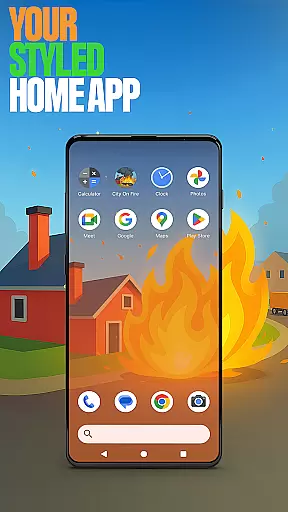


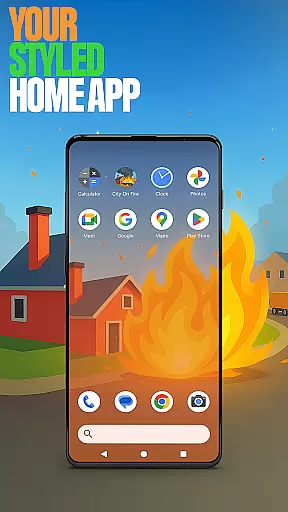


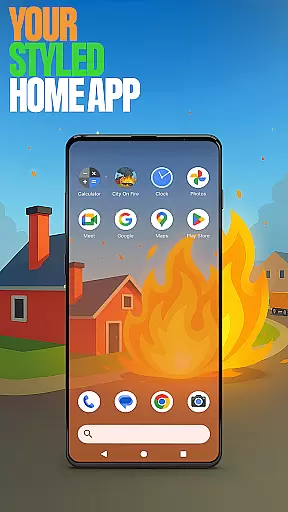

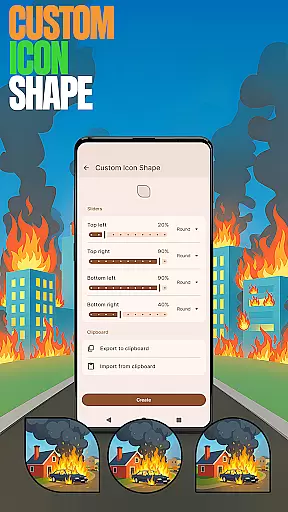

City On Fire Home App is a dynamic personalization tool that allows users to create a home screen reflecting their unique style. This launcher offers full control over layout customization, app organization into folders, and personalized color schemes. Its sleek design brings both freshness and functionality to your daily mobile experience.
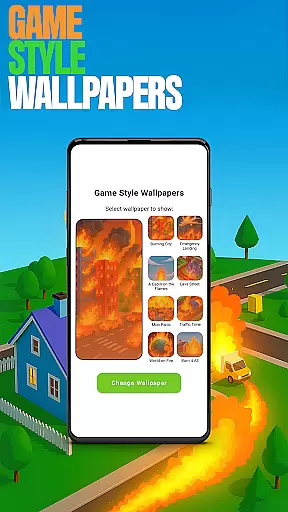
The app also integrates features inspired by the City On Fire game, such as exclusive wallpapers and playful icon shapes. Whether you're looking for utility or fun, this launcher provides an engaging way to interact with your device while offering practical tools like gesture controls and hidden apps for privacy management.
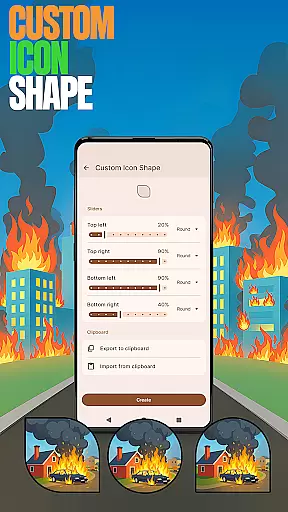
City On Fire Home App stands out with its robust feature set designed for maximum personalization. Users can apply game-inspired wallpapers and choose from various custom icon shapes to give their devices a distinct look. The app supports intuitive gestures, enabling quick access to frequently used functions through simple swipes or taps.
Privacy-conscious users will appreciate the ability to hide specific apps, ensuring sensitive information remains secure. Additionally, customizable accent colors allow for tailored aesthetics, enhancing usability without compromising visual appeal. These features collectively deliver a highly adaptable and visually appealing user experience.
City On Fire Home App offers an extensive range of customization options that allow users to tailor their device's home screen to their personal preferences. This includes the ability to fully customize the layout, organize apps into folders, and choose from a variety of color schemes.
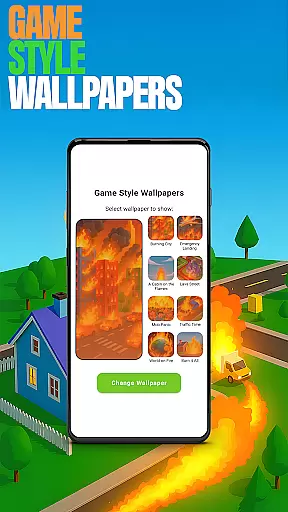
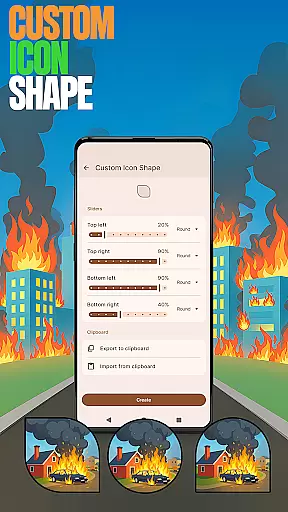
The app provides features such as Game Style Wallpapers, which lets users add unique wallpapers inspired by the City On Fire game, enhancing the visual appeal of their home screen. Additionally, users can personalize their device with fun icon shapes and custom icon looks through the Custom Icon Shape feature.
For added convenience, Custom Gestures enable users to swipe or tap to quickly open an app, settings, or app drawer. The Hide Apps feature allows users to keep their private apps invisible while maintaining full control over their visibility.
With these diverse customization options, users can create a home screen that truly reflects their style and enhances their everyday experience, making it not only personalized but also more efficient and enjoyable.
Theme compatibility is a crucial aspect of any personalization app, ensuring that the chosen themes integrate seamlessly with the user's device. City On Fire Home App excels in this area by offering a clean design and fresh feel that brings a new level of personalization to the user's everyday experience.
Users can pick this app as their default home app via the u201cDefault home appu201d setting, allowing them to use it as their day-to-day launcher. The app ensures that switching back to a previous launcher is hassle-free, preserving the user's prior home screen layout without any impact.
The Accent Color feature enables users to customize their home app colors, using presets or creating their own device style. This flexibility in theme customization guarantees that users can achieve a cohesive look across their device, aligning with their personal aesthetic preferences.
Overall, City On Fire Home App's robust theme compatibility empowers users to enjoy a personalized and visually consistent experience, enhancing both the functionality and appearance of their devices.
Highly customizable
Unique game-themed designs
Intuitive gesture controls
Effective privacy options
Vibrant color schemes
May overwhelm new users
Limited default themes
Occasional performance lags
No cloud backup
Ads in free version

Ultra realistic high quality analog watch face for Wear OS.
 4.60
4.60
Fingerprint Lock Screen & Live Animations with 4K Wallpapers as Live Wallpaper
4.40
Prank your friends with realistic broken screen and cracked HD effects!
4.3
Turn your lock screen into fun with smile live wallpapers & animated wallpapers!
2.50
Your go to Weather App & Home Screen. Get your weather at a swipe of a finger!
3.80
Handcrafted pixel art icons, widgets & wallpapers
4.60
Create unique, fun emojis with Funny Emoji Maker! Unlimited creativity!
4.00
Your home screen, just the way you like it.
3.80
Install amazing sticker packs: endless styles, always cool.
4.70
Customizable Glass widgets. Over 360+ stunning widgets and more!
4.70
Vertically oriented rectangular icons
4.70
Personalize your phone with stunning HD and 4K wallpapers!
4.70
Nothing Icon pack with more than 3750+ highly crafted icons.
4.70
Unique Android Launcher
4.60
Embrace the Night. Unleash the power of darkness with Raven Dark Icon Pack
4.60
Customizable screen pets that play, climb, and keep you company.
4.50 4.50
4.50
App Icon Changer & Shortcut Creator. Customize your icons without any watermarks
4.30
Adorable pets roam and play right on your phone screen!
3.30


User Reviews