
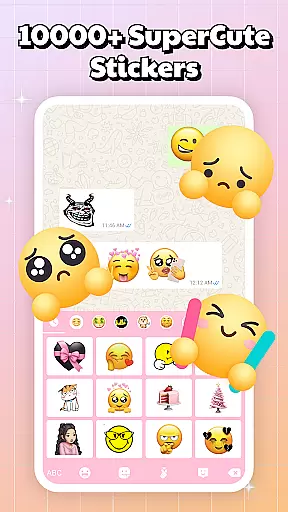
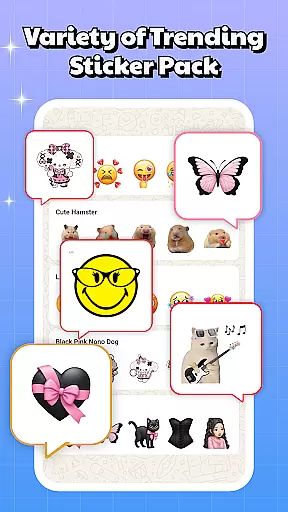
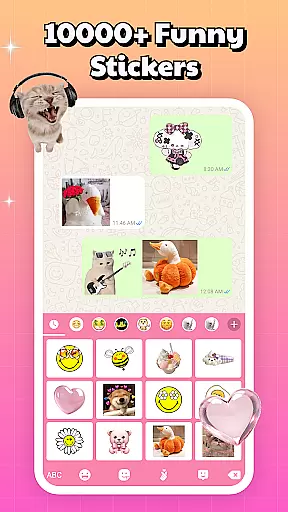
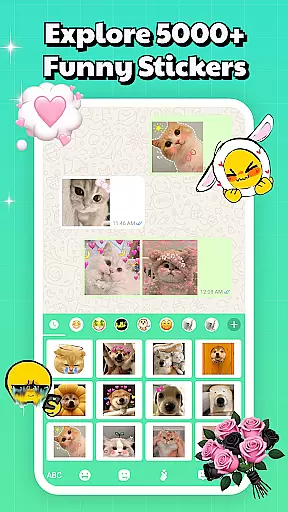
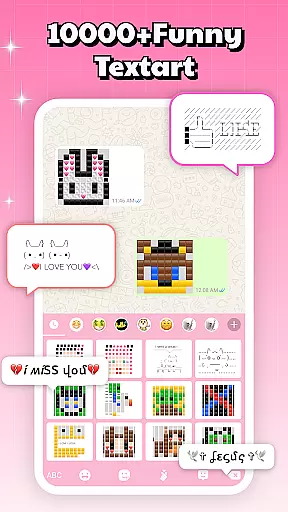
Sticker & Emoji - Memes Maker is a versatile personalization app that brings fun and creativity to your digital conversations. With an extensive library of both animated and static sticker packs, this app works seamlessly across all major chat platforms like Telegram, WhatsApp, iMessage, and Facebook Messenger.
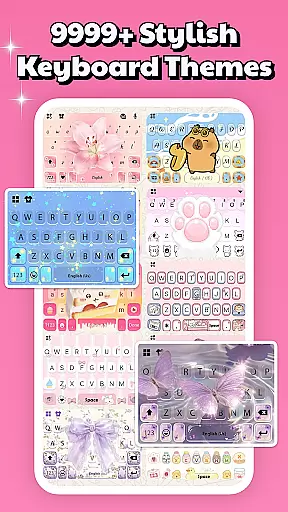
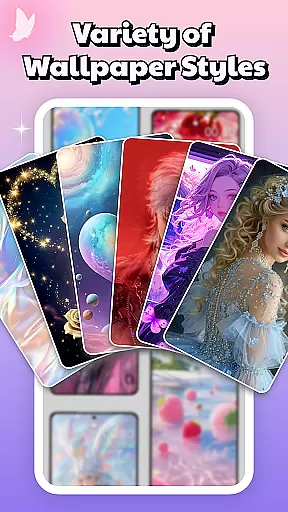
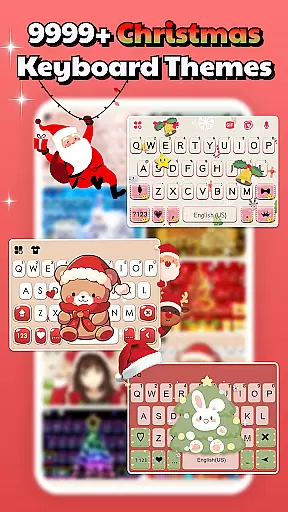
Beyond stickers, the app offers a smart keyboard feature with over 10,000 free keyboard themes, including LED, transparent, gravity, and animated keyboards. Users can also personalize their devices with aesthetic backgrounds and lock screens, making it a comprehensive tool for expressing individuality.
Whether you're looking to add flair to your chats or give your device a fresh new look, Sticker & Emoji - Memes Maker provides endless possibilities to make every interaction uniquely yours.
One of the standout features of Sticker & Emoji - Memes Maker is its compatibility with multiple chat applications, allowing users to enhance their conversations without platform limitations. The built-in smart keyboard makes accessing stickers effortless, eliminating the need to switch between apps.
The app boasts an impressive collection of keyboard themes, such as neon, fancy, cool, and cute designs, updated daily to keep your keyboard looking fresh. Additionally, the app includes various background and lock screen options, transforming your device into a personalized work of art.
With regular updates featuring trending stickers and meme content, users can stay ahead of the curve, ensuring their chats remain engaging and relevant. This combination of functionality and style makes Sticker & Emoji - Memes Maker an essential tool for anyone looking to personalize their digital experience.
Sticker & Emoji - Memes Maker offers an impressive range of customization options that cater to diverse user preferences. With over 10,000 free keyboard themes, the app allows users to personalize their typing experience like never before. These themes include LED, transparent, gravity, animated, and HD photo keyboards, ensuring there's something for everyone.
The app goes beyond just keyboard themes by providing various background and lock screen options. Users can choose from aesthetic, neon, fancy, cool, and cute designs, transforming their devices into true reflections of their personalities. This extensive library is regularly updated with new designs, keeping up with trends such as anime, love, and nature themes.
What sets this app apart is its seamless integration across multiple chat platforms. Whether you're using Telegram, WhatsApp, or Facebook Messenger, the sticker packs and keyboard themes work consistently across all your favorite apps. This cross-platform compatibility ensures a uniform and enhanced chatting experience regardless of which application you're using.
The combination of diverse sticker packs, comprehensive keyboard themes, and customizable backgrounds creates endless possibilities for personalization. From sleek iOS-inspired designs to playful pinky themes, users can find styles that perfectly match their mood and personality, making every conversation more engaging and expressive.
Theme compatibility is at the core of Sticker & Emoji - Memes Maker's functionality, ensuring that all customizations work seamlessly across different platforms and devices. The app supports varied keyboard themes, including LED, transparent, gravity, animated, and HD photo options, all designed to function smoothly without technical glitches.
One of the key advantages is its universal compatibility with major chat applications. Regardless of whether you're communicating through Telegram, WhatsApp, iMessage, or Facebook Messenger, the selected themes maintain their quality and appearance. This consistency enhances the overall user experience by providing reliable performance across different messaging services.
The app's developers have paid special attention to maintaining high compatibility standards with both Android and iOS systems. This dedication ensures that all visual elements, from sticker packs to keyboard themes, display correctly on various devices and screen resolutions. Such attention to detail prevents common issues like distorted images or improperly aligned elements.
Furthermore, regular updates and new theme additions demonstrate the developers' commitment to maintaining compatibility with emerging trends and technologies. By continuously adapting to changing user preferences and platform requirements, Sticker & Emoji - Memes Maker guarantees that its customization options remain relevant and functional for all users.
Free sticker packs
Versatile keyboard themes
Daily content updates
Cross-platform support
User-friendly interface
Limited advanced features
Occasional ads
Heavy on storage
Design inconsistencies
Regional restrictions

Classic analogue watch face. For wear os devices.
 4.60
4.60
Vertically oriented rectangular icons
4.70
AI-powered Copilot. Personalized keyboard with gifs, stickers & themes
4.40
Customizable screen pets that play, climb, and keep you company.
4.50
Unleash Your Creativity and Connect with Loved Ones with Lockscreen Drawing!
4.20
Your go to Weather App & Home Screen. Get your weather at a swipe of a finger!
3.80
Modern Glass Icon Pack with glossy icons, clean minimal theme & aesthetic style
4.4
350+ widgets with a premium glass-style finish, perfect for home & lock screens.
4.70
Transform your phone with stylish zipper lock themes and 4D live wallpaper
4.10
Wallpaper HD 4K Live - Thousands of high-quality Anime backgrounds for you.
4.80
300+ widgets inspired by Material You and Material 3 expressive design.
4.60
Ninja Turtles Cowabunga SE watch face for Wear OS
4.50 4.50
4.50 4.50
4.50
Transfer your live wallpapers from Windows to Android using Wallpaper Engine!
4.00
Create unique, fun emojis with Funny Emoji Maker! Unlimited creativity!
4.00
Ultimate widget creator. Design custom widgets for a truly unique home screen!
3.90
Transform your phone with stunning video wallpapers and a unique, personal touch
3.80
Adorable pets roam and play right on your phone screen!
3.30


User Reviews