
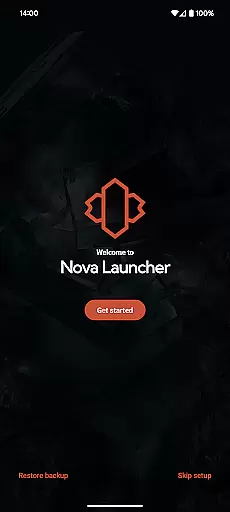
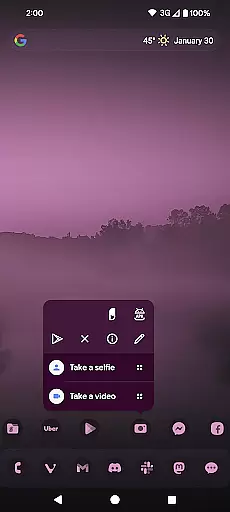
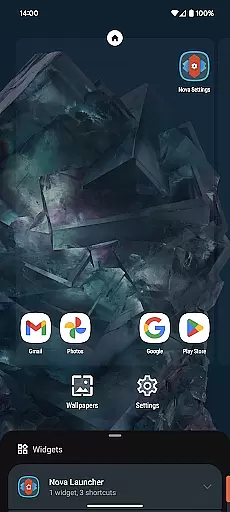
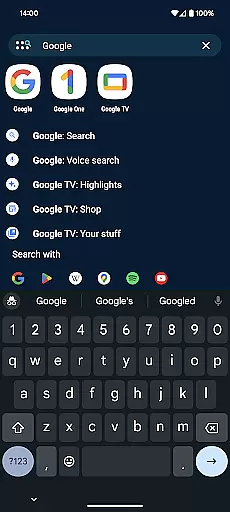
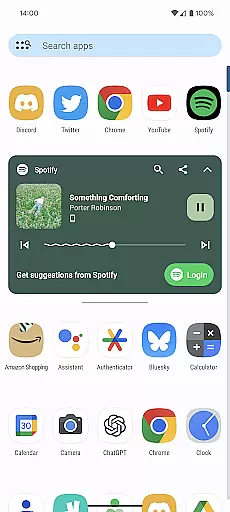
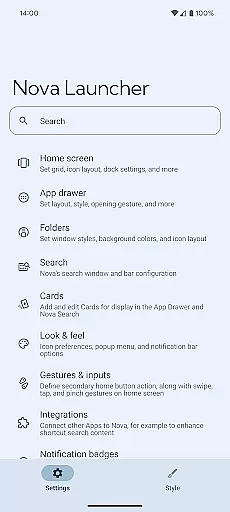
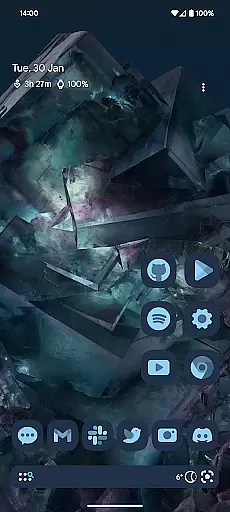
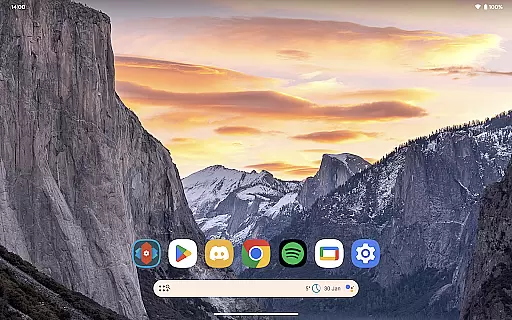
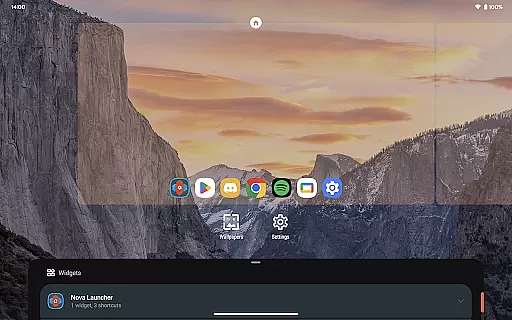
Nova Launcher is a highly customizable home screen replacement for Android devices, designed to enhance user experience through advanced features and personalization options. It offers a versatile platform for users who want to overhaul their home screens or simply seek a cleaner, faster launcher.
With Nova Launcher, users can enjoy the latest Android launcher features, custom icons, extensive color systems, and powerful search capabilities. The app supports thousands of icon themes and allows users to reshape all icons for a uniform look. Its Material You colors and custom light and dark themes provide a personalized feel. Additionally, Nova's subgrid positioning and backup and restore features make it stand out among other launchers.
This application is ideal for users looking to personalize their Android devices extensively while maintaining ease of use and performance. Whether you are a casual user or a power user, Nova Launcher provides tools that cater to various customization needs, making it a top choice for enhancing your mobile experience.
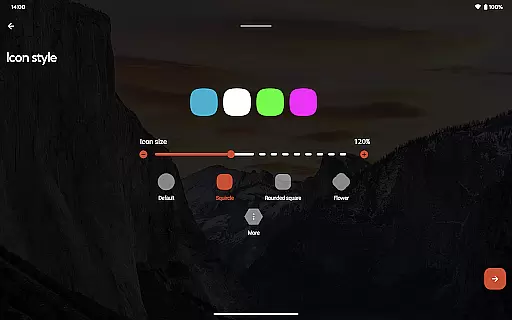
Nova Launcher stands out with its rich set of features tailored to offer an unparalleled customization experience. One of its key features is the support for thousands of icon themes available in the Play Store, allowing users to completely transform the appearance of their home screens. Users can also reshape all icons to a shape of their choice, ensuring a consistent and uniform look across their device.
The app includes an extensive color system that leverages Material You colors from the system or allows users to choose their own colors for a unique feel. Custom light and dark themes can sync with the system settings or be customized based on user preferences like sunrise and sunset timings. Furthermore, Nova's powerful search system enables users to search within apps, contacts, and other services, providing instant micro-results for calculations, unit conversions, and more.
Additional features include customizable home screens, app drawers, folders, and subgrid positioning, which allow precise layout adjustments. The backup and restore functionality ensures seamless transitions between devices. With Nova Launcher Prime, users can unlock even more potential, including gestures, app drawer groups, and custom icon swipe gestures, making Nova Launcher a comprehensive tool for personalizing your Android experience.
Customization is at the heart of Nova Launcher, offering users an extensive array of options to tailor their home screens precisely to their liking. This powerful personalization capability allows for adjustments in icon size, label colors, and even the positioning of the search bar, ensuring that every element aligns with individual preferences.
Beyond basic aesthetics, Nova supports thousands of icon themes available in the Play Store, enabling a uniform and consistent look across all app icons. Users can further personalize their experience by choosing from an extensive color system, either adopting Material You colors from their system or selecting unique colors for a distinctive appearance.
The app drawer adds another layer of innovation with customizable cards that display pertinent information right when needed. Subgrid positioning offers unparalleled precision in layout design, allowing icons and widgets to be placed between grid cells for a refined arrangement not possible with most other launchers.
With these comprehensive customization features, Nova Launcher empowers users to create a personalized and efficient home screen setup that enhances both functionality and visual appeal.
Nova Launcher excels in theme compatibility, seamlessly integrating with a wide range of themes to transform the Android home screen experience. The launcher supports custom light and dark themes, giving users the flexibility to sync with their system settings, match sunrise and sunset cycles, or maintain a permanent setting based on personal preference.
For those seeking further personalization, Nova reshapes all icons to a chosen style, ensuring consistency across the home screen. This feature works harmoniously with thousands of icon themes available in the Play Store, providing limitless possibilities for creating a cohesive and visually pleasing interface.
Additionally, Nova's advanced theming options extend to the app drawer and folders, where innovative customizable cards offer quick access to essential information. These elements work together to ensure that regardless of the selected theme, users enjoy a seamless and engaging experience.
By prioritizing theme compatibility, Nova Launcher ensures that every user can achieve a personalized look that resonates with their unique style while maintaining optimal usability.
Highly customizable
Extensive icon support
Powerful search system
Custom light and dark themes
Backup and restore feature
Paid Prime version
Complex for beginners
Occasional bugs
Heavy on resources
Limited iOS features

Ninja Turtles Cowabunga SE watch face for Wear OS
 4.50
4.50
Unique Fonts, typefaces and stylish text. Fonts for Instagram, Whatsapp & others
4.20 3.50
3.50
Design your screen with unique, vibrant clocks
3.80
Stylish Pink Cute Hippo keyboard with 10000+ customized keyboard themes!
4.60
Adorable pets roam and play right on your phone screen!
3.30
300+ Beautifully crafted widgets inspired by OneUI.
4.60
Your home screen, just the way you like it.
4.30
Amazing letter fonts in your messages and social statuses
4.70
Customizable Glass widgets. Over 360+ stunning widgets and more!
4.70
Make your phone look simple & luxury, like iDevice
4.60
Bring adorable pets to life on your screen. Playful, interactive and full of fun
4.60
Icons made of colorful linear lines
4.60
Beautiful realistic hybrid watch face with numerous customization options.
4.50
Try creating your own keyboard with "Keyboard theme for android" app now!
4.50
Themes - Widget & Wallpaper: Customize home screen, icon changer w unique themes
4.30
Launcher OS™ Pro without ads help make your phone simple and pretty
4.30
Create unique, fun emojis with Funny Emoji Maker! Unlimited creativity!
4.00
Your go to Weather App & Home Screen. Get your weather at a swipe of a finger!
3.80


User Reviews