
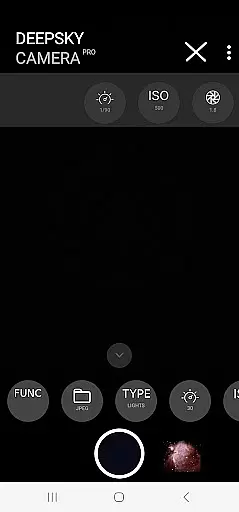
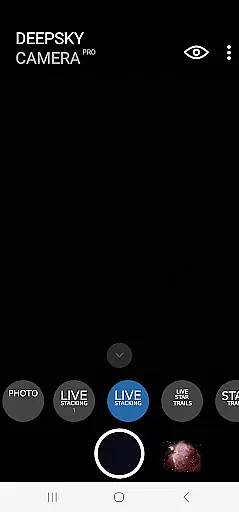
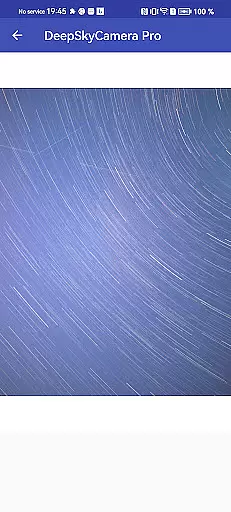
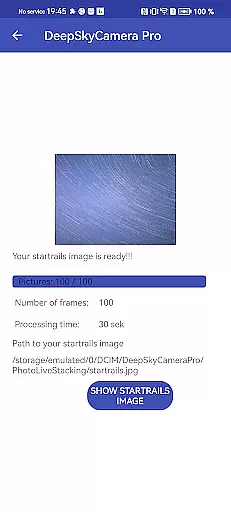
DeepSkyCamera Pro is an advanced astrophotography app designed for smartphone users who are passionate about capturing the night sky. The app offers a comprehensive suite of features including photo live stacking in both RAW and JPEG formats, viewfinder live stacking with extended shutter speeds, live star trails, and the ability to create animated star trails and timelapse videos in mp4 format.
This application allows photographers to take long exposure images akin to traditional astrophotography equipment like DSLRs. It supports RAW image capture in DNG format, compatible with popular stacking software, making it ideal for post-processing. With its sophisticated live stacking capabilities, DeepSkyCamera Pro aligns and stacks tracked or untracked images, providing essential on-screen information such as exposure details and frame alignment data.
Designed for knowledgeable astronomers, this app requires familiarity with astrophotography techniques and equipment. It's best suited for devices running Android 8 or higher with at least 8GB RAM for optimal performance. DeepSkyCamera Pro is not just another photography app; it's a powerful tool that empowers enthusiasts to explore the depths of the universe right from their smartphones.
DeepSkyCamera Pro stands out with its specialized features tailored for astrophotography enthusiasts. One of its core functionalities is the photo live stacking feature, which works seamlessly with both tracked and untracked images. This means whether you're using a telescope mount or simply resting your phone on a tripod, the app intelligently analyzes and aligns images for stacking, saving results in TIFF or JPEG formats depending on your initial choice.
The app breaks through typical limitations by offering extended shutter speeds for the viewfinder, allowing exposures up to 10 seconds instead of the usual 1-second cap. This is crucial for capturing faint celestial objects when the phone is mounted on a telescope. Additionally, the live star trails feature provides real-time visualization of star movements, while the ability to produce animated star trails and timelapse videos in multiple codecs (AVC, HEVC) adds a creative dimension to your astrophotography projects.
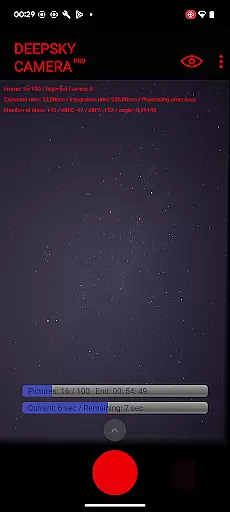
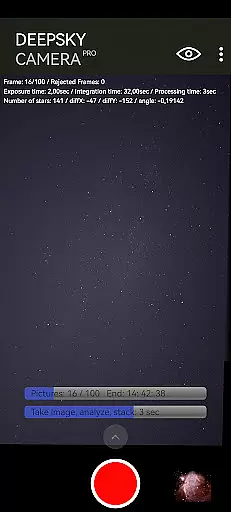
What sets DeepSkyCamera Pro apart is its detailed feedback system during photo live stacking sessions. Users can monitor vital statistics such as frame count, exposure time, integration duration, processing time, and even axis shifts and rotation angles. These insights help photographers fine-tune their settings for optimal results. However, it's important to note that successful use of these features requires a solid understanding of astrophotography principles and post-processing techniques.
Real-time capture and preview functionality is essential for astrophotography, allowing users to see the night sky as it is being captured. DeepSkyCamera Pro offers advanced live stacking features that enable photographers to stack images directly on their smartphones. This includes both tracked and untracked images, providing flexibility whether using a telescope mount or a simple tripod setup.
The app supports long exposure times, breaking the typical one-second shutter speed limitation found in many smartphone cameras. With capabilities extending up to ten seconds, users can capture faint celestial objects more effectively. The live viewfinder feature ensures that even during extended exposures, users can monitor their shots in real time, adjusting settings as needed to achieve optimal results.
For those interested in creating dynamic visuals, DeepSkyCamera Pro also provides live star trails and animated star trail videos. These features allow users to produce captivating content without needing extensive post-processing. By offering these sophisticated tools, the app empowers astronomers and astrophotographers to focus on capturing stunning images of the cosmos with greater ease and precision.
While primarily designed for astrophotography, DeepSkyCamera Pro incorporates AI-driven enhancements to ensure natural-looking images. Unlike traditional photography apps focused on beautification, this app emphasizes maintaining the authenticity of astronomical subjects while enhancing image quality. Through advanced algorithms, it processes RAW files captured by the smartphone's camera sensor, ensuring minimal loss of detail during photo live stacking.
DeepSkyCamera Pro analyzes and aligns images automatically, compensating for minor shifts and rotations. This process results in stacked TIFF or JPEG outputs that retain the original characteristics of the night sky. Users benefit from displayed metrics such as frame count, exposure time, and axis shifts, which help fine-tune the capture process for the most natural outcome possible.
Although not aimed at conventional beauty enhancement, the appu2019s ability to handle high-resolution DNG formats ensures compatibility with professional post-processing software. This allows users to further refine their images while preserving the integrity of celestial bodies. For enthusiasts seeking true-to-life representations of the universe, DeepSkyCamera Pro delivers unparalleled enhancement through its specialized AI functionalities.
User-friendly interface
Advanced stacking options
Extended shutter speeds
Real-time star tracking
High-quality video outputs
Steep learning curve
Requires specific hardware
Memory-intensive operations
Limited daytime functionality
Premium price point

Perfect photos with body shaping, BG changer and object remover.
 3.70
3.70
Pet Camera
3.70
Superimpose one photo on top of another using the original Superimpose app!
3.20
A must-have app for landscape photographers
4.60
Movie camera, supports pro recording settings for filming. Try it and be amazed!
4.50
Fit multiple photos on one post. Create carousels & scroll layouts for Instagram
4.50
Snap photos remotely using your Garmin watch as the camera trigger
4.2
The original Rarevision VHS look seen everywhere!
4.70
Try an anime version, cartoon yourself, and generate AI hug or aging videos!
3.70
Easily create custom gifts, cards, photo books & more on the Shutterfly app!
4.60
Take videos and pictures with the popular TikTok TIME WARP SCAN filter.
4.60
Trendy TikTok time warp scan funny filter app brings you unique photos & videos.
4.40
Easily stitch panoramas from multiple photos or video.
4.40
Shooting photos and records video easily and efficient with professional Camera
4.30
Turn your phone into a professional camera - full DSLR manual photography
4.30
All-in-One Editor & AI Photo Enhancer, Beautify & Retouch, Collage, Cartoonify
4.20
Professional camera app that brings DSLR manual photography controls to Android.
4.20
Remote control of the phone camera from your Wear OS smartwatch
3.70
Professional video recording application with manual controls for filmmakers!
2.80


User Reviews