
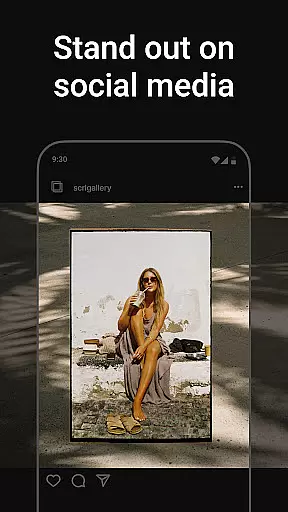
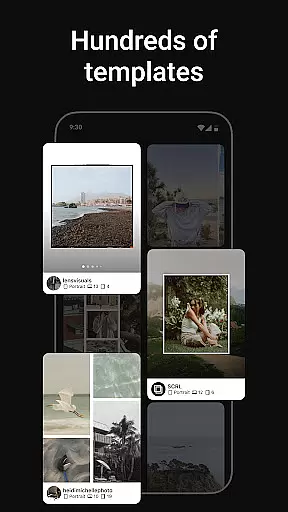
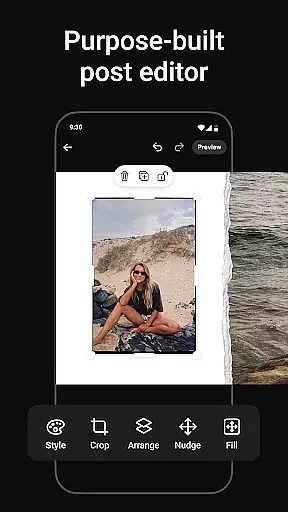
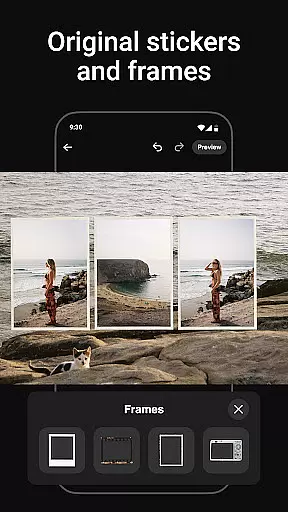
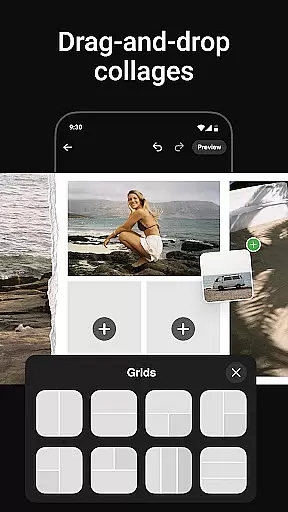
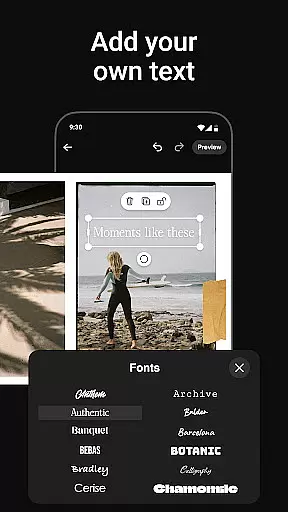
Photo Collage Maker by SCRL is the ultimate app for creating stunning photo collages and Instagram carousel posts. With a vast selection of hand-picked templates, users can express their creativity through various styles and occasions. The app offers an intuitive design experience with features like freeform canvas, allowing zooming in and out to perfect every detail. It breaks traditional posting limitations by enabling more than 10 photos in a single post, providing ample room for storytelling.
The app also includes hundreds of stickers and overlays to enhance collages, making them polished and professional-looking. Users can instantly post their creations to Instagram without the hassle of saving, exporting, and re-uploading. For those seeking advanced features, SCRL Premium unlocks all templates, additional design tools, and exclusive capabilities such as adding videos into grids and applying gradient backgrounds. Trusted by Grammy Award-winning artists and industry leaders, Photo Collage Maker is your go-to tool for captivating social media visuals.
Photo Collage Maker stands out with its exceptional collage maker feature, offering hundreds of hand-picked templates catering to every style and occasion. These templates are curated by design experts to ensure high quality and versatility, empowering users to create unique designs effortlessly. Whether it's a travel memory or a special event, the app provides the right tools to bring creative visions to life.
Another remarkable feature is the seamless swipe-through carousel posts, which captivate audiences on Instagram. This functionality allows users to merge photos into panoramic layouts or scroll-through collages that flow naturally. Additionally, the freeform canvas enables ultimate creativity by letting users combine images, stickers, overlays, and text in personalized ways. With instant posting to Instagram and premium options like video integration and gradient backgrounds, Photo Collage Maker ensures a comprehensive and innovative design experience.
Real-time capture and preview functionality is essential for any photography app as it allows users to see exactly what their final output will look like before they commit to taking a photo. This feature ensures that users can make necessary adjustments on the fly, thus saving time and enhancing the quality of their work.
Photo Collage Maker offers an intuitive real-time preview system that lets users experiment with different collage templates and layouts effortlessly. As users select various templates, they can instantly see how their photos will appear within those designs, making it easier to choose the best option for their project.
The benefit of this real-time functionality is immense for users who want to create visually appealing Instagram carousels or collages. It empowers them to fine-tune every detail, from alignment to spacing, ensuring that the final product meets their expectations and stands out on social media platforms.
By providing a seamless and responsive preview experience, Photo Collage Maker enhances user satisfaction and engagement, allowing creators to produce professional-quality content with confidence.
AI beauty and enhancement features have become increasingly popular in photography apps, offering users the ability to enhance their images with natural-looking effects. The importance of maintaining authenticity while improving aesthetics cannot be overstated, as overly processed images can detract from the original intent and feel of a photograph.
With Photo Collage Maker, users can take advantage of advanced AI algorithms that intelligently apply enhancements without compromising the natural essence of their photos. From subtle skin smoothing to vibrant color correction, these tools ensure that each image retains its unique character while benefiting from professional-grade touch-ups.
This application's AI-driven enhancements provide users with the flexibility to customize the level of beautification applied to their collages and carousels. Whether aiming for a polished magazine look or a more organic feel, users can achieve their desired outcome with precision and ease.
Ultimately, the AI beauty and enhancement capabilities of Photo Collage Maker empower users to elevate their creative projects, resulting in stunning visuals that captivate audiences across social media platforms.
User-friendly interface
Extensive template library
Instant Instagram posting
Premium design tools
Trusted by professionals
Limited free features
Premium subscription required
Occasional bugs reported
Advanced tools may overwhelm beginners
Instagram-focused only

How old age camera Gender Swap App Face Shape Hairstyle App Hair Styler App fun!
 4.00
4.00
Natural Beauty, Selfie Retouch
4.30
Pet Camera
3.70
Movie camera, supports pro recording settings for filming. Try it and be amazed!
4.50
Professional quality photo edits with the new Snapseed.
4.00
Easily view, share, delete photos with Gallery.
4.70
Professional camera app that brings DSLR manual photography controls to Android.
4.20
A unique animation app. Powerful, easy to use, and lots of fun.
4.30
Edit photos with the picture generator: PS2 & AI Clay filters, cartoon effects.
4.50
Safe & smart flight with Go Fly drone controller for 40+ drone camera, zone map
4.50
Transform photos into videos! Create realistic or anime-style images easily!
4.50
AI photo enhancer with Sora 2! Enhance, descratch, and colorize your old photos.
4.50
Transform Photos: Edit, Beautify and Craft Memories & Make Collages!
4.10
live datamoshing
4.00
Gallery Slideshow is slideshow maker app for slideshow from your gallery photos.
3.90
Turn photos into cartoons & avatars! - Photo Editor, Cartoon Face!
3.90
Perfect photos with body shaping, BG changer and object remover.
3.70
GCamera allows all GCam features on all phone models! Better photos with GCamera
3.30
Photo Album Watch Face shows your favorite pictures as a Watchface.
1.90


User Reviews