
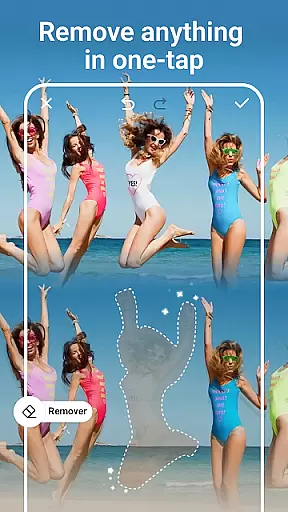
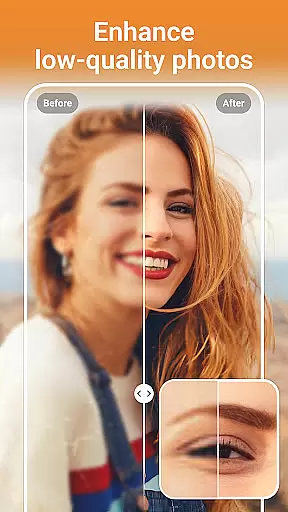
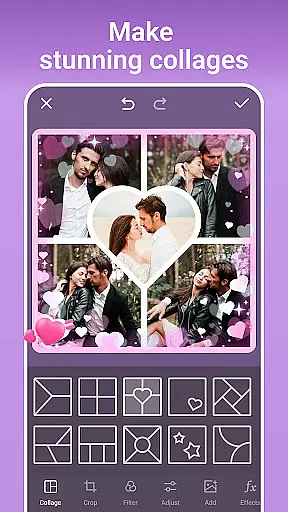
PhotoArt is an advanced AI-powered photo editor that caters to all your editing needs in one place. With features like One-Tap Enhance, Magic Eraser, AI Face Swap, and creative effects, it allows users to transform their photos into professional-grade artwork effortlessly. Available for use on mobile platforms, PhotoArt helps users create watermark-free content ready for sharing on social media platforms like Instagram and Facebook.
The app offers over 100 filters and effects, including retro, film, and portrait styles, along with tools like HSL, Curves, and Double Exposure for precise adjustments. Whether you're enhancing resolution, removing unwanted objects, or designing collages, PhotoArt provides intuitive tools that ensure high-quality results. Its powerful AI capabilities make it suitable for both casual editors and photography enthusiasts looking to elevate their creativity.
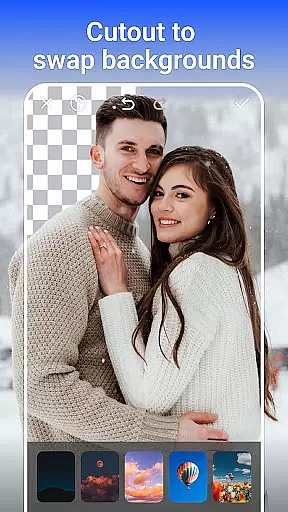
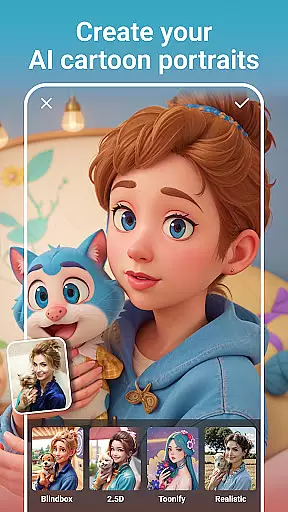
PhotoArt stands out with its diverse range of AI-driven tools designed to simplify complex editing tasks. The One-Tap Enhance feature automatically adjusts lighting and colors, while the Magic Eraser intelligently removes unwanted elements from photos without leaving traces. Users can experiment with AI Face Swap and AI Cartoon Filters to create fun, personalized edits or use the Background Removal tool to isolate subjects seamlessly.
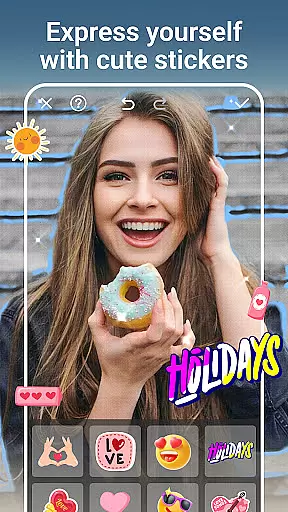
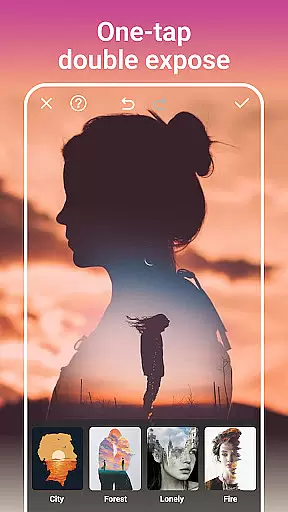
For advanced editing, PhotoArt includes professional-grade tools such as HSL, Highlight, Split Tone, and Curves, enabling detailed color correction. Creative options like Double Exposure, Stickers, Text, and Graffiti allow for unique compositions, while AI-powered restoration tools help revive old or low-resolution images. These features collectively empower users to produce visually stunning and professional-quality edits with minimal effort.
Real-time capture and preview functionality is essential for any photography app as it allows users to see exactly what the camera sees before taking a shot. This ensures that the framing, lighting, and composition are all perfect before capturing the moment.
AI Photo Editor - PhotoArt offers an intuitive real-time capture experience with its advanced AI-driven features. Users can leverage live filters and effects, seeing changes applied instantly through their device's camera viewfinder. This empowers creators to make on-the-fly adjustments and achieve their desired aesthetic without guesswork.
The benefit of this feature is significant; photographers can experiment with 100+ filters and creative effects such as textures, retro styles, or light effects like rainbows and fog in real time. The result is a more dynamic and interactive photo-taking process that enhances creativity while ensuring high-quality outcomes.
With real-time previews, users gain confidence in their photography skills, knowing precisely how each adjustment influences the final image. It streamlines editing workflows by allowing immediate visualization of edits, thus saving time and improving overall satisfaction with captured photos.
AI beauty and enhancement features have become a staple in modern photo editing applications, offering tools that improve images while maintaining natural aesthetics. These enhancements range from skin retouching to body reshaping, ensuring subjects look their best without appearing overly edited.
In AI Photo Editor - PhotoArt, these capabilities are powered by sophisticated algorithms designed to enhance portraits naturally. Users can remove imperfections, apply makeup styles, reshape figures, and even increase heightu2014all tailored to create realistic results. The app intelligently balances enhancements so they complement the original photo rather than overshadow it.
This approach provides immense value to users who seek polished yet authentic-looking photographs. Whether enhancing personal portraits or professional shots, the emphasis on naturalness preserves the integrity of the subjectu2019s appearance, making edited photos more relatable and appealing.
Ultimately, AI Photo Editor - PhotoArt delivers professional-grade enhancements accessible to everyone. By prioritizing subtlety and realism, it empowers users to produce stunning images that retain their genuine essenceu2014a crucial factor for social media sharing and personal keepsakes alike.
User-friendly interface
Wide range of AI tools
High-quality output
Versatile editing options
Free to download
Some features may require payment
Advanced tools have a learning curve
Occasional performance lags
Limited offline functionality
Ads in free version

HD Photo gallery and photo manager to edit, hide private photos, videos & albums
 4.4
4.4
Cut and paste photo editor & eraser to customize photos easy and swap faces fun
4.50
Perfect body tune & face app - photo retouch, makeup, slim body & beautify face.
4.80
Raw Image Viewer. Gallery with support of raw images (.cr3, .cr2, .nef, .raf).
2.00
AI Photo Editor with 100+ Filters, Effects! Remove BG, Retouch & Photo Enhancer.
4.80
live datamoshing
4.00
Snap photos remotely using your Garmin watch as the camera trigger
4.5
The original Rarevision VHS look seen everywhere!
4.70
A unique animation app. Powerful, easy to use, and lots of fun.
4.30
Pro version: AR sun/moon tracker for any date. Tool for photographers & planners
4.90
Amazing Photo Effects - The most fun you can have with your photos!
4.70
1M influencer's special filter
4.60
Discover & download millions of art for The Frame TV or Hisense CanvasTV
4.60
Transform photos into videos! Create realistic or anime-style images easily!
4.50
Movie camera, supports pro recording settings for filming. Try it and be amazed!
4.50
AI photo enhancer with Sora 2! Enhance, descratch, and colorize your old photos.
4.50
AI portrait generator and polaroid AI selfie, fun AI generated AI photo creator!
4.30
Luminar: Photo Editor - easy picture editing with AI
4.20
Catch sunlight, sunrise sunset times and sun phases with the AR sun tracker.
4.10


User Reviews