
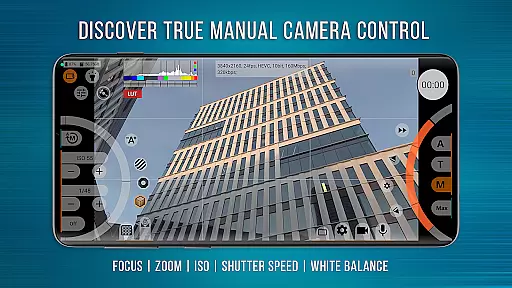
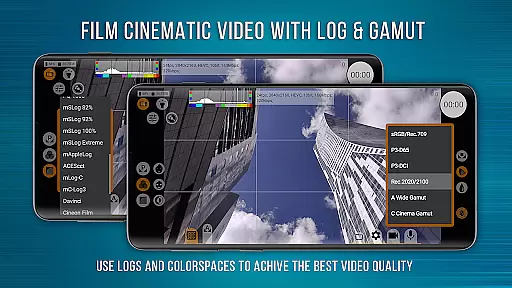
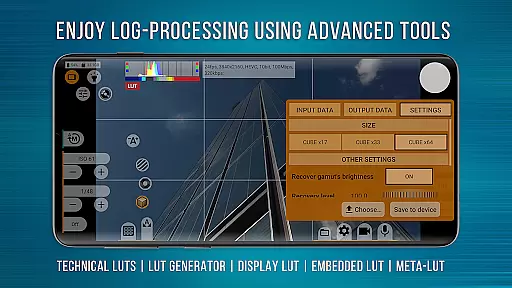
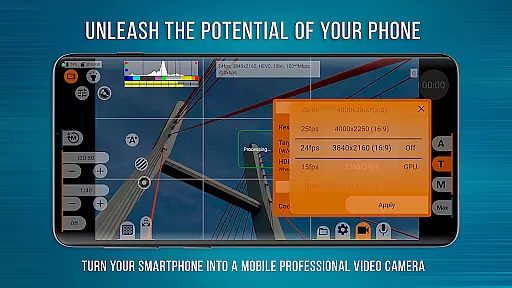
mcpro24fps Manual Video Camera represents the pinnacle of professional mobile videography on Android devices. Designed for advanced users, this app transforms your smartphone into a powerful cinema-grade camera. It supports shooting in 10-bit color depth and offers HLG/HDR10 video capabilities, making it ideal for capturing high-quality footage.
The application provides an extensive range of features including Log recording without GPU activation, numerous Log modes, technical LUTs for post-production, and precise control tools like Focus Peaking and Expo Peaking. These functionalities enable videographers to execute their creative visions with exceptional clarity and control.
With its robust feature set, mcpro24fps is suitable for professional projects such as music videos, commercials, and festival films. The app's compatibility with various devices depends on the Camera2 API, ensuring optimal performance across supported models. This makes it an invaluable tool for videographers seeking to maximize their smartphone's potential.
mcpro24fps stands out with its comprehensive suite of advanced videography tools tailored for professional use. One of its key features is the ability to record in 10-bit color depth, providing videographers with enhanced color grading flexibility. The inclusion of HLG/HDR10 support ensures that footage maintains exceptional quality even in challenging lighting conditions.
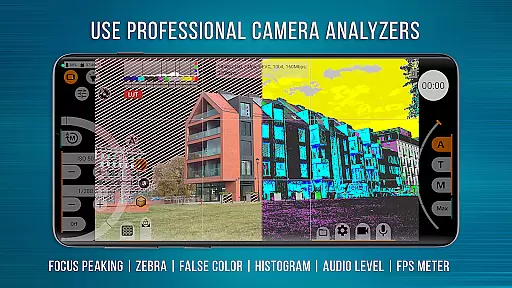
The app also excels in offering multiple Log modes and technical LUTs, which streamline the post-production process by allowing seamless color correction. Additionally, features like Focus Peaking, Expo Peaking, Spectral, and Zebra empower users with precise control over exposure and focus. These tools are complemented by advanced audio settings, including support for different sound sources and sampling rates, ensuring a holistic approach to video production.
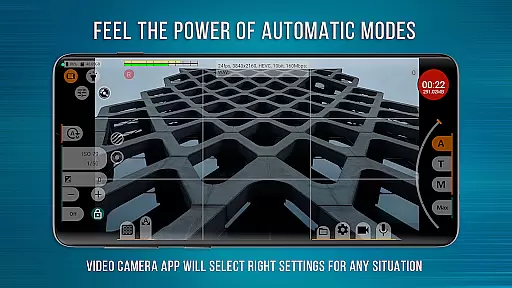
Furthermore, mcpro24fps boasts a responsive interface and reliable automatic modes alongside convenient manual settings. Its compatibility with external lenses and programmable focus and zoom functions make it versatile for various shooting scenarios. By leveraging GPU resources effectively, the app delivers unparalleled performance, making it a top choice for professional videographers.
Real-time capture and preview functionality is essential for professional videographers who need precise control over their shots. mcpro24fps offers advanced real-time capabilities that rival professional camcorders, enabling users to shoot in 10-bit HDR video with support for HLG and HDR10 formats.
The app ensures seamless operation by recording video in Log without utilizing the GPU, a feature typically found only in high-end cameras. This allows videographers to achieve cinema-grade footage directly from their smartphones while maintaining optimal device performance.
With features like Focus Peaking, Expo Peaking, Spectral, and Zebra tools, users can effortlessly monitor exposure levels and focus accuracy during live previews. These tools provide complete frame control, ensuring every shot meets professional standards.
By transforming smartphones into powerful video cameras, mcpro24fps empowers creators to produce cinematic masterpieces with confidence, knowing they have full command over both capture and preview processes.
While primarily designed for professional video capture, mcpro24fps also incorporates sophisticated enhancement features that maintain natural aesthetics. The app's AI-powered beauty and enhancement tools are engineered to deliver subtle yet effective improvements without compromising authenticity.
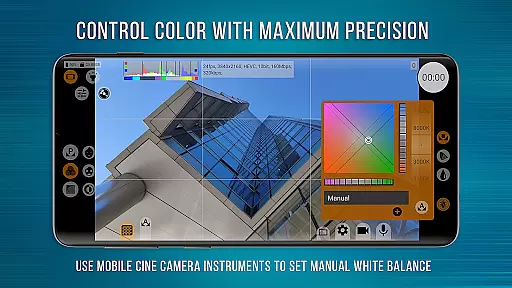
Through its advanced GPU processing capabilities, mcpro24fps applies technical LUTs (Look-Up Tables) for seamless color grading during post-production. These LUTs help interpret Log footage accurately, preserving the original scene's natural colors and tones.
The application supports various image adjustment filters via GPU, including distortion correction and noise reduction. These enhancements work together to produce clean, professional-quality visuals while retaining the genuine character of the captured moment.
Whether shooting music videos or commercial projects, videographers can rely on mcpro24fps to enhance their footage naturally, ensuring their creative vision remains intact throughout the production process.
Advanced video features
Professional Log modes
High-quality audio support
Responsive user interface
Extensive customization options
Complex for beginners
Device compatibility issues
Higher system requirements
Premium pricing model
Limited customer support

A collection of tools and reference tables for DPs, ACs, DITs and Operators.
 4.70
4.70
What celebrity do you look like? Celebs will find your celebrity match!
4.10
All-in-One Editor & AI Photo Enhancer, Collage, Cartoonify, Funny Stickers & BGS
4.10
Create & Edit with AI: AI Remove, Enhance, Retouch, Filter
4.10
Enhance, retouch & create your story - Share the moment with Photoshop Express.
4.60
Astrophotography with your smartphone, photo live stacking and much more!
3.90
A light meter for true photographers.
4.20
Professional camera app that brings DSLR manual photography controls to Android.
4.20
Welcome to ProShot, the most powerful camera app on Android.
4.20
Your personal guide to the sun and moon. Plan ahead, visualize and predict!
4.70
See your baby AI baby face generator AI baby maker Face generator babymaker fun!
4.70
Enhance, upscale, and transform your images — on your device, without limits
4.70
A must-have app for landscape photographers
4.60
Create Business Headshots, Polaroid Filter, Retake Photos,Profile Pics,AI Photos
4.50
Transform photos into videos! Create realistic or anime-style images easily!
4.50
Easily stitch panoramas from multiple photos or video.
4.40
USB Storage Access for Photos, Videos, Music and Documents
3.80
Pet Camera
3.70
GCamera allows all GCam features on all phone models! Better photos with GCamera
3.30


User Reviews