
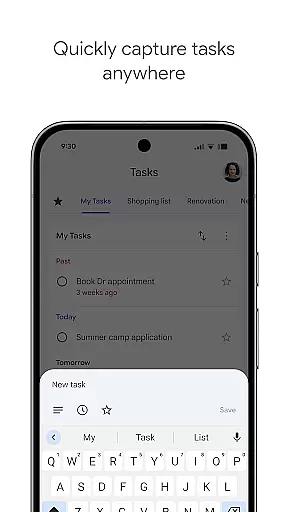
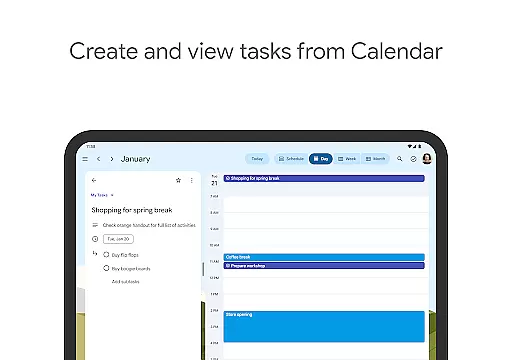
Google Tasks is a productivity app designed to help users manage their daily tasks efficiently. The app allows you to capture, organize, and prioritize your to-do lists from any location and at any time. With seamless synchronization across all devices, Google Tasks ensures that your lists are always up-to-date whether you're on your phone, tablet, or computer.
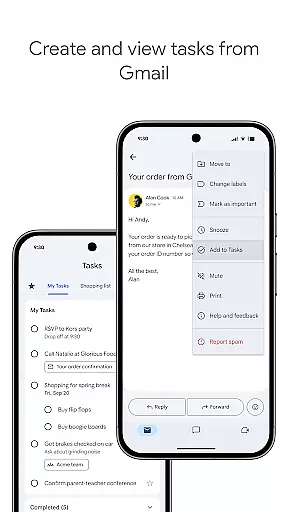
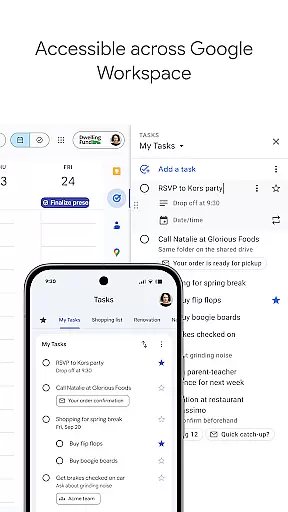
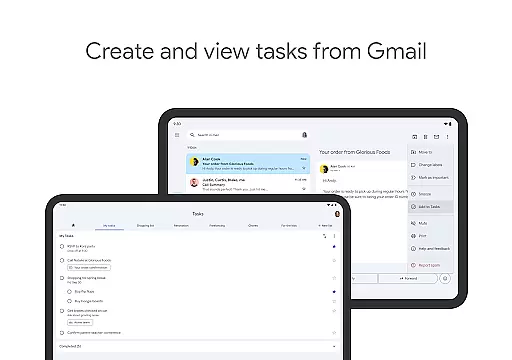
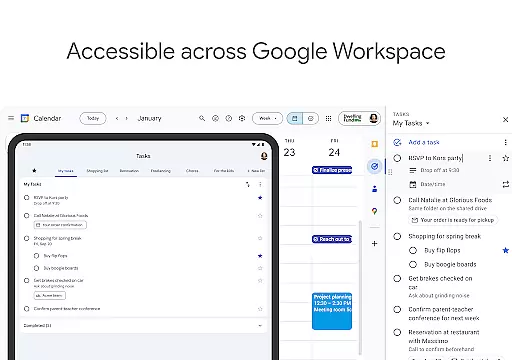
One of the standout features of Google Tasks is its deep integration with Gmail and Google Workspace. This allows users to create tasks directly from emails and access them later with a single tap. Additionally, the app supports task prioritization through drag-and-drop functionality, subtasks for breaking down complex projects, and reminders to ensure timely completion. These capabilities make it an ideal tool for professionals and individuals who need a reliable task management solution.
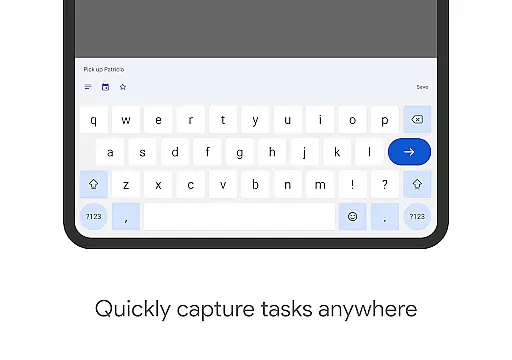
Google Tasks offers a variety of features that enhance productivity and streamline task management. Users can view, create, edit, and organize tasks while on the go, ensuring they never miss an important deadline. The app supports multiple task lists, enabling users to categorize their to-dos by project, priority, or topic.
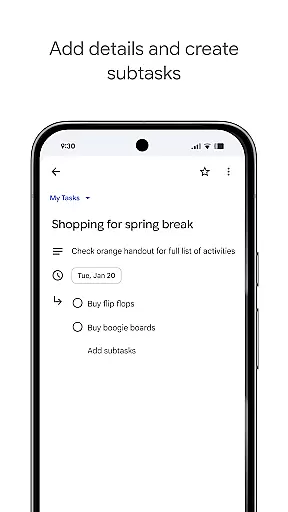
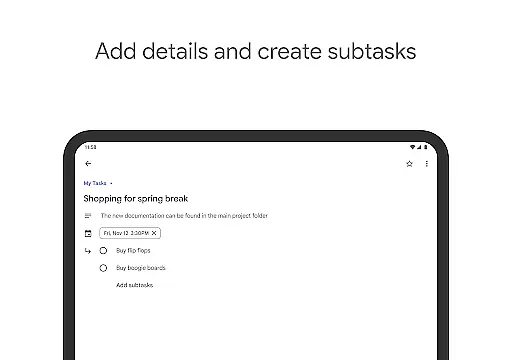
Task prioritization is made easy with drag-and-drop reordering and the ability to star important tasks. For more complex projects, users can create subtasks to break down larger objectives into manageable steps. The app also includes date settings and notifications to remind users of upcoming deadlines. Its seamless integration with Gmail allows users to turn emails into tasks, with links back to the original message for context. These features collectively provide a robust platform for managing personal and professional responsibilities.
Effective task management is essential for productivity, and Google Tasks excels in this area by providing a streamlined platform to handle your to-do lists efficiently. The app allows you to view, create, edit, and manage tasks on the go, ensuring that you never miss an important deadline.
Google Tasks offers powerful organizational tools such as the ability to create multiple task lists based on topics or priorities. This helps users categorize their responsibilities effectively, making it easier to focus on what matters most at any given time.
The app also supports prioritization features through drag-and-drop functionality, enabling users to reorder tasks effortlessly. Additionally, marking critical tasks with a star ensures that high-priority items receive immediate attention, enhancing overall productivity.
In today's fast-paced world, having reliable cross-device synchronization is crucial for maintaining workflow continuity. Google Tasks ensures that all your to-dos sync seamlessly across all your devices, providing real-time updates no matter where you are.
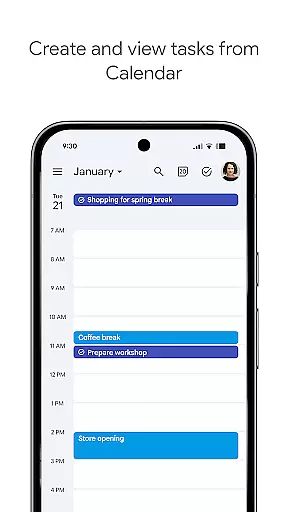
This synchronization extends beyond just task lists; integrations with Gmail and Google Calendar help streamline your work process. By creating tasks directly from emails in Gmail, you can conveniently link back to the original message for easy reference, ensuring context is never lost.
With Google Tasks, you can trust that your data will be up-to-date whether you're switching between your phone, tablet, or computer. This reliability empowers users to stay organized and productive, regardless of the device they choose to use at any given moment.
User-friendly interface
Seamless cross-device sync
Deep Gmail integration
Effective task prioritization
Lightweight and fast
Limited advanced features
No collaboration tools
Basic UI design
Few customization options
No offline notifications

AI Video AI Image Private LLM AI Browser Llama Gemma Ollama Connect LLM Studio
 4.0
4.0
Auto-shutoff Alarm with Sunrise, Sunset & Fixed Options.
3.50
Easily read and manage all your PDF files
4.10
A simple, portable logger for POTA, SOTA, Field Day, and more
4.1
aCalendar+ makes your day, week and month
4.70
Make apps & sites with natural language prompts
4.10
A Pixel Art watchface inspired by other iconic 90s designs for Wear OS devices!
4.40
Lightweight PDF, Word, Excel reader.
4.60
Simple notepad & memo. Take notes, to-do list, shopping list with reminders.
4.80
Understand anything with a personalized AI research assistant
4.80
Direct Chat without saving contacts & Dual WA Account on Single Device
4.70
All document reader, all in one file viewer read PDF, DOCX, XLS, PPT, TXT files.
4.60
Planet Free VPN - The best Fast Unlimited and Secure VPN Without Logs
4.50
This small app MUST BE INSTALLED after purchase, else license won't work
4.40
Font maker keyboard with your own handwriting
4.10
Cloud storage, automatic phone backup, and more.
4.10
Wake up & get tasks done! Add alarms & reminders on the Clock Launcher.
4.00
ID.me Authenticator is a simple and free Two Factor Authentication solution
3.50
Simple and reliable communication between inmates, friends and family
3.20


User Reviews