
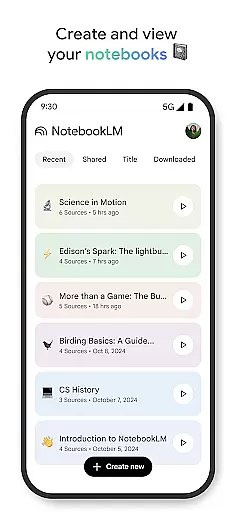
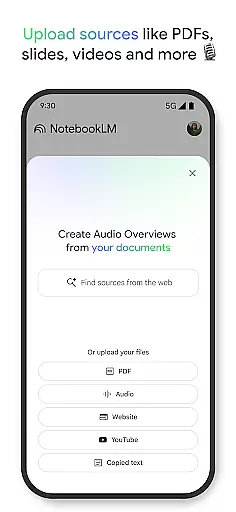
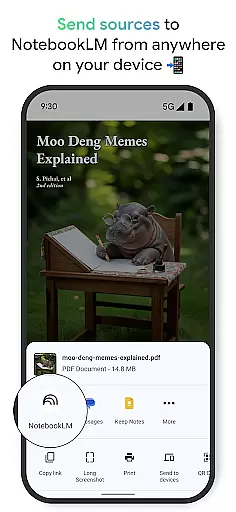
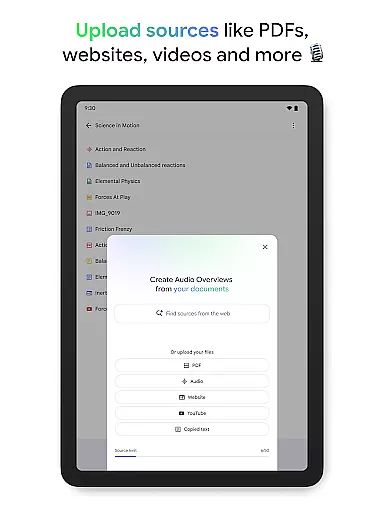
NotebookLM is a productivity tool designed to simplify complex information management. It allows users to upload various sources such as PDFs, websites, and videos, transforming them into easily digestible formats. The app's AI capabilities provide trusted insights by analyzing uploaded content and making connections between different pieces of information.
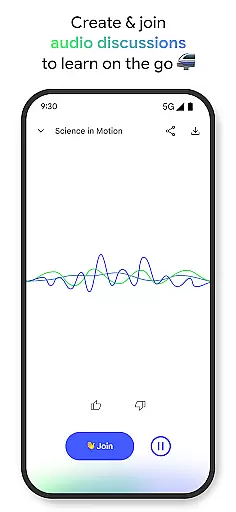
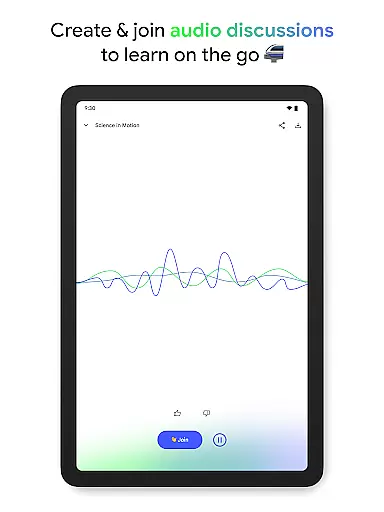
With features like Audio Overviews, users can learn on the go through podcast-style discussions. This makes it an invaluable tool for students, researchers, and professionals who need to process large amounts of information efficiently. NotebookLM helps users save time while enhancing their learning experience across multiple devices.
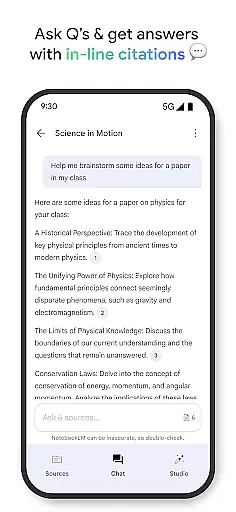
The app offers several distinctive features that set it apart in the productivity category. Its source analysis capability uses advanced AI to become an expert on user-uploaded content, providing reliable summaries and connections between different sources. The inline citations ensure users can trust the information they receive.
One of the most innovative aspects is the Audio Overview feature, which transforms text-based content into engaging audio discussions. Users can access these podcast-style overviews even offline or in the background. Additionally, the app supports multiple source types including PDFs, websites, and YouTube videos, making it a versatile tool for knowledge workers across various industries.
Effective task management is crucial for productivity, and Google NotebookLM excels in this area by transforming complex information into manageable insights. The app allows users to upload various sources such as PDFs, websites, and videos, turning them into easily digestible content.
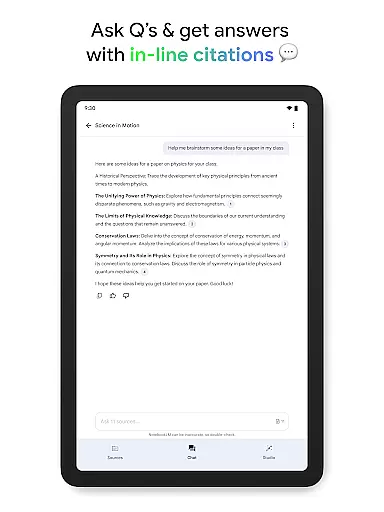
Once the data is uploaded, NotebookLM becomes an expert on these sources, summarizing key points and drawing connections that might not be immediately apparent. This feature enables users to ask questions about their uploaded content and receive trustworthy answers with cited sources, enhancing their understanding and retention of information.
The ability to create different types of content from the same source material caters to diverse learning preferences. For instance, users can opt for a podcast-style audio discussion which makes learning more flexible and accessible on-the-go. This versatility ensures that regardless of how users prefer to absorb information, NotebookLM can accommodate their needs effectively.
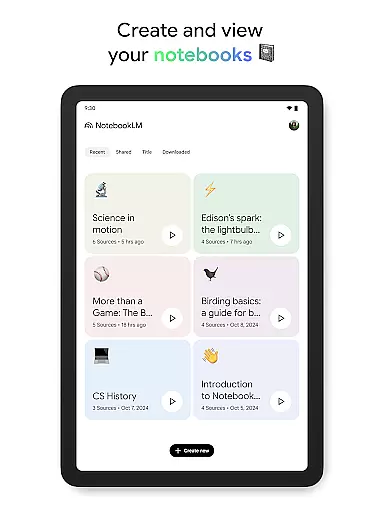
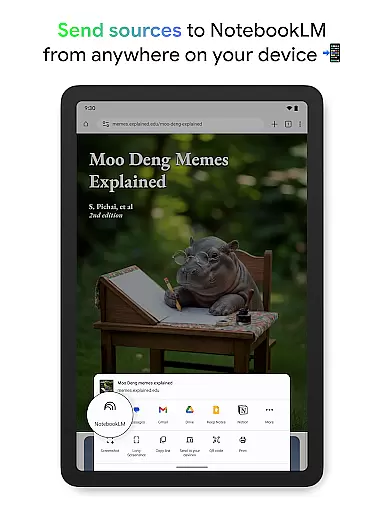
In today's fast-paced world, having reliable cross-device synchronization is essential for maintaining workflow continuity. Google NotebookLM addresses this need by offering seamless access to notebooks across multiple devices, ensuring that users can continue their work wherever they left off.
With background playback and offline support features, users are able to listen to Audio Overviews even without an active internet connection. This means that whether commuting or traveling, one can still engage with their study material or project updates without interruptions.
Furthermore, the capability to ask questions and receive cited responses within the app fosters a dynamic learning environment. Users can interact with two AI hosts during audio sessions, making it feel like a personalized educational experience. Such interactive elements combined with robust syncing capabilities make sure that all user interactions are preserved and accessible anytime, anywhere.
User-friendly interface
Advanced AI analysis
Offline support
Background playback
Multiple source formats
Limited free features
Occasional AI errors
Requires internet for uploads
Premium subscription cost
Learning curve for new users

A customizable calendar for your Wear OS watch
 4.20
4.20
Unlock AutoNotification
4.00
8 custom complications. Custom Time Fonts. Beautiful color schemes. A++ Design.
5.00
Smart PDF reader & editor to view, organize and manage PDF documents easily.
3.70
⏰ Finally a timer app which can run multiple timers simultaneously on your watch
3.90
Easiest event planning, volunteer signups & parent teacher conference scheduling
2.20
ID.me Authenticator is a simple and free Two Factor Authentication solution
3.50
QuickEdit is a fast, stable and full featured text and code editor.
4.20
2026 USPS Alpha/Color coded calendar Sunday/Rotating day off schedules
4.5
Scientific calculator for Android - looks and operates like the real thing!
4.90
aCalendar+ makes your day, week and month
4.70
Scan paperwork into PDF/JPG, generate your own e-signature and send fax or email
4.70
The Pro Version of Android's tiniest Notepad app. Just 0.3MB but feature-packed!
4.60
Access, manage and transfer files on Android, PC, Mac, NAS and cloud storages.
4.30
Experience real multitasking on your Android!
4.00
The ultimate file manager for rooted devices. The original and still the best.
4.00
All in one sketching tool. Technical and General drawing. Online Maps support.
3.70
Ads Free App! Editor, Hide File, Copy, Move, Delete and Rename.. all facility av
1.70
Create study competitions, track your hours, and stay consistent with friends
4.3


User Reviews