
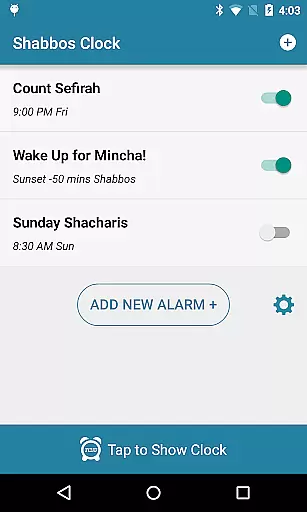
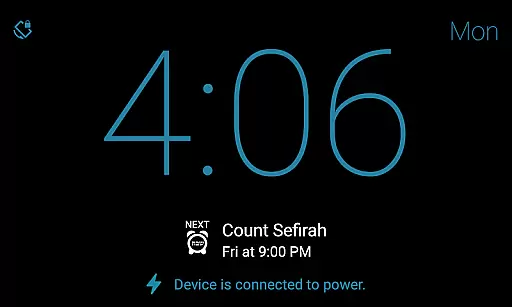
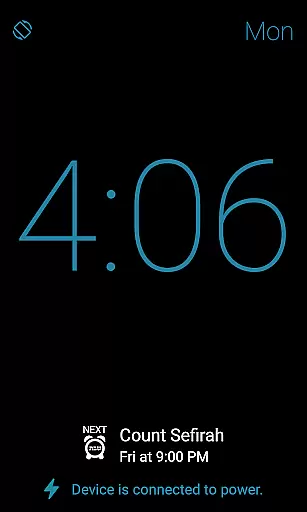
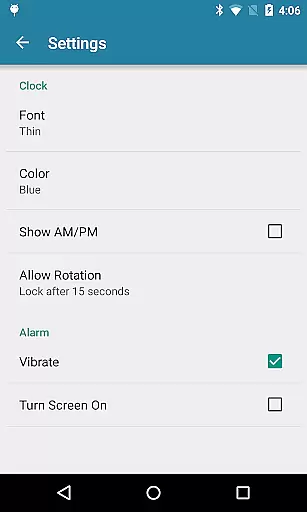
Shabbos Clock is a specialized productivity app designed to assist Jewish users in observing Shabbat while maintaining access to essential timekeeping functions on their Android devices. The app's core feature is its ability to display the current time prominently on the screen, ensuring users can keep track of time without violating religious guidelines.
Beyond basic time display, Shabbos Clock offers advanced alarm functionalities tailored for Shabbat observance. Users can set unlimited alarms with automatic shutoff after a specified duration, eliminating the need for manual intervention. This makes the app particularly useful for those who wish to honor Shabbat traditions while benefiting from modern technology's convenience.
The app's unique approach to alarm management, including options based on local sunrise and sunset times, provides a valuable tool for maintaining religious practices without compromising on technological assistance. By testing the setup before Shabbat, users can ensure a seamless experience that respects their spiritual commitments.
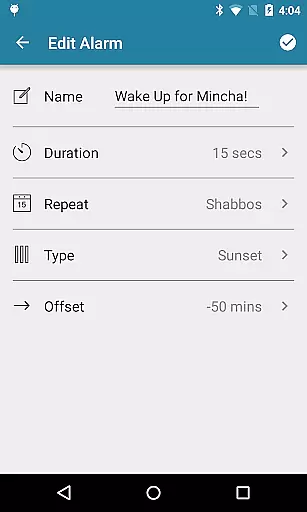
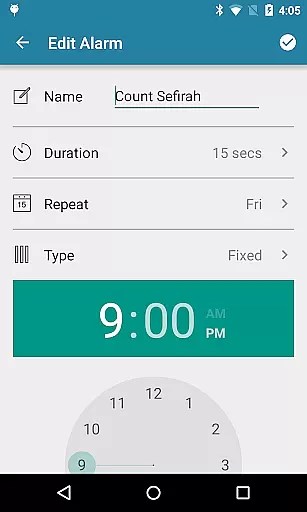
Shabbos Clock stands out with its comprehensive set of features designed specifically for Shabbat observance. The app allows users to set an unlimited number of alarms, each with customizable durations ranging from 10 to 50 seconds, after which they automatically turn off. This eliminates the need for a snooze button, aligning perfectly with Shabbat rules.
A key innovation is the ability to create repeatable alarms based on weekly patterns, ensuring consistent reminders throughout the Shabbat period. Additionally, users can set alarms relative to their local sunrise and sunset times, providing a personalized and context-aware scheduling solution.
The app's thoughtful design extends to its user interface, which focuses on simplicity and ease of use. By removing potential distractions and focusing solely on essential timekeeping and alarm functions, Shabbos Clock delivers a streamlined experience that respects both religious traditions and modern productivity needs.
Shabbos Clock excels in core task management by providing users with a reliable and automated alarm system tailored to the unique requirements of Shabbat observance.
The app allows for unlimited alarm options, ensuring that users can set as many alarms as needed without restrictions. Each alarm is designed to automatically shut off after a specified duration, ranging from 10 to 50 seconds, which aligns perfectly with Shabbat rules where manual intervention must be minimized.
Additionally, the ability to set repeatable alarms based on a weekly pattern ensures that users do not need to reset their alarms every day, thus maintaining the sanctity of Shabbat while still managing their time effectively.
While Shabbos Clock focuses primarily on standalone functionality, its reliability extends to scenarios where users might employ it across multiple devices.
Although the app does not explicitly mention cross-device synchronization, its robust design ensures consistent performance regardless of device changes. Users can rely on the app's precise alarm settings, such as alarms based on offsets of local sunrise and sunset, to work seamlessly across different Android devices.
This consistency guarantees that whether at home or traveling, users will experience uniform reliability and accuracy in their alarm schedules, making Shabbos Clock an indispensable tool for managing time during Shabbat.
User-friendly interface
Unlimited alarm options
Automatic alarm shutoff
No snooze button
Sunrise & sunset based alarms
Limited to Android
No iOS version
Specific to Shabbat
Requires pre-testing
Basic time display only

Native client for Forgejo and Gitea
 5.00
5.00
Smart PDF reader & editor to view, organize and manage PDF documents easily.
3.70
A lightweight JSON & XML files creator, editor and viewer (Premium Version)
4.40
Customizable calendar widget for seamless event sync, planning & scheduling.
4.00
Pwnagotchi companion app
4.20
Make apps & sites with natural language prompts
4.10
Functional QR scanner and barcode reader that requires little storage space.
4.60
Simple notepad & memo. Take notes, to-do list, shopping list with reminders.
4.80
AT&T Internet customers can use this app to personalize their Wi-Fi network.
4.40
Multilingual translator for text, voice, and image translation!
4.90
The long-awaited modern gallery app for your Nextcloud server
4.70
aCalendar+ makes your day, week and month
4.70
Client for Nextcloud Deck
4.60
Translate text/voice/photos in 150+ languages. Offline & fast translator app.
4.50
A Pixel Art watchface inspired by other iconic 90s designs for Wear OS devices!
4.40
Share files & memories safely. Keep your photos and videos secure.
4.40
Font maker keyboard with your own handwriting
4.10
The ultimate file manager for rooted devices. The original and still the best.
4.00
AI Video AI Image Private LLM AI Browser Llama Gemma Ollama Connect LLM Studio
4.5


User Reviews