
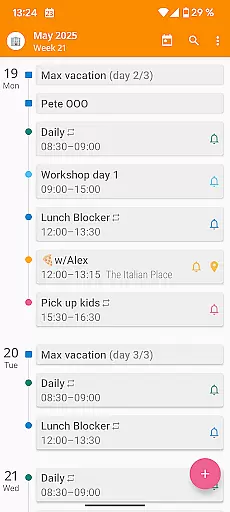

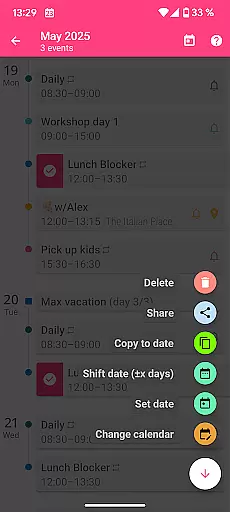
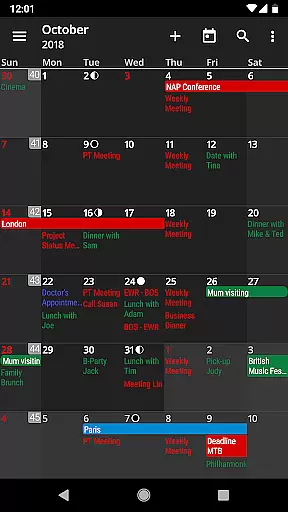
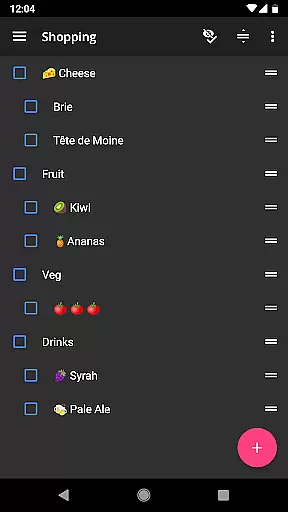
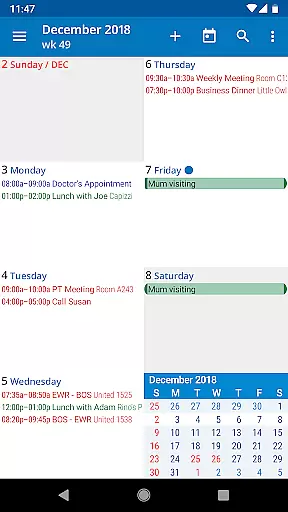
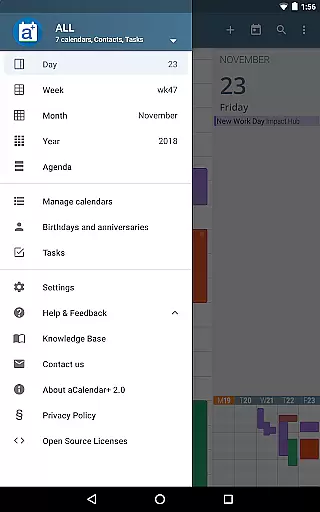
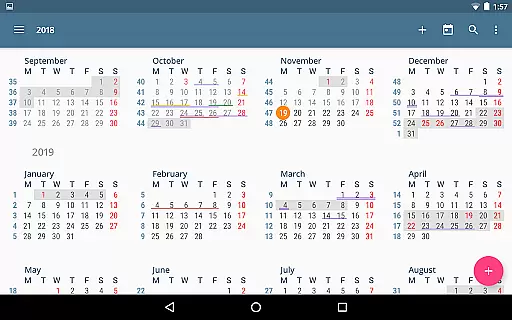
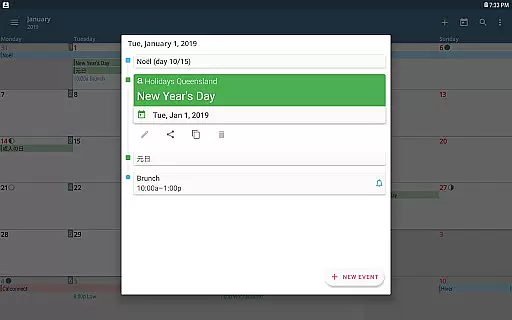
aCalendar+ is a premium productivity app designed to enhance your time management with its comprehensive calendar and task features. The app offers unlocked functionalities including public holidays, additional color themes, and business tools such as attendee invitations and task management through Google Tasks or CalDAV/OpenTasks.
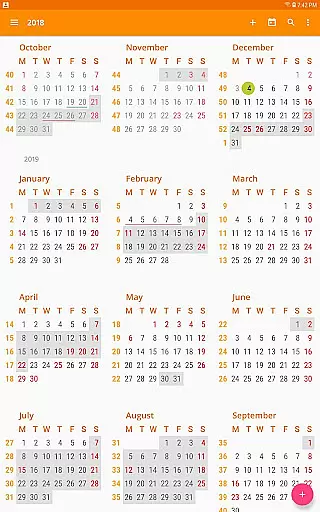
With intuitive navigation, multiple viewing options like day, week, month, and year views, and over 100 color choices for customization, aCalendar+ stands out as a robust tool for organizing personal and professional schedules. Its seamless integration with Android's native calendar backend ensures efficient synchronization and ease of use.
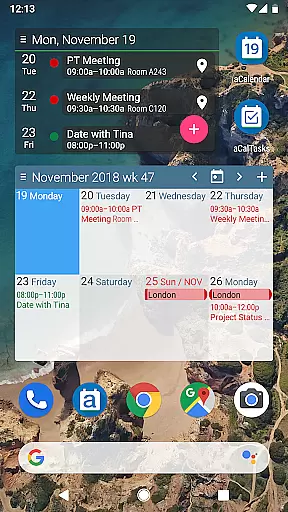
The hallmark of aCalendar+ lies in its rich feature set tailored for productivity enthusiasts. It boasts smooth transitions between different calendar views, flexible recurrence options for events, and fullscreen widgets that keep you informed at a glance.
Additional capabilities include per-event color coding, custom event font sizes, and birthday tracking with photos from your address book. Users can efficiently manage their schedules with gestures like swiping to navigate, tapping to open events, and long-pressing to create new ones. These innovative features collectively ensure an unmatched user experience in organizing daily tasks and events.
Task management is a cornerstone of productivity applications, and aCalendar+ excels in this domain by offering users comprehensive tools to manage their schedules effectively. The app provides multiple views including day, week, month, and year, allowing users to organize and prioritize their tasks with ease.
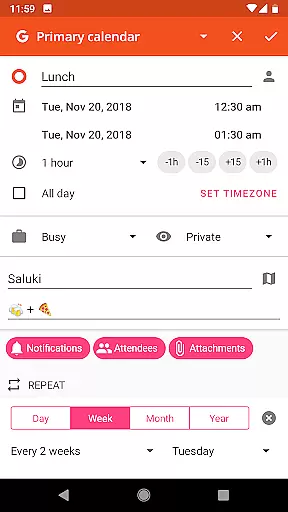
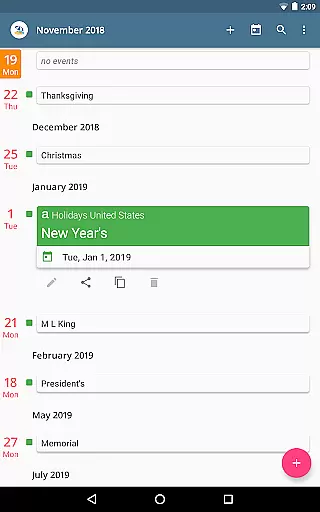
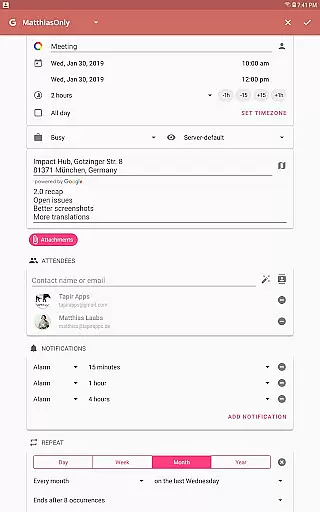
aCalendar+ goes beyond basic scheduling by incorporating flexible recurrence options for events. Whether it's an event every three weeks or every Monday, Wednesday, and Friday, the app accommodates diverse scheduling needs. Additionally, the inclusion of public holidays and school holidays in some countries ensures that users can plan around important dates effortlessly.
The ability to invite attendees, link contacts, and manage tasks from various sources like Google Tasks or CalDAV/OpenTasks enhances collaborative work features. This makes aCalendar+ not just a personal tool but also a powerful asset for team coordination and project management.
Cross-device synchronization is vital for users who rely on accessing their data across multiple devices seamlessly. aCalendar+ leverages Android's native calendar backend and synchronization capabilities to ensure that all user information is consistently updated and available wherever they need it.
With full support for calendar synchronization, users can be confident that changes made on one device will reflect instantly on others. This reliability extends to features such as Fullscreen widgets, which provide at-a-glance information without needing to open the app fully.
Furthermore, aCalendar+ respects user privacy and does not send private data anywhere unless explicitly configured by the user. This commitment to privacy, combined with robust synchronization features, ensures that users can trust aCalendar+ with their sensitive schedule information while enjoying seamless access across all their devices.
User-friendly interface
Extensive customization options
Advanced task management
Seamless synchronization
Privacy-focused design
Premium version costly
Feature overload for casual users
Limited iOS compatibility
Occasional sync delays
Complex permission settings

A customizable calendar for your Wear OS watch
 4.20
4.20
Easily read and manage all your PDF files
4.10
We're working to become the best machining app on the market! www.cncdirt.com
4.80
Absolutely the best CNC machinist speed and feed calculator around. fswizard.com
4.60
Todo reminder
4.10
Code on-the-go with VScode for Android. Edit,debug and collaborate from mobile!!
3.10
Best Tool for the professionals Electrician, Electrical contractors, etc.
4.90
A Pixel Art watchface inspired by other iconic 90s designs for Wear OS devices!
4.40
Put a lock on your cloud: Take the security of your data into your own hands
3.70
Mind Map and brainstorm, note taking and idea collection
4.80
Use powerful, industry-leading AI tools to generate visual charts from any data
4.80
Translate text/voice/photos in 150+ languages. Offline & fast translator app.
4.50
Experience Reading - Night Mode for Documents
4.40
Automates browsing any website and notifies you of important changes or events
4.30 4.20
4.20
Device's storage information in a simple and clear graphical form (infographics)
4.10
Ultimate Virtual AI Character for immersive Roleplay Chat. Perfect Companion
3.90
Ads Free App! Editor, Hide File, Copy, Move, Delete and Rename.. all facility av
1.70
A comprehensive suite of tools designed specifically for Lactation Consultants
4.2


User Reviews