
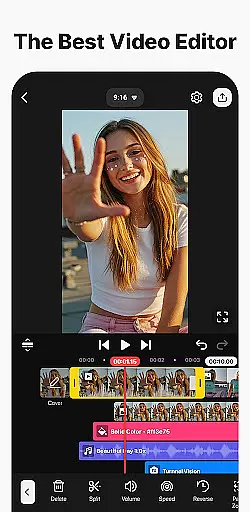
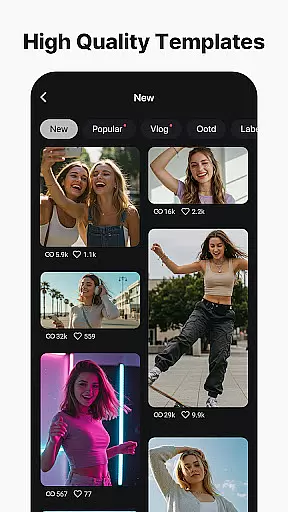

KineMaster is a comprehensive video editing application designed for both amateur and professional creators. It offers an extensive suite of AI-powered tools that simplify complex video production tasks, making it easy to create high-quality content for platforms like YouTube, TikTok, and Instagram. The app provides features such as AI Auto Captions, Text-to-Speech, and Vocal Separator, which streamline the editing process.
With professional-grade tools like Keyframe Animation, Chroma Key, and Speed Control, KineMaster enables users to produce advanced video effects with ease. Additionally, its vast library of templates, stock videos, images, and soundtracks jumpstarts creativity and ensures that every video stands out. Whether you're crafting movies, vlogs, or short clips, KineMaster delivers the functionality needed to bring your vision to life.
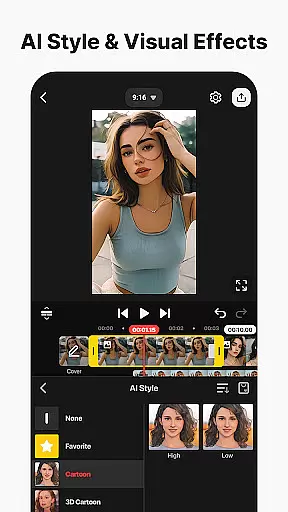
KineMaster distinguishes itself through its robust feature set tailored for creative professionals. One standout aspect is its AI-driven functionalities, including AI Noise Removal, Magic Removal, and Style Effects, which allow users to enhance their projects effortlessly. These tools are complemented by precision-based options like Magnetic Guides and Full-Screen Previews, ensuring accurate edits every time.
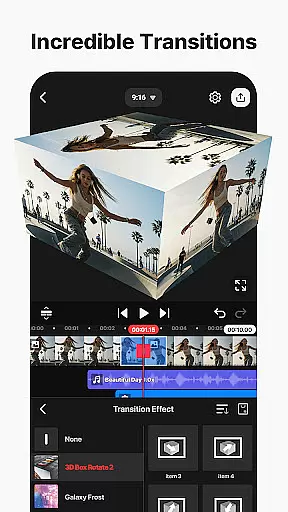
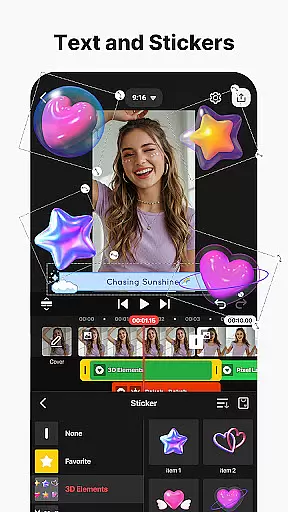
The app also supports multi-layer editing, enabling users to stack videos, images, and GIFs seamlessly. Its asset store boasts thousands of resources—effects, transitions, stickers, music, and fonts—that elevate any project's aesthetic appeal. Furthermore, KineMaster offers flexible export settings, allowing users to save videos in 4K 60 FPS quality or optimize them for faster social media uploads. This versatility makes it ideal for creators seeking efficiency without compromising on output quality.
Video format compatibility is a crucial feature for any video editing application, ensuring that users can work with a wide range of video files without conversion hassles. KineMaster excels in this area by supporting an extensive array of formats, allowing creators to import and edit videos directly from their devices.
The app's robust compatibility covers popular formats such as MP4, AVI, MOV, and many others, making it versatile for both casual users and professional editors. This comprehensive support means you can start editing immediately after capturing footage, regardless of your device's native recording format.
Moreover, KineMaster's format flexibility extends to its export options. Users can save their projects in various resolutions and frame rates, including impressive 4K at 60 FPS quality. The app also optimizes videos for different social media platforms, automatically adjusting settings for YouTube, TikTok, Instagram, and more.
This level of format compatibility significantly enhances user experience by eliminating technical barriers. Whether you're working on professional projects or quick social media content, KineMaster ensures seamless workflow from import to export, saving valuable time and maintaining original video quality throughout the editing process.
AI-powered editing features represent a revolutionary advancement in video editing technology, and KineMaster stands at the forefront of this innovation. The application incorporates multiple artificial intelligence tools that dramatically simplify complex editing tasks while enhancing creative possibilities.
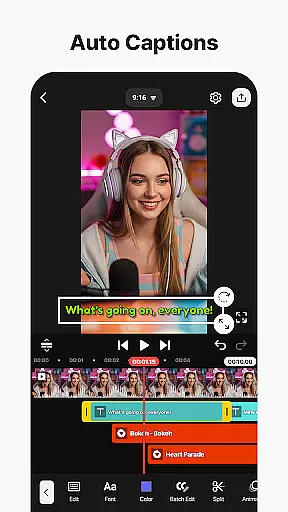
Among these features, AI Auto Captions automatically generates accurate subtitles from video or audio content, streamlining the captioning process. The AI Vocal Separator intelligently divides songs into separate vocal and instrumental tracks, offering unprecedented control over audio elements. Additionally, AI Noise Removal effectively eliminates unwanted background sounds, resulting in cleaner audio tracks.
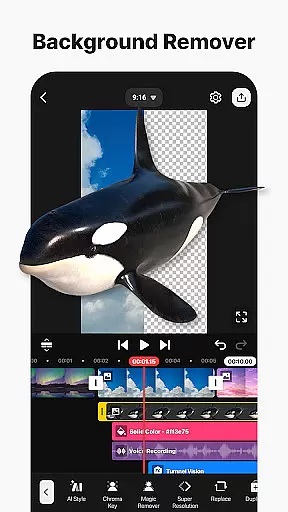
KineMaster's AI Magic Removal tool demonstrates remarkable capability in removing backgrounds around subjects, while AI Tracking enables dynamic movement of text and stickers along with objects in motion. These intelligent features work together to reduce manual editing time significantly.
The integration of AI Text-to-Speech and various AI Voices provides users with professional-grade audio options, transforming text content into engaging spoken narratives. This suite of AI-powered tools makes sophisticated editing techniques accessible to all users, regardless of their experience level, while maintaining professional-quality results.
User-friendly interface
Extensive AI tools
Versatile export options
Rich asset library
Professional editing features
Paid subscription required
Occasional bugs
High device requirements
Limited free assets
Watermark on free version

Save photos and videos from social apps in one tap.
 3.60
3.60
IPTV-Smarters Player Pro M3U - Watch Live Stream TV Channels with Chromecast
4.00
Watch a large amount of high-definition short drama content
4.60
VLC Remote lets you control your VLC Media Player on Mac, PC or Linux.
4.60
Download videos easily & play them all in one smart, powerful video manager.
3.40
Movie maker & video editing app with AI effects and green screen
4.30
Make your own Animations, Video and Photo Edits, Visual Effects, and more!
4.00
Browser for Samsung TV to stream webvideos, online movies and livestreams in HD
4.10
Video player with 4K & 1080P support, popup play, background play and subtitle.
4.20
GENRAL PRO - General Pro is the best video player that fully supports all formats.
4.70
?100% FREE! Download & save videos? safely in this app. All formats supported.
4.60
Create photo video with music & template. AI video maker for stunning slideshow.
4.60
Fast video downloader & private browser. Save HD clips to watch offline.
4.40
Stream Web Videos to Chromecast, Samsung, LG, Sony, Roku, Fire TV, DLNA + more
4.00
Cast to Smart TV, Fire TV. Cast video, photo - Fast & Stable!
3.90
Capture images & record videos for USB Camera, Webcam, Microscopes, Endoscopes
3.80
All in one multi protocols stream receiver for AirPlay, Cast and DLNA.
3.60
IPTV Player - Watch live TV from m3m & m3u8 playlist, stream IPTV on mobile
3.30
Mix with Virtual DJ directly from your phone or tablet !
3.10


User Reviews