
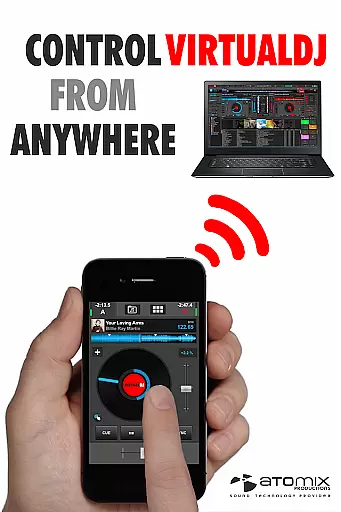
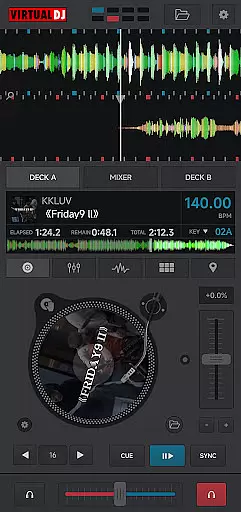
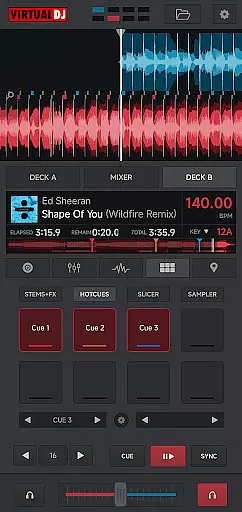
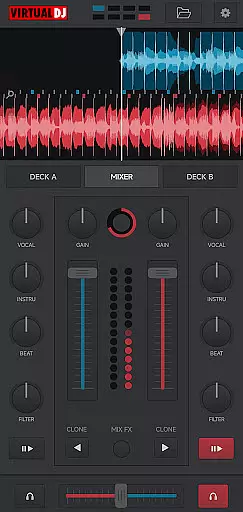
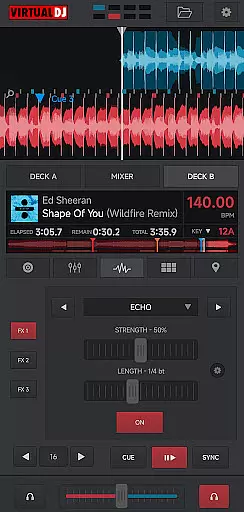
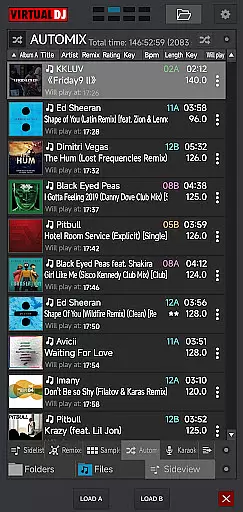
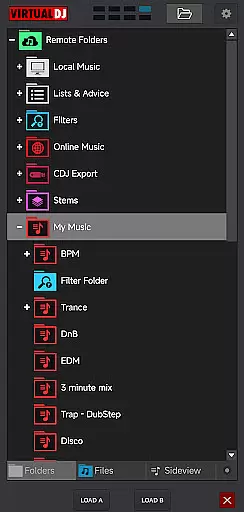
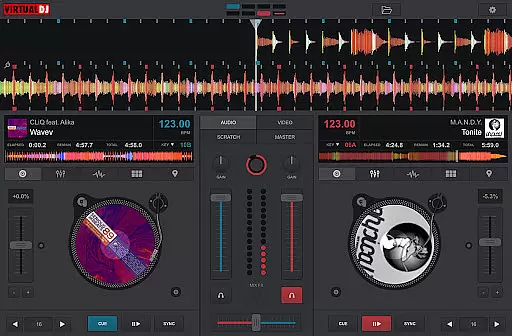
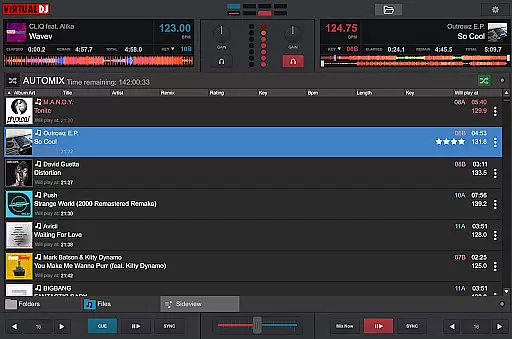
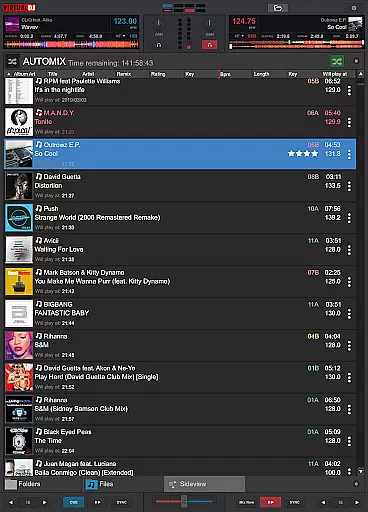
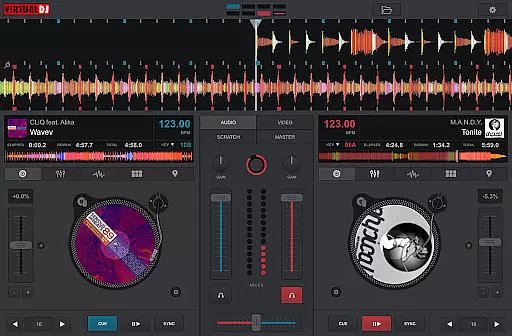
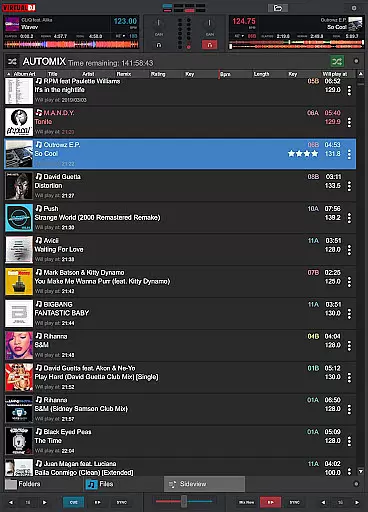
VirtualDJ Remote is a powerful application that allows DJs to control VirtualDJ software directly from their mobile devices. This app transforms your phone or tablet into a versatile DJ controller, enabling wireless mixing and monitoring over a WIFI connection. Whether you're using your device as a virtual scratch turntable or managing the mix remotely, this app provides complete freedom and flexibility.
The application supports the full range of VirtualDJ's features, including beat mixing, effects, song suggestions, samplers, and video mixing. It requires a connection to VirtualDJ software running on a PC or Mac, which is available for free. With customizable skins and layouts, users can tailor the interface to fit their specific needs, making it an essential tool for both amateur and professional DJs.
VirtualDJ Remote offers a comprehensive set of features designed to enhance the DJing experience. The app connects seamlessly with VirtualDJ software over WIFI, allowing users to control all aspects of their mix remotely. This includes access to advanced functionalities such as beat mixing, effects, samplers, and video mixing capabilities.
One of the standout features is the ability to customize the user interface through skins. These skins are compatible with VirtualDJ’s skin SDK, enabling users to create or download custom layouts that suit their unique requirements. Additionally, the app supports multi-deck mixing, live broadcasting, session recording, and personalized song suggestions through LiveFeedback, providing DJs with unparalleled versatility and control over their performances.
VirtualDJ Remote supports a wide range of video formats, ensuring that DJs can mix and play virtually any video file they encounter. This flexibility is crucial in professional settings where video content can come from various sources and in different formats.
The application leverages the power of the computer it's connected to, allowing users to handle high-definition video mixing without the need for conversion or compression. This seamless integration means that whether you're working with MP4, AVI, or MKV files, VirtualDJ Remote maintains the quality and integrity of your video content throughout your performance.
By supporting industry-standard codecs and containers, this app ensures that DJs can focus on their creativity and performance rather than technical limitations. The comprehensive format support extends to both local files and network streams, providing maximum versatility for live performances and studio work.
This extensive compatibility not only saves preparation time but also expands creative possibilities, enabling DJs to incorporate diverse visual elements into their sets without worrying about format restrictions or playback issues.
While primarily designed for DJ performance, VirtualDJ Remote incorporates AI-powered features that enhance the video editing and mixing experience. The application uses advanced algorithms to analyze beat patterns and suggest optimal video transitions, making complex editing tasks more accessible to users of all skill levels.
The AI-driven automation helps DJs maintain perfect synchronization between audio and video elements, even during live performances. This intelligent system can detect tempo changes and automatically adjust video effects and transitions accordingly, ensuring a seamless presentation that matches the music perfectly.
VirtualDJ Remote's machine learning capabilities extend to its smart library management, which can automatically categorize and tag video content based on various parameters such as genre, tempo, and visual characteristics. This feature significantly streamlines the preparation process for video sets and performances.
These AI-powered tools work in real-time, providing instant feedback and suggestions while maintaining the flexibility for manual adjustments. This combination of automated assistance and manual control offers DJs the best of both worlds, enhancing creativity while preserving artistic freedom.
User-friendly interface
Comprehensive feature set
Wireless control capability
Customizable skins
Multi-deck support
Requires separate software
Dependent on WIFI
Limited standalone functionality
Complex setup for beginners
Performance reliant on device

Capture images & record videos for USB Camera, Webcam, Microscopes, Endoscopes
 3.80
3.80
Stream Web Videos to Chromecast, Samsung, LG, Sony, Roku, Fire TV, DLNA + more
4.00
Turn your phone into a wireless camera!
4.20
AI Video Editor:AI Music, Text to Video,Text to Speech,Auto Caption,Video Effect
4.00
Browser for Sony TV to stream web videos, online movies and live tv
3.20
AI Video Editor with Music, Filter, Slideshow, Effect, Merge & Trim Video.
4.80
Screen recorder with audio to take live videos & Screenshot in high quality!
4.70
Viddo: Generate Action Figure, AI Anime, AI kiss, AI hug Video from image & text
4.40
Photo editor & video maker with music and slideshows.
4.10
Cast Videos from Web Browser, IPTV to Roku, Chromecast, DLNA, Smart TV +more
4.60
Create photo video with music & template. AI video maker for stunning slideshow.
4.60
Fast & easy HD video downloader for all formats, support 4K playback & download.
4.60
Photo and Music Video Creator into Stunning Videos—Effortlessly
4.40
KineMaster, Your Ultimate Video Editor!
4.40
Online Videos Player
3.90
Download videos easily & play them all in one smart, powerful video manager.
3.40
IPTV Player - Watch live TV from m3m & m3u8 playlist, stream IPTV on mobile
3.30
Client application for NextPVR software
3.00
Powerful HD video player with support for all formats & subtitles.
4.2


User Reviews