
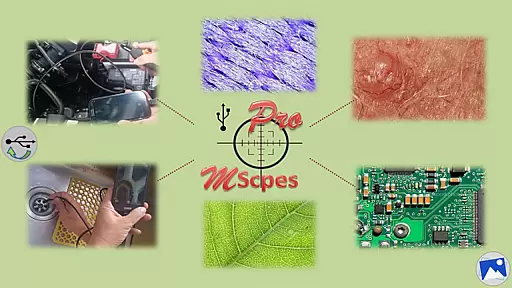
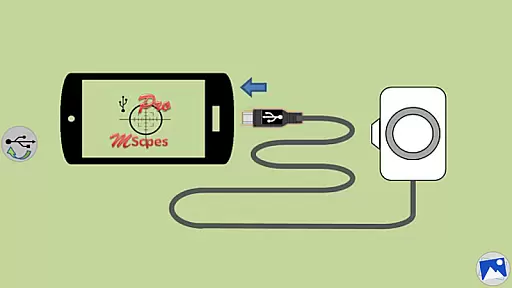
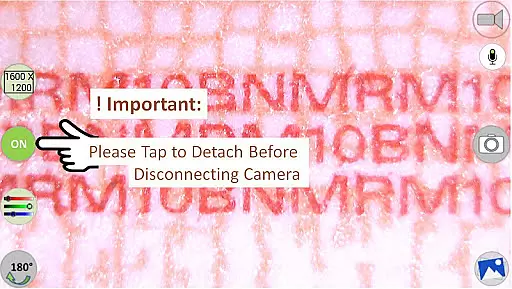
MScopesPro for USB Camera is a versatile application designed to enable users to connect and utilize USB video class cameras with their Android devices. This app facilitates the viewing, capturing of images, and recording of videos from digital microscopes, endoscopes, borescopes, camcorders, or webcams via USB connection. For optimal performance, it requires devices that fully support USB Video Class (UVC) and is incompatible with Android 5.1.1 due to access restrictions.
The Pro version offers advanced features such as full-screen mode, zoom and pan functionality, multiple image type support, customizable preview options, adjustable color parameters, and more. These capabilities make it an ideal tool for professionals who need portable and flexible solutions for microscopic observation or inspection of hard-to-reach areas.
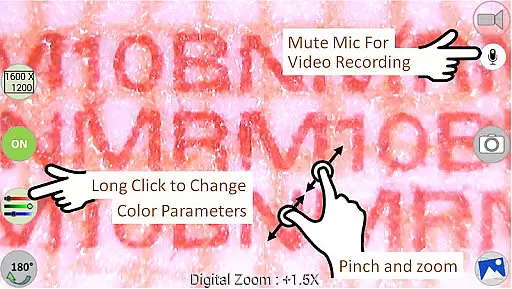
MScopesPro stands out with its comprehensive feature set tailored for microscopy and endoscopy enthusiasts. The app provides full-screen mode without buttons for an immersive 100% preview experience. Users can zoom and pan using one or two fingers on the preview screen, ensuring precise control over their observations.
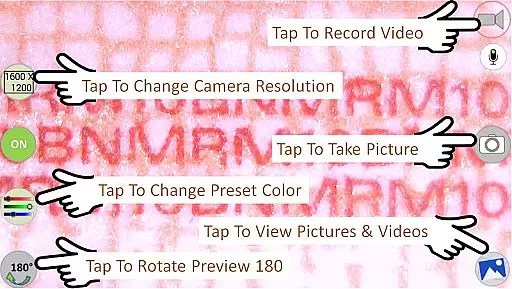
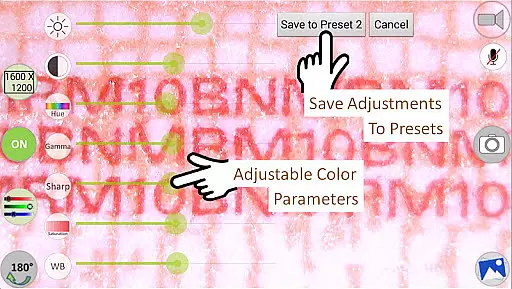
Additional functionalities include support for JPEG and PNG image formats, optional date and time stamps on previews and captured images, three lines of customizable notes, cross-hair display, watermark-free captures, pinch-to-zoom on preview, and camera resolution selection. Multiple preview sizes are supported, ranging from 640x480 to 1600x1200 pixels. Adjustable color parameters like brightness, contrast, hue, gamma, sharpness, saturation, and white balance allow fine-tuning of visuals, with presets available for saving preferred settings.
One of the key strengths of MScopesPro for USB Camera lies in its extensive video format compatibility. The application supports multiple preview sizes including 640x480, 800x600, 1280x720, and 1600x1200, catering to a wide range of user preferences and device capabilities.
This flexibility ensures that whether you are using a digital microscope, endoscope, or webcam, you can select the resolution that best fits your needs. The app's support for both jpeg and png image types further enhances its versatility, allowing users to capture images in the format they require for their specific tasks.
Moreover, the adjustable color parameters such as brightness, contrast, hue, gamma, sharpness, saturation, and white balance provide users with the tools needed to fine-tune their video capture settings. This level of control ensures optimal image quality under various lighting conditions and for different types of observations.
MScopesPro takes video and image editing to the next level with its AI-powered editing features. Users have access to functionalities like adding date and time stamps directly onto previews and captured images, which is invaluable for documentation and record-keeping purposes.
The option to include up to three lines of custom notes on images adds another layer of utility, making it easier to annotate findings without needing additional software. Additionally, the cross-hair feature on the preview screen assists in precision work, enabling more accurate inspections and analyses.
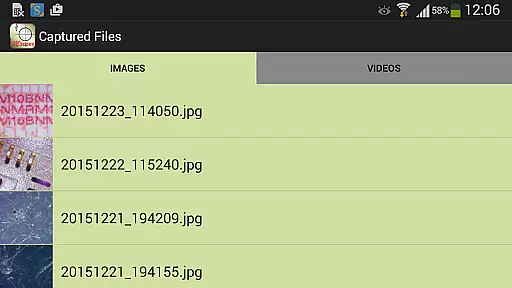
With dedicated buttons for sharing, editing, and deleting images and videos, managing multimedia content becomes straightforward and efficient. These intuitive controls ensure that users can quickly perform necessary actions without navigating through complex menus, thus streamlining the entire workflow from capture to sharing.
User-friendly interface
Advanced customization options
High-quality image and video capture
Wide range of supported devices
Comprehensive feature set
Incompatible with some Android versions
Requires OTG adapter for certain connections
Limited to UVC-supported devices
Premium pricing for Pro version
Complex setup for beginners

A Quick and Pro Video Editor
 4.70
4.70
Cast to Chromecast, Xbox, Fire Stick, Roku, DLNA, Smart TV & No Feature Limited!
4.50
Snaptubè Video Downloader app allows to download videos and music in Snaptube. .
4.60
Powerful HD video player with support for all formats & subtitles.
4.0
Support 1000+ Video Format, Subtitle Download, mp3 & Background Play, Cast On TV
4.60
Explore the largest library of free GIFs, Stickers & Memes - or create your own!
3.90
Fast & easy HD video downloader for all formats, support 4K playback & download.
4.60
AI Video Editor:AI Music, Text to Video,Text to Speech,Auto Caption,Video Effect
4.00
Find, download, and play torrents with the official BitTorrent® Pro app
4.70
Seamlessly connect and control your smart devices, anytime, anywhere with ease.
4.60
?100% FREE! Download & save videos? safely in this app. All formats supported.
4.60
Download website videos fast&privacy
4.40
Video Downloader is an utility that can save videos and music from web sites
4.20
Turn your phone into a wireless camera!
4.20
Web Browser for LG TV to stream webvideos, online movies and livestreams in HD
4.20
LumaFusion: The Ultimate Storytelling Experience for Video Editing
4.10
HD video & music player - All format support with floating & PIP mode!
3.80
AirMirror is Receiver for Screen Mirroring and Casting from Apple Devices.
3.60
Video player with powerful streaming playback and various convenient features.
2.10


User Reviews