
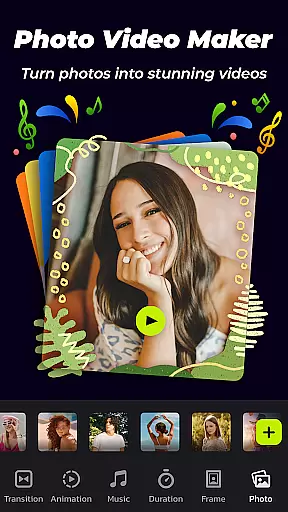
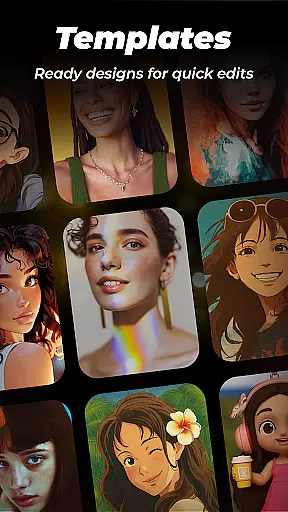


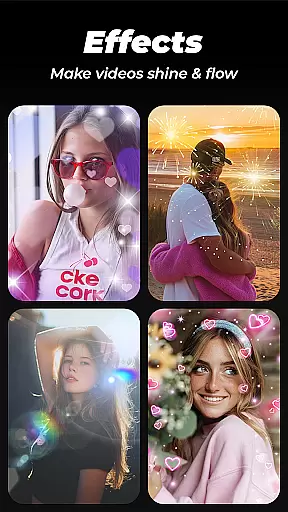
Photo Video Maker with Music - InSlide is a versatile video editing tool designed for creating engaging photo slideshows, music albums, and presentations. This app allows users to transform their photos and videos into professional-looking content by adding music, transitions, animations, and frames.
The app's intuitive interface enables users to create stunning videos in just four easy steps. Whether you're looking to revitalize dull photos, design visually appealing slideshows, or publish eye-catching videos on social media platforms like Instagram and TikTok, InSlide provides the necessary tools and customization options.
With abundant well-organized content libraries and continuous updates, Photo Video Maker ensures that users have access to the latest features and assets. The app supports various resolutions from 480P to 2K, making it suitable for both casual sharing and high-quality presentations.
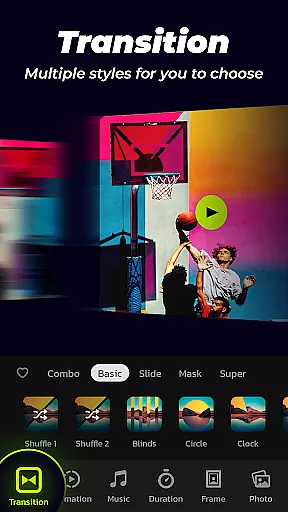
Photo Video Maker offers an extensive range of features tailored for creative video production. One standout feature is the one-click transition effect, which simplifies the process of optimizing visual effects without manual selection. Users can choose from a wide array of transition styles to enhance their videos seamlessly.
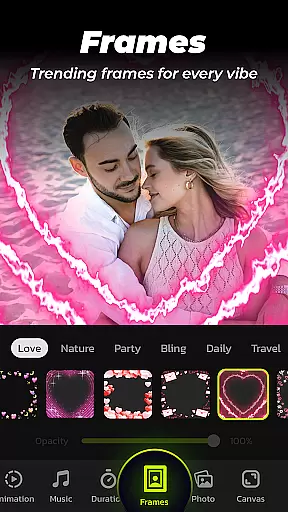
In addition to transitions, the app provides a rich library of categorized frames and online music tracks spanning multiple genres such as Pop, Bollywood, and Love. Users also have the option to upload personal music files or select recommended tracks like birthday songs or Christmas carols, adding a personalized touch to their projects.
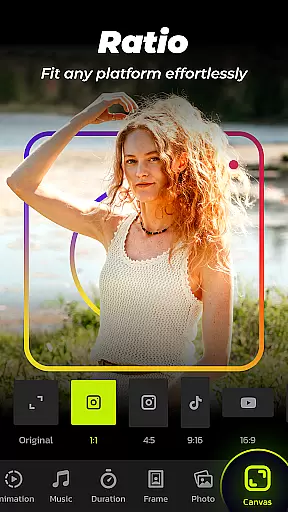
Customization is at the heart of InSlide's functionality. Users can adjust transition durations between 0.5 to 8 seconds, ensuring smooth flow throughout their slideshow. Moreover, the ability to change video aspect ratios makes it compatible with popular platforms like YouTube, TikTok, and Instagram, allowing effortless sharing of precious memories.
Video format compatibility is a crucial feature for any video editing tool, ensuring that users can work with a wide range of file types. Photo Video Maker with Music - InSlide supports multiple formats, allowing creators to import and export videos without worrying about compatibility issues.
The app provides five resolution options, ranging from 480P to 2K, giving users the flexibility to choose the best quality for their needs. Whether it's for easy sharing on social media or for high-quality presentations, InSlide ensures your videos maintain their integrity across different platforms.
In addition to supporting various resolutions, the app also allows users to adjust the video aspect ratio. This means you can optimize your creations for platforms like YouTube, TikTok, or Instagram, where specific dimensions are preferred. Such versatility makes it easier to share content seamlessly.
With these robust video format compatibilities, users can focus on unleashing their creativity rather than being limited by technical constraints. The ability to customize both resolution and aspect ratio ensures that every project will look its best when shared with others.
AI-powered editing features have revolutionized how we create and edit videos, making sophisticated tools accessible even to beginners. Photo Video Maker with Music - InSlide incorporates AI technology to simplify complex processes such as adding transitions and animations, which enhances the overall visual appeal of your projects.
One standout feature is the one-click transition effect, which eliminates the need for manual selection. This saves time and effort while still delivering professional-looking results. Additionally, InSlide offers an extensive library of categorized frames and themes, enabling users to personalize their slideshows effortlessly.
The app also leverages AI in its music integration capabilities. Users can choose from a diverse selection of online music styles or upload their tracks. The AI recommends suitable songs based on the slideshowu2019s theme, enhancing emotional impact without requiring musical expertise.
By combining powerful AI-driven functionalities with user-friendly interfaces, Photo Video Maker empowers users to produce stunning videos efficiently. These intelligent features not only streamline workflows but also elevate the quality of amateur productions to near-professional standards.
User-friendly interface
Extensive transition effects
Versatile music library
High-resolution export options
Regular content updates
Limited advanced editing tools
Occasional ads in free version
Watermark on basic plan
Subscription required for full features
Learning curve for beginners

You can play SWF format file!
 2.50
2.50
Save photos and videos from social apps in one tap.
3.60
A Quick and Pro Video Editor
4.70
Search & download videos from net with all video downloader, auto-detect & safe.
4.60
Powerful HD video player with support for all formats & subtitles.
4.1
GENRAL PRO - General Pro is the best video player that fully supports all formats.
4.70
AI Video Editor:AI Music, Text to Video,Text to Speech,Auto Caption,Video Effect
4.00
Cast to Smart TV, Fire TV. Cast video, photo - Fast & Stable!
3.90
#1 Torrent App on Android ** No Ads Ever + Battery Saver **
4.80
Play ALL formats in 4K & HD. Video downloader, MP3 player, Chromecast & more.
4.80
Screen recorder with audio to take live videos & Screenshot in high quality!
4.70
Auto video maker with music & exclusive filters. Video editing made simple.
4.50
KMPlayer Plus (Divx Codec) officially support Divx codec.
4.30
Video Downloader is an utility that can save videos and music from web sites
4.20
Turn your phone into a wireless camera!
4.20
All format media Player, no need video converter any more!
4.00
Livestream, news, & gaming content. Watch, chat, and upload. Join Rumble today!
3.80
AirMirror is Receiver for Screen Mirroring and Casting from Apple Devices.
3.60
All in one multi protocols stream receiver for AirPlay, Cast and DLNA.
3.60


User Reviews