
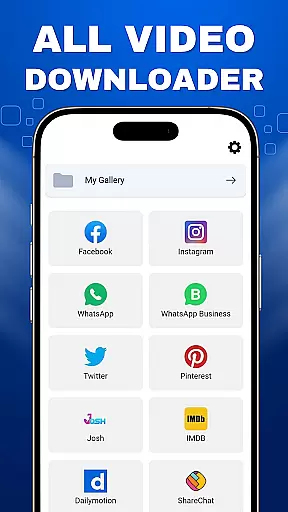
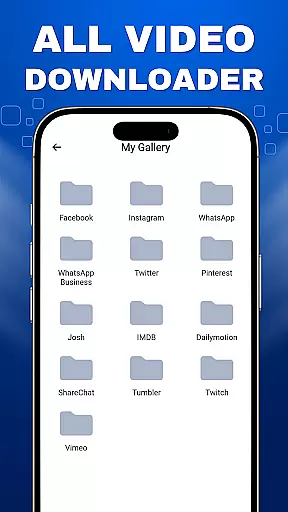
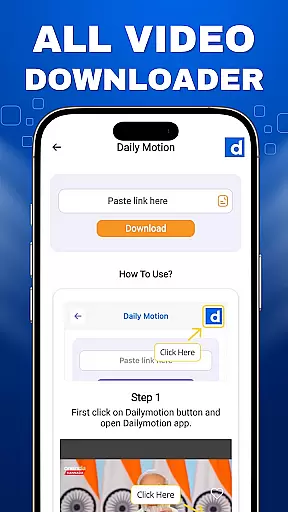
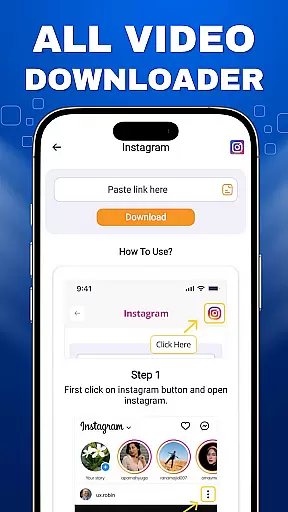
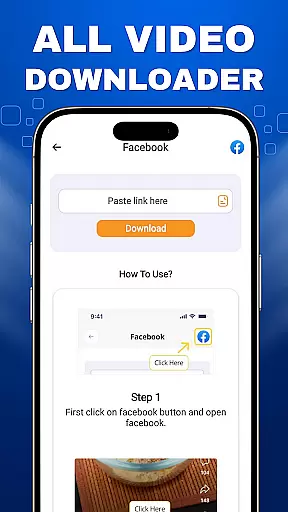

VidoXer - All Video Downloader is a versatile tool designed for users who want to download and save videos from various platforms easily. This app unlocks the full potential of a powerful HD video downloader, allowing you to store videos in high-quality formats such as HD, UHD, 4K, and 1080P. With its built-in image viewer and video player, VidoXer ensures that you can enjoy your downloaded content seamlessly.
One of the standout features of VidoXer is its ability to download videos, reels, and statuses from popular social media platforms. Whether you come across an engaging video on your feed or wish to save a reel for offline viewing, this app provides a perfect solution. It supports all video formats, making it easy to download and manage multiple videos simultaneously.
The app is ideal for users who frequently interact with video content on social media and need a reliable way to save their favorite clips. By respecting copyright laws and focusing on publicly available content, VidoXer offers a secure and ethical way to enhance your video-watching experience.
VidoXer - All Video Downloader boasts a range of features that make it a top choice for downloading videos. One of its key capabilities is the ability to download videos from various social media platforms. This feature allows users to save videos they find interesting directly to their devices, ensuring they can watch them anytime without needing an internet connection.
In addition to downloading videos, VidoXer supports multiple simultaneous downloads, which significantly speeds up the process when handling several files at once. The built-in video player and image viewer are other notable features, providing users with a convenient way to play back their downloaded content in high-quality formats like HD, UHD, 4K, and 1080P.
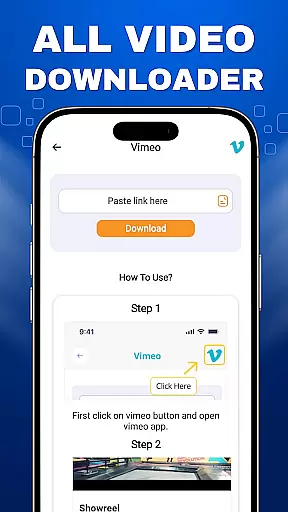
Another advantage of VidoXer is its user-friendly interface, which simplifies the process of downloading and managing videos. The app also emphasizes ethical usage by reminding users to respect copyright laws and only download publicly available content. This focus on legality and ease of use makes VidoXer a reliable tool for enhancing your video library.
Video format compatibility is a crucial feature for any video player and editor, ensuring that users can enjoy a wide range of video content without worrying about format support. VidoXer - All Video Downloader excels in this area by supporting all video formats, allowing users to download and play videos in HD, UHD, 4K, and 1080P quality effortlessly.
The app's comprehensive format support means that whether you're downloading videos from social media platforms or saving video statuses and reels, you won't encounter frustrating format issues. This ensures a seamless experience when using the built-in video player to watch downloaded content.
For users, this extensive compatibility translates into convenience and flexibility. You can download videos from various sources and be confident that they will play smoothly on your device. The peace of mind that comes with knowing any video you download will be compatible enhances the overall user experience.
Moreover, VidoXer's commitment to supporting multiple simultaneous downloads adds another layer of efficiency. Regardless of the format, you can queue up several videos at once, making it easier to gather content for offline viewing. This combination of broad format support and efficient downloading makes VidoXer an invaluable tool for anyone looking to manage their video library effectively.
AI-powered editing features represent the cutting edge of video player and editor technology, offering users advanced tools to enhance their video content automatically. While VidoXer - All Video Downloader focuses primarily on downloading capabilities, its integration of AI elements streamlines the process of managing and enjoying video content.
Although specific AI-powered editing features aren't explicitly detailed in the app description, the built-in video player and image viewer likely incorporate intelligent algorithms to optimize playback quality. These features might include automatic format conversion, resolution adjustment, or even smart categorization of downloaded videos.
For users, these intelligent features mean less time spent manually adjusting settings and more time enjoying high-quality video content. The app's ability to handle multiple video downloads simultaneously could also leverage AI to prioritize and organize download queues efficiently.
Looking ahead, incorporating more explicit AI-powered editing tools could further enhance VidoXer's value proposition. Features such as automatic video enhancement, smart trimming, or content-aware editing could elevate the app from a powerful downloader to a comprehensive video management solution. This evolution would align perfectly with modern users' expectations for intelligent, intuitive digital tools.
User-friendly interface
Supports multiple formats
High-quality downloads
Built-in video player
Simultaneous downloads
No social media stories
Limited to public videos
Requires internet
Ads may appear
Permissions needed

Fast, private downloading, video saving, social media
 4.50
4.50
Powerful, professional, versatile teleprompter. Developed by an active film crew
4.00
IPTV-Smarters Player Pro M3U - Watch Live Stream TV Channels with Chromecast
4.00
Tik & Story Saver-Download ALL social media videos, photos & reels no watermark.
4.80
#1 Torrent App on Android ** No Ads Ever + Battery Saver **
4.80
Cast movies, tv shows and live streams to Chromecast, Roku, DLNA, Fire TV & more
4.60
Fast & Private HD Video Downloader with Built-in Proxy Browser and Video Player.
4.50
Download Hub, easy and private way to download and enjoy your videos offline
4.80
Manage your YouTube channel on the go
4.40
Play ALL formats in 4K & HD. Video downloader, MP3 player, Chromecast & more.
4.80
An easy-to-use and all-round screen recorder with audio
4.80
Video Player - Unlimited features, 30 days money back guarantee.
4.60
HD video maker with no watermark, no ads & vlog maker with music, PIP, text
4.50
KMPlayer Plus (Divx Codec) officially support Divx codec.
4.30
Movie maker & video editing app with AI effects and green screen
4.30
Video player with 4K & 1080P support, popup play, background play and subtitle.
4.20
Fast private browser with secure, seamless access & supported video downloads!
4.00
Connect 2 UVC devices for recording and broadcast video/audio stream
3.90
Connect EasyCap or UVC devices for recording and broadcast video/audio stream
3.60


User Reviews