

Alight Motion is a pioneering motion design app that brings professional-quality animation and video editing tools to your mobile device. With features like multi-layer support for graphics, video, and audio, it enables users to create sophisticated visual effects and motion graphics on the go.
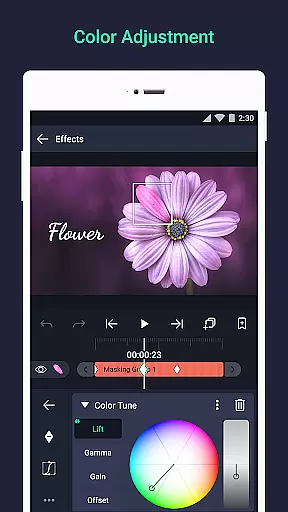
The app supports both vector and bitmap editing, keyframe animation, and advanced color adjustments. Whether you're designing animations or compositing videos, Alight Motion provides all the necessary tools to produce high-quality content directly from your phone.
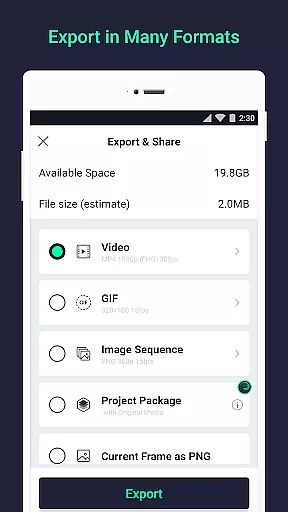
Ideal for content creators and designers, this app allows you to export projects in various formats including MP4, GIF, and PNG sequences. Its versatility makes it suitable for creating everything from social media content to professional presentations.
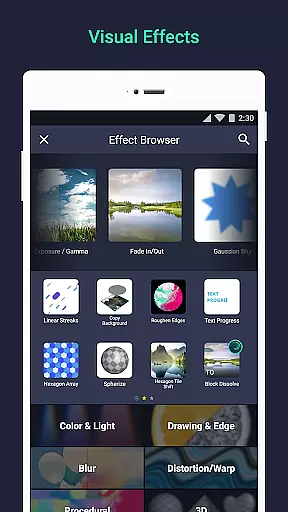
Alight Motion stands out with its comprehensive set of features tailored for motion design enthusiasts. The app offers over 160 effect building blocks, enabling users to craft complex visual effects by combining different elements.
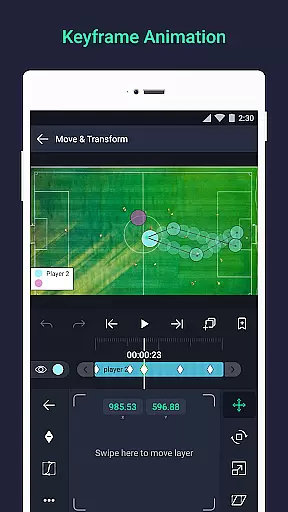
One of the key highlights is the ability to animate using keyframes, link layers, and rig character joints. Additionally, users can take advantage of camera tools that support focus blur and fog, as well as group layers and create masks for detailed compositions.
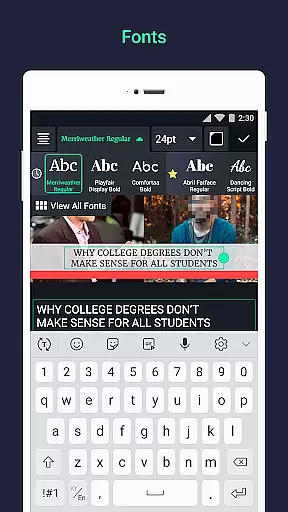
Other notable features include custom font support for text, velocity-based motion blur for smooth animations, and options to save favorite elements for future use. These functionalities ensure a seamless creative process while maintaining professional output quality.
Video format compatibility is a crucial feature for any video editing application, ensuring that users can work with a wide range of file types. Alight Motion supports multiple formats including MP4 video, GIF animation, and PNG sequences, making it versatile for various projects.
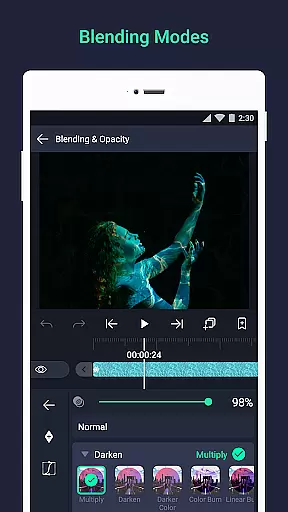
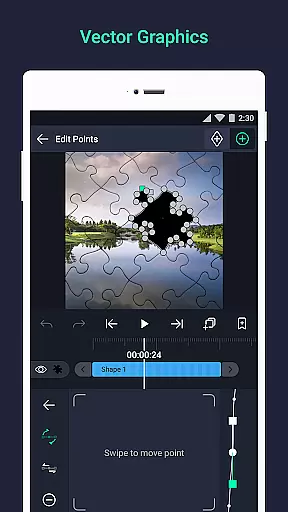
The app's ability to handle both vector and bitmap graphics adds another layer of flexibility. This means users can import and edit different types of visual content without worrying about format restrictions. The inclusion of solid color and gradient fill effects further enhances the creative possibilities.
By offering export options in commonly used formats, Alight Motion ensures that your final creations are easily shareable and compatible with other platforms. Whether you're creating animations or motion graphics, having robust format support streamlines the workflow and expands the potential audience for your work.
Overall, Alight Motion's comprehensive format compatibility empowers creators to focus on their artistic vision without being limited by technical constraints. This makes it an invaluable tool for professionals and hobbyists alike who require reliable performance across diverse multimedia projects.
AI-powered editing features represent the cutting edge of video editing technology, enabling users to achieve professional results with minimal effort. Alight Motion incorporates several AI-driven tools that simplify complex tasks such as keyframe animation and easing adjustments.
One standout feature is the velocity-based motion blur, which automatically smooths out animations for a more natural look. Additionally, the app offers sophisticated visual effects through 160+ basic effect building blocks that can be combined creatively. These elements allow users to produce high-quality visuals without needing extensive technical expertise.
Alight Motion also includes advanced functionalities like linking parent and child layers, rigging character joints, and using cameras with pan, zoom, and focus blur capabilities. Such features leverage AI to provide intuitive controls that enhance productivity while maintaining creative freedom.
Ultimately, these AI-powered tools make Alight Motion a powerful ally for anyone looking to create stunning motion designs efficiently. By automating tedious processes and offering intelligent assistance, the app helps users bring their ideas to life with precision and flair.
User-friendly interface
Extensive effect library
Professional-grade tools
Multi-format export options
Regular feature updates
Subscription fees apply
High system requirements
Occasional performance issues
Limited free version
Steep learning curve

Your media, on your terms.
 4.10
4.10
Video Downloader is an utility that can save videos and music from web sites
4.20
HD video maker with no watermark, no ads & vlog maker with music, PIP, text
4.50
Powerful HD video player with support for all formats & subtitles.
4.0
Pro video editor app for Instagram, edit video with song, AI, effect & slowmo.
4.80
Seamlessly connect and control your smart devices, anytime, anywhere with ease.
4.60
Movie maker & video editing app with AI effects and green screen
4.30
Video Downloader, Multiple Resolution Options, Video Player
4.50
Connect EasyCap or UVC devices for recording and broadcast video/audio stream
3.60
Video Trimmer, Video to MP3 Converter. Extract music from video, Easy & Fast.
4.80
A Quick and Pro Video Editor
4.70
All in one HD video downloader & player for multiple formats with full privacy
4.70
IPTV Loader, loads your own Playlist. DOES NOT CONTAIN ANY LIST OR CHANNELS
4.60
Add date and time watermark to photos and videos
4.50
Web Browser for LG TV to stream webvideos, online movies and livestreams in HD
4.20
Powerful video player with advanced hardware acceleration and subtitle supports
4.20
Manage your IPTV live channels and VOD playlists (no playlist included)
3.80
All in one multi protocols stream receiver for AirPlay, Cast and DLNA.
3.60
A full editing room to accompany your Insta360 cameras and handheld gimbals.
3.30


User Reviews