
Ringtone Maker Pro is a versatile audio editing tool designed for creating personalized ringtones, alarms, and notifications. This app supports multiple audio formats including MP3, WAV, AAC/MP4, and 3GPP/AMR files, allowing users to customize their audio clips with precision.
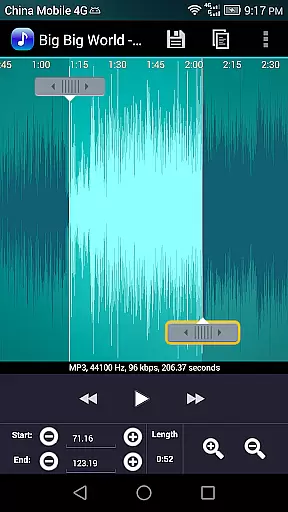
The application offers an intuitive timeline interface where users can set start and end points either by sliding arrows, pressing designated buttons, or manually entering timestamps. With additional features like fade in/out effects, volume adjustment, and waveform visualization at five zoom levels, Ringtone Maker Pro provides a comprehensive suite of tools for both casual users and audio enthusiasts.
Whether you're looking to create unique ringtones for personal use or assign specific tones to contacts, this app streamlines the process while delivering professional-quality results. Its ability to save files directly to your device's storage ensures easy access and management of your creations.
Ringtone Maker Pro stands out with its robust feature set tailored for detailed audio editing. The app allows users to perform essential editing functions such as copy, cut, and paste operations on audio files. For MP3 files specifically, users can apply fade in/out effects and adjust volume levels to achieve desired audio characteristics.
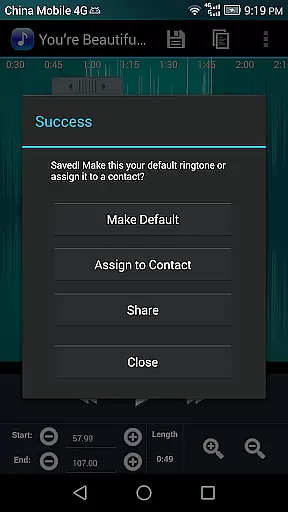
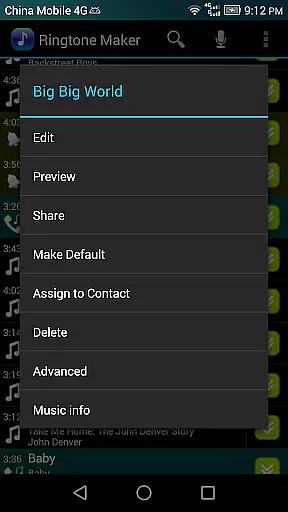
A standout feature is the scrollable waveform representation that provides a visual guide at five different zoom levels. This enables precise selection of clip portions within an audio file using an optional touch interface. Users can preview their edited ringtones before saving them and even assign these custom sounds directly to specific contacts from within the app.
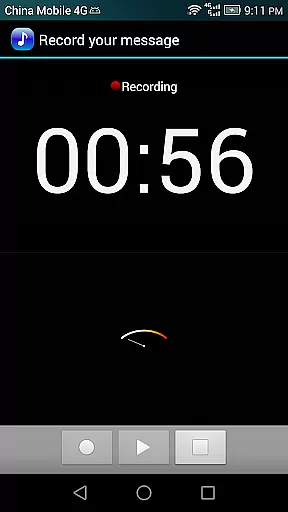
Additional functionalities include recording new audio clips for editing, sorting audio files by tracks, albums, or artists, and managing contact ringtones efficiently. The app also requires certain permissions like READ_CONTACTS and WRITE_EXTERNAL_STORAGE to facilitate assigning ringtones to contacts and saving files to external storage respectively.
Ringtone Maker Pro offers a comprehensive music library that allows users to create ringtones, alarms, and notifications from a variety of audio file formats including MP3, WAV, AAC/MP4, and 3GPP/AMR. This extensive compatibility ensures that users can work with their existing music files without the need for conversion.
The app's dedication to copyright authenticity is evident in its transparent handling of audio files. Users can be confident that the ringtones they create are derived from their personal, legally-owned music collection. The app does not provide or distribute copyrighted material, maintaining ethical standards while offering creative freedom.
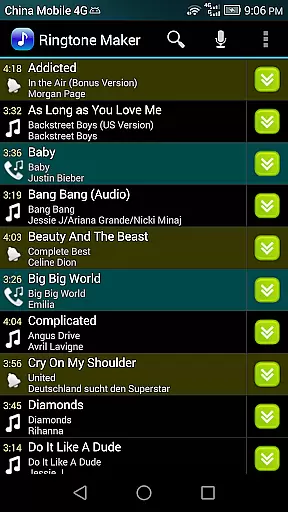
With Ringtone Maker Pro, users have the ability to manage their audio files with ease. The app supports sorting by tracks, albums, and artists, making it simple to navigate large music libraries. This organizational feature enhances the user experience by streamlining the search for that perfect song to customize.
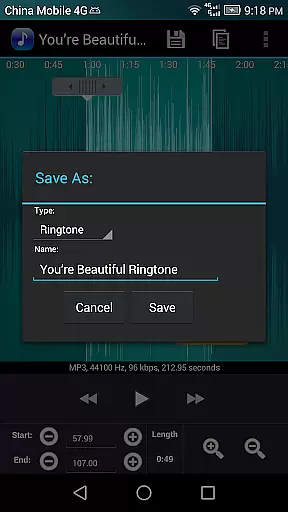
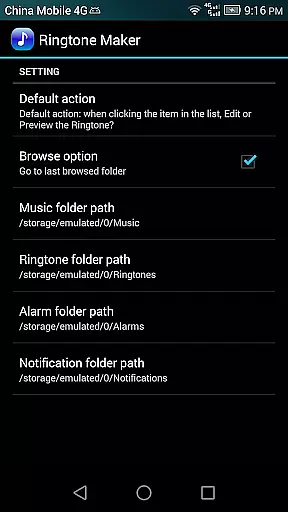
Furthermore, the app provides clear guidance on where ringtones are saved on the device, ensuring users can easily locate and manage their creations. Whether it's for personal use or assigning to contacts, Ringtone Maker Pro delivers a seamless experience that respects both user autonomy and copyright law.
Ringtone Maker Pro stands out with its advanced audio quality options, allowing users to adjust volume and apply fade-in/out effects specifically for MP3 files. These features ensure that the outputted ringtones maintain high audio fidelity, providing a professional touch to personal audio customization.
The app includes a waveform representation of audio files at five zoom levels, giving users visual precision when setting start and end points for clips. This level of detail enables meticulous editing, which is crucial for achieving desired audio quality in the final ringtone product.
Preview functionality is another highlight, letting users test their creations before saving. An indicator cursor and auto-scrolling waveform during playback help fine-tune selections, ensuring the extracted clip meets exact expectations regarding sound clarity and timing.
Moreover, Ringtone Maker Pro supports recording new audio clips directly within the app, expanding creative possibilities while maintaining control over audio quality. With these robust tools, users can produce unique, high-quality ringtones that reflect their personal style and preferences.
User-friendly interface
Multiple audio format support
Precise editing tools
Visual waveform representation
Direct contact assignment
Requires several permissions
No cloud backup option
Limited advanced effects
Interface may feel dated
Occasional stability issues

A synth that really lets you shape your sounds!
 4.50
4.50
Ultimate Sonos Controller
4.70
Learn to play the piano using falling notes!
3.80
Learn the notes on the guitar fretboard fast with this easy and fun app
4.60
Reverse your voice & songs instantly! Fun singing challenge with cool effects.
4.60
Travel To The Music Universe
3.40
One-tap booster for max volume - enjoy powerful sound with this audio booster
4.50
Listen to offline music and sounds from all categories
4.70
Play your music offline without limits
4.80
Voice recorder - Audio recorder. Best recorder for recording
4.90
Responsive piano with great sounds, graphics, and songs
4.80
Listen to live FM radio stations, sports, music and news on global radios online
4.70
The best music and audio player, with beautiful UI, music search and equalizer.
4.60
AI Music Maker: Generate And Compose AI Tunes & AI Songs & AI Music & AI Melody!
4.60
Save hundreds of dollars for a physical strobe tuner and instead use this app.
4.50
DJ Music Mixer - DJ Remix: remix songs, make beat music & record mix of DJ.
4.40
Next generation modular control surface
4.10
Versatile MP3 recorder with auto-backup to Dropbox and Google Drive
4.10
The iconic iOS metronome app is now on Android.
3.70


User Reviews