
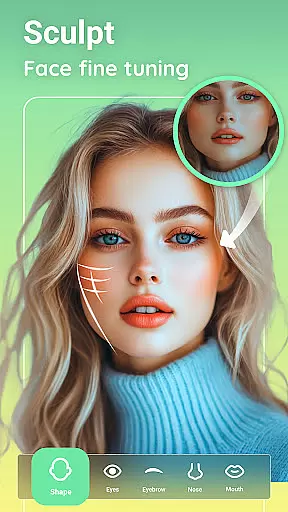
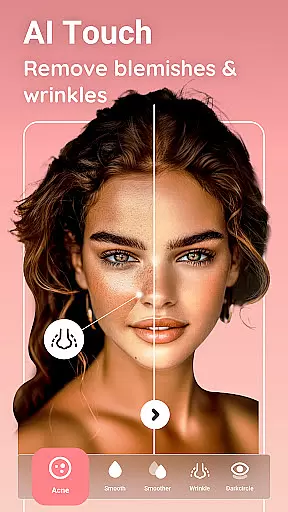


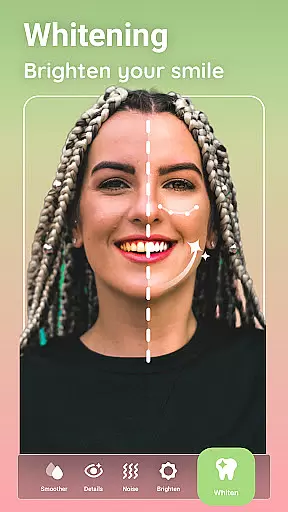
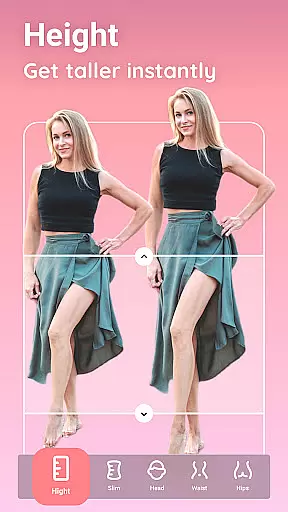
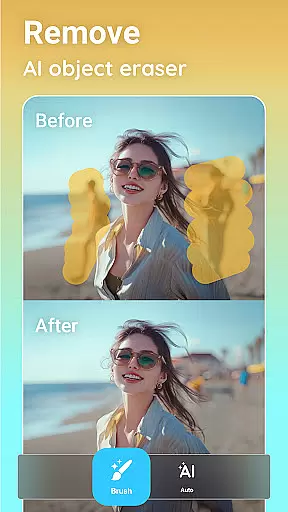
Peachy is a powerful photo editing app that specializes in body and face retouching. With professional-grade tools, it allows users to reshape bodies, smooth skin, erase blemishes, and add a radiant glow with just one tap. The app offers AI-powered features like muscle enhancement, body reshaping, and skin retouching, making it an ideal choice for users who want to perfect their selfies and portraits.
Designed for social media enthusiasts, Peachy ensures your edited photos are free from watermarks, ready to be shared on platforms like Instagram, TikTok, and Facebook. Whether you're looking to enhance your natural features or experiment with virtual makeup and hairstyles, Peachy provides all the essential tools to create flawless masterpieces.
Peachy stands out with its comprehensive suite of AI-powered editing tools. The AI Muscle feature intelligently enhances muscle definition based on gender, while AI Body Edit allows natural reshaping and slimming of any body area. Users can also benefit from AI Face Retouch, which smooths skin, removes blemishes, and brightens eyes instantly.
In addition to body and face editing, Peachy offers advanced photo enhancement options. These include image quality boosts, portrait enhancements, color corrections, and night view improvements. The app also includes contouring tools for body reshaping, skin retouching features for smoothing and whitening, and virtual makeup options for applying realistic cosmetics.
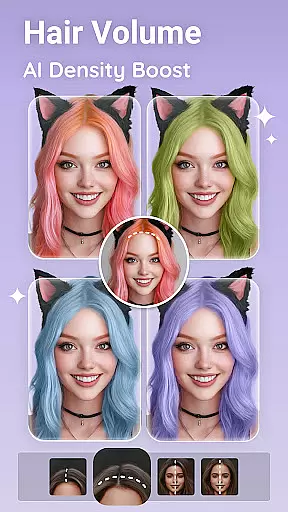
With dedicated hairstyling and eye enhancement tools, Peachy covers every aspect of photo editing. From hair volume boosting to dark circle removal, the app ensures every detail is perfected, offering users complete creative control over their images.
Real-time capture and preview functionality is essential for any photography app as it allows users to see exactly what the camera is capturing before taking a shot. Peachy excels in this area by providing a seamless experience where users can adjust settings like brightness, contrast, and warmth on-the-fly.
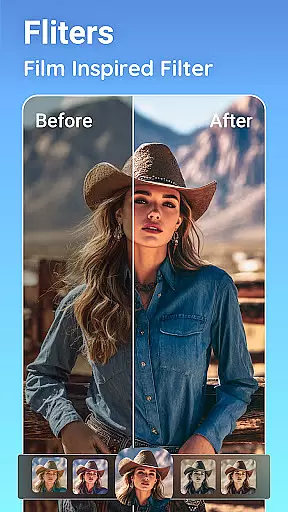
The app ensures that every detail is captured with precision through its advanced AI-powered features. Users can instantly apply filters and presets optimized for their selfies or other photos, ensuring they get the desired look without delay.
With real-time previews, users benefit from immediate feedback on their adjustments, allowing them to fine-tune compositions and lighting conditions until they achieve perfection. This feature not only saves time but also enhances creativity by enabling quick experimentation with different effects.
AI beauty and enhancement naturalness is a critical aspect of modern photo editing applications. Peachy leverages sophisticated AI algorithms to ensure that all enhancements, whether skin smoothing or body reshaping, appear natural and realistic.
The app's AI tools intelligently analyze facial and body features to apply enhancements that respect the original proportions and characteristics. For instance, the AI Muscle feature provides gender-aware muscle enhancement, defining areas such as abs, V-line, chest, and arms with remarkable subtlety.
Users appreciate the balance between achieving flawless results and maintaining authenticity. With Peachy, even extensive edits like contouring and virtual makeup look genuine, enhancing personal features rather than masking them. This approach builds trust and satisfaction among users who seek professional-quality edits without compromising on natural aesthetics.
AI-Powered Tools
Comprehensive Editing Suite
One-Tap Enhancements
Professional Results
User-Friendly Interface
May Overprocess Images
Steep Learning Curve
Subscription Required
Ads in Free Version
High System Requirements

Photo Album Watch Face shows your favorite pictures as a Watchface.
 1.90
1.90
Trendy TikTok time warp scan funny filter app brings you unique photos & videos.
4.40
How old age camera Gender Swap App Face Shape Hairstyle App Hair Styler App fun!
4.00
Natural Beauty, Selfie Retouch
4.30
Edit like a pro with Hypic. Apply filters, AI effects, & magic touch.
4.40
Superimpose one photo on top of another using the original Superimpose app!
3.20
A must-have app for landscape photographers
4.60
A light meter for true photographers.
4.20
Catch sunlight, sunrise sunset times and sun phases with the AR sun tracker.
4.10
AI Photo Editor with 100+ Filters, Effects! Remove BG, Retouch & Photo Enhancer.
4.80
Photo editor: AI filters, photo enhancer, pic collage maker, AI art generator.
4.80
1M influencer's special filter
4.60
Viewfinder, Light meter, Reciprocity failure time, DOF & Bellows Extension
4.60
Movie camera, supports pro recording settings for filming. Try it and be amazed!
4.50
AI photo enhancer with Sora 2! Enhance, descratch, and colorize your old photos.
4.50
Create & Edit with AI: AI Remove, Enhance, Retouch, Filter
4.10
Application for remote controlling DSLR
3.00
Long exposure camera with computational photography
2.60
Raw Image Viewer. Gallery with support of raw images (.cr3, .cr2, .nef, .raf).
2.00


User Reviews