
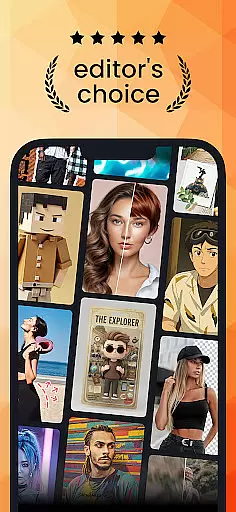
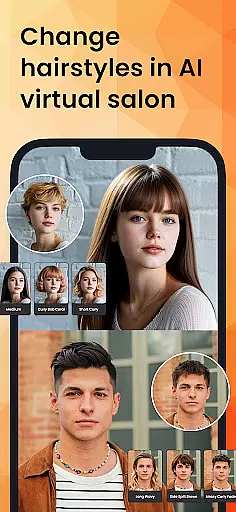
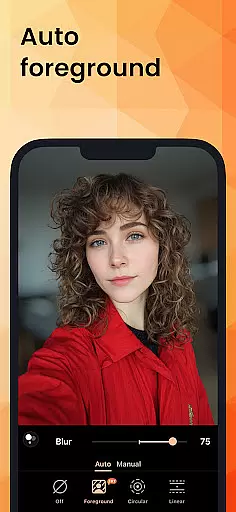
PhotoDirector is an intuitive AI-powered photo editor that empowers users to create and enhance stunning images effortlessly. With hundreds of styles, effects, templates, and tools at your disposal, this app transforms photography into an art form. Whether you're a beginner or a professional, PhotoDirector offers groundbreaking features like AI Removal, AI Expand, and AI Hairstyle, making it the best photo enhancer for unleashing creativity.
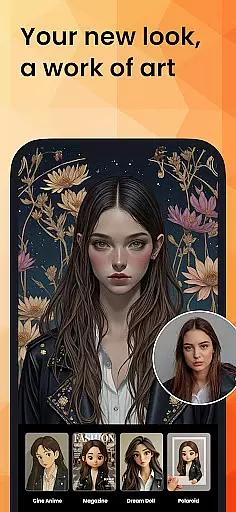
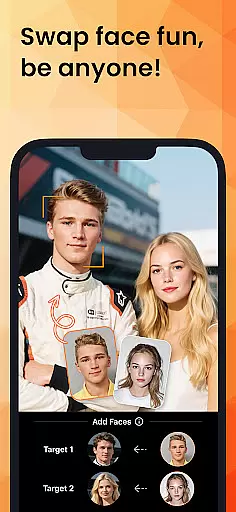
The app's standout capabilities include Image to Video, AI Art, AI Face Swap, and AI Outfit, enabling users to explore endless possibilities in image editing. From turning photos into cartoonized artwork to experimenting with virtual hairstyles, PhotoDirector ensures every user can bring their imagination to life. Available on mobile platforms, it provides a seamless experience for enhancing photos and showcasing artistic flair.
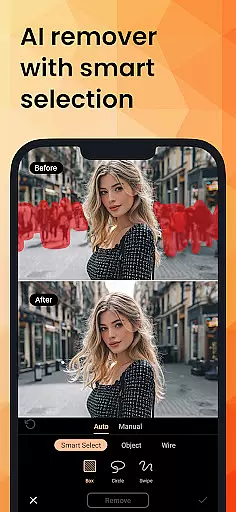
PhotoDirector boasts powerful AI features designed to simplify complex editing tasks. The AI Removal tool allows users to erase unwanted objects or wires with auto-detection, while AI Replace enables instant changes to image elements. Additionally, AI Expand helps adjust aspect ratios by turning close-ups into wide shots effortlessly.
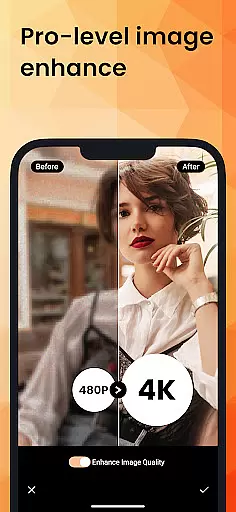
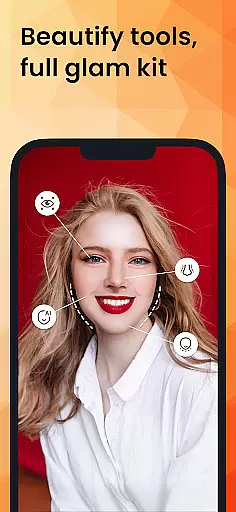
For creative enhancements, the app includes AI Background, which replaces plain backgrounds with visually appealing options like blue skies or textured fabrics. The AI Enhance feature repairs low-resolution images, eliminating blur and delivering crisp results. With Quick Actions, Collage creation, Body Reshape, Makeup tools, and thousands of stickers and effects, PhotoDirector ensures comprehensive yet straightforward editing for all skill levels.
Real-time capture and preview functionality is essential for any photography app, allowing users to see exactly what their photo will look like before taking the shot. PhotoDirector excels in this area by providing an intuitive AI-powered interface that enhances the capturing process.
The app leverages advanced AI features such as AI Art and Image to Video, which let users experiment with different styles and effects on the fly. This real-time transformation capability ensures that users can visualize creative outcomes instantly, making the editing process more interactive and engaging.
With tools like AI Removal and AI Expand, PhotoDirector offers powerful options to adjust images during the preview stage. Users can effortlessly erase unwanted objects or expand their photos' aspect ratios, ensuring every captured moment meets their artistic vision without post-processing delays.
This seamless integration of AI-driven enhancements into the capture workflow not only saves time but also significantly boosts user creativity. By delivering a responsive and feature-rich real-time preview experience, PhotoDirector empowers photographers to produce stunning images directly from the initial click.
AI beauty and enhancement features are crucial for refining images while maintaining natural aesthetics. PhotoDirector stands out by offering sophisticated AI tools that enhance portraits authentically, preserving the subject's original charm.
One notable feature is AI Hairstyle, which allows users to explore various hairstyles virtually. This tool provides realistic previews of different looks, helping users make informed decisions about their appearance without compromising naturalness.
In addition to hairstyling, PhotoDirector includes AI Face Swap and AI Outfit functionalities. These features enable users to experiment with new identities and fashion styles, all rendered with impressive realism. The app ensures these modifications blend seamlessly with the original image, enhancing its appeal without appearing artificial.
By focusing on delivering enhancements that feel genuine, PhotoDirector caters to users who value authenticity in their edits. Whether itu2019s subtle touch-ups or dramatic transformations, the app's commitment to natural-looking results makes it a top choice for discerning photographers seeking professional-grade outcomes.
User-friendly interface
Advanced AI tools
Versatile editing options
High-quality output
Regular updates
Premium subscription required
Some features are complex
Occasional bugs
Limited free content
Heavy on storage

A collection of tools and reference tables for DPs, ACs, DITs and Operators.
 4.70
4.70
Find time and duration of different sunlight phases at any location
4.90
Photobooth mini FULL app will allow you to add more fun to your parties
4.00
HD Camera Pro with HD Video shooting, Panorama, Photo editor , Beauty Camera.
4.50
A must-have app for landscape photographers
4.60
Amazing Photo Effects - The most fun you can have with your photos!
4.70
Movie camera, supports pro recording settings for filming. Try it and be amazed!
4.50
Pro version: AR sun/moon tracker for any date. Tool for photographers & planners
4.90
Catch sunlight, sunrise sunset times and sun phases with the AR sun tracker.
4.10
Easily view, share, delete photos with Gallery.
4.70
Photo Exif Editor allows to view, add and modify EXIF data of multiple photos
4.50
Smart, light, and fast photo and video gallery
4.30
What celebrity do you look like? Celebs will find your celebrity match!
4.10
Transform Photos: Edit, Beautify and Craft Memories & Make Collages!
4.10
Photo editor: face & body editor, beauty cam, filters and quality enhancer.
4.00
Pet Camera
3.70
Create amazing frames with up to five photos. Rounded corners, effects and more!
3.60
Long exposure camera with computational photography
2.60
Remote control the phone camera shutter from your smartwatch and take a picture
1.60


User Reviews