
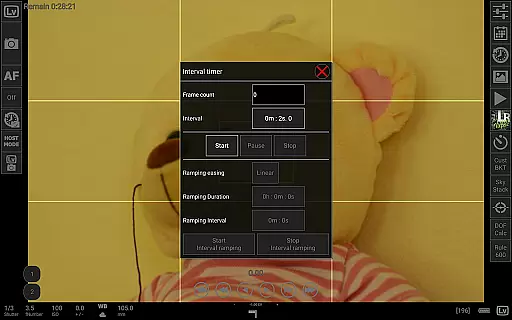
qDslrDashboard is a powerful photography application designed for DSLR camera enthusiasts who want to control their Nikon, Canon, or Sony cameras remotely. The app allows users to connect their cameras via USB OTG adapters or wireless routers, providing full control over camera settings and functionalities directly from an Android device.
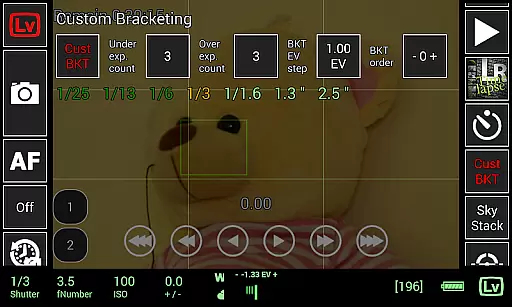
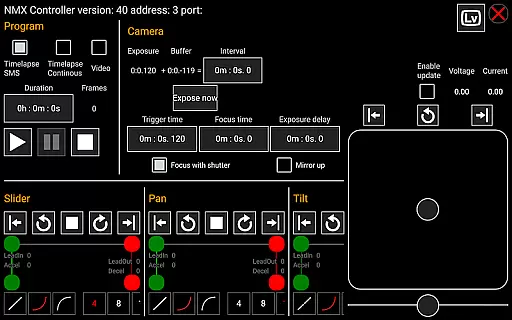
With features like remote capture, synchronized shooting, live view with focus adjustments, and advanced time-lapse options, qDslrDashboard caters to both amateur photographers and professionals. It also supports RAW image previews, movie recording initiation, custom bracketing, and even integration with motion controllers like Dynamic Perception NMX. This makes it ideal for creative projects such as astrophotography or studio work where precision is key.
The app's ability to browse, transfer, and preview images on the go adds significant value by streamlining workflows. Whether you're capturing landscapes using the Rule600 calculator or creating complex timelapses with LRTimelapse support, qDslrDashboard ensures your equipment works seamlessly together while maximizing productivity.
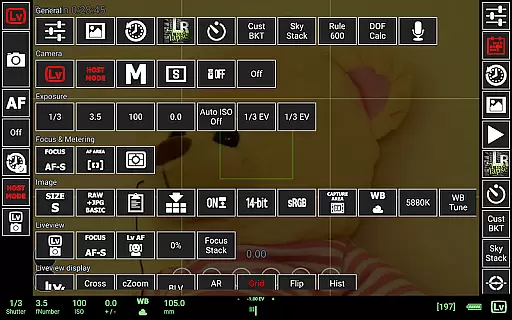
qDslrDashboard offers a comprehensive suite of tools tailored for professional-grade photography tasks. One standout feature is its multiple camera support, enabling simultaneous control of several DSLRs through either wired connections or portable wireless routers (like ddserver). Users can adjust camera properties in real-time, ensuring optimal exposure and composition without physically touching the camera.
Advanced functionalities include synchronized capture modes, live view with manual focus adjustments, and histogram analysis for precise lighting control. For specialized techniques, the app provides sound-initiated capture with spectral display, custom profiles for unique shooting scenarios, and compatibility with accessories like WU-1a/1b adapters and Bluetooth-enabled devices such as Arduino boards. These capabilities make it versatile enough for various genres including wildlife, portrait, and astro photography.
Additionally, qDslrDashboard excels in post-capture management. Photographers can easily browse, transfer, and preview images directly on their Android device, supporting both JPG and RAW formats. The inclusion of DoF calculators, Rule600 helpers, and sky stacking utilities further enhances planning and execution phases, making this app indispensable for modern digital photographers seeking efficiency and innovation.
Real-time capture and preview functionality is essential for photographers who need precise control over their shots. qDslrDashboard offers a comprehensive solution that allows users to connect their Nikon, Canon DSLR, or Sony mirrorless cameras via USB OTG adapters or wireless routers.
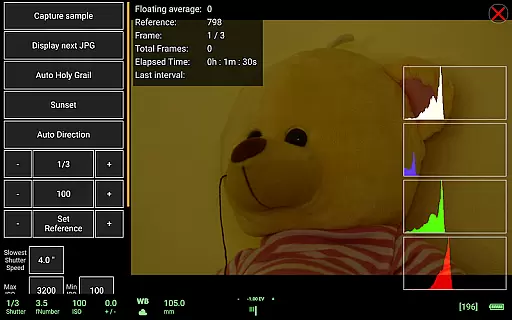
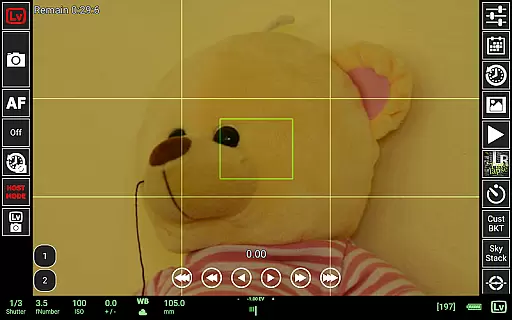
The application enables live view with histogram analysis, providing real-time feedback on exposure and composition. This feature ensures that photographers can make informed decisions before capturing each image, resulting in higher quality photographs.
Additionally, qDslrDashboard supports synchronized capture across multiple cameras, which is particularly useful for creating 3D images or capturing fast-moving subjects from different angles. The ability to remotely adjust camera settings and initiate captures enhances workflow efficiency.
With its advanced live view capabilities, including manual focus movement and movie recording initiation, qDslrDashboard empowers photographers to achieve their creative vision without limitations.
While qDslrDashboard does not focus on AI beauty enhancements typical in mobile photography apps, it excels in delivering natural and authentic image previews. The application's strength lies in its ability to provide accurate representations of what the camera sees, ensuring that the final image matches the photographer's intent.
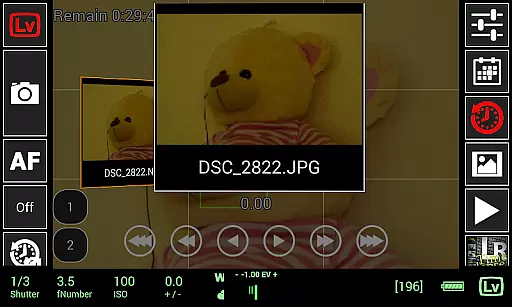
Users can browse and transfer images from their camera to an Android device, where they can preview both JPG and RAW formats. This feature allows photographers to assess image quality and make necessary adjustments without relying on post-processing enhancements.
The application also includes a depth-of-field calculator and rule-of-thirds grid overlay, which help in composing balanced and visually appealing shots. These tools contribute to the overall enhancement of image quality through thoughtful composition rather than artificial manipulation.
By focusing on genuine photographic techniques and offering precise control over camera functions, qDslrDashboard ensures that every captured moment retains its natural beauty and integrity.
User-friendly interface
Wide camera compatibility
Advanced time-lapse tools
Live view functionality
Wireless control options
Requires USB OTG adapter
Complex setup process
Limited free features
High learning curve
Device compatibility issues

Remote control of the phone camera from your Wear OS smartwatch
 3.70
3.70
Professional video recording application with manual controls for filmmakers!
2.80
Photo editor: AI filters, photo enhancer, pic collage maker, AI art generator.
4.80
Create Business Headshots, Polaroid Filter, Retake Photos,Profile Pics,AI Photos
4.50
Light-weight Media Gallery app for Android made with Jetpack Compose
4.60
Transform Photos: Edit, Beautify and Craft Memories & Make Collages!
4.10
Unblur, enhance & restore photos with powerful AI photo enhancer tools.
4.60
PhotoSync Bundle Add-On License. Enables all features and services in PhotoSync.
4.60
Edit photos with the picture generator: PS2 & AI Clay filters, cartoon effects.
4.50
Perfect body tune & face app - photo retouch, makeup, slim body & beautify face.
4.80
A collection of tools and reference tables for DPs, ACs, DITs and Operators.
4.70
Enhance, upscale, and transform your images — on your device, without limits
4.70
Safe & smart flight with Go Fly drone controller for 40+ drone camera, zone map
4.50
Search, tag and rate your way to an organized image gallery
4.40
[3DSteroid Pro] is a stereoscopic application for Android.
4.30
Smart, light, and fast photo and video gallery
4.30
Create AI Photos, Improve and restore quality of blurry, old or damaged pics.
4.20
Long exposure camera with computational photography
2.60
HD Photo gallery and photo manager to edit, hide private photos, videos & albums
4.5


User Reviews