
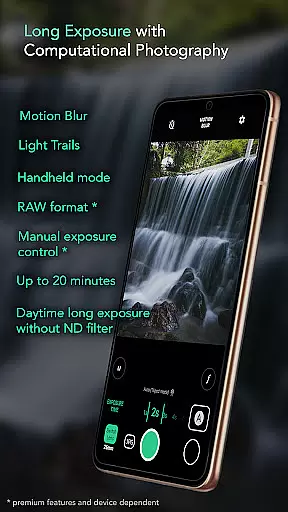
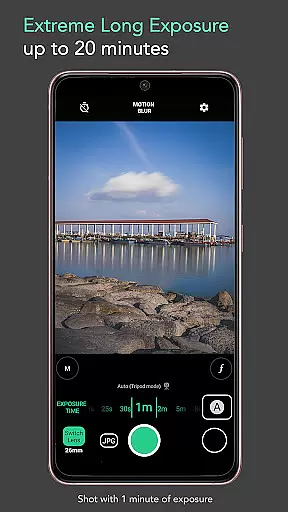
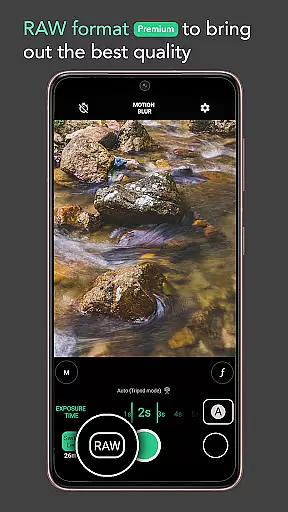
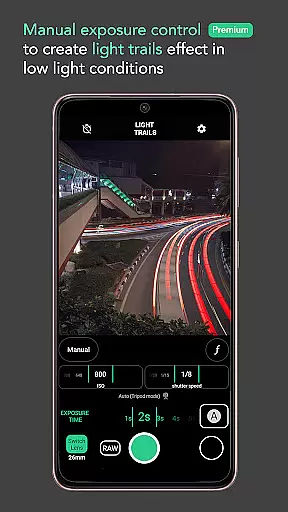
Motion ProCam is a specialized photography app designed to simplify long exposure photography. The app allows users to effortlessly capture stunning motion blur and light trails by combining multiple images into one final photo. With computational photography techniques, it eliminates the need for ND filters even during daytime shooting.
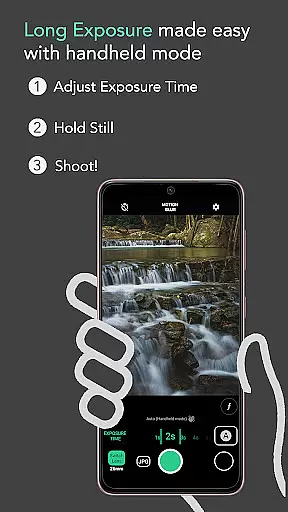
The app offers both automatic stabilization for handheld shots and advanced features like RAW format support and manual exposure control for enthusiasts. Whether capturing silky waterfalls, seascapes, or light trails, Motion ProCam ensures high-quality results with minimal effort.
Perfect for photographers of all levels, this app transforms complex long exposure techniques into an accessible tool, making it ideal for creative projects and professional use alike.
Motion ProCam stands out with its innovative approach to long exposure photography. It uses advanced computational techniques to combine hundreds of images, creating effects such as motion blur and light trails without requiring additional equipment like ND filters.
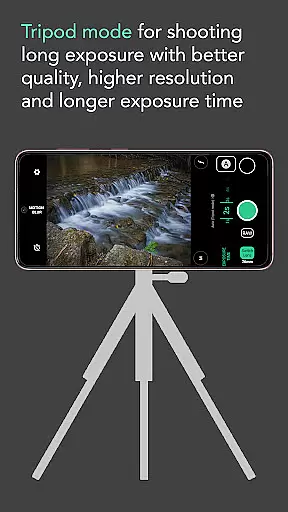
Key features include auto-stabilization for up to 5 seconds in handheld mode, customizable exposure times of up to 20 minutes, and premium options like RAW format and manual exposure control. These tools allow users to capture scenes like smooth waterfalls, moving clouds, and vibrant light trails with exceptional clarity.
With intuitive controls and versatile shooting modes, Motion ProCam caters to both casual users and photography enthusiasts who demand precision and quality in their long exposure work.
Real-time capture and preview functionality is essential for ensuring that users can accurately frame and adjust their shots before capturing the final image. In Long Exposure - Motion ProCam, this feature allows photographers to visualize the potential outcome of their long exposure photography.
The app provides an intuitive interface where users can see changes in exposure time and effects applied in real-time. This ensures that even complex computational photography techniques are accessible to users of all skill levels. By offering a live preview, it eliminates guesswork, allowing users to fine-tune settings such as motion blur or light trails with precision.
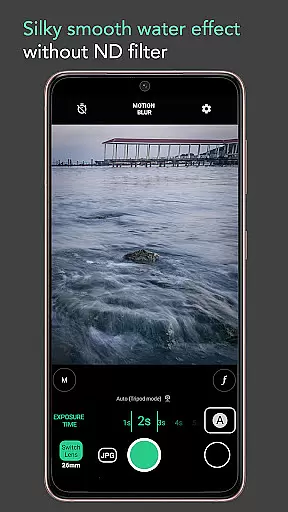
Photographers benefit from the ability to experiment with different settings without wasting time on trial and error. The real-time feedback loop enhances creativity, enabling users to achieve desired artistic effects like silky smooth water or creamy seas effortlessly. This interactive approach significantly improves user satisfaction and increases the likelihood of capturing stunning long exposure photos.
AI beauty and enhancement features have become increasingly popular in photography apps, aiming to improve image quality while maintaining a natural look. Long Exposure - Motion ProCam leverages advanced AI algorithms to enhance photos taken with long exposure techniques, ensuring they retain authenticity and charm.
This app uses computational photography to combine multiple images into one final photo, reducing noise and enhancing details without over-processing. Users can expect enhancements such as improved clarity in moving clouds or smoother textures in waterfalls, all processed naturally without appearing artificial. These enhancements help bring out the best in each photograph while preserving the original scene's integrity.
By focusing on natural enhancement rather than heavy editing, Long Exposure - Motion ProCam caters to both amateur and professional photographers who value genuine representation. The result is high-quality images that capture the essence of dynamic scenes, making every shot not just a photograph but a work of art. This balance between technology and nature sets the app apart in the realm of mobile photography.
Easy-to-use interface
Daytime long exposure
Auto stabilization
Premium RAW support
Versatile shooting modes
Premium features locked
Limited free options
High battery usage
Complex for beginners
Occasional glitches

Gallery show photo, video, slideshow, is perfect 3D effect private photo albums.
 4.80
4.80
Safe & smart flight with Go Fly drone controller for 40+ drone camera, zone map
4.50
Professional video recording application with manual controls for filmmakers!
2.80
Photo editor: AI filters, photo enhancer, pic collage maker, AI art generator.
4.80
Take videos and pictures with the popular TikTok TIME WARP SCAN filter.
4.60
Create AI photos & videos with Enhancer; restore, fix, beautify, enhance photos
4.50
Collage your moments in one tap: 1000+ layouts, filters, stickers, and texts.
4.90
Turn photos into cartoons & avatars! - Photo Editor, Cartoon Face!
3.90
Edit photos with the picture generator: PS2 & AI Clay filters, cartoon effects.
4.50
AI Photo Editor with 100+ Filters, Effects! Remove BG, Retouch & Photo Enhancer.
4.80
Viewfinder, Light meter, Reciprocity failure time, DOF & Bellows Extension
4.60
Add Watermark - Sign your pictures with a text or logo. Effective, quick, easy!
4.50
Effortlessly organize, view and share your photos & videos with Gallery app!
4.40
RAW video capture with advanced controls
4.40
[3DSteroid Pro] is a stereoscopic application for Android.
4.30
All-in-One Editor & AI Photo Enhancer, Collage, Cartoonify, Funny Stickers & BGS
4.10
Professional quality photo edits with the new Snapseed.
4.00
Gallery Slideshow is slideshow maker app for slideshow from your gallery photos.
3.90
Create amazing frames with up to five photos. Rounded corners, effects and more!
3.60


User Reviews