
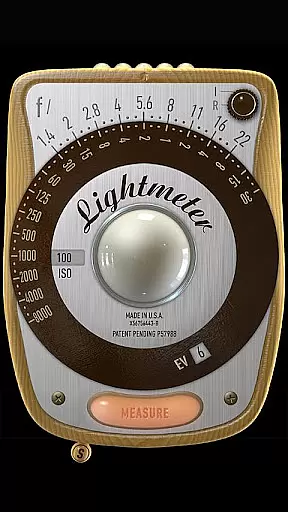
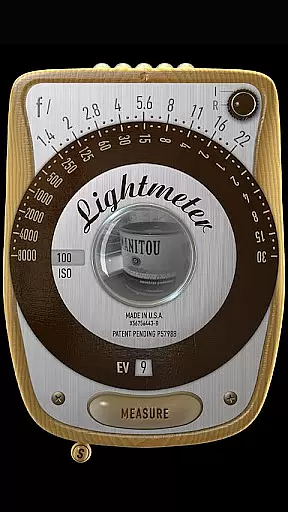
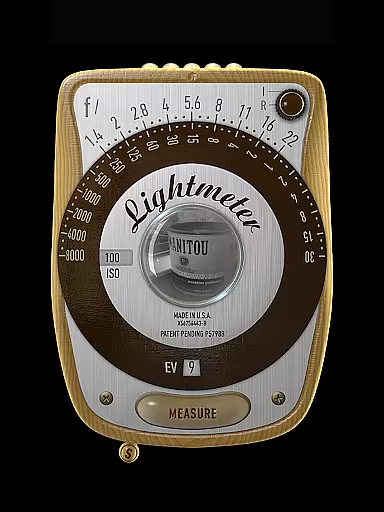
LightMeter is a specialized photography application designed for analog photographers who appreciate the art of old-school techniques. This app transforms your mobile device into a portable light meter, providing both incident and reflected light metering capabilities. With its unique calibration features and compatibility with various ISO ranges, it caters to both amateur enthusiasts and professional photographers.
The app supports devices that can save exposure data to EXIF, ensuring accurate readings for optimal photo results. While the precision of phone-based light meters is inherently limited by the hardware, LightMeter offers reliable functionality through careful design and optimization. Whether you're shooting in low-light conditions or need precise spot measurements, this app provides the necessary tools to enhance your analog photography experience.
LightMeter boasts an impressive array of features tailored specifically for analog photography enthusiasts. The app supports an extensive ISO range from 3 to 6400, allowing users to work with a variety of film stocks under different lighting conditions. Its dual light metering system includes both incident and reflected options, catering to diverse shooting scenarios and personal preferences.
Additional functionalities include a low light alert, camera mute option (where supported), and detailed EXIF information display. The app also offers practical features like vibration feedback on measurement, state recall upon resuming, and support for high-resolution screens. These thoughtful additions make LightMeter a comprehensive tool for photographers seeking precise control over their exposure settings while maintaining the authenticity of traditional film photography.
Real-time capture and preview functionality is essential for photographers who need to make quick and accurate exposure decisions. LightMeter offers this feature, allowing users to measure light levels and immediately see the results on their device screens.
The app supports both incident and reflected light metering, catering to different shooting conditions and preferences. Incident light metering requires a light sensor, while reflected light metering works with the device's camera, though compatibility varies across devices.
Photographers can benefit from real-time feedback, adjusting their settings based on immediate readings. This ensures that each shot is optimally exposed, reducing the need for post-processing adjustments and enhancing the overall quality of analog photography.
While primarily designed for light metering, LightMeter also includes features that enhance the natural beauty of photographs through precise exposure control. The app provides ISO range settings from 3 to 6400, ensuring flexibility in various lighting conditions.
Additional functionalities such as low light alerts, vibration feedback on measurement, and optional display of Exif and sensor information contribute to a seamless user experience. These features help maintain the authenticity of analog photography by offering tools that work harmoniously with traditional techniques.
By supporting high-resolution screens and providing calibration options, LightMeter ensures that the enhancements remain true to the original scene. This dedication to preserving the natural qualities of an image makes it a valuable tool for both amateur and professional photographers.
User-friendly interface
Wide ISO range support
Accurate reflected light readings
Comprehensive feature set
Excellent customer support
Limited device compatibility
Incident mode needs sensor
Reflected mode restrictions
Precision varies by device
No automatic adjustments

Edit like a pro with Hypic. Apply filters, AI effects, & magic touch.
 4.40
4.40
Light-weight Media Gallery app for Android made with Jetpack Compose
4.60
Amazing Photo Effects - The most fun you can have with your photos!
4.70
GCamera allows all GCam features on all phone models! Better photos with GCamera
3.30
Professional quality photo edits with the new Snapseed.
4.00
Collage your moments in one tap: 1000+ layouts, filters, stickers, and texts.
4.90
Fit multiple photos on one post. Create carousels & scroll layouts for Instagram
4.50
Turn photos into cartoons & avatars! - Photo Editor, Cartoon Face!
3.90
A unique animation app. Powerful, easy to use, and lots of fun.
4.30
Android Native system HD camera app. Never been so simple and faster.
4.70
Cartoon and artistic effects for your photos and videos
4.70
Automatically backup your photos and videos to computer, NAS and Cloud services
4.60
A must-have app for landscape photographers
4.60
Movie camera, supports pro recording settings for filming. Try it and be amazed!
4.50
Trendy TikTok time warp scan funny filter app brings you unique photos & videos.
4.40
A reflected light meter with spot metering and incident light metering.
4.40
Turn your phone into a professional camera - full DSLR manual photography
4.30
All-in-One Editor & AI Photo Enhancer, Collage, Cartoonify, Funny Stickers & BGS
4.10
Photo editor: face & body editor, beauty cam, filters and quality enhancer.
4.00


User Reviews